iContacts+: Contact Group Tool

iContacts+: Contact Group Tool

다운로드: App Store
로고: iContacts+: Contact Group Tool

iContacts+: iPhone 연락처를 위한 전문가용 명령 센터

기본 연락처 앱의 한계에 더 이상 시달리지 마세요. 전문가의 워크플로우를 위해 설계된 고급 검색 및 일괄 관리 도구를 사용하여 그룹을 쉽게 구성하고, 대량 메시지를 보내고, 주소록을 정리하세요.

개발사

Jeonghwan Kim

카테고리

Utilities

다운로드

106K+

사용자 평점

4.5/5

총 평가 수

3K+

지원 언어

8

한눈에 보는 효율성

이 인터페이스를 사용하는 106K+ 명의 사용자.

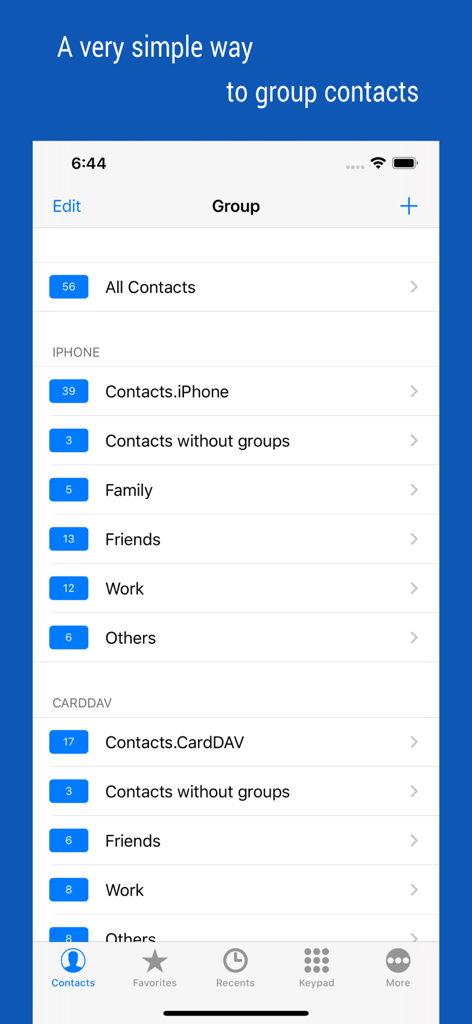
iContacts plus 앱의 인터페이스로, 가족, 친구, 직장과 같은 그룹으로 정리된 연락처를 보여줍니다.

iContacts plus 앱의 인터페이스로, 가족, 친구, 직장과 같은 그룹으로 정리된 연락처를 보여줍니다.

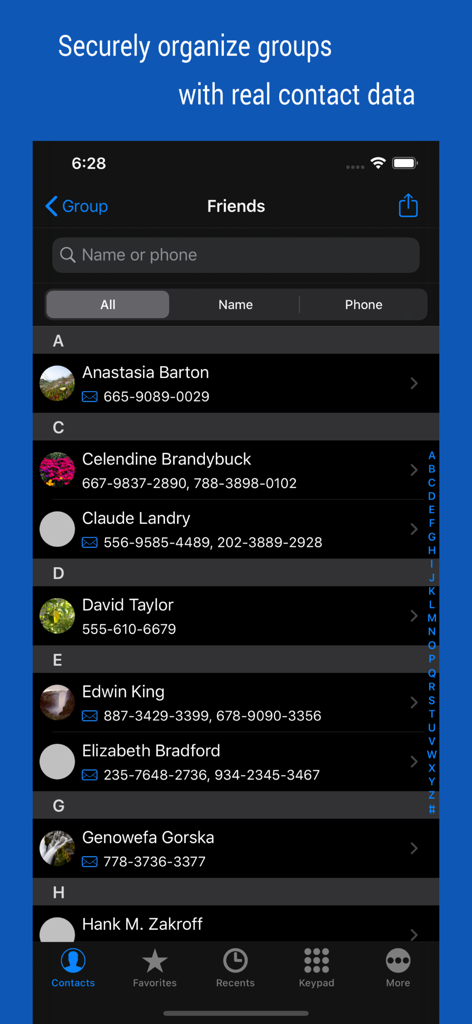
iContacts plus 앱의 사용자 인터페이스로, 친구 그룹으로 분류된 연락처 목록을 표시합니다.

iContacts plus 앱의 사용자 인터페이스로, 친구 그룹으로 분류된 연락처 목록을 표시합니다.

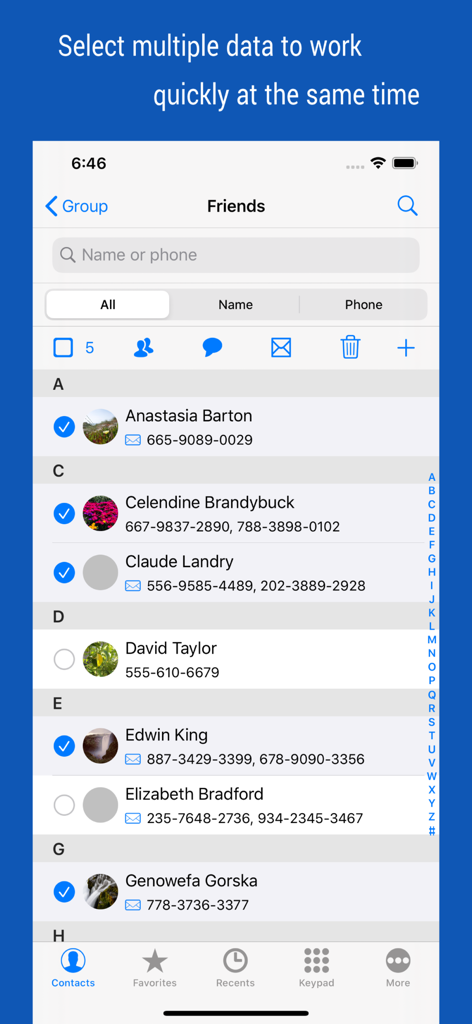
iContacts plus의 인터페이스로, 일괄 관리 작업을 위해 여러 연락처가 선택된 것을 보여줍니다.

iContacts plus의 인터페이스로, 일괄 관리 작업을 위해 여러 연락처가 선택된 것을 보여줍니다.

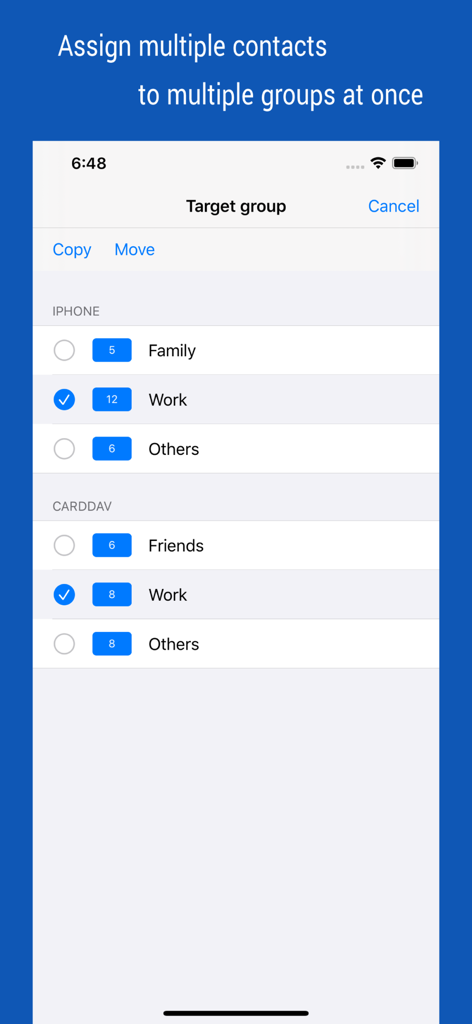
iContacts 앱의 스크린샷으로, 가족 및 직장과 같은 여러 그룹에 여러 연락처를 한 번에 할당하는 화면을 보여줍니다.

iContacts 앱의 스크린샷으로, 가족 및 직장과 같은 여러 그룹에 여러 연락처를 한 번에 할당하는 화면을 보여줍니다.

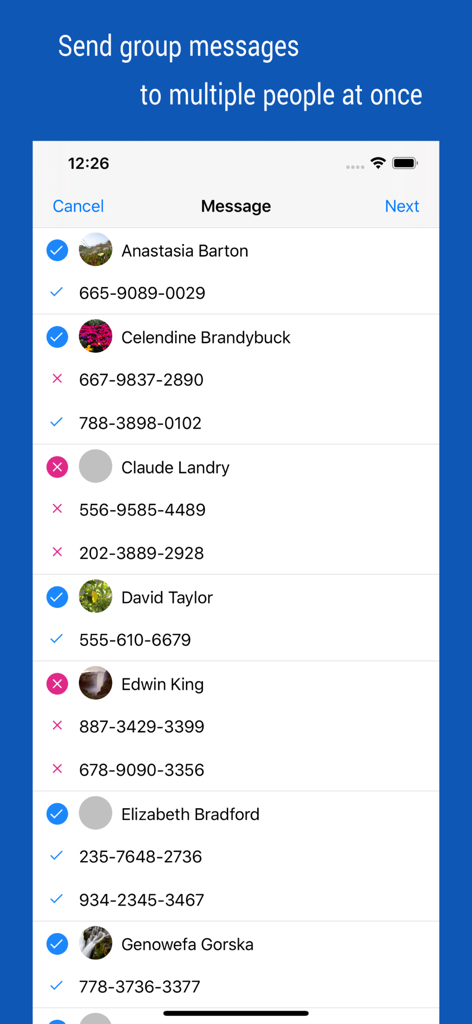
그룹 메시지 전송을 위한 여러 연락처 선택 화면

그룹 메시지 전송을 위한 여러 연락처 선택 화면

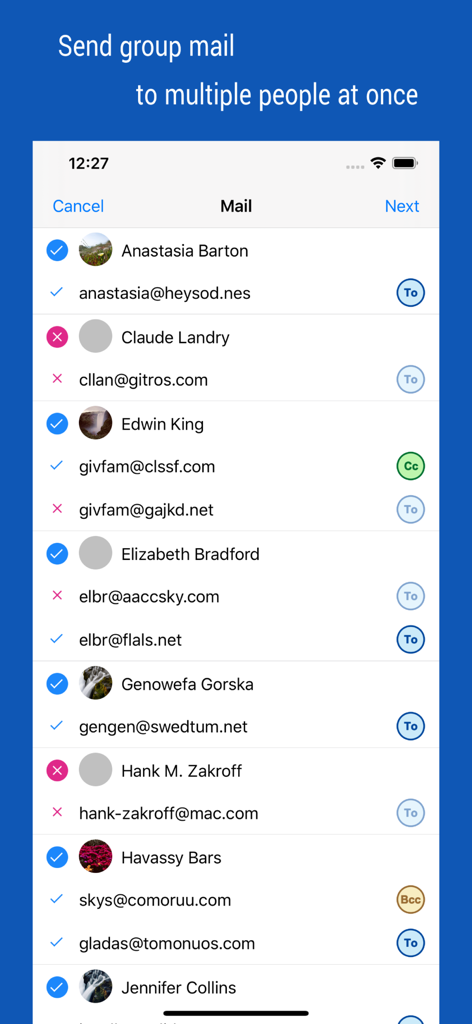
CC 및 BCC 옵션이 있는 그룹 이메일 전송을 위한 여러 연락처 선택 및 수신자 관리 인터페이스

CC 및 BCC 옵션이 있는 그룹 이메일 전송을 위한 여러 연락처 선택 및 수신자 관리 인터페이스

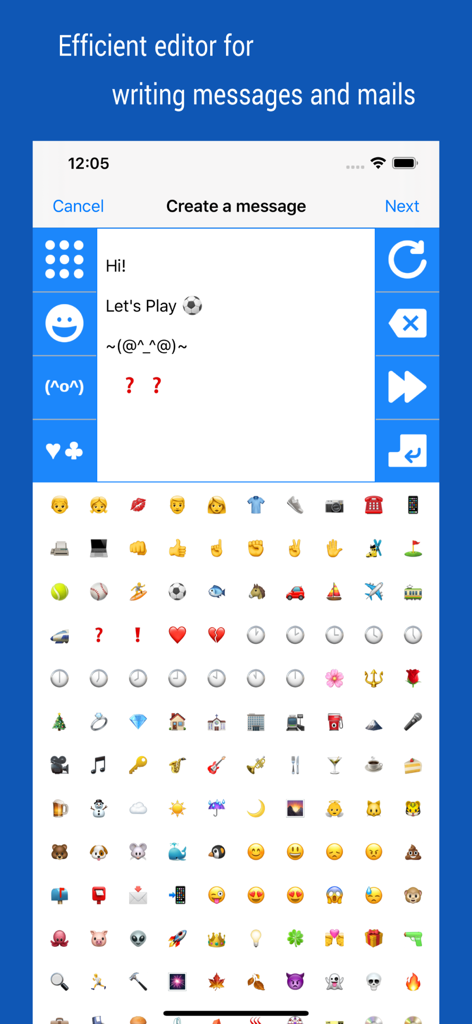
iContacts plus 앱 내에서 이모티콘 및 카오모지 키보드를 특징으로 하는 그룹 메시지 및 이메일 작성 인터페이스.

iContacts plus 앱 내에서 이모티콘 및 카오모지 키보드를 특징으로 하는 그룹 메시지 및 이메일 작성 인터페이스.

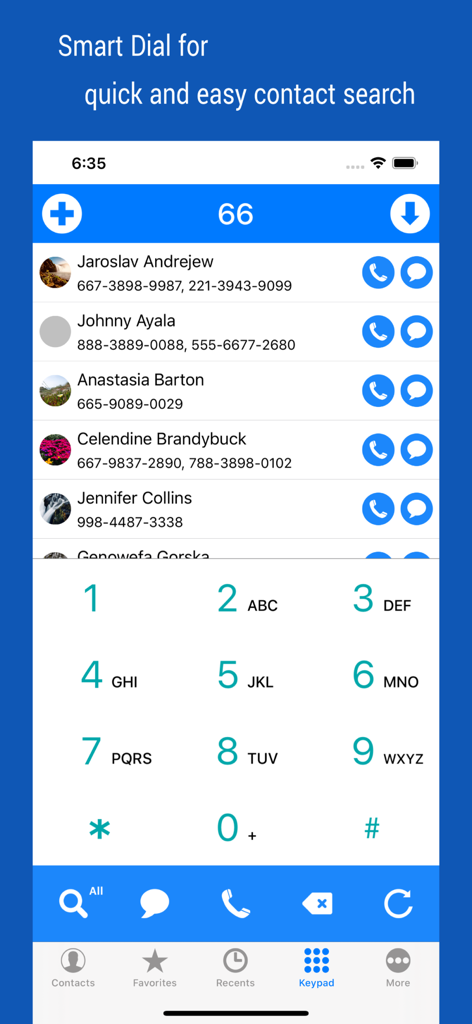
iContacts 앱의 스마트 검색 다이얼 인터페이스로, 필터링된 연락처 목록과 숫자 키패드를 보여줍니다.

iContacts 앱의 스마트 검색 다이얼 인터페이스로, 필터링된 연락처 목록과 숫자 키패드를 보여줍니다.

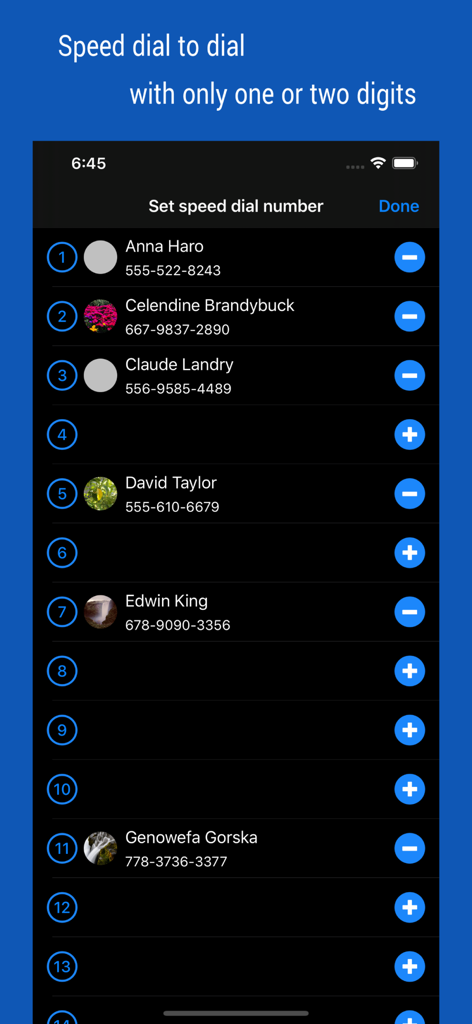
iContacts plus 앱의 화면으로, 빠른 통화를 위해 단축 다이얼 번호에 할당된 연락처 목록을 보여줍니다.

iContacts plus 앱의 화면으로, 빠른 통화를 위해 단축 다이얼 번호에 할당된 연락처 목록을 보여줍니다.

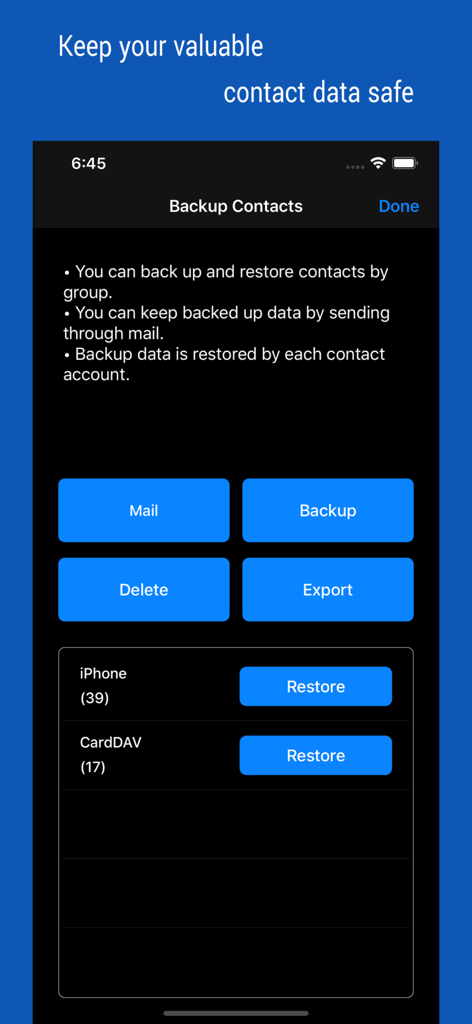
이메일 백업 및 데이터 내보내기를 포함한 연락처 백업 및 복원 옵션을 보여주는 인터페이스.

이메일 백업 및 데이터 내보내기를 포함한 연락처 백업 및 복원 옵션을 보여주는 인터페이스.

전문가 수준의 연락처 관리

이 앱을 돋보이게 하는 도구, 106K+ 명의 사용자가 선택.

📂

스마트 그룹 구성

기본 기능의 한계를 넘어서세요. 연락처를 사용자 정의 그룹으로 쉽게 분류하고, 이동 또는 삭제와 같은 일괄 작업을 수행하여 주소록을 깔끔하게 유지하세요.

✉️

즉각적인 그룹 커뮤니케이션

팀 전체 또는 고객 목록에 몇 초 안에 도달하세요. 대량의 전문적인 연락을 위해 설계된 전용 도구를 사용하여 그룹 메시지 및 이메일을 보내세요.

🛡️

안전한 백업 및 동기화

그룹 기반 백업 및 실시간 동기화를 통해 전문 데이터베이스를 보호하여 네트워크가 항상 안전하고, 정리되고, 최신 상태로 유지되도록 하세요.

앱 소개

에 대해 알아야 할 모든 것 iContacts+: Contact Group Tool.

설명

▷ Optimal technology for contact group management ◉ All-in-One, The Evolution of Contacts App Manage your contacts into groups and contact your contacts as a group. Contact group management is only a basic function. And you can manage groups more conveniently than the default app. Additionally, advanced search features, group messaging, group email, bulk delete contact, organize contacts, contact backup, quick favorites, speed dial, smart search dial, etc. These various features have been integrated into One App. ◉ Secure Contact Tool Contact data is valuable information to you. The contacts App uses the system's data, so it should work correctly and handle your data securely. ◉ Functions and Features [Real-time Synchronization] • Since the Contact data of the system is used as it is, the work contents are immediately reflected. [Multiple selection methods] • Most tasks can be processed quickly with multiple selections. [Contact Group Management] • Create a group and add contacts as group members • Organize multiple contacts into multiple groups at the same time • Copy or move contacts between groups • Real-time synchronization with the contact group on the system • Simultaneous support of iCloud and CardDAV [Advanced Contact Search Function] • Extract optimal data by specifying phone number or name as search method • Can search for initials in Korean language including double consonants [Group Message, Group Email] • Multiple contacts to send a message at the same time • Provides separate message-writing tools for convenient input [Organize contacts] • Extract and organize contacts into various conditions • Delete contacts in bulk [Backup Contact] • Backup or restore contacts by group • Archiving backup data by email [Contact Favorites] • Easily call and send messages to frequently used contacts [Smart Search Dial] • Dial pad with search contacts • Set up Speed dialing for speed dials • Change the touch sound of the dial • Search for initials using Korean consonants ◉ Notification • You must allow access to your iPhone when you first launch the App. • If the list of the order in your contact list changes after iOS updates, please change your iPhone settings. (Mail, Contacts, Calendars > Sort Order, Display Order) • Contact groups in Exchange mail are not supported. • The user's contact information is not used separately or sent outside.

최신 버전

4.65

크기

3.1 MB

출시일

2012년 8월 9일

연락처를 전문가처럼 마스터하세요

iPhone을 고성능 네트워킹 도구로 전환한 100,000명 이상의 생산성 추구자들과 함께하세요. 오늘 그룹, 커뮤니케이션 및 백업을 완벽하게 제어하세요.

다운로드: App Store

App information, icons, screenshots, and descriptions displayed on this page are sourced from the Apple App Store and are the property of their respective developers. Download estimates and rankings are based on MWM's proprietary models and may not reflect actual figures. This page is provided for informational and analytical purposes only.

Believe this page infringes your intellectual property? File a dispute