
IP Test - Bandwidth test


네트워크 엔지니어를 위한 필수적인 유틸리티. 사용자 지정 TCP/UDP 페이로드를 사용하여 로컬 처리량을 벤치마킹하고, 트래픽을 시뮬레이션하며, 병목 현상을 정확하게 파악합니다.
개발사
카테고리
Utilities다운로드
1K+사용자 평점
총 평가 수
0지원 언어
1이 인터페이스를 사용하는 1K+ 명의 사용자.
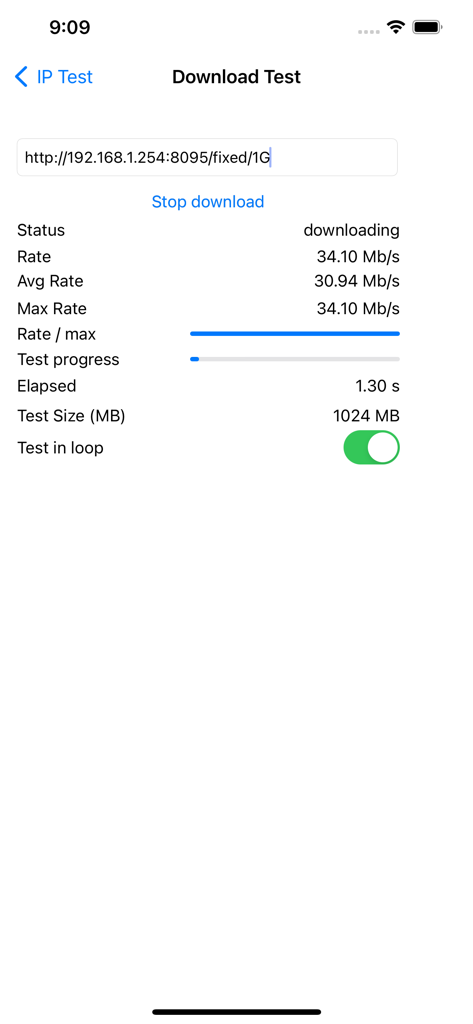
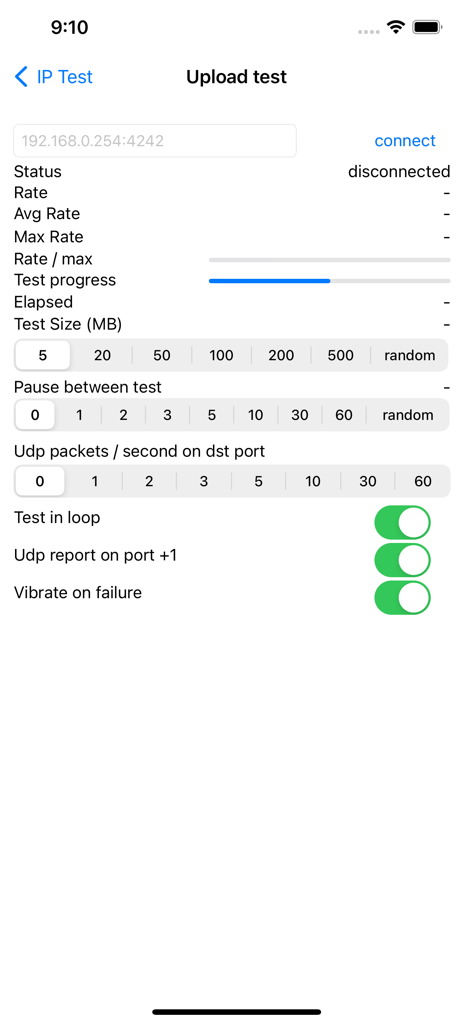
이 앱을 돋보이게 하는 도구, 1K+ 명의 사용자가 선택.
특정 TCP 전송을 실행하거나 병렬 UDP 트래픽을 보내 QoS 및 프로토콜별 성능을 확인하여 표준 속도 테스트를 뛰어넘으세요.
최대 500MB의 조정 가능한 페이로드와 루프 모드로 트래픽을 시뮬레이션하여 간헐적인 실패 및 하드웨어 병목 현상을 식별합니다.
전송 실패 시 햅틱 진동 알림과 로컬 및 원격 호스트 연결 모두에 대한 정확한 속도 보고로 하드웨어에 집중하세요.
에 대해 알아야 할 모든 것 IP Test - Bandwidth test.
설명
최신 버전
1.3.0
크기
1.4 MB
출시일
2013년 1월 16일
이 전문가 수준의 유틸리티를 네트워크 도구 키트에 추가하세요. 세분화된 TCP/UDP 진단을 실행하고, 사용자 지정 페이로드를 관리하며, CLI 도구의 효율성으로 병목 현상을 정확히 찾아냅니다.
같은 카테고리의 상위 앱

Google LLC

Google LLC

China Mobile Online Services Co., Ltd.

Google LLC

Servicos e Informacoes do Brasil

DEEP FLOW SOFTWARE SERVICES - FZCO

Servicos e Informacoes do Brasil

Microsoft Corporation

YUNFAN TECHNOLOGY CO., LIMITED
App information, icons, screenshots, and descriptions displayed on this page are sourced from the Apple App Store and are the property of their respective developers. Download estimates and rankings are based on MWM's proprietary models and may not reflect actual figures. This page is provided for informational and analytical purposes only.
Believe this page infringes your intellectual property? File a dispute