IPEVO Visualizer

IPEVO Visualizer

다운로드: App Store
로고: IPEVO Visualizer

IPEVO Visualizer: 역동적인 비주얼과 완벽한 이동성으로 교실을 변화시키세요

무선 카메라 제어, 실시간 주석, 완벽한 화면 레이아웃으로 교육 역량을 강화하세요. 모바일 기기를 전문 프레젠테이션 허브로 전환하여 교실 어디에서든 학생들의 참여를 유도하세요.

다운로드: App Store

개발사

IPEVO

카테고리

Utilities

다운로드

4K+

사용자 평점

3.7/5

총 평가 수

0

지원 언어

13

선명함을 경험하세요

이 인터페이스를 사용하는 4K+ 명의 사용자.

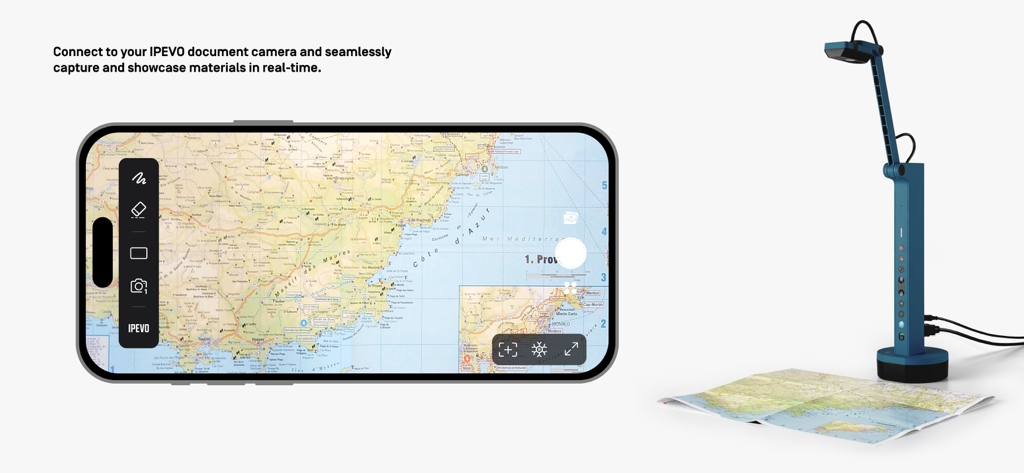
스마트폰에서 IPEVO Visualizer 앱이 문서 카메라로 실제 지도를 실시간으로 캡처하는 모습

스마트폰에서 IPEVO Visualizer 앱이 문서 카메라로 실제 지도를 실시간으로 캡처하는 모습

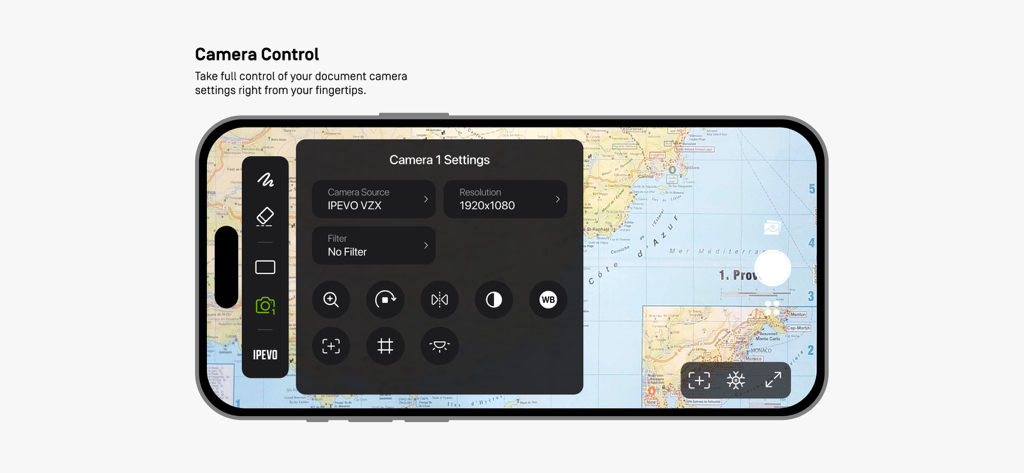
표시된 지도 위에 카메라 설정 메뉴가 있는 IPEVO Visualizer 앱의 스마트폰 인터페이스.

표시된 지도 위에 카메라 설정 메뉴가 있는 IPEVO Visualizer 앱의 스마트폰 인터페이스.

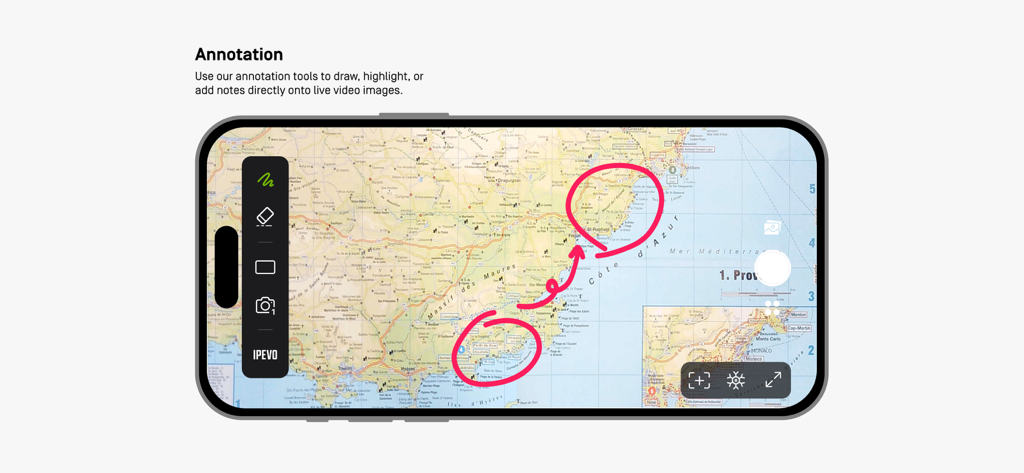
IPEVO Visualizer 앱이 프레젠테이션 중 지도를 표시하는 데 사용되는 실시간 주석 도구를 보여주는 모습

IPEVO Visualizer 앱이 프레젠테이션 중 지도를 표시하는 데 사용되는 실시간 주석 도구를 보여주는 모습

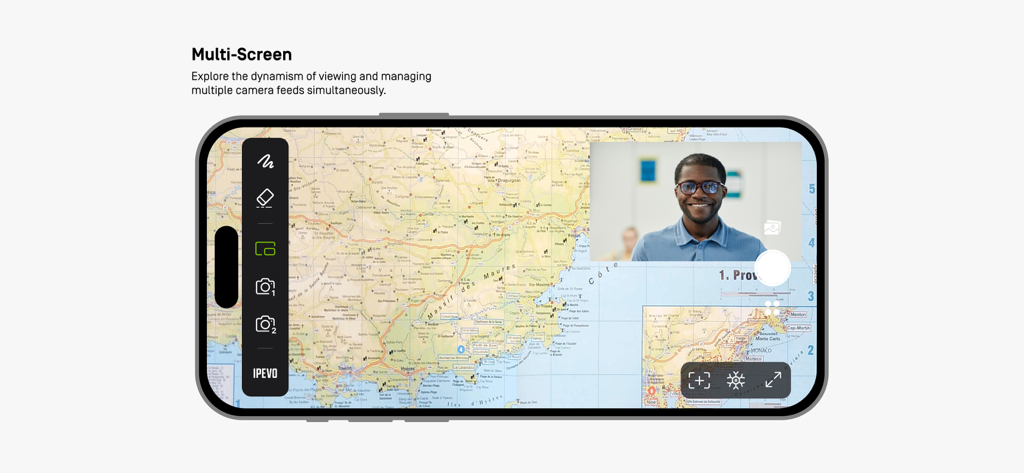
스마트폰에서 지도와 비디오 피드가 있는 다중 화면 모드를 보여주는 IPEVO Visualizer 앱 인터페이스

스마트폰에서 지도와 비디오 피드가 있는 다중 화면 모드를 보여주는 IPEVO Visualizer 앱 인터페이스

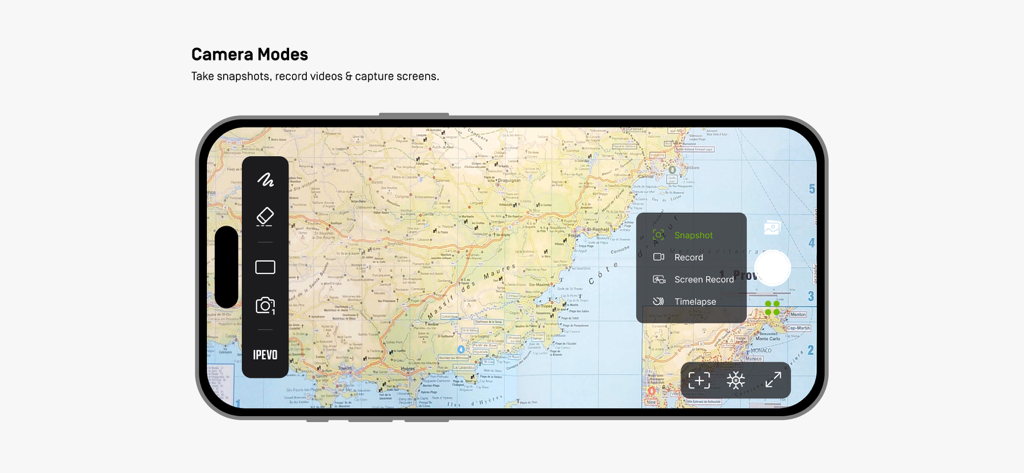
지도 위에 스냅샷 및 비디오 녹화 옵션을 표시하는 IPEVO Visualizer 앱 인터페이스

지도 위에 스냅샷 및 비디오 녹화 옵션을 표시하는 IPEVO Visualizer 앱 인터페이스

수업을 인터랙티브한 경험으로 전환하세요

이 앱을 돋보이게 하는 도구, 4K+ 명의 사용자가 선택.

📱

제약 없는 수업

책상에서 벗어나세요. iPad 또는 iPhone에서 IPEVO 카메라를 무선으로 제어하고 교실 어디에서든 가르칠 수 있습니다.

✏️

인터랙티브 주석

실시간 이미지에 직접 그림을 그리거나, 강조 표시하고, 메모를 추가하여 사고 과정을 보여주고 학생들이 주요 학습 목표에 집중하도록 하세요.

✂️

고급 화면 레이아웃

분할 화면 및 PIP(Picture-in-Picture) 모드를 사용하여 학생의 작업을 비교하거나 두 대의 카메라 앵글을 동시에 표시하여 효과를 극대화하세요.

앱 소개

에 대해 알아야 할 모든 것 IPEVO Visualizer.

설명

Visualizer software for IPEVO cameras to maximize teaching presentation and sharing efficiency. Key Features Overview: • Effortlessly connect to your IPEVO educational camera via Wi-Fi or a wired connection, enabling image display on your mobile device. Compatible with both front and rear camera   options to meet diverse needs. • Total camera control: Adjust screen size, rotate images, fine-tune resolution, and manage exposure settings, all at your fingertips. • Captivating on-screen annotations: Elevate your presentations with our annotation tools, allowing you to draw, mark, and add comments directly on live images, adding more  engagement to your content. • Advanced screen layouts: Showcase real-time content from two cameras simultaneously using split-screen and picture-in-picture functionality. Furthermore, utilize the floating  window mode to interactively display content alongside your desktop or other software, offering endless presentation possibilities. • Image capture capabilities: Easily capture images from your camera or device screen, record videos, and even enjoy time-lapse photography functionality. Experience the Visualizer educational software now, unlocking a whole new realm of teaching potential and delivering an unparalleled educational experience!

최신 버전

4.1.1

크기

139.0 MB

출시일

2018년 5월 28일

교실 경험을 재정의할 준비가 되셨나요?

지금 IPEVO Visualizer를 다운로드하여 원활한 카메라 제어, 실시간 주석, 능동적인 학습을 위한 궁극적인 이동성을 경험해보세요.

다운로드: App Store

App information, icons, screenshots, and descriptions displayed on this page are sourced from the Apple App Store and are the property of their respective developers. Download estimates and rankings are based on MWM's proprietary models and may not reflect actual figures. This page is provided for informational and analytical purposes only.

Believe this page infringes your intellectual property? File a dispute