
itslearning new


학생과 교사를 위한 공식 모바일 동반자. 모든 마감일을 앞서 나가고, 수업에 메시지를 보내고, 언제 어디서든 코스를 관리하세요.
개발사
카테고리
Education다운로드
412K+사용자 평점
총 평가 수
900지원 언어
13이 인터페이스를 사용하는 412K+ 명의 사용자.
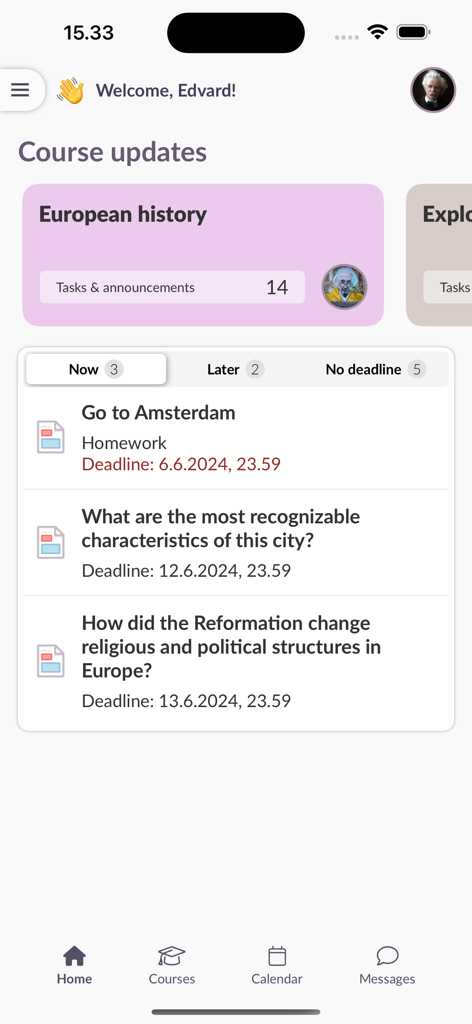
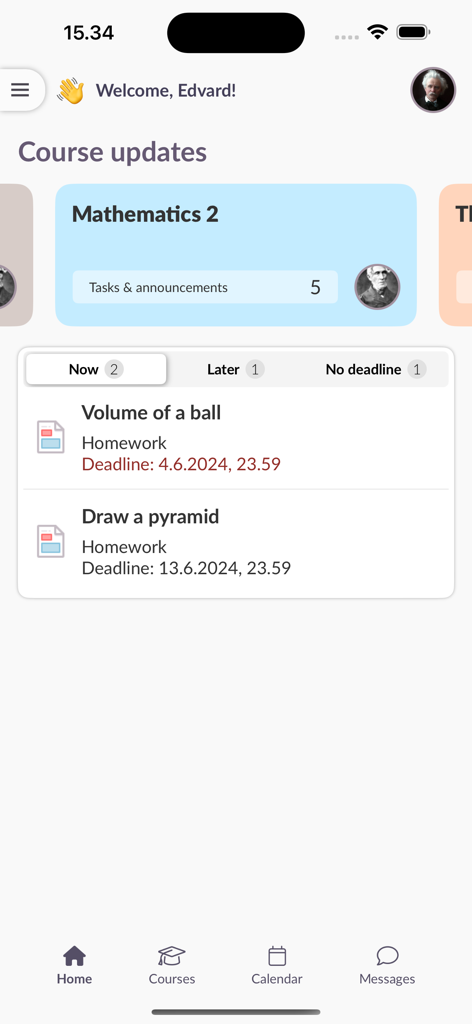
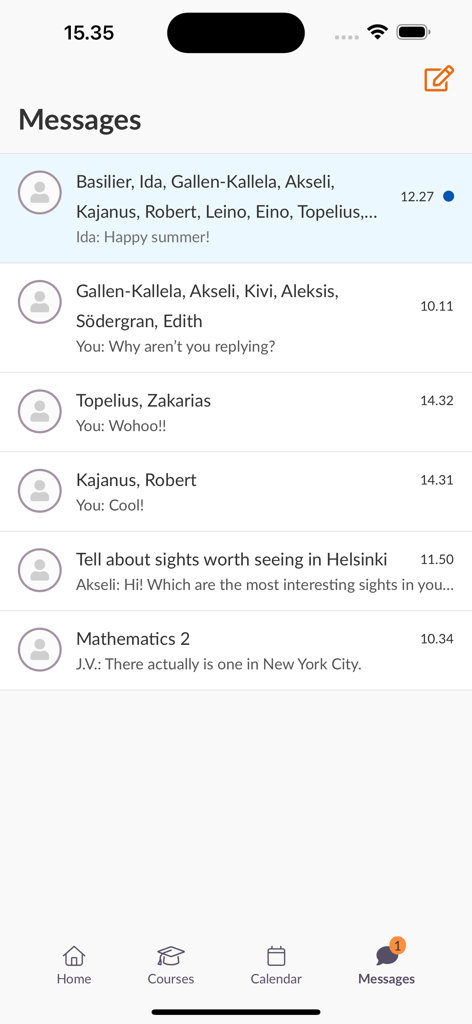
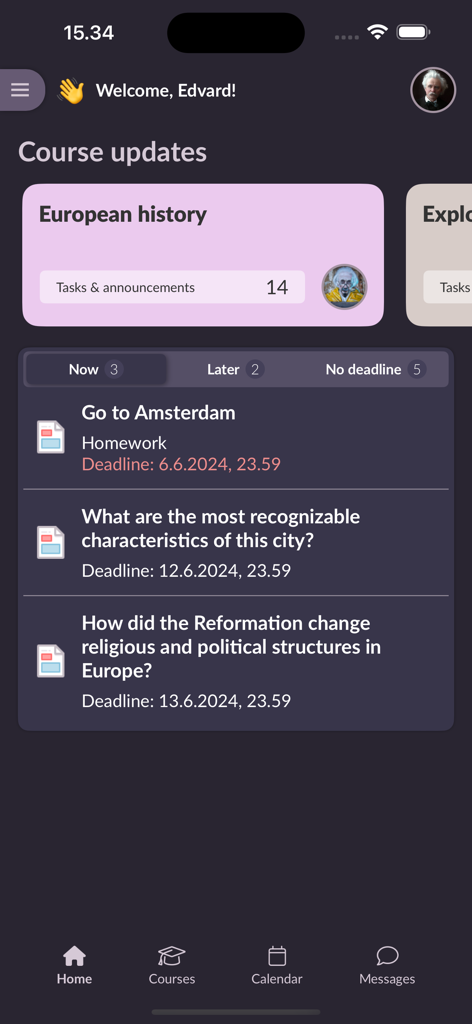
이 앱을 돋보이게 하는 도구, 412K+ 명의 사용자가 선택.
다음에 무엇을 우선시해야 할지 항상 알 수 있도록 명확하고 분류된 예정된 작업 개요로 체계적으로 관리하세요.
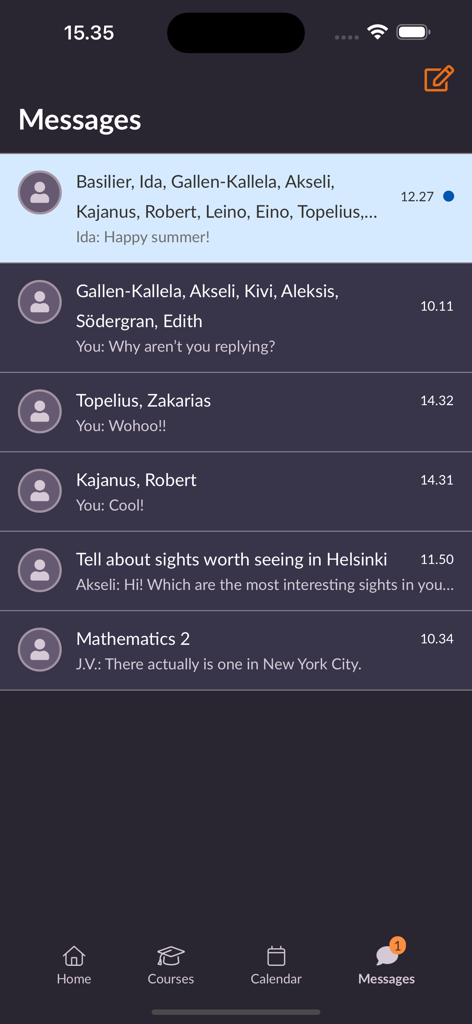
정중한 이메일은 이제 그만. 내장된 메시지 기능을 사용하여 빠르게 답변을 얻고 이동 중에 협업하세요.
사용자 리뷰 인사이트.
감정 점수
요약
User feedback for the app is overwhelmingly negative, with many users expressing extreme dissatisfaction. A primary complaint is that the app functions predominantly as a web wrapper, redirecting users to a browser for most features rather than providing native app functionality, making it feel redundant and slow. Users also report significant usability issues, citing a confusing interface, difficult navigation, and a notable lack of essential features such as document editing or reliable scheduling information. Frequent logouts requiring re-authentication are a common frustration, and many consider the new version a considerable downgrade from its predecessor.
주요 테마
에 대해 알아야 할 모든 것 itslearning new.
설명
최신 버전
1.7.0
크기
11.7 MB
출시일
2024년 10월 11일
모든 마감일을 앞서 나가고 대화를 계속 이어가세요. 지금 바로 공식 itslearning 앱을 다운로드하고 이동 중에 학업 생활을 마스터하세요.
에 대해 알아야 할 모든 것 itslearning new
itslearning 새 앱을 사용하면 모바일 기기에서 학습 과정을 이용할 수 있습니다. 학생과 교사를 위한 작업 개요, 메시지, 과제 제출 및 과정 리소스 액세스를 제공합니다.
예, 사용자는 itslearning 새 앱으로 과제를 제출할 수 있습니다. 해당 기능이 앱에 기본적으로 내장되어 있지 않은 경우, 완료를 위해 브라우저 창이 열립니다.
예, itslearning 새 앱에는 메시지 기능이 포함되어 있습니다. 사용자는 앱 인터페이스 내에서 직접 대화를 확인하고 관리할 수 있습니다.
로그인하려면 학교 또는 사이트를 검색하고 로그인 방법을 선택한 다음 기존 itslearning 계정 사용자 이름과 비밀번호를 입력하세요. 앱은 나중에 사용할 수 있도록 로그인을 기억합니다.
itslearning 새 앱은 메시지에 첨부 파일을 추가하기 위해 '이미지 및 파일' 권한과 푸시 알림을 받기 위해 '알림' 권한을 요청합니다.
예, itslearning 새 앱은 과정에 대한 작업 개요를 명확하게 제공하며, 마감일에 따라 범주로 나뉩니다. 이를 통해 사용자는 예정된 작업을 추적하는 데 도움이 됩니다.
예, itslearning 새 앱은 과정 공지 사항 및 업데이트를 표시합니다. 메인 화면에는 '과정 업데이트'가 표시되며 다양한 과정에 대한 작업 및 공지 사항이 나열됩니다.
예, 학생들은 itslearning 새 앱을 사용하여 설문 조사 및 테스트를 볼 수 있습니다. 일부 기능은 전체 itslearning 환경을 제공하기 위해 브라우저 창에서 열릴 수 있습니다.
유사한 기능과 사용자 경험을 가진 앱

ClassDojo, Inc.

MINKOMSVYAZ ROSSII, FKU

PARENTSQUARE LLC

Agenda Kids Ltda ME

TalkingPoints Corp

Instructure, Inc.

PARENTSQUARE LLC

D2L Corporation

PowerSchool Group LLC
App information, icons, screenshots, and descriptions displayed on this page are sourced from the Apple App Store and are the property of their respective developers. Download estimates and rankings are based on MWM's proprietary models and may not reflect actual figures. This page is provided for informational and analytical purposes only.
Believe this page infringes your intellectual property? File a dispute