iWatermark Lite Watermark Pics

iWatermark Lite Watermark Pics

다운로드: App Store
로고: iWatermark Lite Watermark Pics

iWatermark Lite: 창작물을 보호하고 전문 브랜드를 구축하세요

사진작가, 부동산 중개인, 소규모 비즈니스 소유자를 위한 필수 배치 워터마킹 도구입니다. 몇 초 만에 사용자 지정 로고, 서명 및 QR 코드로 디지털 자산을 보호하세요.

다운로드: App Store

개발사

Plum Amazing Software LLC

카테고리

Photo & Video

다운로드

92K+

사용자 평점

2.5/5

총 평가 수

500

지원 언어

14

전문적인 우위

이 인터페이스를 사용하는 92K+ 명의 사용자.

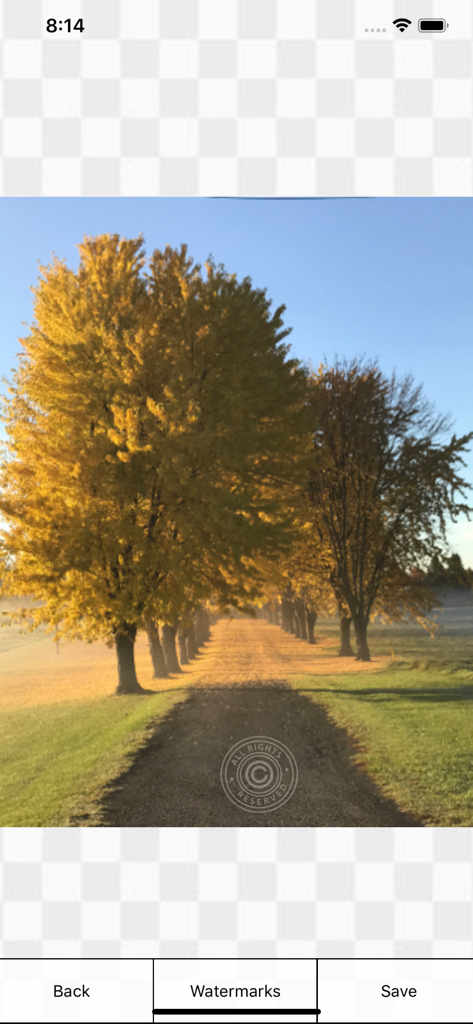
iWatermark Lite 모바일 앱 인터페이스를 사용하여 적용된 모든 권리 보유 저작권 워터마크가 있는 풍경 사진

iWatermark Lite 모바일 앱 인터페이스를 사용하여 적용된 모든 권리 보유 저작권 워터마크가 있는 풍경 사진

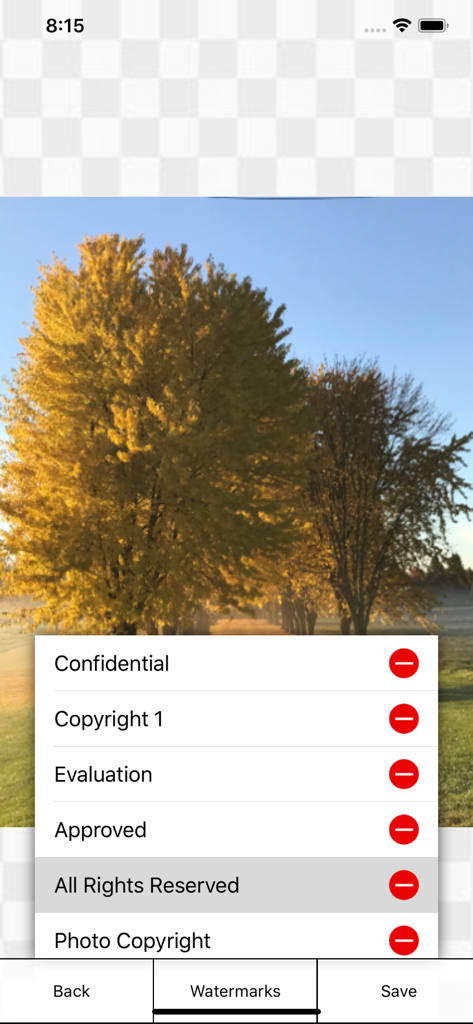
나무 사진 위에 저작권 및 모든 권리 보유와 같은 워터마크 옵션 메뉴를 보여주는 iWatermark Lite 앱 인터페이스

나무 사진 위에 저작권 및 모든 권리 보유와 같은 워터마크 옵션 메뉴를 보여주는 iWatermark Lite 앱 인터페이스

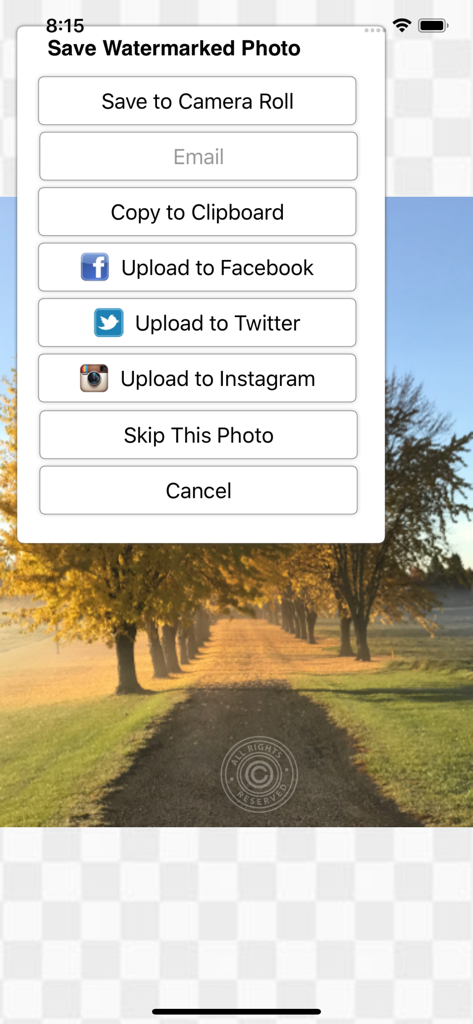
iWatermark Lite 앱 인터페이스에 워터마크가 있는 사진을 카메라 롤에 저장하거나 Facebook, Twitter 및 Instagram에 공유하는 옵션이 있는 메뉴 표시

iWatermark Lite 앱 인터페이스에 워터마크가 있는 사진을 카메라 롤에 저장하거나 Facebook, Twitter 및 Instagram에 공유하는 옵션이 있는 메뉴 표시

시각 자산을 위한 전문 도구

이 앱을 돋보이게 하는 도구, 92K+ 명의 사용자가 선택.

고효율 배치 처리

한 번에 하나씩 편집하는 시간을 낭비하지 마세요. 바쁜 부동산 중개인 및 전자 상거래 판매자에게 완벽하게, 전체 갤러리에 고유한 브랜드 또는 서명을 동시에 적용하세요.

✒️

완벽한 브랜드 맞춤 설정

자신만의 로고, 직접 그린 서명을 가져오거나 162개의 전문 글꼴 중에서 선택하세요. 픽셀 단위의 완벽한 모습을 위해 불투명도, 크기, 회전을 완벽하게 제어하세요.

🛡️

IP 보호 및 QR 통합

콘텐츠 스크래핑을 방지하고 바이럴되기 전에 작업을 주장하세요. QR 코드 워터마크를 사용하여 연락처 정보 및 웹사이트를 아트워크에 직접 포함하세요.

앱 소개

에 대해 알아야 할 모든 것 iWatermark Lite Watermark Pics.

설명

Works great on the latest iOS! The essential Watermarking App for Professionals, Business and Personal Use. Easily, secure and protect your photos with a text, graphic/logo, signature or QR watermark.  Once added to a photo this visible watermark displays it is created and owned by you. Watermarking is increasingly important and is like signing your name to a photo. A watermark subtly displays, no matter where your photo goes, that it's yours. Watermarking can also be used to add your email, url, a personal message or fun graphics to any photo. Before you download please be aware this lite version allows using all features but also adds our small watermark ('Created with iWatermark') to remove this mark upgrade to iWatermark. Many find the lite version fulfills their needs but we recommend upgrading, it supports the evolution of iWatermark, its a small price for such a sophisticated program. "It's by far the best watermarking App I've seen to date on iOS." - Terry White, review on bestappsite.com 11/26/12 Thanks to all iWatermark users for the great reviews and suggestions. iWatermark, is the only watermarking tool available for all 4 OS platforms and the most popular professional watermarking tool for photos. Social media sharing via full resolution to Facebook, Instagram, Twitter, Camera Album, Clipboard or Email (3 resolution options). Features * Touch to operate. ** Click to move the watermark location. ** Pinch/zoom to expand/contract the size of the watermark. ** Two fingers at once to rotate the watermark to any angle. * Batch processing (all at once) or sequential. * Easily adjust the watermarks scale, opacity, font, color, size, position and angle. * Create your own subtle text or graphic watermarks or select from the included example watermarks (both text and graphics). * Included examples are both text (names, dates, tag data, etc.) and graphic (signatures, logos, etc.) watermarks which can be used immediately. * 162 fonts for your text watermarks 112 + 50 iOS fonts * Displays each font. * 34 high-res watermarks. * Import your own graphic watermarks by sending yourself an email with attached graphic. * One button import of your signature for use as a watermark. * Complete and easy to understand manual. * Create a QR watermark which is like a barcode. QR codes can contain up to 4000 chars of information. QR codes can then be read with a scanner or smartphone with the right app revealing the info you encoded. Why Watermark? Digitally sign your photos/artwork with iWatermark to claim, secure and maintain your intellectual property and reputation. - Photos go viral then they fly off globally. Watermark with name, email or url so your photo has a visible and legal connection to you. - Build your company brand, by having your company logo on all your images. - Promote your company, name and website by using QR codes as watermarks. - Avoid the surprise of seeing your photos and/or artwork elsewhere on the web or in an ad. - Avoid the conflicts, costly litigation and headaches from plagiarists who claim they didn't know that you created it. - Avoid intellectual property (IP) squabbles. Q:I want to use my signature as my watermark. How do I add my graphic signature like the examples by Picasso, Ben Franklin, etc.? A:Use our signature tool or make the .png graphics on your computer, email it to yourself, open the email on your device and save to your photo album. In iWatermark create a graphic watermark and choose the graphic from your photo album to add it as a new watermark. Q:Will it work with Canon, Sony, Nikon, Fuji, Olympus? A:Yes Manual http://www.plumamazing.com/iphone/iwatermark-iphone/iwatermarkhelp/

최신 버전

6.9.7

크기

23.2 MB

출시일

2011년 6월 14일

지금 콘텐츠를 보호하고 비즈니스를 브랜딩하세요

배치 워터마킹의 전문적인 성능을 경험하세요. iWatermark Lite로 지적 재산권을 보호하는 92,000명 이상의 크리에이터와 함께하세요.

다운로드: App Store

App information, icons, screenshots, and descriptions displayed on this page are sourced from the Apple App Store and are the property of their respective developers. Download estimates and rankings are based on MWM's proprietary models and may not reflect actual figures. This page is provided for informational and analytical purposes only.

Believe this page infringes your intellectual property? File a dispute