Keeble

Keeble

다운로드: App Store
로고: Keeble

Keeble: 독립적인 커뮤니케이션을 위한 접근 가능한 키보드

운동 장애, 시각 장애 및 난독증이 있는 사용자가 사용자 정의 가능한 레이아웃과 스마트 단어 예측을 사용하여 모든 앱에서 자신 있게 입력할 수 있도록 지원합니다.

다운로드: App Store

개발사

AssistiveWare B.V.

카테고리

Education

다운로드

5K+

사용자 평점

4.0/5

총 평가 수

0

지원 언어

11

사용자 정의 가능한 레이아웃

이 인터페이스를 사용하는 5K+ 명의 사용자.

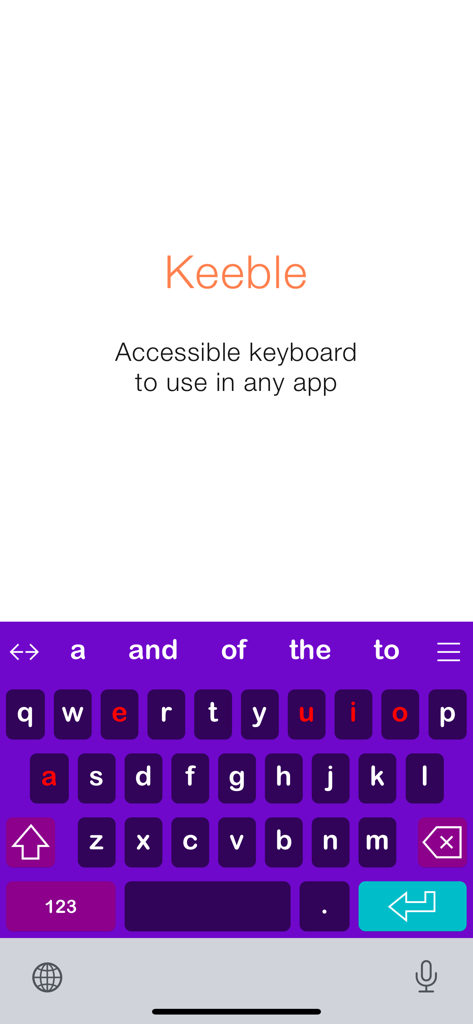
Keeble 앱 시작 화면으로, 빨간색으로 강조 표시된 모음과 단어 예측 기능이 있는 고대비 보라색 접근 가능한 키보드가 표시됩니다.

Keeble 앱 시작 화면으로, 빨간색으로 강조 표시된 모음과 단어 예측 기능이 있는 고대비 보라색 접근 가능한 키보드가 표시됩니다.

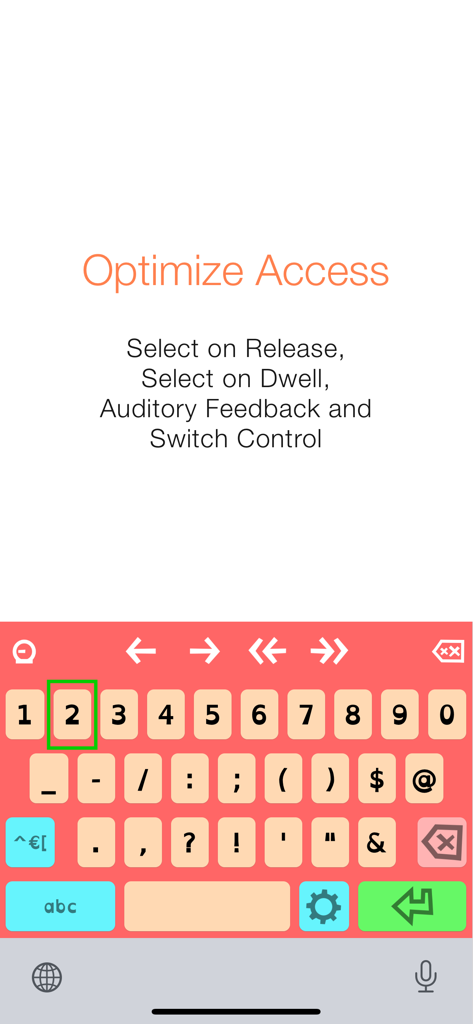
Keeble 접근 가능한 키보드에 릴리스 시 선택 및 스위치 제어와 같은 최적화 액세스 기능이 포함되어 있습니다.

Keeble 접근 가능한 키보드에 릴리스 시 선택 및 스위치 제어와 같은 최적화 액세스 기능이 포함되어 있습니다.

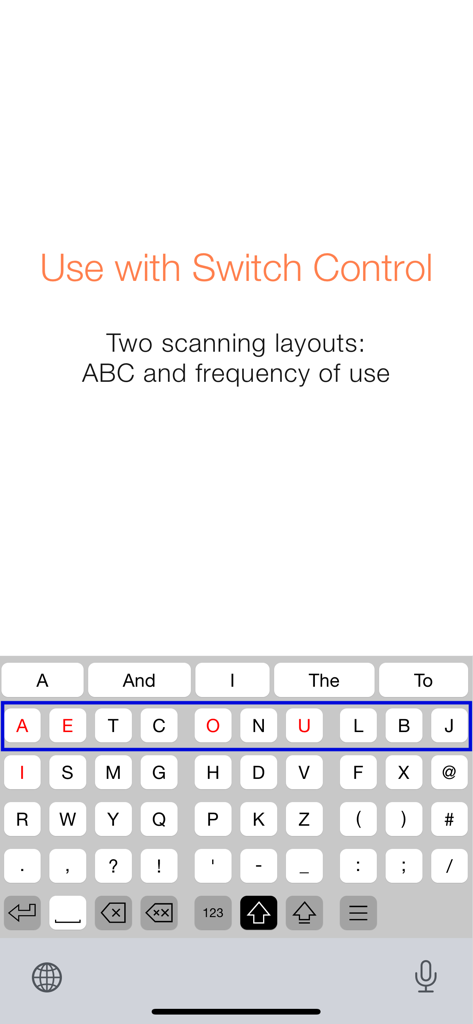
Keeble 앱 스크린샷으로, 스위치 제어와 호환되는 사용 빈도 스캔 키보드 레이아웃이 표시됩니다.

Keeble 앱 스크린샷으로, 스위치 제어와 호환되는 사용 빈도 스캔 키보드 레이아웃이 표시됩니다.

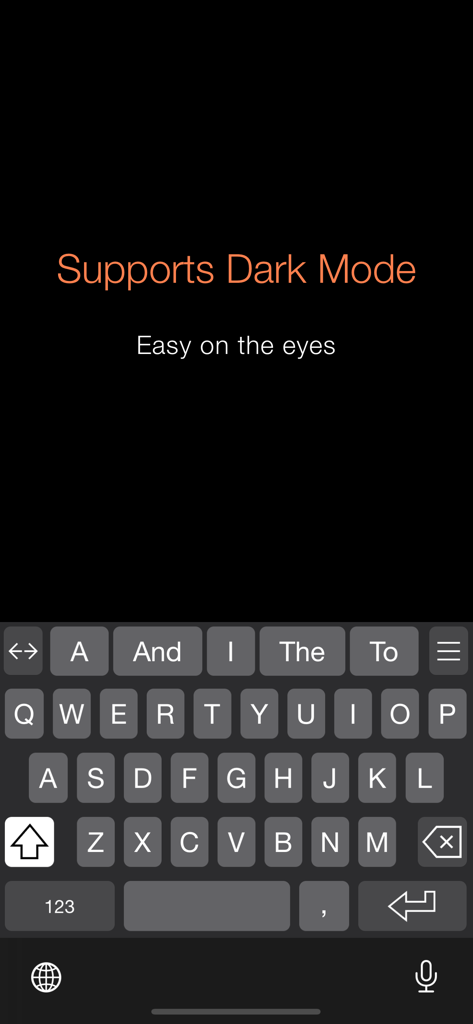
Keeble 접근 가능한 키보드 인터페이스의 다크 모드로, 시각 장애 지원을 위한 고대비 키가 특징입니다.

Keeble 접근 가능한 키보드 인터페이스의 다크 모드로, 시각 장애 지원을 위한 고대비 키가 특징입니다.

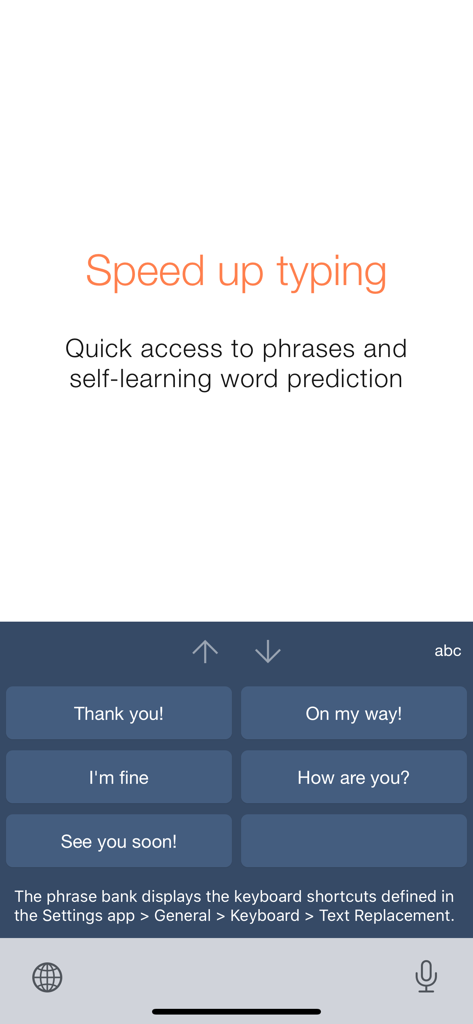
Keeble 접근성 키보드로, 자주 사용하는 구문에 빠르게 액세스할 수 있는 큰 버튼이 있는 구문 은행이 표시됩니다.

Keeble 접근성 키보드로, 자주 사용하는 구문에 빠르게 액세스할 수 있는 큰 버튼이 있는 구문 은행이 표시됩니다.

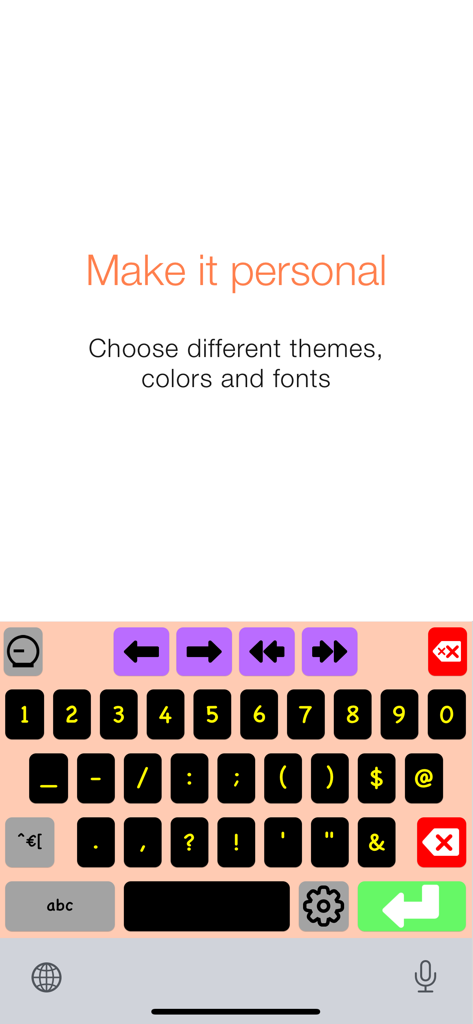
Keeble 앱용 사용자 정의 가능한 고대비 키보드로, 다채로운 키와 탐색 화살표가 있습니다.

Keeble 앱용 사용자 정의 가능한 고대비 키보드로, 다채로운 키와 탐색 화살표가 있습니다.

모든 키 입력을 강화합니다

이 앱을 돋보이게 하는 도구, 5K+ 명의 사용자가 선택.

🖐️

정확한 운동 지원

떨림이나 미세 운동 장애가 있는 사용자를 위해 특별히 설계된 '릴리스 시 선택' 및 '응시 시 선택' 모드로 실수로 인한 선택을 제거하세요.

🧠

스마트 단어 예측

다음 단어를 예측하고 난독증 친화적인 글꼴 옵션을 제공하는 자체 학습 엔진으로 물리적 피로를 줄이고 커뮤니케이션 속도를 높이세요.

🔓

보편적 접근성

메일에서 소셜 미디어에 이르기까지 모든 앱에서 입력할 수 있도록 완벽한 스위치 제어 및 VoiceOver 지원을 통해 iPad 및 iPhone 전체에서 완전한 자유를 얻으세요.

앱 소개

에 대해 알아야 할 모든 것 Keeble.

설명

Keeble is an iOS keyboard that allows users with fine motor-challenges, switch users and users with vision impairments to type in almost any app. The keyboard offers word prediction, timing options, Select on Release, Select on Dwell, auditory feedback and other accessibility features. It also fully supports Switch Control and VoiceOver. Keeble is currently available in English, French, Spanish, Dutch, German, Italian, Swedish, Norwegian, Danish, Czech and Polish. The keyboard also offers optimized layouts for simplified, advanced and scanning keyboards. Alternative access - Prevent accidental selections with Timing options - Compensate for motor challenges with Select on Release or Select on Dwell - Use scanning-optimized keyboards with Switch Control: ABC and frequency of use Auditory feedback - Turn on keyboard clicks - Use spoken cues as you move your finger across the keyboard - Hear each key, word or sentence you type with Speak as you Type Self-learning word prediction - Choose between word completion, next-word prediction or multi-word prediction - Configure the number of suggestions and suggestion order - Adjust the size of the prediction bar to your needs Speed up typing - Benefit from the phrase bank providing quick access to your iOS keyboard shortcuts - Use the cursor keys to navigate through text quickly - Turn Auto-Capitalization and Auto-Spacing ON or OFF Optimize for different users - Use with beginning readers and select lowercase key labels, ABC layout and colored vowels - Customize for adults by allowing access to all characters and selecting QWERTY layout - Choose from 5 different themes or create a custom theme User comfort - Use Keeble on iPad, iPhone and iPod touch - Select one of the 11 available languages, including regional keyboard layouts - Choose your preferred font, including dyslexic and school-friendly fonts

최신 버전

5.0.4

크기

199.8 MB

출시일

2014년 10월 29일

독립적인 커뮤니케이션의 힘을 경험하세요

모든 iOS 앱에서 타이핑을 접근 가능하고 쉽게 만드는 Keeble을 신뢰하는 수천 명의 사용자와 교육자, 치료사에 합류하세요.

다운로드: App Store

App information, icons, screenshots, and descriptions displayed on this page are sourced from the Apple App Store and are the property of their respective developers. Download estimates and rankings are based on MWM's proprietary models and may not reflect actual figures. This page is provided for informational and analytical purposes only.

Believe this page infringes your intellectual property? File a dispute