Keedogo Plus

Keedogo Plus

다운로드: App Store
로고: Keedogo Plus

Keedogo Plus: 모든 어린이가 자신감을 가지고 쓸 수 있도록 지원

조기 학습자 및 신경 다양성을 가진 학생들을 위해 설계된 간소화된 iPad 키보드는 단어 예측, 소문자 키 레이블 및 난독증 친화적인 글꼴을 제공하여 모든 사람이 글쓰기를 쉽게 할 수 있도록 합니다.

개발사

AssistiveWare B.V.

카테고리

Education

다운로드

7K+

사용자 평점

4.3/5

총 평가 수

0

지원 언어

11

내부 엿보기

이 인터페이스를 사용하는 7K+ 명의 사용자.

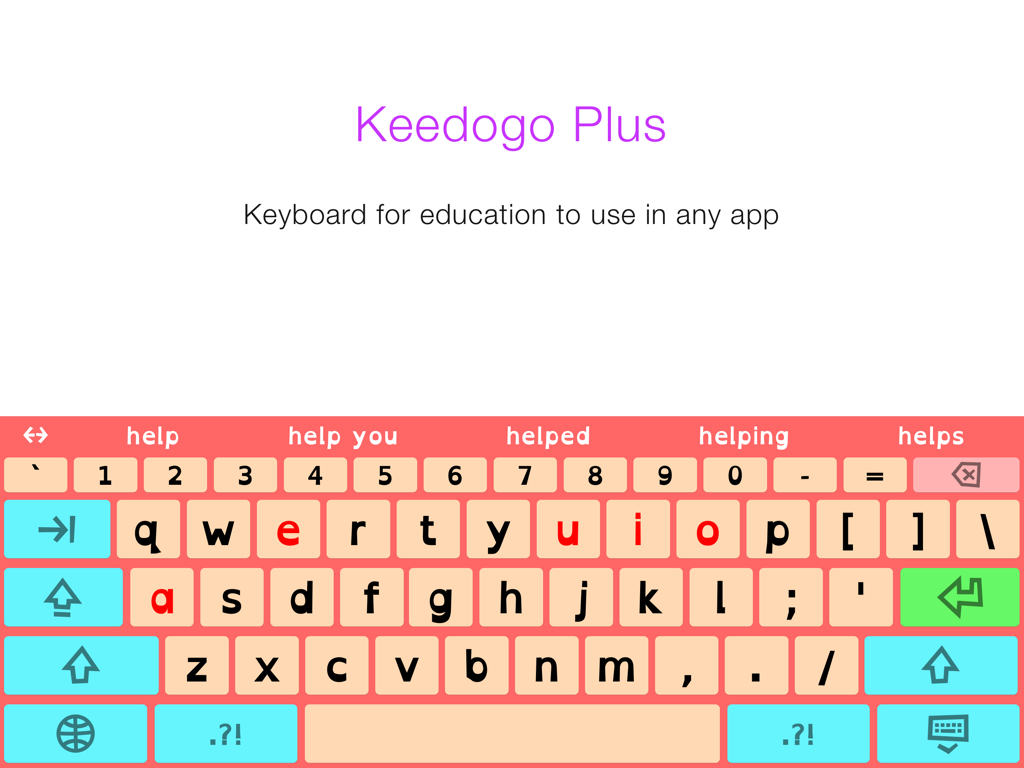
Keedogo Plus 간소화된 iPad 키보드, 어린이용 단어 예측 및 색상 코드 모음 포함

Keedogo Plus 간소화된 iPad 키보드, 어린이용 단어 예측 및 색상 코드 모음 포함

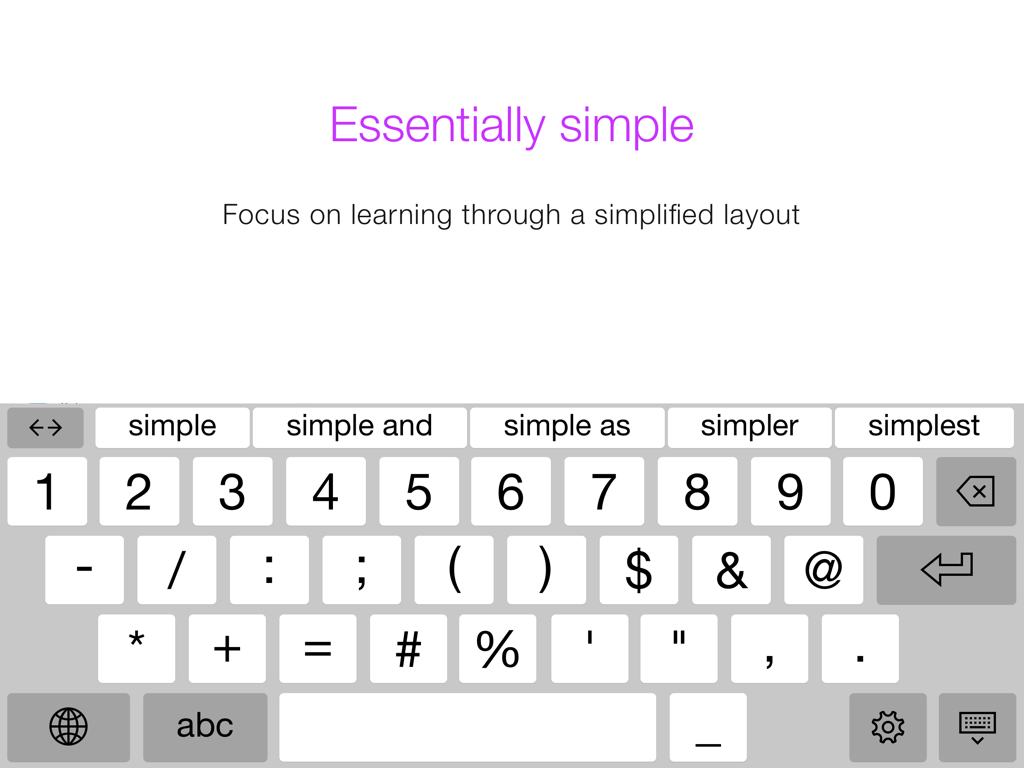
Keedogo Plus iPad 키보드, 단어 예측 표시줄이 있는 간소화된 숫자 및 기호 레이아웃 표시

Keedogo Plus iPad 키보드, 단어 예측 표시줄이 있는 간소화된 숫자 및 기호 레이아웃 표시

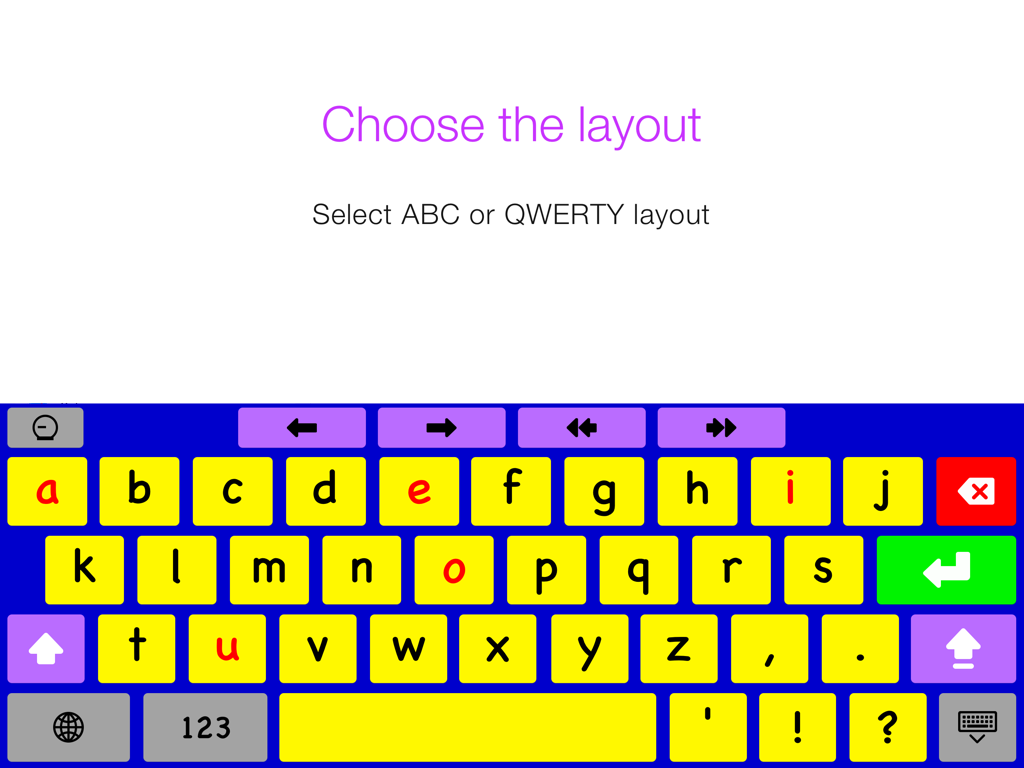
Keedogo Plus 간소화된 iPad 키보드, 소문자 및 빨간색 모음이 있는 알파벳 레이아웃 표시

Keedogo Plus 간소화된 iPad 키보드, 소문자 및 빨간색 모음이 있는 알파벳 레이아웃 표시

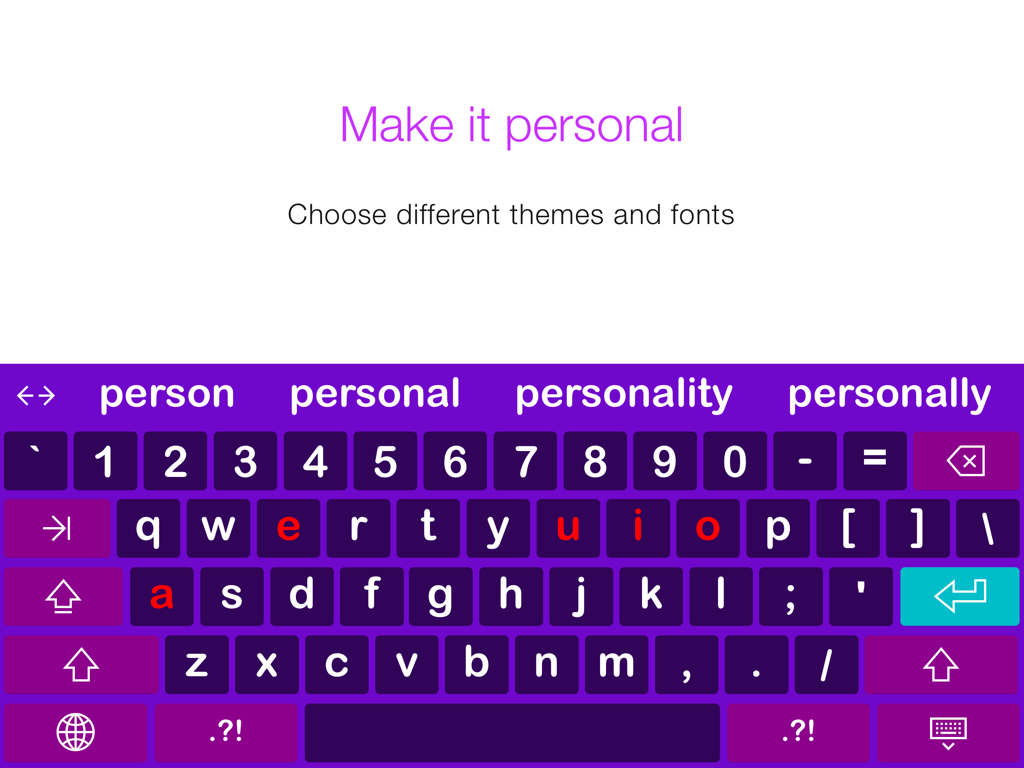
Keedogo Plus 간소화된 iPad 키보드, 보라색 테마, 단어 예측 표시줄 및 색상 코드 모음 포함

Keedogo Plus 간소화된 iPad 키보드, 보라색 테마, 단어 예측 표시줄 및 색상 코드 모음 포함

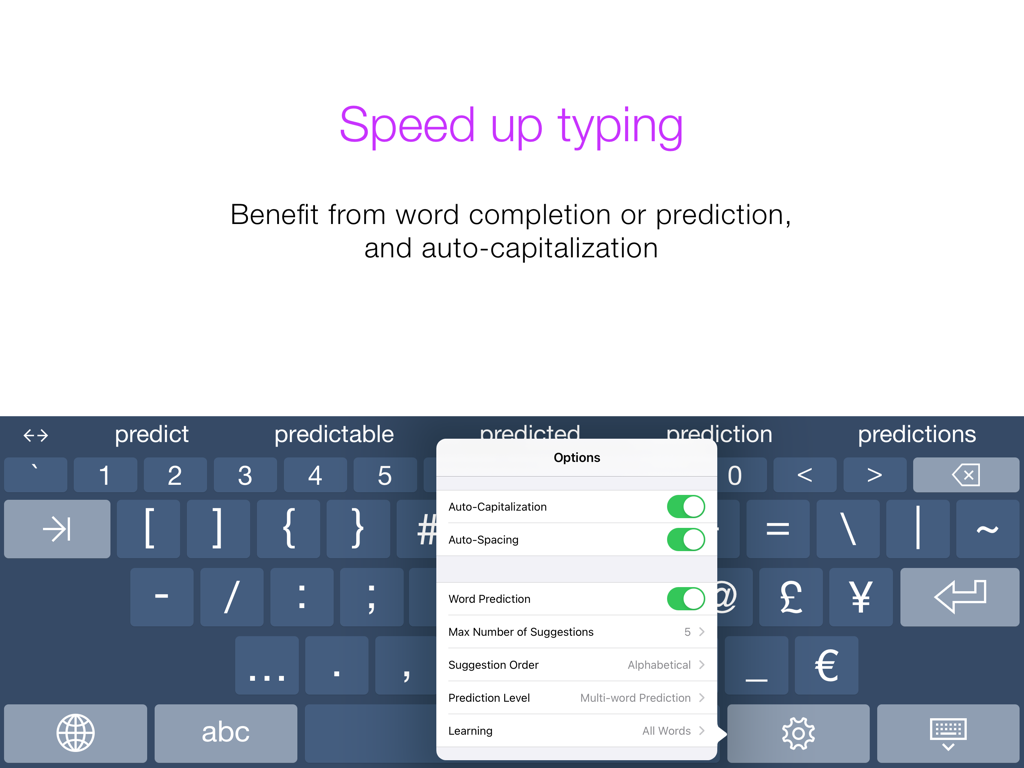
Keedogo Plus 보조 키보드, 단어 예측 및 자동 대문자 설정 표시

Keedogo Plus 보조 키보드, 단어 예측 및 자동 대문자 설정 표시

쓰기에서 조기 성공을 위해 설계됨

이 앱을 돋보이게 하는 도구, 7K+ 명의 사용자가 선택.

🔡

소문자 및 색상 코드 키

소문자 키 레이블과 색상 코드 모음을 사용하여 화면에서 아이들이 보는 것을 일치시켜 파닉스 및 글자 인식을 가속화합니다.

자신감 향상 예측

어린 작가들이 철자에 막히지 않고 생각을 표현할 수 있도록 스마트 단어 제안으로 타이핑 좌절감을 줄입니다.

👁️

난독증 친화적인 접근성

OpenDyslexic과 같은 특수 글꼴과 신경 다양성을 가진 학습자를 위한 맞춤형 고대비 테마로 가독성과 집중력을 향상시킵니다.

앱 소개

에 대해 알아야 할 모든 것 Keedogo Plus.

설명

Keedogo Plus is an iPad keyboard with word prediction designed for children and young students. The keyboard provides a simplified layout with just the essential keys so early writers can focus on developing their skills rather than being distracted by symbols and functions they don’t yet need. Keedogo Plus offers something for everyone: Five different themes, fully configurable word prediction, and a QWERTY or ABC layout. Featuring lowercase key labels and color-coded vowels, learning has never been easier. Keedogo Plus can be used in almost any app as an alternative to the standard iOS keyboard. Keedogo Plus is currently available in English, French, Spanish, Dutch, German, Italian, Swedish, Norwegian, Danish, Czech and Polish. Essentially simple - Focus on learning through a simplified keyboard layout - Support early literacy development with lowercase key labels - Do not get distracted by auto-correction or spell check Optimize for early learners - Select ABC or QWERTY layout - Benefit from lowercase key labels and color-coded vowels - Choose your preferred font, including dyslexic and school-friendly fonts Speed up typing and build confidence - Reduce typing efforts with self-learning word prediction - Use the cursor keys to navigate through text quickly - Turn Auto-Capitalization and Auto-Spacing ON or OFF Personalize word prediction - Choose between word-completion, next-word prediction and multi-word prediction - Configure the number of suggestions and suggestion order - Learn all words, correctly spelled words, or turn learning off - Adjust the size of the prediction bar to your needs User comfort - Use Keedogo Plus in almost any app on iPad - Select one of the 11 available languages, including regional keyboard layouts - Choose from 5 different themes

최신 버전

4.0.2

크기

144.0 MB

출시일

2014년 9월 30일

아이에게 자신감을 가지고 글을 쓸 수 있는 도구를 제공하세요

Keedogo Plus를 사용하여 쓰기 과정을 단순화하고 iPad에서 조기 학습자에게 힘을 실어주는 수천 명의 가족 및 교육자와 함께하세요.

다운로드: App Store

App information, icons, screenshots, and descriptions displayed on this page are sourced from the Apple App Store and are the property of their respective developers. Download estimates and rankings are based on MWM's proprietary models and may not reflect actual figures. This page is provided for informational and analytical purposes only.

Believe this page infringes your intellectual property? File a dispute