LastPass Password Manager

LastPass Password Manager


다운로드: App Store다운로드: Google Play
로고: LastPass Password Manager

LastPass 비밀번호 관리자: 디지털 라이프를 안전하고 간편하게

"비밀번호를 잊었습니다"라는 반복적인 상황을 멈추세요. 모든 기기에서 로그인 정보를 자동 완성하고, 강력한 비밀번호를 생성하며, 안전하게 동기화하기 위해 암호화된 저장소를 신뢰하는 수백만 명과 함께하세요.

개발사

LastPass US LP

카테고리

Productivity

다운로드

7M+

사용자 평점

4.3/5

총 평가 수

75K+

지원 언어

8

한눈에 보는 암호 저장소

이 인터페이스를 사용하는 7M+ 명의 사용자.

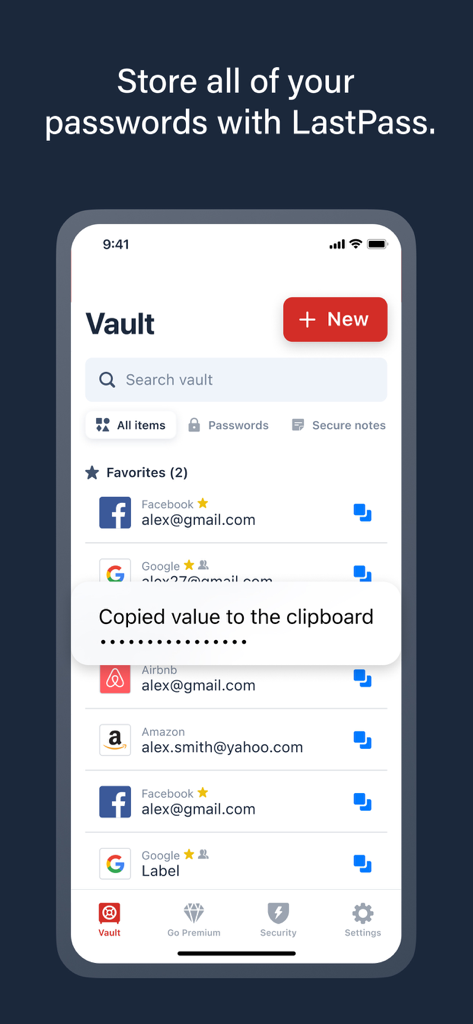
LastPass 앱 암호 저장소 인터페이스로, 저장된 계정 목록과 값이 클립보드에 복사되었음을 확인하는 알림이 표시됩니다.

LastPass 앱 암호 저장소 인터페이스로, 저장된 계정 목록과 값이 클립보드에 복사되었음을 확인하는 알림이 표시됩니다.

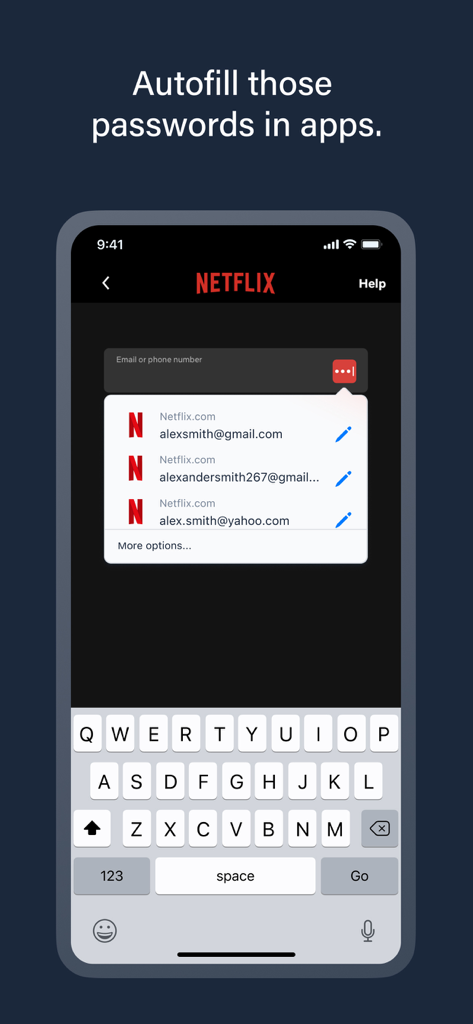
모바일 기기에서 Netflix 로그인에 대한 LastPass 비밀번호 관리자 자동 완성 제안.

모바일 기기에서 Netflix 로그인에 대한 LastPass 비밀번호 관리자 자동 완성 제안.

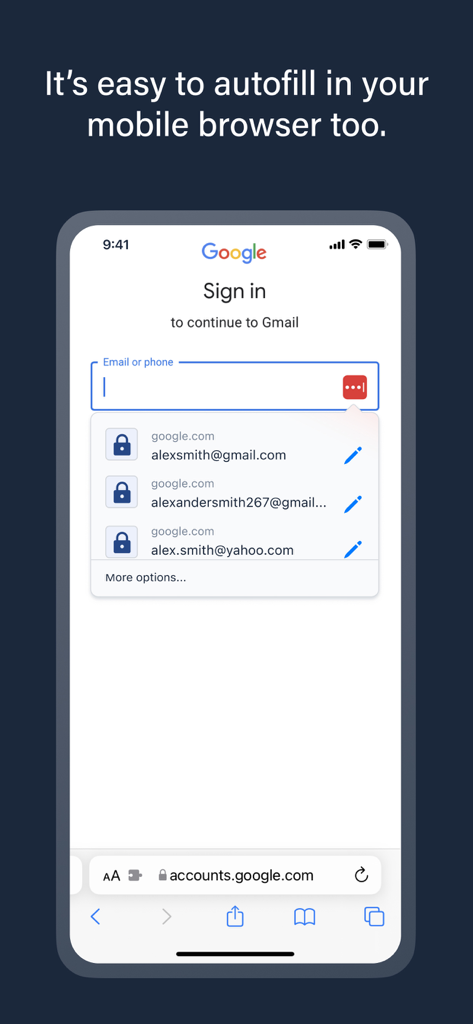
LastPass 비밀번호 관리자가 모바일 브라우저에서 로그인 자격 증명을 자동 완성합니다.

LastPass 비밀번호 관리자가 모바일 브라우저에서 로그인 자격 증명을 자동 완성합니다.

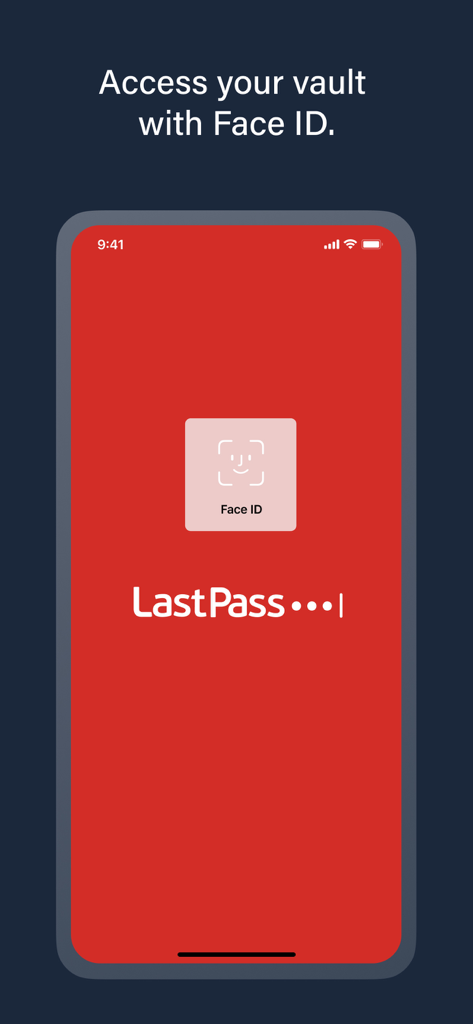
암호 저장소에 액세스하기 위해 Face ID를 사용하는 보안 로그인을 보여주는 LastPass 모바일 앱 화면

암호 저장소에 액세스하기 위해 Face ID를 사용하는 보안 로그인을 보여주는 LastPass 모바일 앱 화면

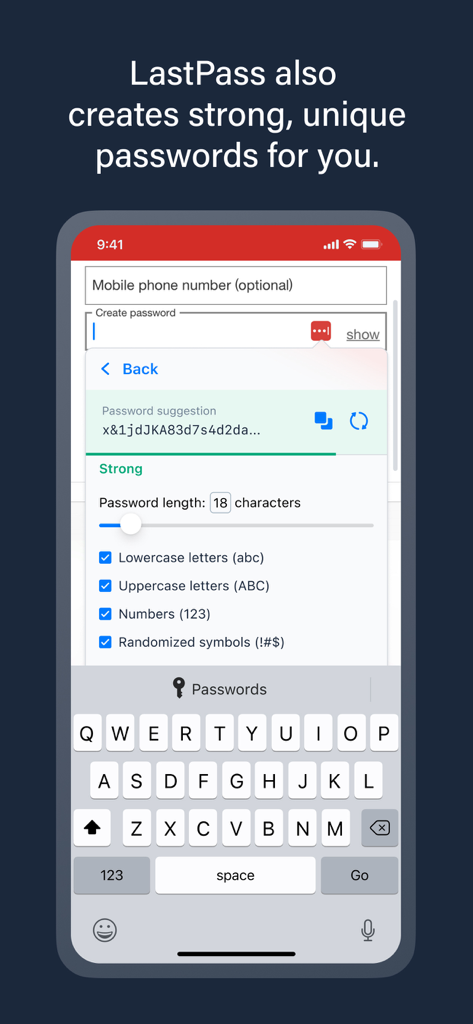
길이 및 문자와 같은 사용자 지정 설정으로 강력한 비밀번호를 생성하는 LastPass 모바일 앱 인터페이스.

길이 및 문자와 같은 사용자 지정 설정으로 강력한 비밀번호를 생성하는 LastPass 모바일 앱 인터페이스.

LastPass 비밀번호 관리자가 수백만 명이 신뢰한다는 문구 아래 The New York Times 및 FOX Business와 같은 주요 뉴스 매체의 로고를 표시하는 스크린샷.

LastPass 비밀번호 관리자가 수백만 명이 신뢰한다는 문구 아래 The New York Times 및 FOX Business와 같은 주요 뉴스 매체의 로고를 표시하는 스크린샷.

디지털 라이프를 위한 간편한 보안

이 앱을 돋보이게 하는 도구, 7M+ 명의 사용자가 선택.

번거로움 없는 원터치 로그인

앱과 웹사이트의 즉각적인 자동 완성을 통해 몇 시간의 좌절감을 덜어줍니다. 타이핑 없이 진정한 번거로움 없는 디지털 워크플로우를 경험하세요.

🛡️

은행급 보호

AES-256 암호화를 사용하여 자격 증명을 보호하세요. 최신 침해로부터 민감한 데이터를 안전하게 보호하는 복잡하고 고유한 비밀번호를 생성하세요.

📱

보편적인 기기 연속성

비밀번호가 iPhone에서 데스크톱까지 따라옵니다. 모든 플랫폼에서 자격 증명을 원활하게 동기화하여 어디서든 생산성을 유지하세요.

앱 소개

에 대해 알아야 할 모든 것 LastPass Password Manager.

설명

Tired of forgetting passwords or resetting them constantly? Meet LastPass, the trusted password manager—used by millions of people and thousands of businesses—to keep passwords and other account info safe, secure, and always within reach. With LastPass, you only need to remember one master password. We’ll handle the rest—autofilling logins, generating secure passwords, and syncing across all your devices. Whether you're browsing on your iPhone or logging into your favorite apps, LastPass makes it effortless. WHY MILLIONS TRUST LASTPASS - Secure Password Vault: Store all your passwords, passphrases, usernames, and payment methods in one encrypted place. - Autofill Made Easy: Instantly fill in login credentials on websites and in apps—no typing required. - One Master Password: Just remember one password—LastPass remembers the rest. - More Than Passwords: Securely store credit cards, insurance info, social security numbers, and private notes. - Share Securely: Share passwords safely with family, friends, or coworkers. - Built-In Password Generator: Create strong, unique passwords and passphrases in a single tap. - Multi-Factor Authentication (MFA): Add an extra layer of protection to your password app. GO PREMIUM FOR MORE POWER Try LastPass Premium free for 30 days and unlock: - Unlimited device access across all platforms - Access on Chrome, Safari, and other browser extensions - Unlimited sharing of passwords and notes - 1GB of encrypted file storage - Advanced MFA options like YubiKey - Emergency access for trusted contacts - Priority customer support BUILT FOR SECURITY Your data is encrypted with bank-grade AES-256 encryption—only you can unlock your vault. Even we can’t access it. RECOGNIZED. RESPECTED. RECOMMENDED. There’s a reason LastPass is trusted by millions and featured in top publications like Forbes, PCMag, TechRadar, and ZDNet. We consistently lead the way in ease of use and customer support, earning top ratings on platforms like G2. When it comes to password managers, users and experts agree—LastPass delivers. DOWNLOAD LASTPASS TODAY Start using the smarter, safer way to manage your passwords and passkeys. Terms of Service: https://www.lastpass.com/legal-center/terms-of-service/

최신 버전

6.43.0

크기

197.1 MB

출시일

2009년 8월 1일

비밀번호 피로를 영원히 끝내세요

LastPass를 신뢰하여 디지털 라이프를 보호하는 7백만 명 이상의 전문가들과 함께하세요. 모든 기기에서 완벽한 마음의 평화와 번거로움 없는 접근을 위해 필요한 것은 마스터 비밀번호 하나뿐입니다.

다운로드: App Store다운로드: Google Play
FAQ

자주 묻는 질문

에 대해 알아야 할 모든 것 LastPass Password Manager

LastPass는 무엇인가요?

LastPass는 암호, 비밀번호 키 및 기타 계정 정보를 모든 기기에서 안전하고 보안이 유지되며 항상 액세스할 수 있도록 설계된 신뢰할 수 있는 암호 관리자입니다.

LastPass는 내 비밀번호를 어떻게 보호하나요?

LastPass는 은행 등급의 AES-256 암호화를 사용하여 모든 데이터를 암호화된 볼트에 저장합니다. 사용자만이 마스터 암호로 볼트를 잠금 해제할 수 있어 개인 정보 보호 및 보안을 보장합니다.

LastPass는 웹사이트와 앱에서 비밀번호를 자동 완성할 수 있나요?

예, LastPass는 웹사이트와 앱 내에서 즉시 로그인 정보를 채워줍니다. 이 기능은 수동 입력의 필요성을 제거하여 로그인 프로세스를 간소화합니다.

LastPass는 강력한 비밀번호를 생성하나요?

예, LastPass에는 내장된 비밀번호 생성기가 포함되어 있습니다. 다양한 문자 유형과 길이를 사용자 지정할 수 있으며, 탭 한 번으로 강력하고 고유한 비밀번호와 구문을 생성합니다.

LastPass는 비밀번호 외에 어떤 추가 항목을 저장할 수 있나요?

LastPass는 비밀번호 및 비밀번호 키 관리 외에도 신용 카드, 보험 정보, 사회 보장 번호 및 개인 메모를 안전하게 저장합니다.

LastPass는 다단계 인증(MFA)을 제공하나요?

예, LastPass는 암호 앱에 대한 추가 보호 계층을 제공하기 위해 다단계 인증(MFA)을 지원합니다. 프리미엄 구독을 통해 고급 MFA 옵션을 사용할 수 있습니다.

LastPass Premium의 무료 체험판이 있나요?

예, 사용자는 30일 동안 LastPass Premium을 무료로 사용해 볼 수 있습니다. 이 체험판은 무제한 기기 액세스 및 고급 MFA 옵션을 포함한 프리미엄 기능을 잠금 해제합니다.

Face ID를 사용하여 LastPass 볼트에 액세스할 수 있나요?

예, LastPass는 Face ID를 지원하여 볼트에 빠르고 안전하게 액세스할 수 있습니다. 이 생체 인식 인증은 저장된 정보에 액세스할 수 있는 편리한 방법을 제공합니다.

LastPass Premium의 이점은 무엇인가요?

LastPass Premium은 무제한 기기 액세스, 브라우저 확장 프로그램, 무제한 공유, 1GB 암호화 파일 저장, 고급 MFA, 비상 액세스 및 우선 고객 지원을 제공합니다.

LastPass는 다른 사람과 비밀번호를 안전하게 공유할 수 있나요?

예, LastPass를 사용하면 가족, 친구 또는 동료와 비밀번호를 안전하게 공유할 수 있습니다. 무제한 공유는 LastPass Premium 구독을 통해 제공되는 기능입니다.

App information, icons, screenshots, and descriptions displayed on this page are sourced from the Apple App Store and are the property of their respective developers. Download estimates and rankings are based on MWM's proprietary models and may not reflect actual figures. This page is provided for informational and analytical purposes only.

Believe this page infringes your intellectual property? File a dispute