
이 페이지는 앱이나 개발자의 공식 페이지가 아니며, 정보 제공 및 논평을 목적으로 작성된 독립 편집 간행물입니다. 명시적으로 달리 언급되지 않는 한, 해당 앱이나 개발자는 MWM, Apple, Google Play, 앱 퍼블리셔 또는 앱 개발자와 제휴, 보증, 후원, 승인 또는 공식적으로 연결되어 있지 않으며, 이 페이지의 어떤 내용도 해당 앱이 MWM의 서비스를 사용하여 개발되었음을 의미하지 않습니다. 모든 상표, 로고, 스크린샷 및 기타 콘텐츠는 해당 소유자의 자산입니다.

다운로드
7.5M+사용자 평점
총 평가 수
50.0K개발사
카테고리
Utilities지원 언어
33최신 버전
1.7.34크기
137.5 MB출시일
2022년 2월 17일보안에 민감한 Apple 사용자들을 위한 올인원 디지털 보안 솔루션 평가
Authenticator · 앱 주요 기능 분석
안전한 2단계 인증 토큰 관리
이 앱은 온라인 계정에 대한 안전한 2단계 인증 토큰을 저장하고 생성하여 해커로부터 계정을 보호하는 데 도움을 줍니다.
비밀번호 관리자 및 유출 방지
이 앱은 사용자의 모든 비밀번호를 안전한 저장 공간에 보관하고, 비밀번호 유출 시 자동 보호 및 보안 보고 기능을 제공하여 데이터 유출에 대한 푸시 알림을 받을 수 있게 합니다.
개인 정보 보호 VPN 기능
이 도구는 온라인 트래픽을 암호화하고 IP 주소를 마스킹하여 안전하고 사적인 인터넷 연결을 제공하며, 광고 및 악성 웹사이트를 차단하여 사이버 위협으로부터 사용자를 보호합니다.
강력한 데이터 암호화 및 프라이버시
이 도구는 iCloud에 저장될 때도 모든 데이터를 항상 암호화하여 사용자의 데이터에 오직 사용자만이 접근할 수 있도록 보장합니다.
암호화된 2FA 백업 및 복원
이 도구는 모든 2단계 인증 코드, 비밀번호 및 비밀 키에 대해 안전하고 암호화된 iCloud 백업을 제공하여 새로운 기기에서 쉽게 복원하거나 여러 기기에서 동기화하여 사용할 수 있게 합니다.
앱 PIN 및 생체 인식 잠금
이 앱은 4자리 PIN 또는 Face/Touch ID를 사용하여 앱을 보호하고, 앱 종료 후 자동으로 잠글 수 있는 기능을 제공하여 개인 정보 보안을 강화합니다.
Apple 기기 간 자동 동기화
이 앱은 모든 Apple 기기에서 토큰을 자동으로 동기화하여 사용자가 여러 기기에서 효율적으로 로그인할 수 있도록 해줍니다.
흔적 없는 개인 정보 보호 브라우저
이 도구는 기록, 로그 또는 쿠키가 없는 빠르고 안전한 브라우저를 제공하여 사용자가 흔적을 남기지 않고 웹을 탐색할 수 있게 하며, 북마크 및 탭 브라우징 기능을 포함합니다.
강력한 비밀번호 생성기
이 도구는 다양한 보안 설정과 스마트한 비밀번호 생성 팁을 통해 강력한 비밀번호를 생성하고, 비밀번호 길이 및 고유한 기호와 숫자 사용을 설정할 수 있게 해줍니다.
2FA 키 가져오기/내보내기
이 도구는 다른 2단계 인증 앱에서 QR 코드 스캔 또는 CSV 파일 가져오기를 통해 2단계 인증 키를 손쉽게 가져올 수 있으며, CSV 파일 또는 QR 코드 형식으로 내보내기도 가능하게 합니다.
자주 묻는 질문
에 대해 알아야 할 모든 것 Authenticator ·
What is Authenticator ·?
Authenticator · is an app designed to store and generate secure two-factor authentication (2FA) tokens for online accounts. It also includes a password manager, private browser, and VPN.
Does Authenticator · support iCloud backups for 2FA codes?
Yes, Authenticator · provides secure encrypted iCloud backups for all 2FA codes, passwords, and secret keys. This allows easy restoration on new devices.
Can Authenticator · synchronize 2FA tokens across multiple devices?
Yes, Authenticator · automatically synchronizes all 2FA tokens across all Apple devices. Users can log in from several devices simultaneously.
How can I import 2FA keys into Authenticator ·?
Users can import 2FA keys by scanning a QR code from another 2FA app or by using a CSV file import option within the Authenticator · app.
Does Authenticator · offer a password manager feature?
Yes, Authenticator · includes a password manager. It stores passwords securely, provides automatic leak protection, security reports, and push notifications for leaked passwords.
Does Authenticator · include a private web browser?
Yes, Authenticator · features a fast and secure private browser. It operates without history, logs, or cookies, and supports bookmarking and tabbed browsing.
What VPN features does Authenticator · provide?
The Authenticator · VPN offers a secure internet connection, encrypts traffic, masks IP addresses, blocks ads and malicious websites, and follows a no-logs policy.
Can Authenticator · generate strong passwords?
Yes, Authenticator · has a password generator. It creates strong passwords with multiple security settings and smart tips, allowing customization of length and character types.
Does Authenticator · protect the app with a PIN or biometrics?
Yes, Authenticator · allows setting a 4-digit PIN lock and an auto-lock feature. It also supports Face/Touch ID for identity confirmation to generate one-time tokens.
Can I access Authenticator · 2FA codes on my Apple Watch?
Yes, Authenticator · provides a Watch Faces App. This allows users to access all their 2FA codes directly from their Apple Watch.
다음 스크린샷과 설명은 앱의 공식 스토어 목록에서 직접 가져온 것이며 앱 개발자의 자산입니다.
앱 스토어
스크린샷
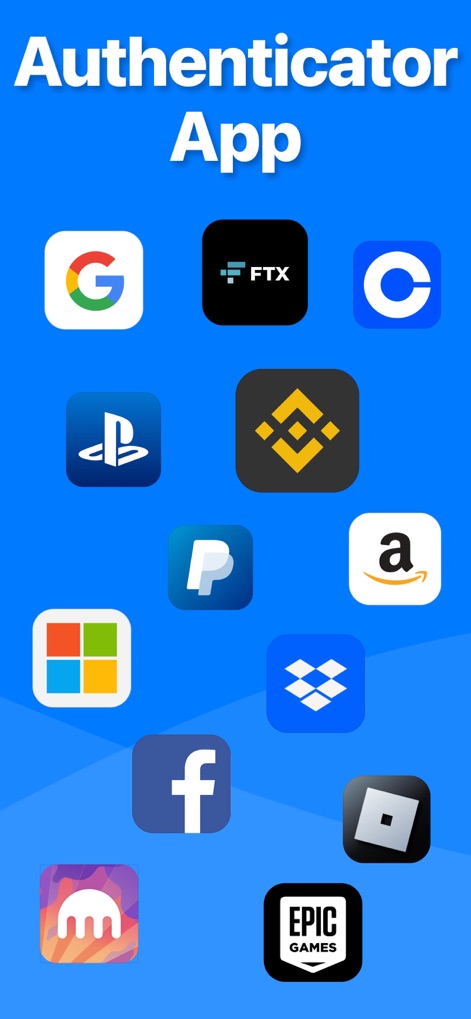
이 앱은 Google, Binance 등 다양한 인기 서비스 아이콘을 표시하여, 사용자가 자신이 사용하는 플랫폼을 쉽게 인식할 수 있도록 돕습니다.
다양한 서비스 지원
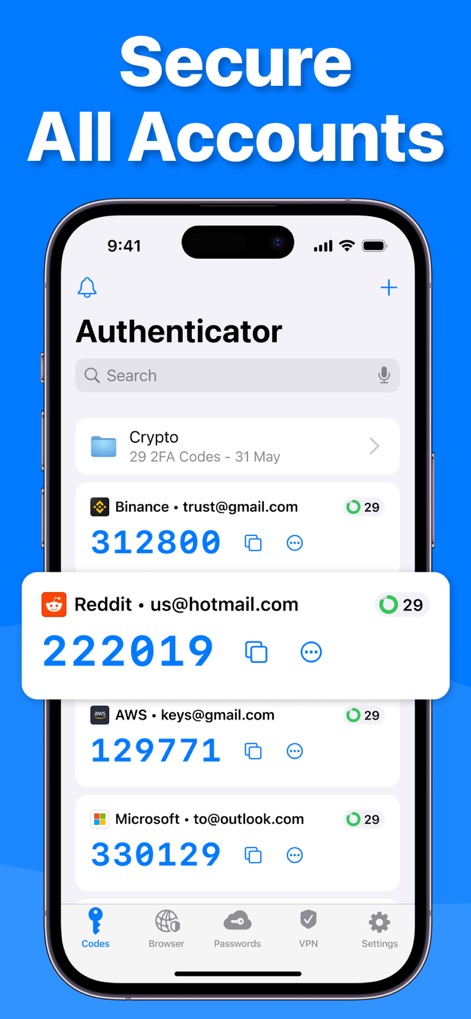
앱은 2FA 코드를 중앙 집중식으로 관리하며, 각 서비스의 로고와 함께 실시간으로 생성되는 인증 번호를 명확하게 보여줍니다.
안전한 계정 관리

이 도구는 QR 코드 스캔 기능을 제공하여 새로운 2FA 코드를 손쉽게 추가할 수 있으며, 필요시 수동 입력 옵션도 지원합니다.
간편한 코드 스캔
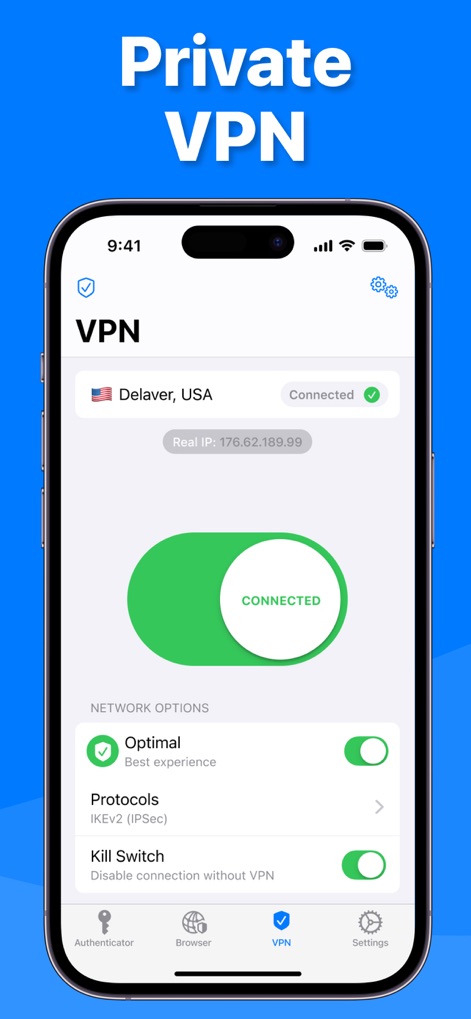
앱은 연결 상태를 한눈에 보여주는 VPN 인터페이스를 통해 사용자의 인터넷 트래픽을 암호화하며, 킬 스위치와 같은 고급 설정을 제공하여 보안을 강화합니다.
안전한 VPN 연결
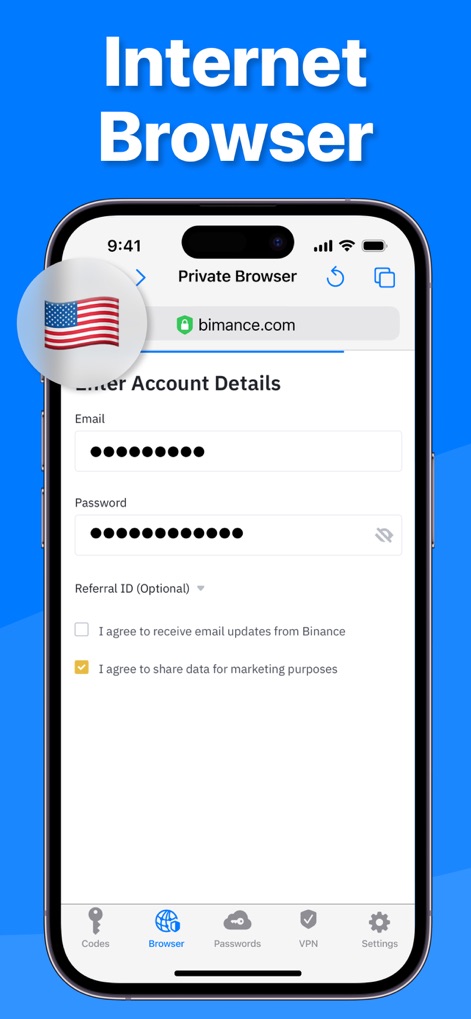
이 앱은 사용자의 활동 기록을 남기지 않는 개인 정보 보호 브라우저를 내장하여 안전한 웹 탐색을 지원하며, 계정 정보를 입력하는 양식을 통해 편리한 로그인 환경을 제공합니다.
개인 정보 보호 브라우저
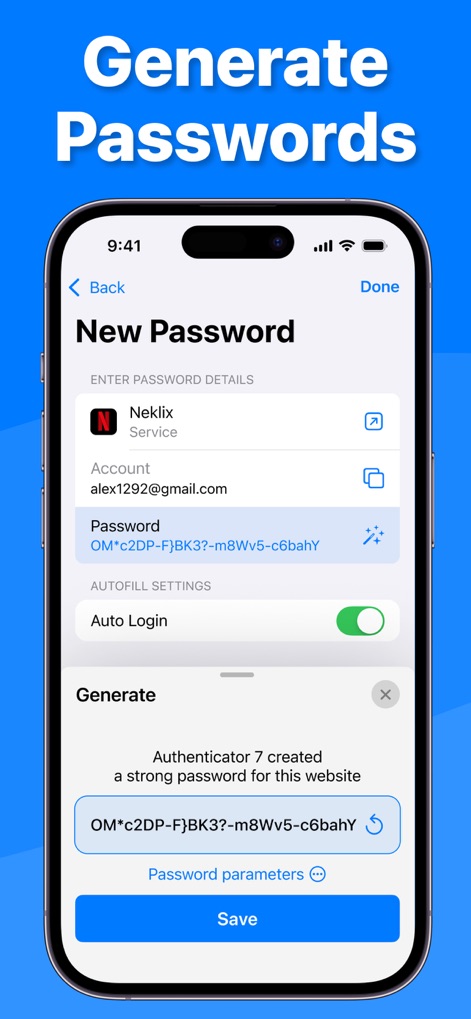
이 도구는 다양한 보안 설정이 적용된 강력한 비밀번호 생성 기능을 제공하여 계정 보안을 강화하며, 생성된 비밀번호의 자동 채우기 설정을 지원하여 편리성을 높입니다.
강력한 비밀번호 생성

사용자는 홈페이지 위젯을 통해 2FA 코드를 빠르게 확인할 수 있으며, Apple Watch 연동 기능으로 손목에서도 보안 코드를 즉시 이용할 수 있습니다.
편리한 위젯 및 워치
설명
Download
비슷한 앱
유사한 기능과 사용자 경험을 가진 앱

Proton Pass - Password Manager
Proton AG

Dashlane Password Manager
Dashlane

Password Manager - mSecure
mSeven Software, LLC

Kepttor Password Manager
MACREL SRL SEMPLIFICATA

DataVault Manager - Encrypted
MIKHAIL SHERSHNEV

Bitwarden Password Manager
Bitwarden Inc

Authenticator App ⁸
AGILE CODE LIMITED

Authenticator App ℗
RHO DEVELOPERS LLC

NordPass: Password Manager
Nordvpn S.A.
이 페이지는 앱이나 개발자의 공식 페이지가 아니며, 정보 제공 및 논평을 목적으로 작성된 독립 편집 간행물입니다. 명시적으로 달리 언급되지 않는 한, 해당 앱이나 개발자는 MWM, Apple, Google Play, 앱 퍼블리셔 또는 앱 개발자와 제휴, 보증, 후원, 승인 또는 공식적으로 연결되어 있지 않으며, 이 페이지의 어떤 내용도 해당 앱이 MWM의 서비스를 사용하여 개발되었음을 의미하지 않습니다. 모든 상표, 로고, 스크린샷 및 기타 콘텐츠는 해당 소유자의 자산입니다.