Lets Meet: Find Place to Meet

Lets Meet: Find Place to Meet

다운로드: App Store
로고: Lets Meet: Find Place to Meet

Lets Meet: 다음 약속 장소를 찾는 가장 공정한 방법

끝없는 그룹 채팅 논쟁은 그만. 완벽한 중간 지점을 찾고, 지역 인기 장소에 투표하고, 몇 초 만에 모임을 계획하세요.

다운로드: App Store

개발사

Mustafa Kasti

카테고리

Social Networking

다운로드

100

사용자 평점

5.0/5

총 평가 수

0

지원 언어

1

소셜 플래닝 간소화

이 인터페이스를 사용하는 100 명의 사용자.

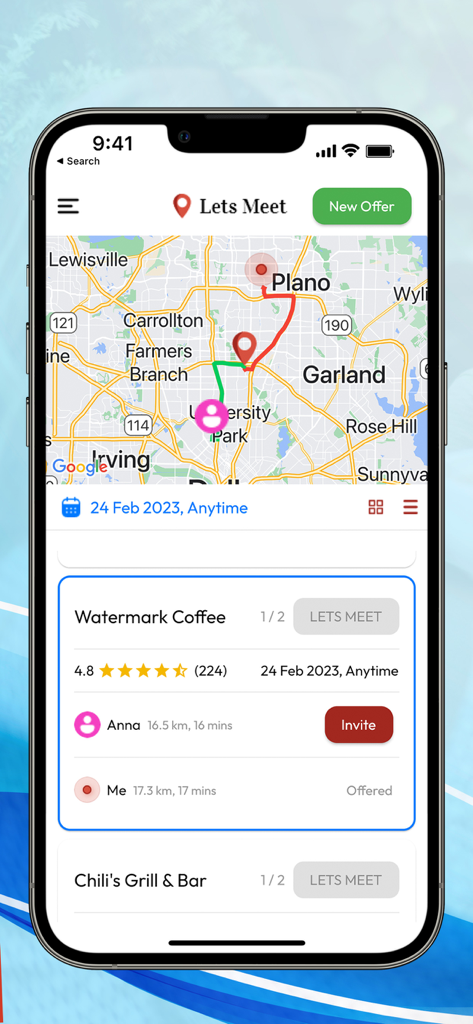
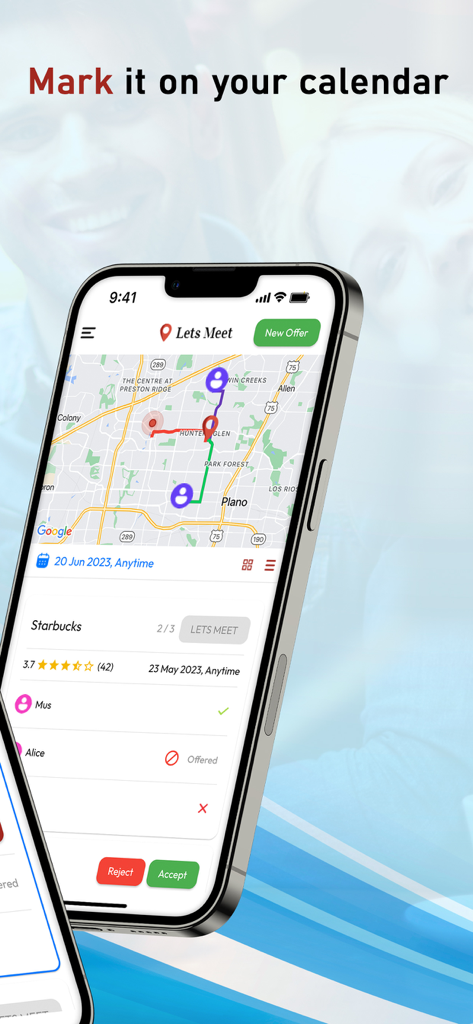
친구들과 만날 최고의 장소를 찾기 위한 지도 화면을 보여주는 Lets Meet 앱 인터페이스

친구들과 만날 최고의 장소를 찾기 위한 지도 화면을 보여주는 Lets Meet 앱 인터페이스

모임을 위한 중간 지점을 보여주는 Lets Meet 앱 지도

모임을 위한 중간 지점을 보여주는 Lets Meet 앱 지도

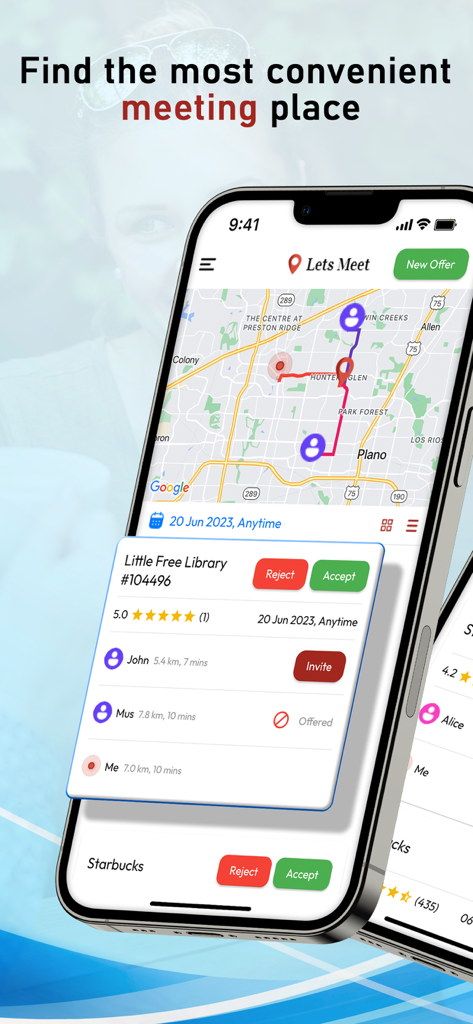
사용자 위치와 거리가 표시된 제안된 모임 장소 카드가 있는 지도를 보여주는 Lets Meet 앱 인터페이스

사용자 위치와 거리가 표시된 제안된 모임 장소 카드가 있는 지도를 보여주는 Lets Meet 앱 인터페이스

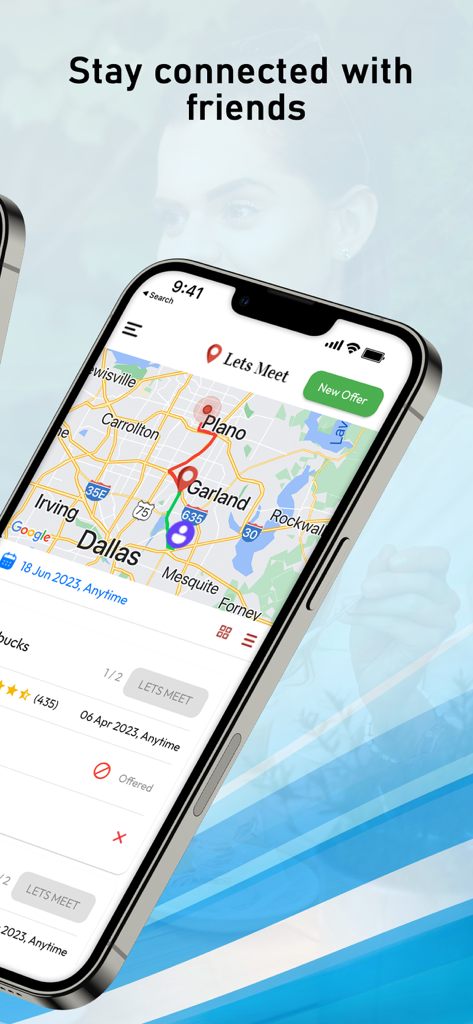
친구들 간의 잠재적 만남의 지점을 강조 표시하는 지도와 함께 댈러스 지역 지도를 보여주는 스마트폰 화면.

친구들 간의 잠재적 만남의 지점을 강조 표시하는 지도와 함께 댈러스 지역 지도를 보여주는 스마트폰 화면.

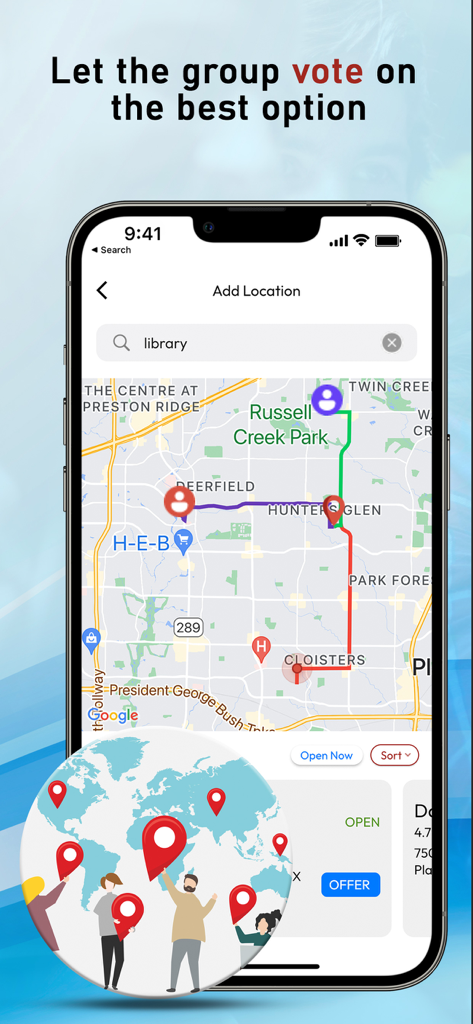
중앙 만남의 지점으로 가는 다른 사용자 경로를 보여주는 Lets Meet 앱 지도 인터페이스 스크린샷으로 그룹 투표 헤더 포함.

중앙 만남의 지점으로 가는 다른 사용자 경로를 보여주는 Lets Meet 앱 지도 인터페이스 스크린샷으로 그룹 투표 헤더 포함.

친구들의 일반적인 만남의 지점과 이동 시간을 보여주는 Lets Meet 앱의 지도 보기.

친구들의 일반적인 만남의 지점과 이동 시간을 보여주는 Lets Meet 앱의 지도 보기.

달력에 표시하기 위한 약속 알림과 함께 지도가 있는 Lets Meet 앱 인터페이스를 보여주는 스마트폰

달력에 표시하기 위한 약속 알림과 함께 지도가 있는 Lets Meet 앱 인터페이스를 보여주는 스마트폰

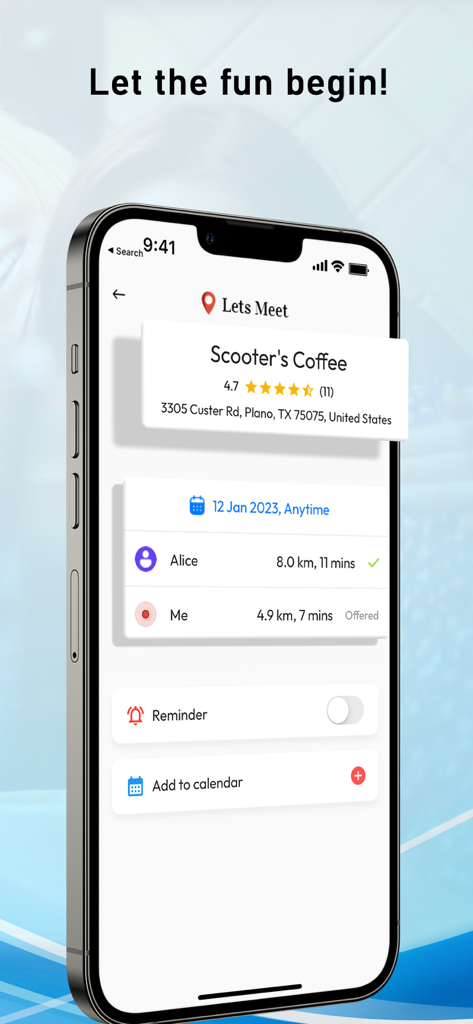
카페에서 만나는 두 사람의 이동 시간과 거리를 보여주는 Lets Meet 앱 화면

카페에서 만나는 두 사람의 이동 시간과 거리를 보여주는 Lets Meet 앱 화면

이동 시간 줄다리기 끝내기

이 앱을 돋보이게 하는 도구, 100 명의 사용자가 선택.

📍

스마트 중간 지점 찾기

당신과 친구들 사이의 정확한 중간 지점에 위치한 최고 평점의 카페와 레스토랑을 찾아보세요. 항상 중간에서 만나 시간을 절약하세요.

🗳️

민주적인 투표

'어디서 먹을까?' 결정 장애는 이제 그만. 모두가 장소를 제안하고 그룹이 투표합니다. 카드가 녹색으로 바뀌면 선택이 완료됩니다.

📅

원탭 동기화

장소가 선택되면 즉시 이벤트를 캘린더에 추가하세요. 약속을 놓치거나 소셜 일정을 이중 예약할 필요가 없습니다.

앱 소개

에 대해 알아야 할 모든 것 Lets Meet: Find Place to Meet.

설명

LetsMeet is an app that lets you connect and meet up with your friends at the most convenient location for everyone. It allows you to pick who you want to meet up with and where, and the app will show you places that are around the same distance from both you and the other person, or you can also customize whose location you want to be closer to and pick the best place to meet at for everyone. Each person can offer a place where they want to meet up, and everyone in the group will get to vote on where they want to go. Connect When you first download the app, sign in using your phone number, give access to your contacts, and pick you you want to meet up with. If you want to meet up with someone who is currently not a Lets Meet user, you can send them a text message invite. Make an offer After you have picked who you want to meet up with, offer a place to meet up with. On the search bar, you can type in where you want to meet up (cafe, restaurant, etc.) and you will see a list of places that are in between both you and the other people in your group. If you want to meet up at a place that is close to a specific person in your group, you can choose whose location you want to be closer to. After you have decided on where to offer, offer the place to your group. You can pick a specific time or day you want to meet up at/ You will also see the locations other people in your group have offered and you can all vote on where you want to meet at. Let's Meet If everyone in the group agreed on the same place, the place card will turn green and you can click let's meet to add the event to your calendar.

최신 버전

1.0

크기

72.6 MB

출시일

2023년 6월 18일

그룹 채팅 논쟁은 그만. 이제 만나세요.

완벽한 중간 지점에서 모든 모임을 계획하는 수천 명의 소셜 플래너와 함께하세요. Lets Meet를 다운로드하고 '거기서 봐'가 하루 중 가장 쉬운 부분이 되도록 하세요.

다운로드: App Store

App information, icons, screenshots, and descriptions displayed on this page are sourced from the Apple App Store and are the property of their respective developers. Download estimates and rankings are based on MWM's proprietary models and may not reflect actual figures. This page is provided for informational and analytical purposes only.

Believe this page infringes your intellectual property? File a dispute