Lighting Designer

Lighting Designer

다운로드: App Store
로고: Lighting Designer

조명 디자이너: 영화, 연극, 무대 전문 플롯

자투리 종이에 그리기를 멈추고 전문가처럼 플로팅을 시작하세요. 직관적인 조명 설정을 디자인하고, 장비 목록을 관리하고, 기술 정찰부터 최종 쇼까지 모든 Apple 기기에서 작업을 동기화하세요.

개발사

Scenario Software LLC

카테고리

Photo & Video

다운로드

85K+

사용자 평점

4.0/5

총 평가 수

500

지원 언어

1

정밀하게 플로팅하세요

이 인터페이스를 사용하는 85K+ 명의 사용자.

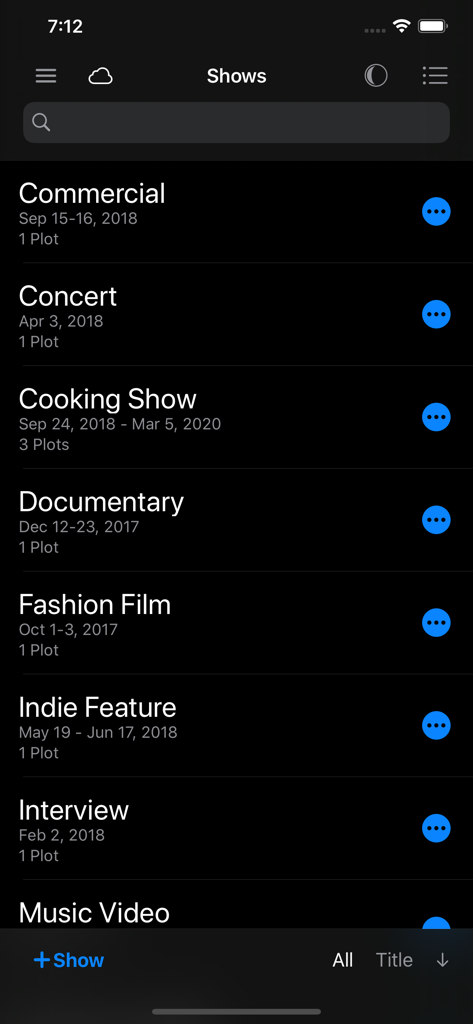
상업, 콘서트, 다큐멘터리 프로젝트를 포함한 조명 디자이너 앱의 쇼 프로젝트 목록 (다크 모드)

상업, 콘서트, 다큐멘터리 프로젝트를 포함한 조명 디자이너 앱의 쇼 프로젝트 목록 (다크 모드)

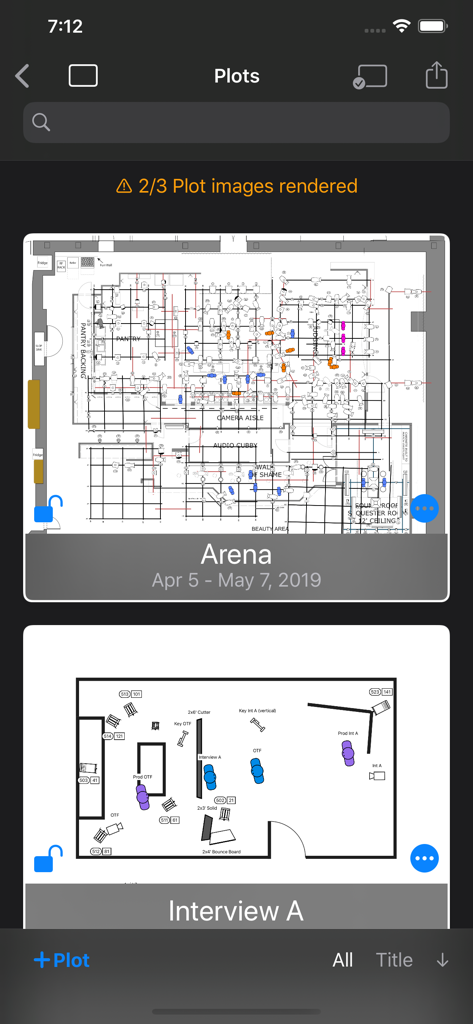
어두운 모드의 저장된 기술 조명 플롯 목록을 보여주는 조명 디자이너 앱의 인터페이스

어두운 모드의 저장된 기술 조명 플롯 목록을 보여주는 조명 디자이너 앱의 인터페이스

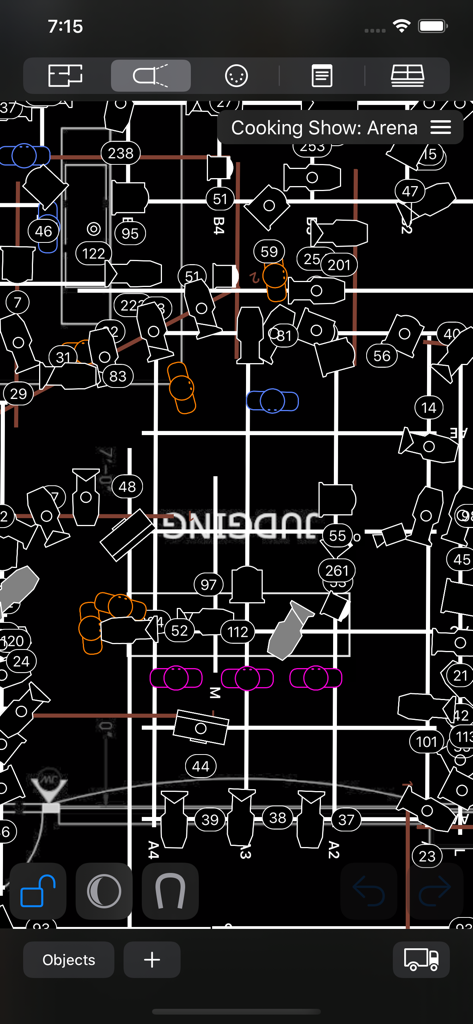
텔레비전 세트를 위한 다크 모드의 전문 오버헤드 조명 디자인 플롯

텔레비전 세트를 위한 다크 모드의 전문 오버헤드 조명 디자인 플롯

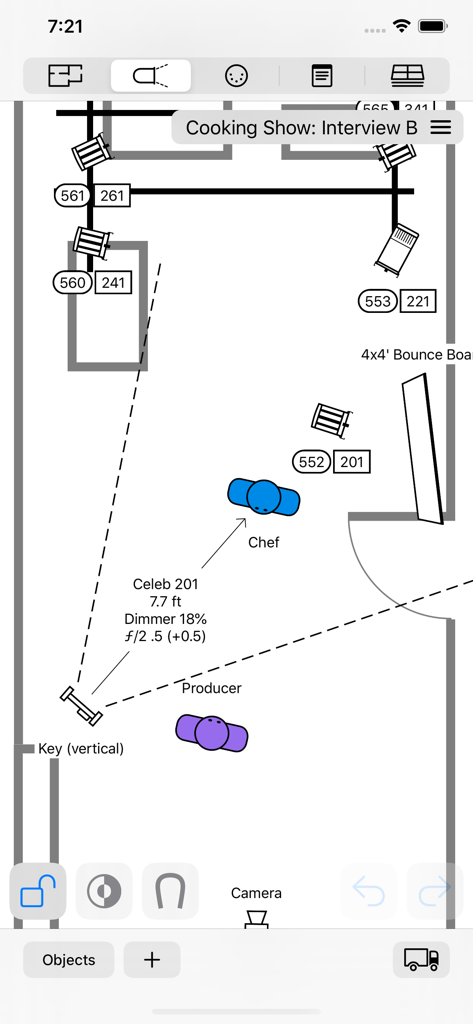
조명 기구와 재능 위치를 모바일 인터페이스에 보여주는 영화 세트용 탑다운 조명 플롯

조명 기구와 재능 위치를 모바일 인터페이스에 보여주는 영화 세트용 탑다운 조명 플롯

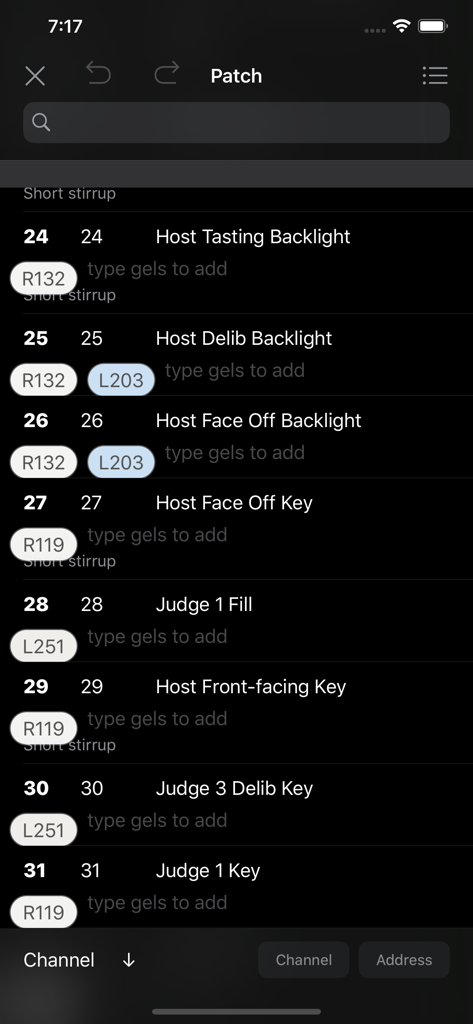
채널 번호와 컬러 젤 할당이 포함된 디지털 패치 목록을 보여주는 조명 디자이너 앱의 인터페이스 (다크 모드)

채널 번호와 컬러 젤 할당이 포함된 디지털 패치 목록을 보여주는 조명 디자이너 앱의 인터페이스 (다크 모드)

전문적인 정밀도, 마찰 제로

이 앱을 돋보이게 하는 도구, 85K+ 명의 사용자가 선택.

📱

어디서든 디자인하고, 어디서든 동기화하세요

Apple 생태계 전반에 걸쳐 원활하게 작업하세요. Mac에서 플롯을 시작하고, iPad에서 다듬고, iCloud 동기화를 통해 세트장을 걸으면서 iPhone에서 참조하세요.

💡

업계 표준 장비 라이브러리

2,000개 이상의 내장 조명 및 객체에 액세스하거나 Crescit을 통해 25,000개 이상의 전문 조명 기구를 활용하세요. Skypanel부터 Source Four까지, 사용하는 장비로 플롯을 계획하세요.

📋

자동화된 장비 및 크루 목록

시각적 플롯을 실행 가능한 기술 문서로 변환하세요. 장비 목록과 트럭 팩을 즉시 생성하여 조명 감독, 렌탈 회사 및 제작팀과 공유하세요.

앱 소개

에 대해 알아야 할 모든 것 Lighting Designer.

설명

Never draw a lighting setup on a scrap of paper again. Lighting Designer is a quick and intuitive way to create overhead lighting plots for film, theater, television, concerts, and anything else you can light. The wide selection of equipment and simple yet powerful interface makes it easier than ever to illustrate and communicate your lighting setups, from most Apple devices. Your Silicon Mac is powerful and gives you the most screen to work with; your iPad is large and versatile; your iPhone will go with you anywhere. And if you like, your work can sync among all your Apple devices using iCloud, so you can start plotting on one and finish on another. LD is perfect for tech scouts, working while traveling, or just choosing the couch over your desk chair. While expensive drafting programs can take hours to use and years to master, Lighting Designer is an accessible way to plan your next show! Features: • Organize your setups into Shows, with details like shooting dates and crew members • Choose from over 2000 built-in types of lights, grip equipment, camera gear, actors, and objects like furniture and musical instruments • With a Crescit Premium account, you can have access to an additional 25,000+ pieces of lighting equipment, gels, and gobo templates • Use your own images to create custom fixtures on your Plots (read the User Guide for image specs) • For each light, specify wattage, beam spread, light output, DMX address, color, and many other details • Certain fixtures include info for exposure approximation; all can be user-configured and have their exposure reverse-calculated from real-world readings • Use Groups to create flexible collections of lights • Notes allow you to describe every detail of your setup • Pack your Truck to share gear among multiple Plots • Draw a Floor Plan using basic shapes, and images from your device • Lights can target other objects, and objects can rig onto each other for easy adjustments • Email editable Plots to the crew, with images, equipment, and crew lists • Undo/Redo functionality • Optional iCloud sync • Dark Mode presents a dark workspace to reduce eyestrain and minimize your device's light in a dark environment

최신 버전

4.0.4

크기

79.6 MB

출시일

2012년 4월 24일

조명을 제어하세요

냅킨은 이제 그만, 전문적인 워크플로우를 업그레이드하세요. 지금 바로 Lighting Designer를 다운로드하여 iPhone 또는 iPad에서 직접 제작 준비된 플롯을 만들고, 동기화하고, 공유하세요.

다운로드: App Store

App information, icons, screenshots, and descriptions displayed on this page are sourced from the Apple App Store and are the property of their respective developers. Download estimates and rankings are based on MWM's proprietary models and may not reflect actual figures. This page is provided for informational and analytical purposes only.

Believe this page infringes your intellectual property? File a dispute