Magic Switch Display Sharing

Magic Switch Display Sharing


다운로드: App Store
로고: Magic Switch Display Sharing

매직 스위치 디스플레이 공유: iPad를 고성능 Windows 터치 모니터로 바꾸세요

제로 지연 화면 미러링, 펜 압력 지원 전문가용 스타일러스, 원활한 AirDrop 스타일 파일 공유로 PC와 iOS 기기 간의 격차를 해소하세요.

다운로드: App Store

개발사

Magic Control Technology Corporation

카테고리

Utilities

다운로드

300

사용자 평점

1.0/5

총 평가 수

0

지원 언어

16

작업 중인 원활한 연속성

이 인터페이스를 사용하는 300 명의 사용자.

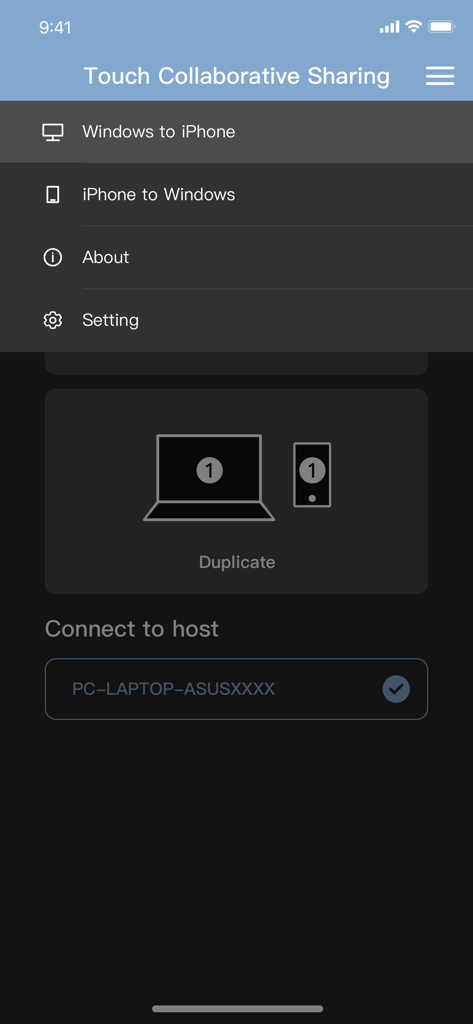
Windows에서 iPhone 및 iPhone에서 Windows 화면 미러링 옵션을 보여주는 매직 스위치 디스플레이 공유 앱 메뉴.

Windows에서 iPhone 및 iPhone에서 Windows 화면 미러링 옵션을 보여주는 매직 스위치 디스플레이 공유 앱 메뉴.

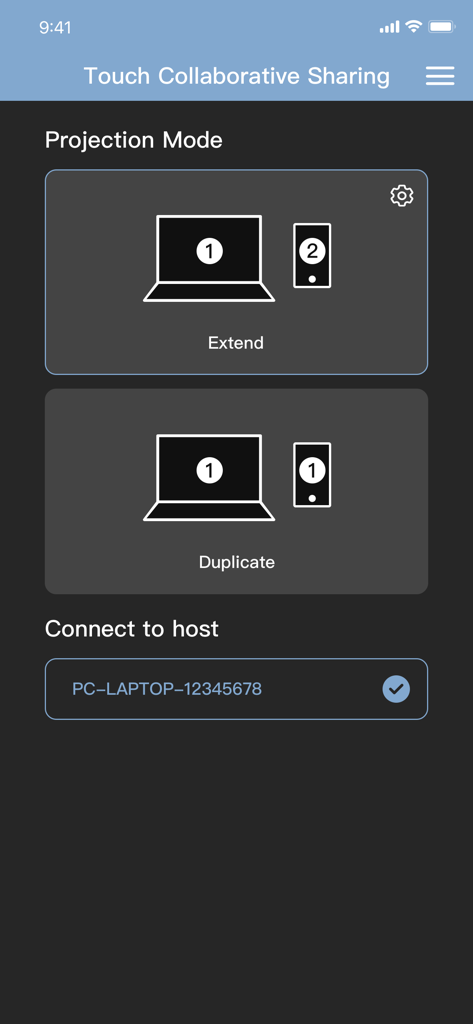
Windows PC 화면을 모바일 장치로 확장하거나 복제하는 옵션을 보여주는 매직 스위치 앱 인터페이스.

Windows PC 화면을 모바일 장치로 확장하거나 복제하는 옵션을 보여주는 매직 스위치 앱 인터페이스.

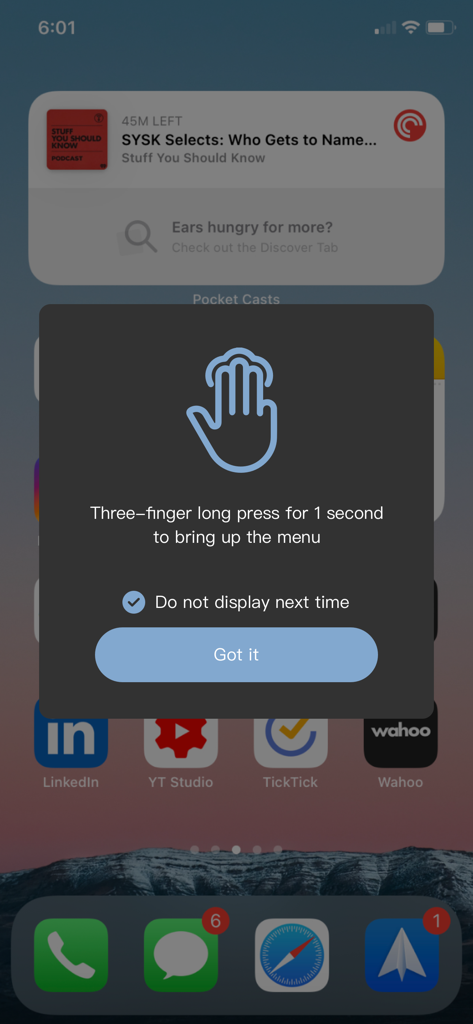
매직 스위치 메뉴를 열기 위해 세 손가락 길게 누르기를 사용하는 방법을 설명하는 iPhone의 안내 팝업.

매직 스위치 메뉴를 열기 위해 세 손가락 길게 누르기를 사용하는 방법을 설명하는 iPhone의 안내 팝업.

모바일 화면을 노트북으로 확장하는 것을 나타내는 아이콘이 있는 프로젝션 모드 화면을 보여주는 매직 스위치 앱 인터페이스 스크린샷.

모바일 화면을 노트북으로 확장하는 것을 나타내는 아이콘이 있는 프로젝션 모드 화면을 보여주는 매직 스위치 앱 인터페이스 스크린샷.

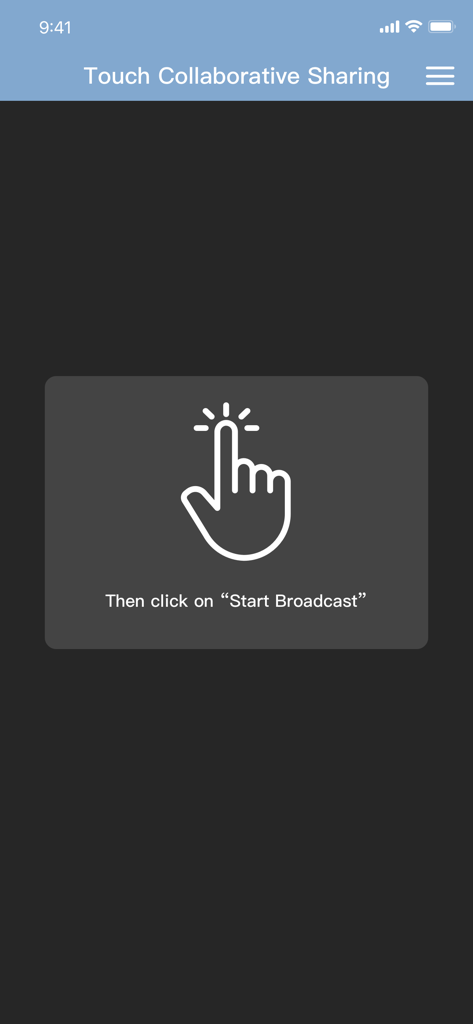
터치 협업 공유를 위해 시작 방송 클릭 지침과 손 아이콘을 보여주는 매직 스위치 앱 화면.

터치 협업 공유를 위해 시작 방송 클릭 지침과 손 아이콘을 보여주는 매직 스위치 앱 화면.

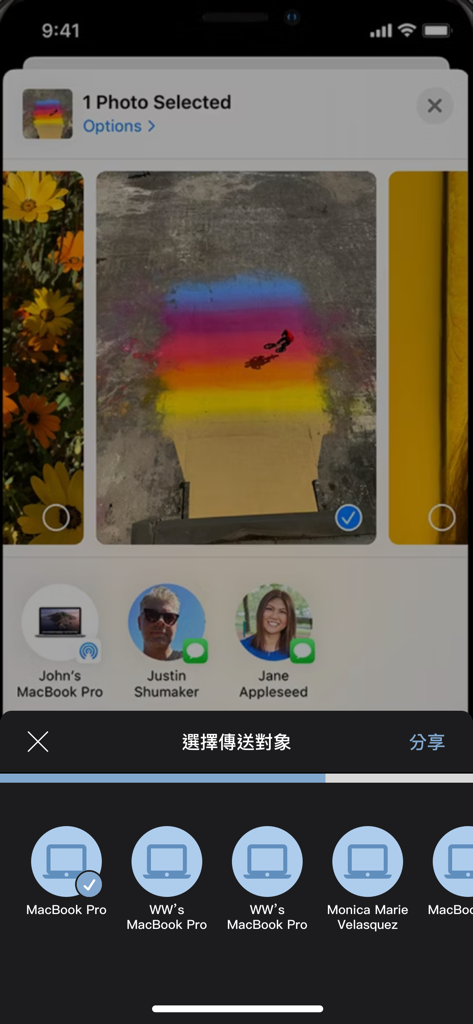
매직 스위치를 사용하여 연결된 장치와 사진을 공유하기 위해 선택하는 것을 보여주는 iPhone 화면

매직 스위치를 사용하여 연결된 장치와 사진을 공유하기 위해 선택하는 것을 보여주는 iPhone 화면

Windows와 iOS를 잇는 최고의 다리

이 앱을 돋보이게 하는 도구, 300 명의 사용자가 선택.

✍️

전문 그래픽 태블릿 통합

iPad를 Windows용 고급 입력 장치로 전환하세요. Photoshop, Illustrator 및 CAD 소프트웨어에서 전체 펜 압력 및 터치 지원으로 Apple Pencil을 사용하세요.

🖥️

제로 지연 듀얼 디스플레이

어디서든 작업 공간을 확장하세요. 지연 없는 경험을 위해 유선 연결의 안정성으로 iPad를 선명한 보조 모니터 또는 가상 디스플레이로 사용하세요.

AirDrop 스타일 파일 전송

생태계의 답답함을 끝내세요. 느린 클라우드 동기화에 의존하지 않고 4K 동영상, 고해상도 사진 및 대용량 프로젝트 파일을 iPhone과 PC 간에 즉시 이동하세요.

앱 소개

에 대해 알아야 할 모든 것 Magic Switch Display Sharing.

설명

This companion application can be used with Magic Switch Display Sharing Hub Cable. Magic Switch Display Sharing Hub Cable is a USB hub with host to host connection cable function, besides the hub function, this link cable can also be used to connect Windows PC and iPad/iPhone, once the connection is completed, users can easily duplicate the screen to iPad/iPhone , whereas in an iPad/iPhone you can see the contents of the Windows screen there, you can control or draw something in Windows with your finger or a stylus, and touch events or stylus traces and pen pressure are reflected to Windows, just like directly in operate the touch screen with a finger or a pen on a Windows PC. In addition to mapping the main screen of the Windows PC and directly viewing and operating on the iPad/iPhone, the APP also provides the function of generating a virtual second screen, and at the same time project this virtual second screen to the iPad/iPhone, and directly operate on the iPad/iPhone. Conversely, we can also project the content of the iPad/iPhone to the Windows PC through this cable connection, this function is like AirPlay, you can directly see the screen content and operation of the iPad/iPhone on the screen of the Windows PC. In addition to video screen projection and copying, the app also supports AirDrop-like functionality, allowing you to easily share media content such as videos, photos or files to a "Download" location on your Windows PC. You can also share files to your iPad/iPhone just like you can with AirDrop on a Mac by right-clicking on the file in Windows File Explorer and selecting the share menu function.

최신 버전

1.0.16

크기

39.2 MB

출시일

2023년 11월 7일

크로스 플랫폼 워크플로 강화

매직 스위치 허브 케이블용 컴패니언 앱을 다운로드하여 iPad를 지연 없는 Windows 디스플레이 및 원활한 파일 공유 스테이션으로 변환하세요.

다운로드: App Store

App information, icons, screenshots, and descriptions displayed on this page are sourced from the Apple App Store and are the property of their respective developers. Download estimates and rankings are based on MWM's proprietary models and may not reflect actual figures. This page is provided for informational and analytical purposes only.

Believe this page infringes your intellectual property? File a dispute