Map Marker: places organizer

Map Marker: places organizer


다운로드: App Store
로고: Map Marker: places organizer

Map Marker: 장소 정리 - 현장 및 트레일을 위한 전문적인 위치 관리

오프라인 접근, 사용자 지정 데이터 필드 및 전문 측정 도구로 매핑 데이터를 완벽하게 제어하세요. 폴더로 세상을 정리하고 원활하게 동기화하세요. 모두 일회성 구매이며 구독료가 없습니다.

다운로드: App Store

개발사

Sebastien BIERO

카테고리

Utilities

다운로드

54K+

사용자 평점

4.8/5

총 평가 수

100

지원 언어

1

모든 디테일의 정밀함

이 인터페이스를 사용하는 54K+ 명의 사용자.

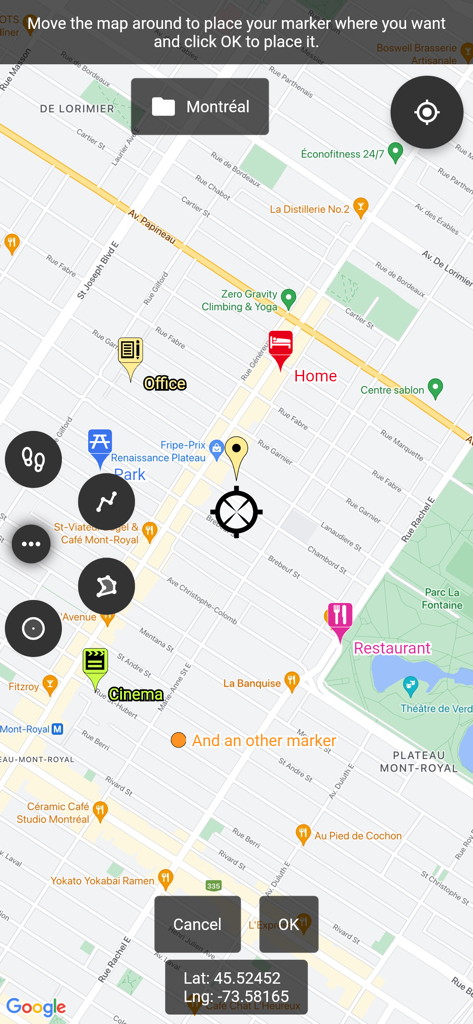
정확한 GPS 좌표가 포함된 집, 사무실, 엔터테인먼트 위치에 대한 사용자 지정 마커를 표시하는 지도 인터페이스

정확한 GPS 좌표가 포함된 집, 사무실, 엔터테인먼트 위치에 대한 사용자 지정 마커를 표시하는 지도 인터페이스

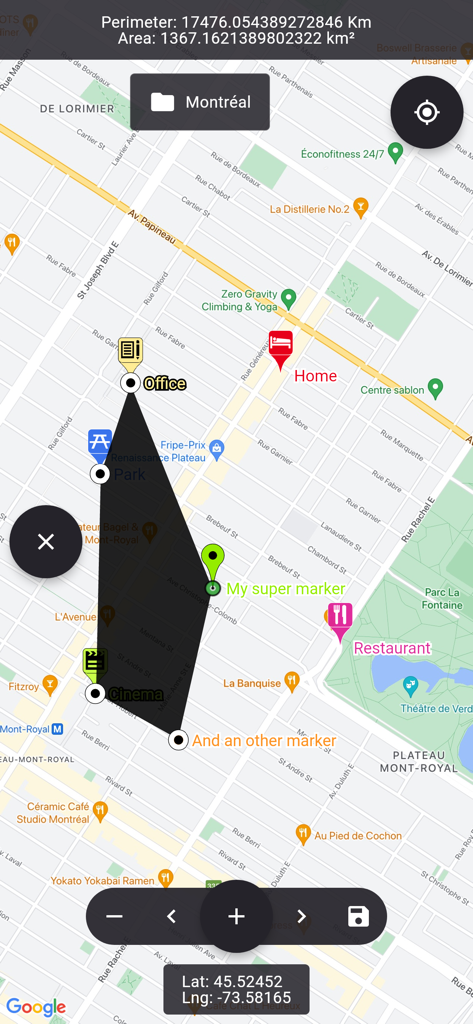
도시 레이아웃 위에 면적 및 둘레 계산이 포함된 사용자 지정 다각형 모양을 보여주는 지도 보기

도시 레이아웃 위에 면적 및 둘레 계산이 포함된 사용자 지정 다각형 모양을 보여주는 지도 보기

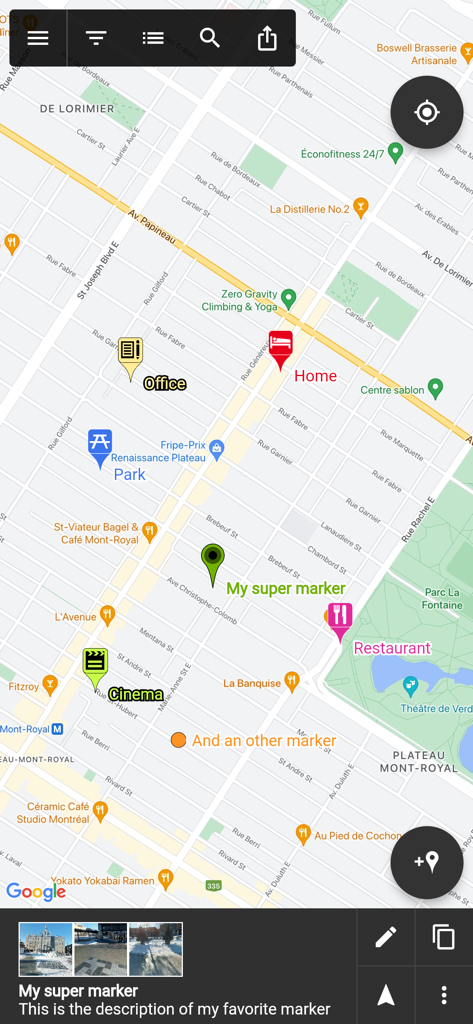
Map Marker 앱의 지도 화면으로, 집, 사무실, 식당과 같은 라벨이 있는 사용자 지정 위치 핀을 표시합니다.

Map Marker 앱의 지도 화면으로, 집, 사무실, 식당과 같은 라벨이 있는 사용자 지정 위치 핀을 표시합니다.

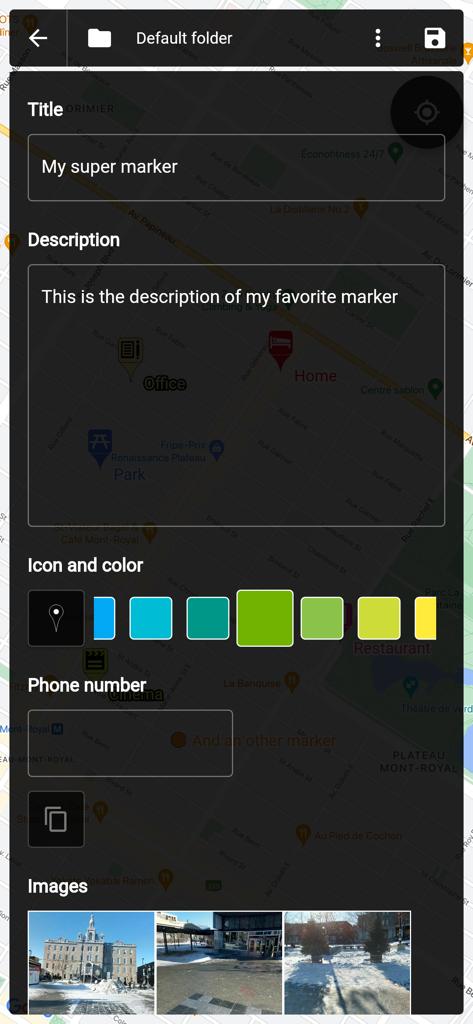
제목, 설명, 색상 선택 및 사진 첨부와 함께 지도 마커 사용자 지정이 표시된 화면

제목, 설명, 색상 선택 및 사진 첨부와 함께 지도 마커 사용자 지정이 표시된 화면

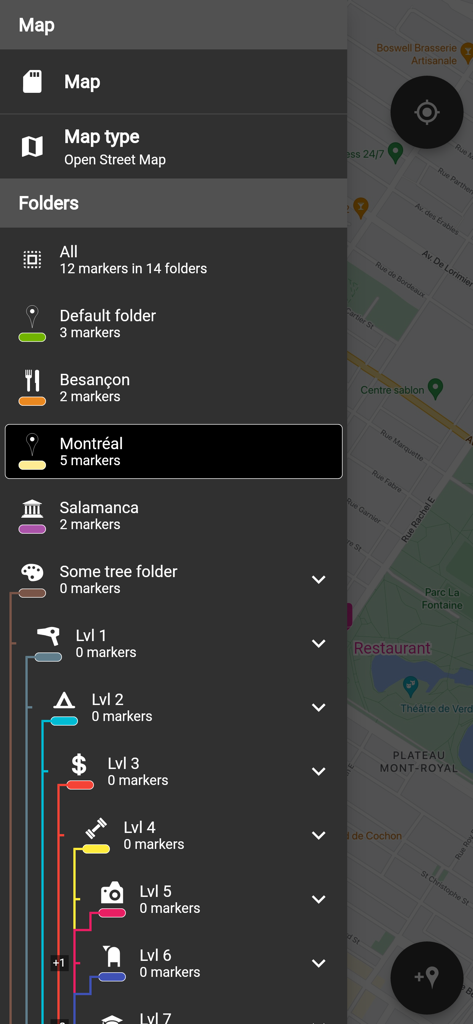
위치 및 수준별로 지도 마커를 정리하기 위한 중첩 폴더 목록이 있는 측면 메뉴를 보여주는 인터페이스

위치 및 수준별로 지도 마커를 정리하기 위한 중첩 폴더 목록이 있는 측면 메뉴를 보여주는 인터페이스

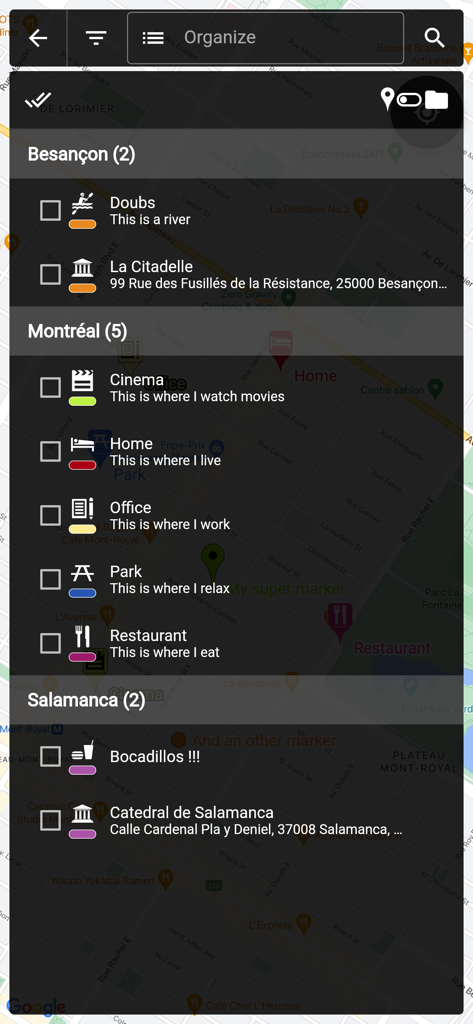
도시 이름별로 폴더로 정리된 저장된 지도 마커 목록을 보여주는 화면

도시 이름별로 폴더로 정리된 저장된 지도 마커 목록을 보여주는 화면

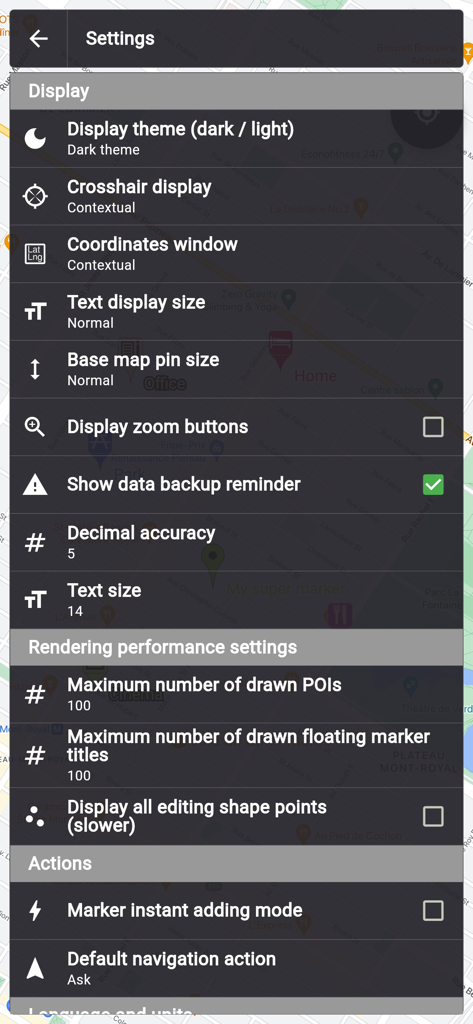
어두운 테마에서 디스플레이 및 성능 옵션을 보여주는 Map Marker 앱의 설정 메뉴

어두운 테마에서 디스플레이 및 성능 옵션을 보여주는 Map Marker 앱의 설정 메뉴

고급 사용자를 위한 전문적인 위치 관리

이 앱을 돋보이게 하는 도구, 54K+ 명의 사용자가 선택.

📂

고급 사용자 지정 정리

단순한 핀을 넘어보세요. 폴더와 체크박스, 날짜, 사진과 같은 사용자 지정 필드를 사용하여 지도를 강력하고 검색 가능한 모바일 CRM으로 만드세요.

🌲

신뢰할 수 있는 오프라인 독립성

휴대폰 서비스 없이도 마커를 배치하고 통합 나침반으로 길을 찾으세요. 원격 현장 작업, 오버랜딩, 농촌 부동산 관리에 이상적입니다.

📐

정밀 전문가 도구

측량 또는 프로젝트 견적을 위해 다각형 면적과 둘레를 계산하세요. 데이터는 KML 파일로 내보내어 완전한 소유권과 상호 운용성을 유지하세요.

앱 소개

에 대해 알아야 할 모든 것 Map Marker: places organizer.

설명

This app uses Google Maps and other sources in order to allow you to place markers even without internet connection. If you have any issues with the app, please contact me by email, I will most likely be able to help. Features: • Set a title, a description, a date, a color, an icon and pictures for each marker, and move them freely on the map • Organise your markers into different folders • Browse and organize your markers easily from the text-searchable markers list • Search places from various sources and create a new marker from the result • Open a marker's location in any other map application already installed • Navigate to a marker's location with the integrated compass • Display and copy marker GPS coordinates to clipboard with one click • Display a marker's address if available • Create path-markers and measure their distance easily • Create polygon-surface-markers and measure their perimeter and area easily • Create circle-surface-markers and measure perimeter and area easily • Create GPS tracks recorded from your device location • Share a captured image of the current map • Share markers as KML files • Import markers from a QR code • Import/export markers from/to KML or KMZ files • Import your Google Maps favorite locations (those marked with a star) • Exported KML files are compatible with most other map softwares such as Google Earth • Custom fields for markers: Checkbox, Date, Email, Text, Multi-choice, Phone, Web link • Create templates for custom fields per folder: the child markers will inherit their parent folder's custom fields Premium features: • Save your markers on the cloud with WebDAV, Google Drive or Dropbox • Collaborate with your friends by sharing your map cloud folder with them: anyone with access to the map folder can modify it and changes will be synced to everyone using the folder • Restore previous versions of your cloud map folder • One time purchase for a lifetime upgrade on your Apple account with an unlimited number of iOS devices • No ads Used permissions: • Get your location => to locate you on the map • Access to external storage => to export, save and import to/from files

최신 버전

3.14.0

크기

64.2 MB

출시일

2017년 11월 15일

당신에게 필요한 마지막 지도 정리 도구

정확성을 요구하는 54,000명 이상의 전문가와 모험가와 함께하세요. 일회성 평생 업그레이드로 전문가급 GIS 도구, 오프라인 안정성, 그리고 구독 피로감 없는 경험을 얻으세요.

다운로드: App Store

App information, icons, screenshots, and descriptions displayed on this page are sourced from the Apple App Store and are the property of their respective developers. Download estimates and rankings are based on MWM's proprietary models and may not reflect actual figures. This page is provided for informational and analytical purposes only.

Believe this page infringes your intellectual property? File a dispute