Map Redirect for Map Links

Map Redirect for Map Links


다운로드: App Store
로고: Map Redirect for Map Links

지도 링크용 지도 리디렉션: 내비게이션 제어하기

복사/붙여넣기 습관을 멈추고 기본 지도 설정을 벗어나세요. 이 개인 정보 보호 우선 Safari 확장은 추적 없이 Waze, Google 지도 또는 선호하는 내비게이션 앱에서 웹 지도 링크를 즉시 엽니다.

다운로드: App Store

개발사

Miao Wang

카테고리

Utilities

다운로드

10K+

사용자 평점

4.1/5

총 평가 수

0

지원 언어

1

원활한 내비게이션 제어

이 인터페이스를 사용하는 10K+ 명의 사용자.

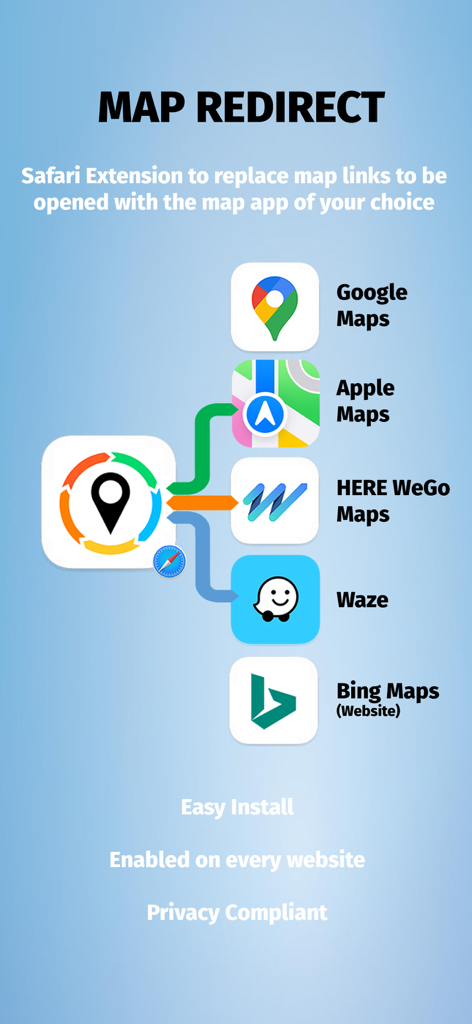
Google 지도 Apple 지도 Waze 및 HERE WeGo와 호환되는 Safari용 지도 리디렉션 앱 인터페이스

Google 지도 Apple 지도 Waze 및 HERE WeGo와 호환되는 Safari용 지도 리디렉션 앱 인터페이스

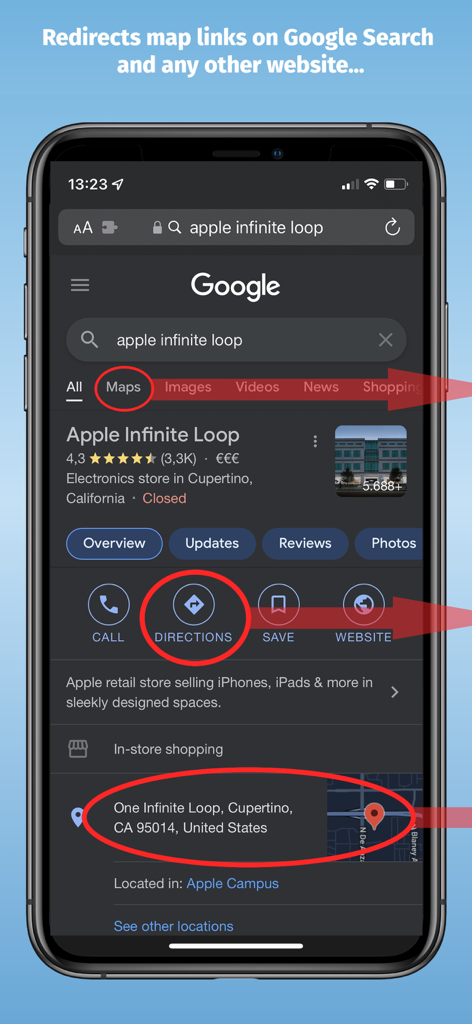
리디렉션을 위해 강조 표시된 지도 링크가 있는 Google 검색 결과를 보여주는 iPhone

리디렉션을 위해 강조 표시된 지도 링크가 있는 Google 검색 결과를 보여주는 iPhone

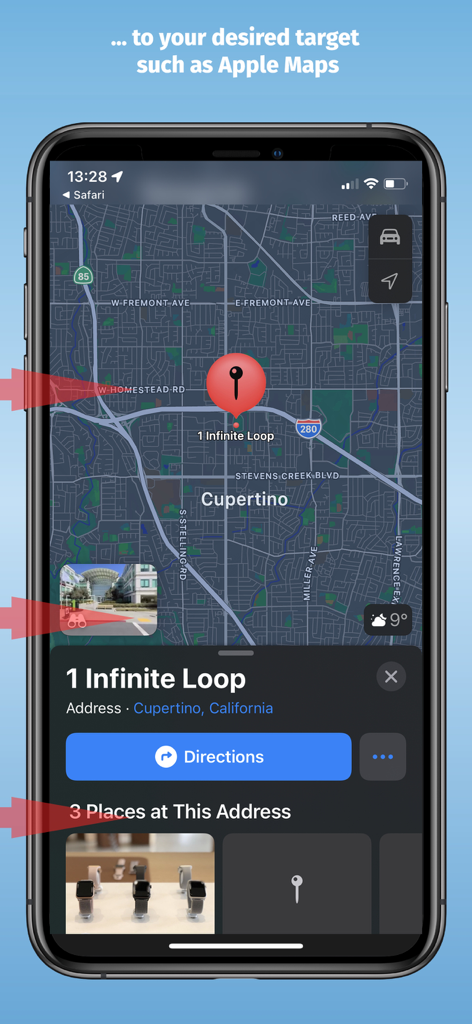
쿠퍼티노의 1 Infinite Loop 위치로 리디렉션된 Apple 지도 인터페이스

쿠퍼티노의 1 Infinite Loop 위치로 리디렉션된 Apple 지도 인터페이스

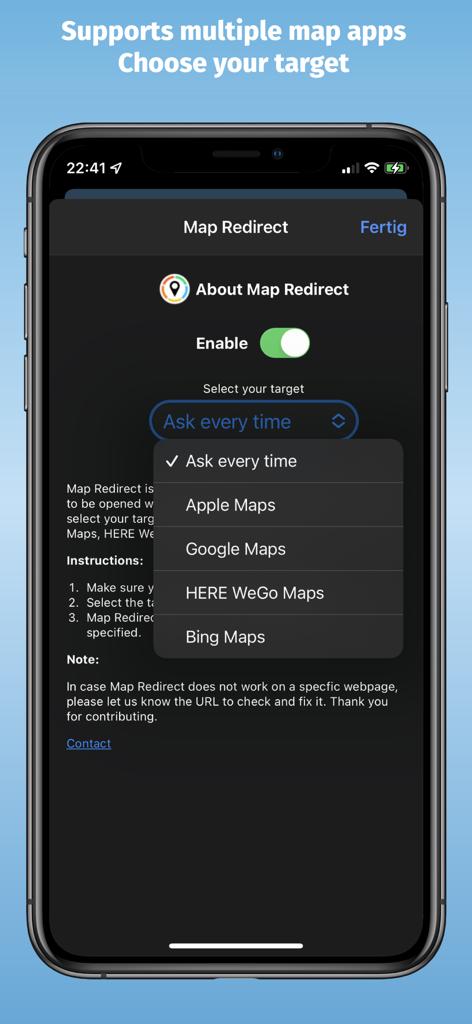
Apple 지도, Google 지도, HERE WeGo, Bing 지도 중에서 선택하는 드롭다운 메뉴가 있는 지도 리디렉션 앱 설정 화면

Apple 지도, Google 지도, HERE WeGo, Bing 지도 중에서 선택하는 드롭다운 메뉴가 있는 지도 리디렉션 앱 설정 화면

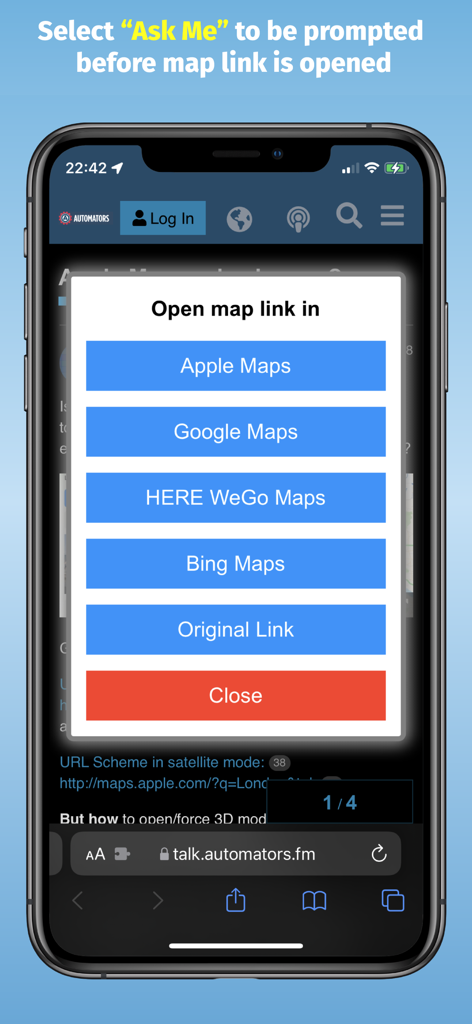
Apple 지도, Google 지도, HERE WeGo 또는 Bing 지도에서 지도 링크를 열 수 있는 옵션이 있는 지도 리디렉션 프롬프트 표시 iPhone 화면

Apple 지도, Google 지도, HERE WeGo 또는 Bing 지도에서 지도 링크를 열 수 있는 옵션이 있는 지도 리디렉션 프롬프트 표시 iPhone 화면

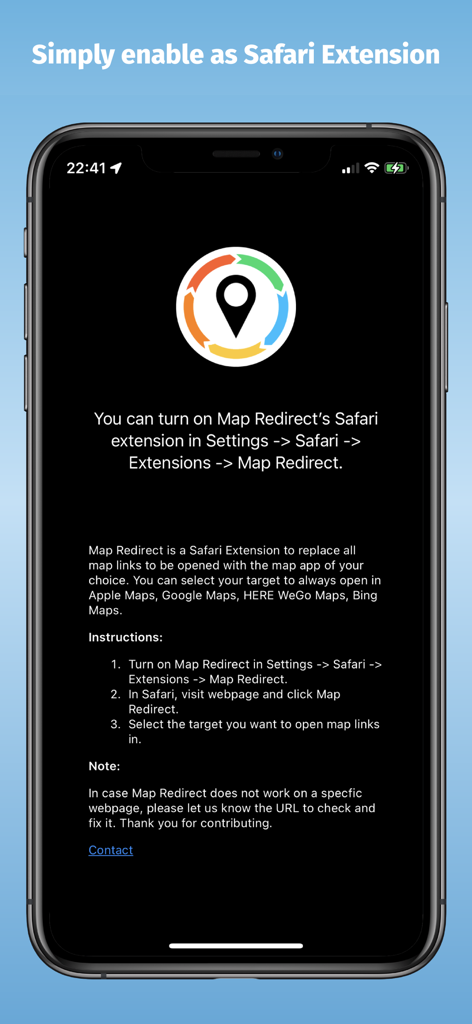
iPhone에서 Safari 확장 프로그램을 활성화하는 지침을 보여주는 지도 리디렉션 앱 화면

iPhone에서 Safari 확장 프로그램을 활성화하는 지침을 보여주는 지도 리디렉션 앱 화면

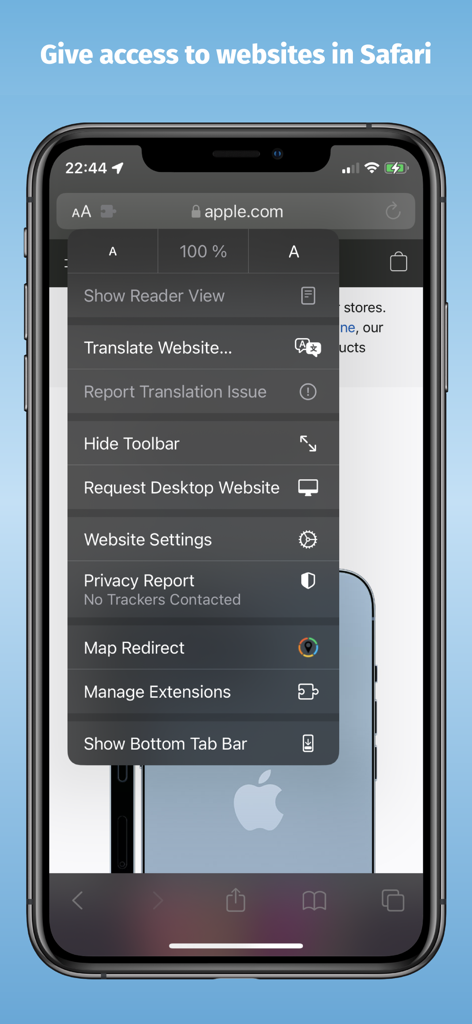
Safari 브라우저 메뉴에 있는 지도 리디렉션 확장 프로그램을 보여주는 iPhone 스크린샷

Safari 브라우저 메뉴에 있는 지도 리디렉션 확장 프로그램을 보여주는 iPhone 스크린샷

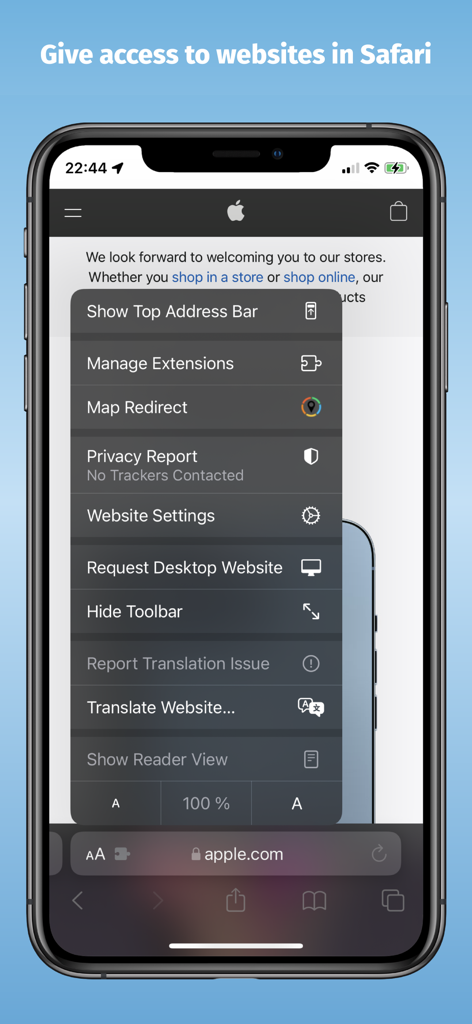
Safari 브라우저 메뉴 내 지도 리디렉션 확장 프로그램을 보여주는 iPhone 화면

Safari 브라우저 메뉴 내 지도 리디렉션 확장 프로그램을 보여주는 iPhone 화면

복사/붙여넣기 중지, 내비게이션 시작

이 앱을 돋보이게 하는 도구, 10K+ 명의 사용자가 선택.

🧭

원탭 리디렉션

Google 검색 또는 모든 웹사이트의 링크를 Waze, Google 지도 또는 HERE WeGo에서 즉시 엽니다.

🔓

기본 설정 오류 끝내기

Safari의 기본 지도 설정을 우회하세요. 선호하는 내비게이션 도구에 맞게 워크플로를 한 번에 사용자 지정하세요.

🔒

개인 정보 보호 우선 디자인

추적기 및 중앙 서버가 없습니다. 데이터는 기기에 남아 빠르고 안전하며 개인 정보 보호되는 브라우징 환경을 보장합니다.

앱 소개

에 대해 알아야 할 모든 것 Map Redirect for Map Links.

설명

Map Redirect is a Safari Extension to replace all map links on a webpage to be opened with the map app of your choice. You can select your target to always open in Apple Maps, Google Maps, HERE WeGo Maps, Bing Maps, Waze. Map Redirect will automatically redirect you to the maps app of your choice. If you select "Ask Me" a prompt will appear to ask you where to open the link. Works on Google Search pages and any other webpage. No need to copy/paste addresses anymore. Instructions: 1. Download Map Redirect from the App Store 2. Go to Settings -> Safari -> Extensions. Enable Map Redirect as Safari Extension 3. Open Safari. Search for location. For example, type London 4. Click on Context menu (the symbol "aA"). Click on Map Redirect to give it access to the webpage you are visiting. 5. The extension needs to read and alter the web page to change the map links. If asked for access, you may select to allow it for one day or to always allow. 6. In the Map Redirect popup, you can select your target. For example: select Apple Maps 7. Map Redirect will now scan the webpage for map links and convert them to be opened in Apple Maps. 8. Click on any map link 9. Map Redirect will now take you to London in Apple Maps Note: Map links on websites can appear in various forms with different parameters. Map Redirect tries to detect and convert them as much as possible to your desired target. Therefore, Map Redirect requires permission to read and alter the web page to change the map links. If asked for access, you may select to allow it for one day or to always allow. In case Map Redirect does not work on a specific webpage, please contact us and let us know the URL to check and fix it. Thank you for contributing. *HERE WeGo deeplinking support is limited to only links with geo-coordinates *Bing maps will use Apple Maps on iPhones *Waze Deeplinking support is limited to searching from your current location to what is around you Privacy: Map Redirect does not use any trackers of any sort, nor does it keep, track, sell, rent, or share any information on you throughout your use of the app with any third parties. All processing happens locally on the webpage you visit with the extension. No data is transferred to any central server. For any questions, feel free to contact us directly.

최신 버전

1.14

크기

1.9 MB

출시일

2021년 10월 19일

기본 지도 링크 제어하기

내비게이션 마찰을 제거한 10,000명 이상의 파워 유저와 함께하세요. 추적 없이 간편하게 Google 지도 또는 Waze에서 직접 링크를 여는 Safari 확장 프로그램으로 지금 바로 시작하세요.

다운로드: App Store

App information, icons, screenshots, and descriptions displayed on this page are sourced from the Apple App Store and are the property of their respective developers. Download estimates and rankings are based on MWM's proprietary models and may not reflect actual figures. This page is provided for informational and analytical purposes only.

Believe this page infringes your intellectual property? File a dispute