MEXC Authenticator

MEXC Authenticator

다운로드: App Store
로고: MEXC Authenticator

MEXC Authenticator: 암호화폐 및 그 이상을 위한 프로급 2FA

생체 인식 보호, 오프라인 코드 생성 및 고급 계정 정리를 통해 디지털 보안을 강화하세요. MEXC 자산을 원활하게 관리하고 하나의 강력한 도구로 Google, Facebook 및 Amazon 계정을 보호하세요.

다운로드: App Store

개발사

MEXC Fintech, Inc.

카테고리

Utilities

다운로드

14K+

사용자 평점

4.7/5

총 평가 수

0

지원 언어

1

한눈에 보는 보안

이 인터페이스를 사용하는 14K+ 명의 사용자.

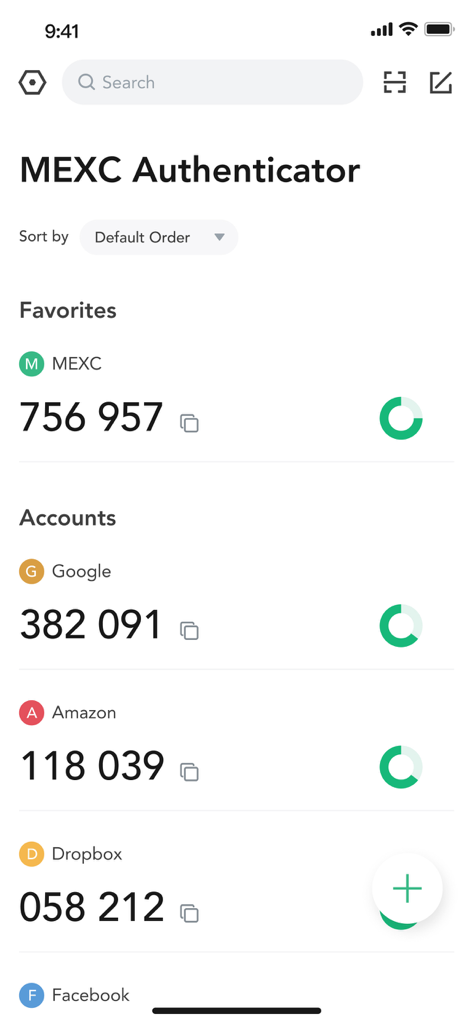
MEXC Authenticator 인터페이스는 Google 및 Amazon을 포함한 여러 계정에 대한 2FA 코드를 표시합니다.

MEXC Authenticator 인터페이스는 Google 및 Amazon을 포함한 여러 계정에 대한 2FA 코드를 표시합니다.

MEXC Authenticator 앱의 사용자 인터페이스는 여러 계정에 대한 보안 코드를 표시합니다.

MEXC Authenticator 앱의 사용자 인터페이스는 여러 계정에 대한 보안 코드를 표시합니다.

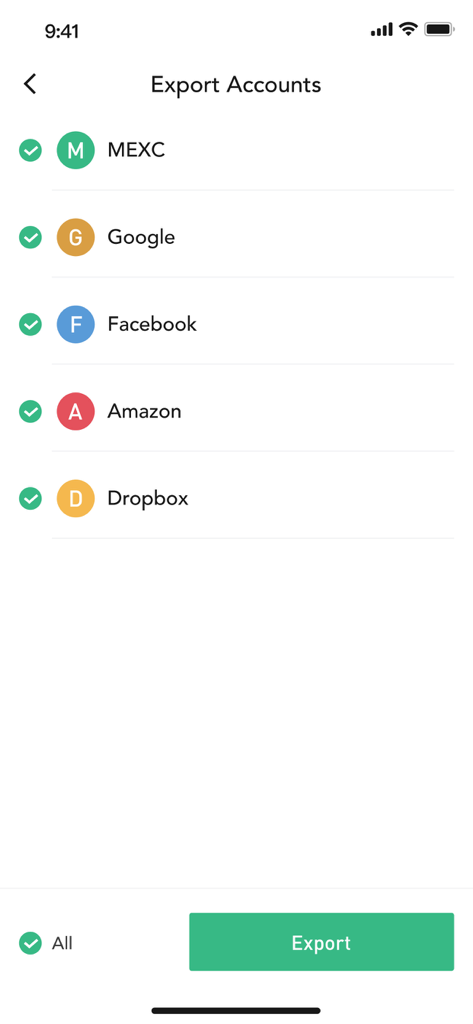
MEXC Authenticator 인터페이스는 전송을 위해 선택된 여러 플랫폼 계정 목록과 함께 계정 내보내기 화면을 표시합니다.

MEXC Authenticator 인터페이스는 전송을 위해 선택된 여러 플랫폼 계정 목록과 함께 계정 내보내기 화면을 표시합니다.

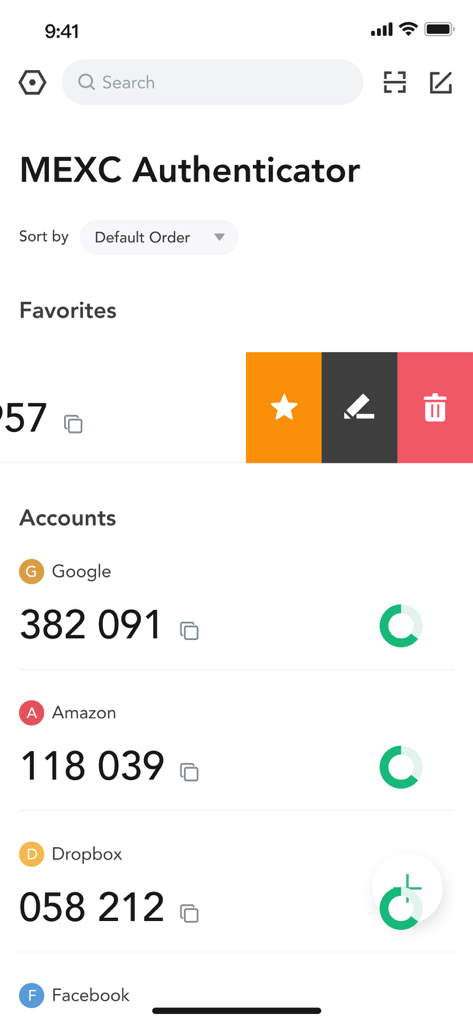
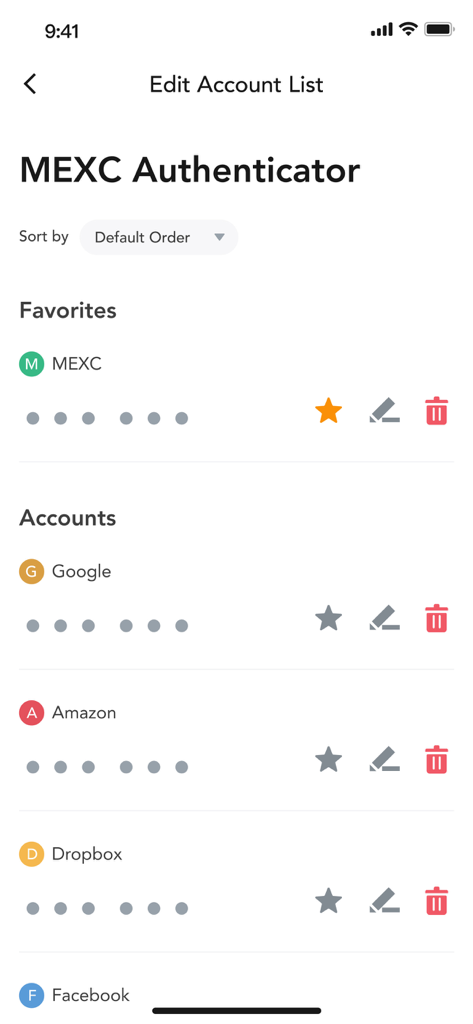
MEXC Authenticator 인터페이스는 즐겨찾기, 편집 또는 삭제 옵션이 있는 연결된 계정 목록을 보여줍니다.

MEXC Authenticator 인터페이스는 즐겨찾기, 편집 또는 삭제 옵션이 있는 연결된 계정 목록을 보여줍니다.

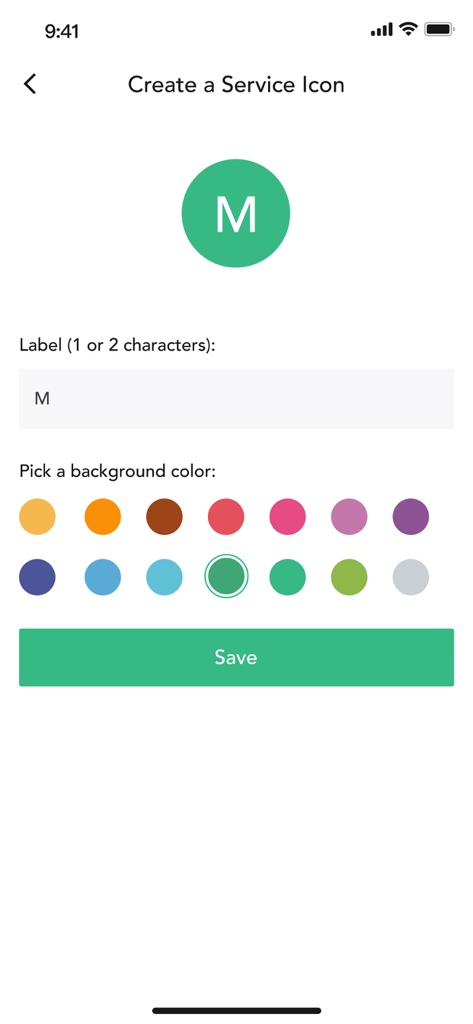
MEXC Authenticator에서 레이블 및 색상 선택기를 사용하여 사용자 지정 서비스 아이콘을 만드는 인터페이스

MEXC Authenticator에서 레이블 및 색상 선택기를 사용하여 사용자 지정 서비스 아이콘을 만드는 인터페이스

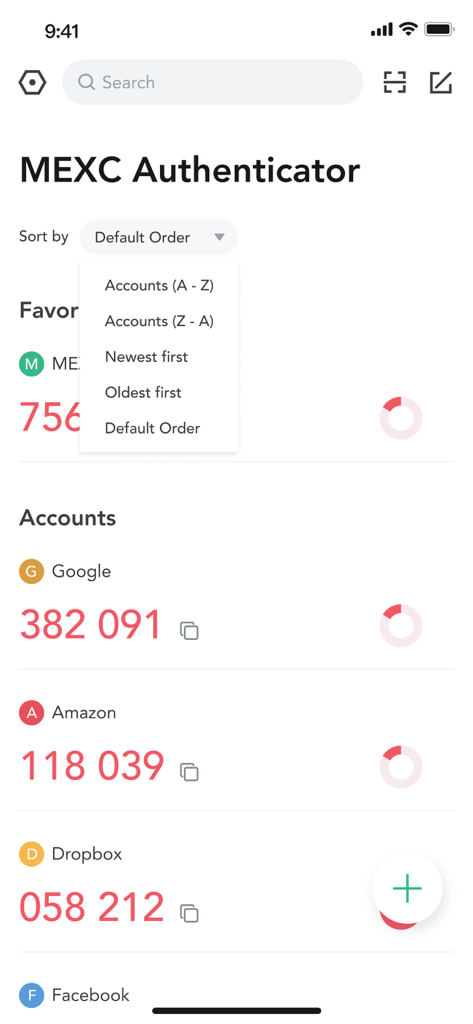
MEXC Authenticator 앱 인터페이스는 Google, Amazon 및 Dropbox에 대한 2FA 코드를 표시하고 정렬 메뉴가 열려 있습니다.

MEXC Authenticator 앱 인터페이스는 Google, Amazon 및 Dropbox에 대한 2FA 코드를 표시하고 정렬 메뉴가 열려 있습니다.

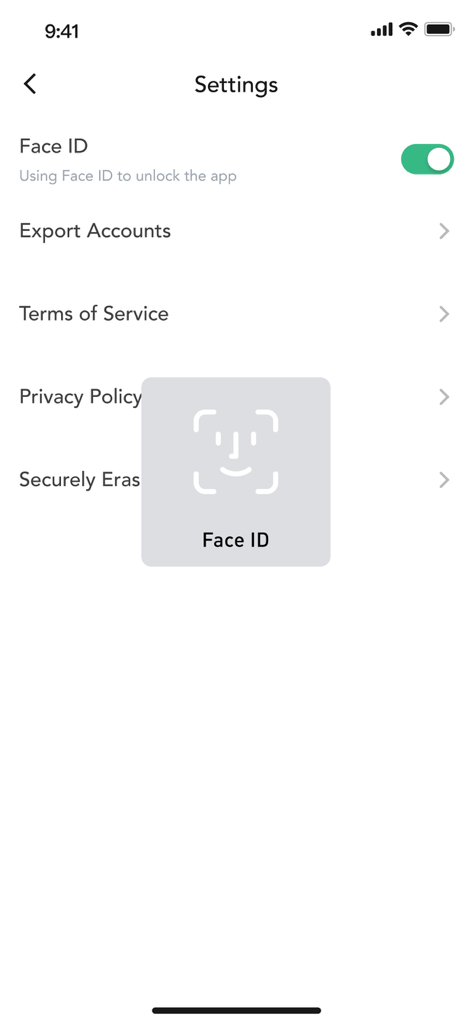
MEXC Authenticator 설정 메뉴는 Face ID 생체 인식 잠금이 활성화되어 있음을 보여줍니다.

MEXC Authenticator 설정 메뉴는 Face ID 생체 인식 잠금이 활성화되어 있음을 보여줍니다.

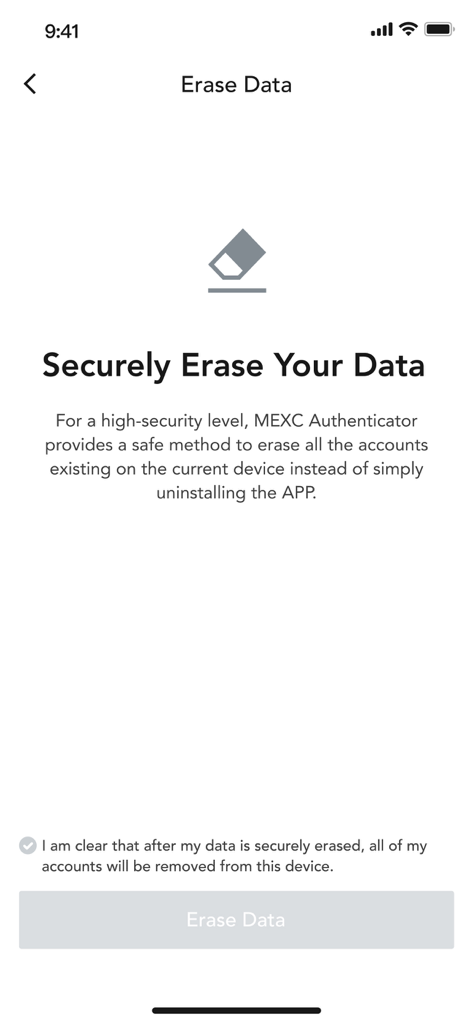
MEXC Authenticator 인터페이스는 앱 데이터 및 계정을 안전하게 삭제합니다.

MEXC Authenticator 인터페이스는 앱 데이터 및 계정을 안전하게 삭제합니다.

현대 트레이더를 위한 탁월한 보안

이 앱을 돋보이게 하는 도구, 14K+ 명의 사용자가 선택.

🛡️

생체 인식 방패

Face ID 뒤에 인증 코드를 잠그면 장치가 잠금 해제되어도 무단 액세스를 방지하여 추가 방어 계층을 추가합니다.

📂

프로급 정리

끝없는 목록을 스크롤하지 마세요. 계정을 그룹으로 분류하고 사용자 지정 아이콘을 사용하여 중요한 거래 중에 코드를 즉시 찾으세요.

🔌

오프라인 코드 생성

인터넷 연결 없이 안전한 토큰을 생성하여 개인 정보를 극대화하고 SIM 교환 및 네트워크 기반 취약점으로부터 보호합니다.

앱 소개

에 대해 알아야 할 모든 것 MEXC Authenticator.

설명

About this app: The MEXC Authenticator is the official authenticator application for the MEXC platform (www.mexc.com). Apart from MEXC, the MEXC Authenticator app can also be used to generate verification codes for a variety of other applications which support two-step verification across both web and mobile platforms. Two-step verification, also known as two-factor authentication, requires users to log in with both their password and a temporary verification code. For increased security, you may also configure Face ID on the MEXC Authenticator to prevent unauthorised code generation. Features: - Multi-application support (Facebook, Google, Amazon) - Provides both time-based and counter-based verification codes - Fuss-free QR code based account transfers between devices - Allows generation of verification codes offline - Supports secure data deletion - Supports icon customization for ease of reference - Search function allows users to search for accounts by name - Group function helps users to better organize their accounts To use the MEXC Authenticator with the MEXC platform, 2-Step Verification must first be enabled in your MEXC account.

최신 버전

2.0.4

크기

28.4 MB

출시일

2022년 1월 15일

전문가 수준의 2FA로 디지털 자산을 보호하세요

모든 플랫폼에서 생체 인식 보호, 오프라인 코드 생성 및 원활한 계정 정리를 위해 MEXC Authenticator를 신뢰하는 14,000명 이상의 사용자와 함께하세요.

다운로드: App Store

App information, icons, screenshots, and descriptions displayed on this page are sourced from the Apple App Store and are the property of their respective developers. Download estimates and rankings are based on MWM's proprietary models and may not reflect actual figures. This page is provided for informational and analytical purposes only.

Believe this page infringes your intellectual property? File a dispute