Moment Stamp for DateTime Pics

Moment Stamp for DateTime Pics


다운로드: App Store
로고: Moment Stamp for DateTime Pics

Moment Stamp for DateTime Pics: 모든 추억을 시대를 초월하게 만드세요

몇 초 만에 사진에 세련되고 사용자 지정 가능한 날짜 및 시간 스탬프를 추가하세요. 피트니스 진행 상황을 추적하든, 집 프로젝트를 문서화하든, 가족 기념일을 포착하든, 클래식한 느낌으로 추억을 정리하세요.

다운로드: App Store

개발사

Chirag Gabani

카테고리

Photo & Video

다운로드

2K+

사용자 평점

4.4/5

총 평가 수

0

지원 언어

1

추억에 초점을 맞추다

이 인터페이스를 사용하는 2K+ 명의 사용자.

사용자 지정 날짜 및 시간 스탬프 템플릿이 있는 사진 콜라주

사용자 지정 날짜 및 시간 스탬프 템플릿이 있는 사진 콜라주

다양한 장식용 날짜 및 시간 스탬프 템플릿을 보여주는 사진 콜라주

다양한 장식용 날짜 및 시간 스탬프 템플릿을 보여주는 사진 콜라주

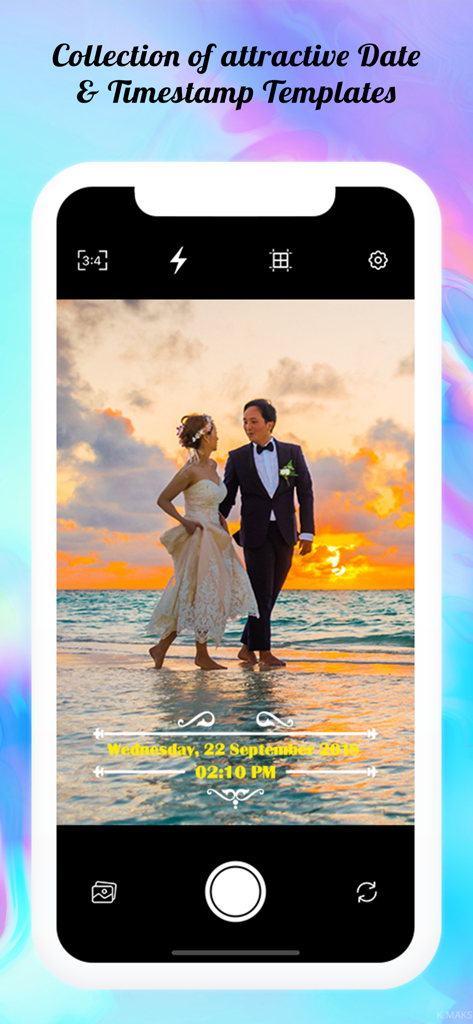
장식용 노란색 날짜 및 시간 스탬프 오버레이가 있는 결혼식 사진을 표시하는 스마트폰 화면

장식용 노란색 날짜 및 시간 스탬프 오버레이가 있는 결혼식 사진을 표시하는 스마트폰 화면

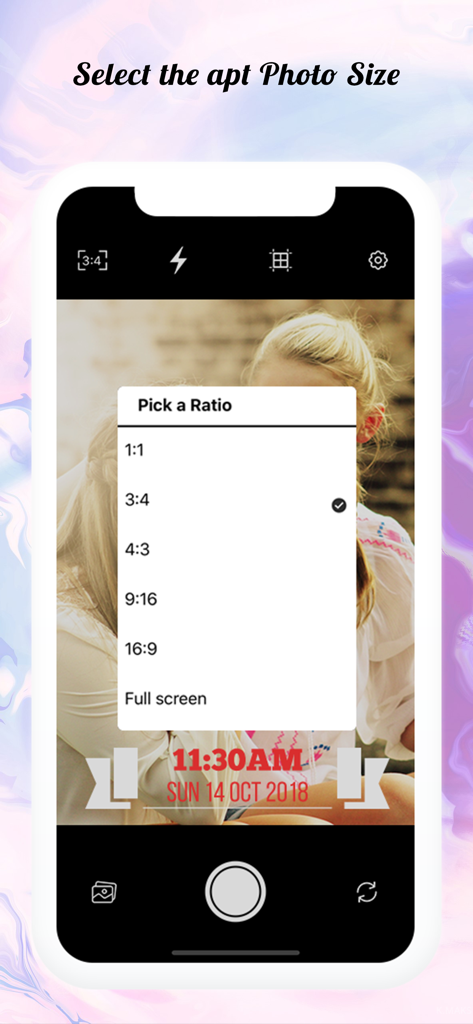
타임스탬프가 찍힌 사진에 대한 사진 종횡비 선택 메뉴를 보여주는 Moment Stamp 앱 인터페이스

타임스탬프가 찍힌 사진에 대한 사진 종횡비 선택 메뉴를 보여주는 Moment Stamp 앱 인터페이스

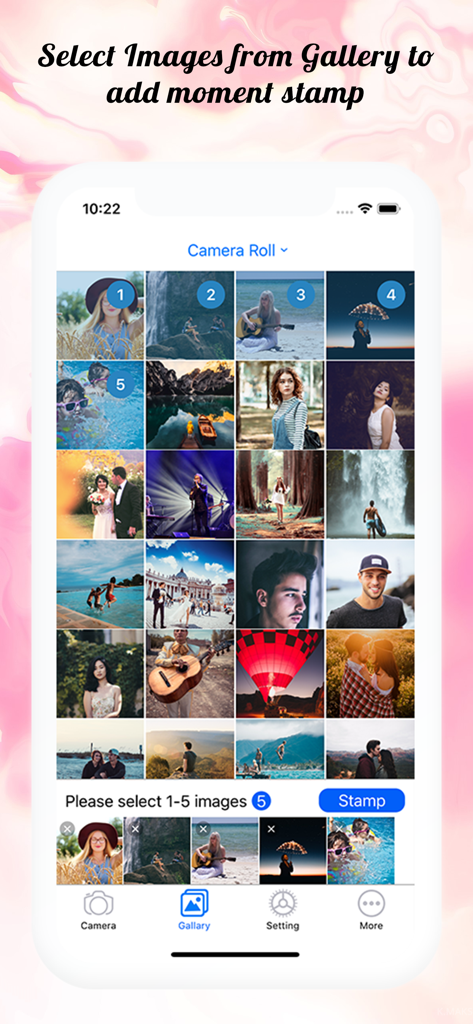
날짜 및 시간 워터마크를 추가하기 위해 여러 사진이 선택된 Moment Stamp 앱 사진 갤러리를 보여주는 화면

날짜 및 시간 워터마크를 추가하기 위해 여러 사진이 선택된 Moment Stamp 앱 사진 갤러리를 보여주는 화면

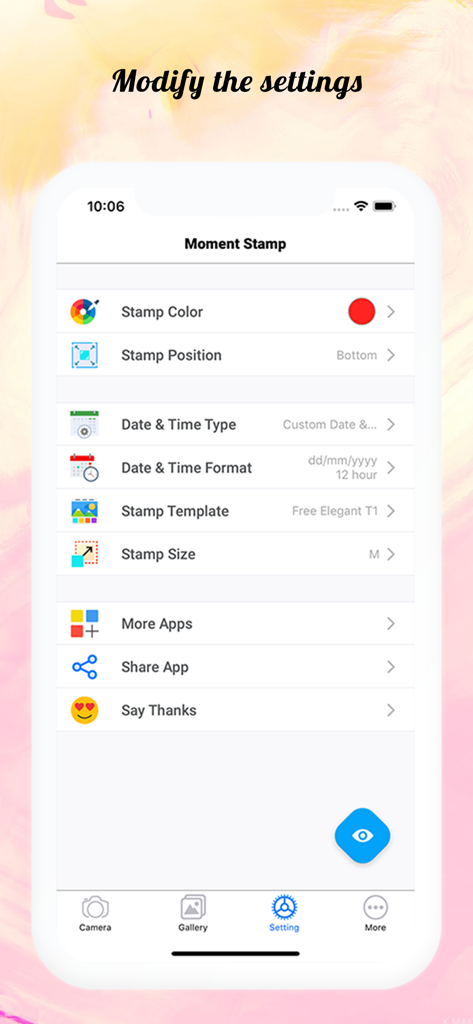
사진 날짜 및 시간 스탬프에 대한 사용자 지정 옵션을 보여주는 Moment Stamp 앱 설정 화면

사진 날짜 및 시간 스탬프에 대한 사용자 지정 옵션을 보여주는 Moment Stamp 앱 설정 화면

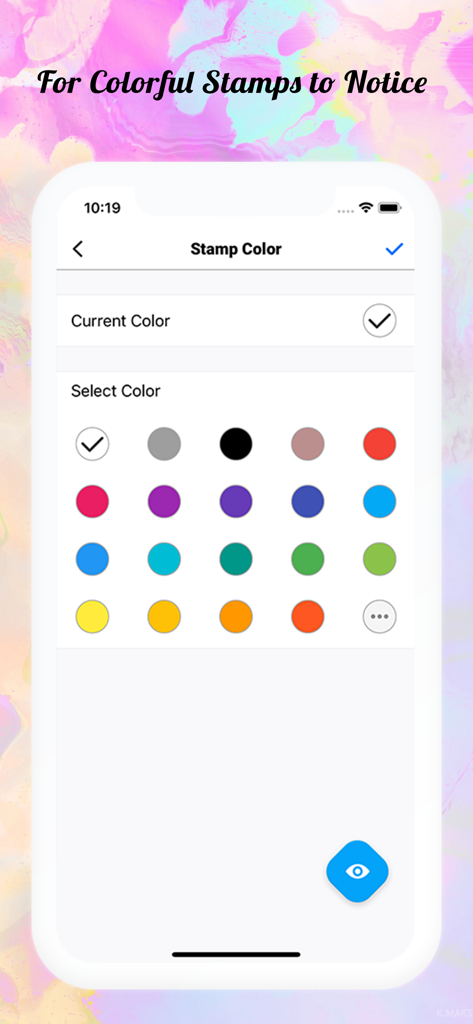
사진 날짜 및 시간 스탬프 사용자 지정을 위한 색상 선택을 보여주는 Moment Stamp 앱 인터페이스

사진 날짜 및 시간 스탬프 사용자 지정을 위한 색상 선택을 보여주는 Moment Stamp 앱 인터페이스

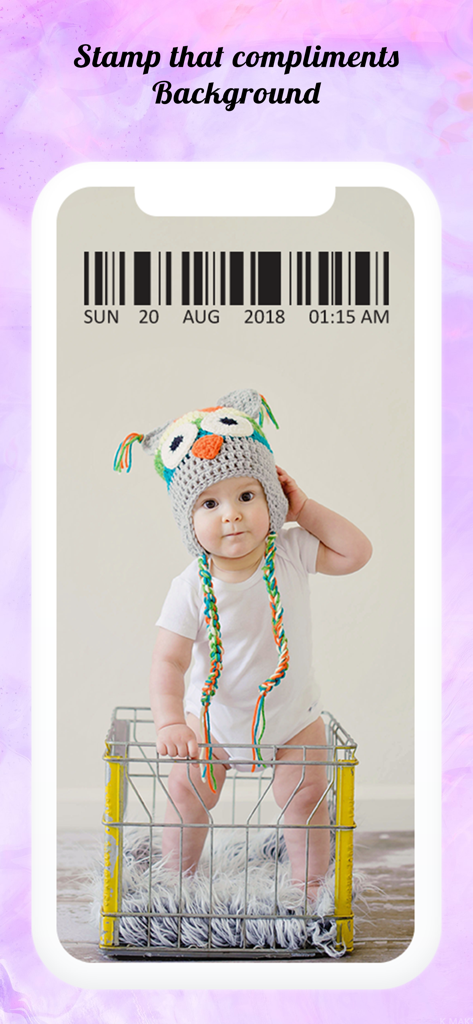
장식용 바코드 날짜 및 시간 스탬프 오버레이가 있는 아기 사진(올빼미 모자 착용)

장식용 바코드 날짜 및 시간 스탬프 오버레이가 있는 아기 사진(올빼미 모자 착용)

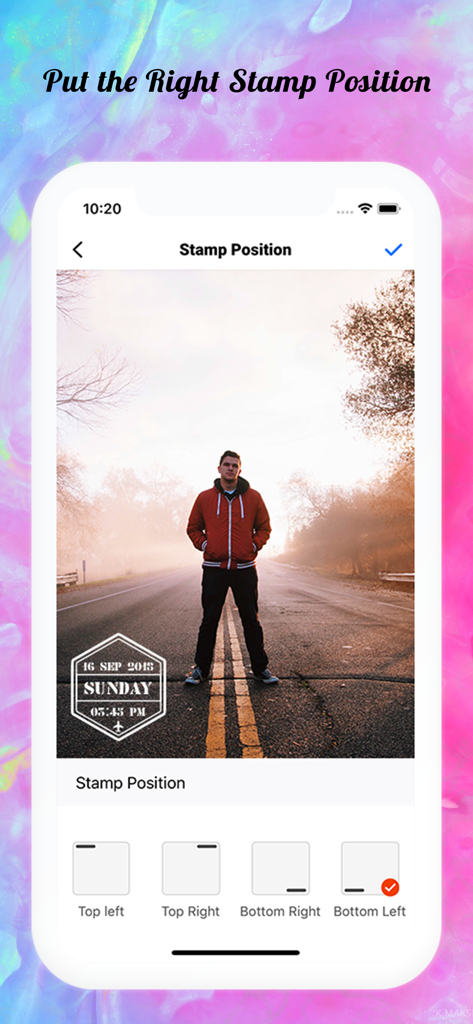
사진에 날짜 및 시간 스탬프를 배치하는 옵션을 보여주는 Moment Stamp 앱 인터페이스

사진에 날짜 및 시간 스탬프를 배치하는 옵션을 보여주는 Moment Stamp 앱 인터페이스

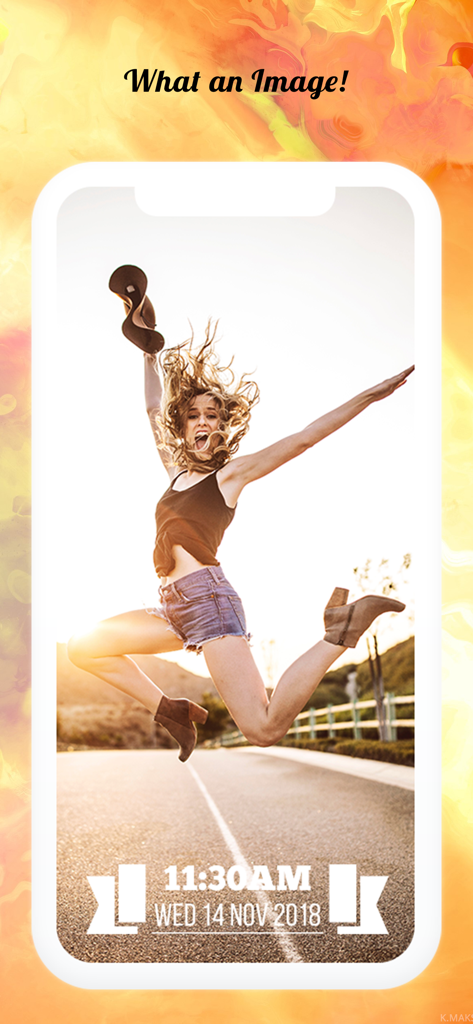
사진 하단에 스타일리시한 날짜 및 시간 스탬프가 있는 기쁨을 표현하는 여성의 점프 사진

사진 하단에 스타일리시한 날짜 및 시간 스탬프가 있는 기쁨을 표현하는 여성의 점프 사진

모든 사진은 이야기를 담고, 모든 스탬프는 사실을 보존합니다

이 앱을 돋보이게 하는 도구, 2K+ 명의 사용자가 선택.

스타일리시한 복고풍 템플릿

25개 이상의 디자이너 레이아웃과 사용자 지정 색상 중에서 선택하여 사진에 트렌디한 아날로그 필름 분위기 또는 깔끔한 전문적인 마감을 더하세요.

📅

원활한 추억 추적

현재 날짜를 자동으로 추가하거나 갤러리 사진의 캡처 날짜를 선택하여 피트니스 진행 상황, 아기 기념일 또는 여행 기록을 추적하는 데 완벽합니다.

🎯

사용자 지정 위치 및 형식

조정 가능한 위치와 여러 날짜 형식(DD/MM/YY 또는 MM/DD/YY)으로 제어력을 유지하여 스탬프가 사진의 가장 좋은 부분을 가리지 않도록 하세요.

앱 소개

에 대해 알아야 할 모든 것 Moment Stamp for DateTime Pics.

설명

Capture all the precious moments you see and live them forever by adding ‘Date and Time Stamp on Photo’. So that, when you look back to those memories after a few years from now, they won’t fade away with time. With this ‘Moment Stamp App’, you can instantly capture moments of your surroundings and watermark on photos with Date Stamp Camera! Or if you want to add stunning date and time stamp on photos stored in phone gallery, you can customize that too by simply choosing the best template from our application. • What makes this app different? - You can add ‘Today’s Date (Current Date and Time)’ or the DateTime when that picture was captured! - Get a bunch of mind-boggling templates. - Set of ‘Stamp Colors’ to make your pictures more stunning! It furnishes a facility to watermark your pictures at the moment. With this date time stamper app, bring your photos to life and don’t just let that valuable moment go with time. • Check out some astonishing features of this photo Stamper app: Just click on the settings button and modify all the below mentioned features! i) Font Color Make sure your customized date stamps standout in the picture! In this Moment Stamp App, get the collection of font color and makes your picture look more attractive. You can also create your own DateTime pics colors by combining others! ii) Stamp Position Don't let the watermark settle at the same place! Keep it moving with variant photographs by making it more catchy with a Date Time stamp on photos. Get two distinct positions to set your customized date stamps for a neat & clean image!. - Top - Bottom iii) Templates With the above features, here is the special one which shall do a makeover when you add date stamp to photos. More than 25 dazzling templates are embedded in this date and time stamp app that will make you say “Woo-hoo! What an awesome Image!” • WHAT’S EXCITINGLY NEW? A) Custom Time Format Yeah, you’ve heard it right! Now, in this timestamp camera app, you can pick a time format as the way that you want and add time stamp on photos. - 12 hours format - 24 hours format B) Custom Date Format Select the format for the date stamp on photo: - dd/mm/yyyy - mm/dd/yyyy - yyyy/mm/dd • How to use this date and time stamp app? 1) Once you get this ‘Photo Stamper’ app into your mobile, you’ll see the home screen. 2) Select the appropriate ‘Font Color & Font Position for timestamp’. 3) You will find all the features mentioned above where you’ll be able to set toggle for ‘App Name Watermark’ or ‘Date and Time Format’! 4) Click on the ‘Stamp Template’ option and choose the one which you like the most! 5) Do you want to DateTime pics that you capture? Then click on the ‘Camera’ icon otherwise you can select the image from your ‘Phone Gallery’! That’s easy as pie! Isn’t it? So, install Moment Stamp application and start adding a Date Time stamp on photos NOW! And see the stunning difference between the images you capture simply and those images which you capture with our customized date stamp camera. Would you like to see how your pictures will look? Have a look at a set of pictures above!

최신 버전

1.2.3

크기

37.3 MB

출시일

2018년 12월 16일

소중한 순간을 잊지 마세요

인생의 이정표를 기록하기 위해 Moment Stamp를 신뢰하는 수천 명의 사용자와 함께하세요. 몇 번의 탭만으로 소중한 추억에 맥락을 부여하세요.

다운로드: App Store

App information, icons, screenshots, and descriptions displayed on this page are sourced from the Apple App Store and are the property of their respective developers. Download estimates and rankings are based on MWM's proprietary models and may not reflect actual figures. This page is provided for informational and analytical purposes only.

Believe this page infringes your intellectual property? File a dispute