Mosaic Blur Photo Maker

Mosaic Blur Photo Maker

다운로드: App Store
로고: Mosaic Blur Photo Maker

Mosaic Blur Photo Maker: 개인 정보 보호 및 미학을 위한 전문가 수준의 정밀도

민감한 정보를 쉽게 검열하거나 멋진 DSLR 스타일의 배경 흐림 효과를 만드세요. 개인 정보 보호와 스타일을 중요하게 생각하는 크리에이터를 위해 설계된 빠르고 고해상도의 워터마크 없는 도구입니다.

다운로드: App Store

개발사

Softizo Universe FZE

카테고리

Photo & Video

다운로드

1K+

사용자 평점

1.0/5

총 평가 수

0

지원 언어

16

모든 픽셀의 정밀도

이 인터페이스를 사용하는 1K+ 명의 사용자.

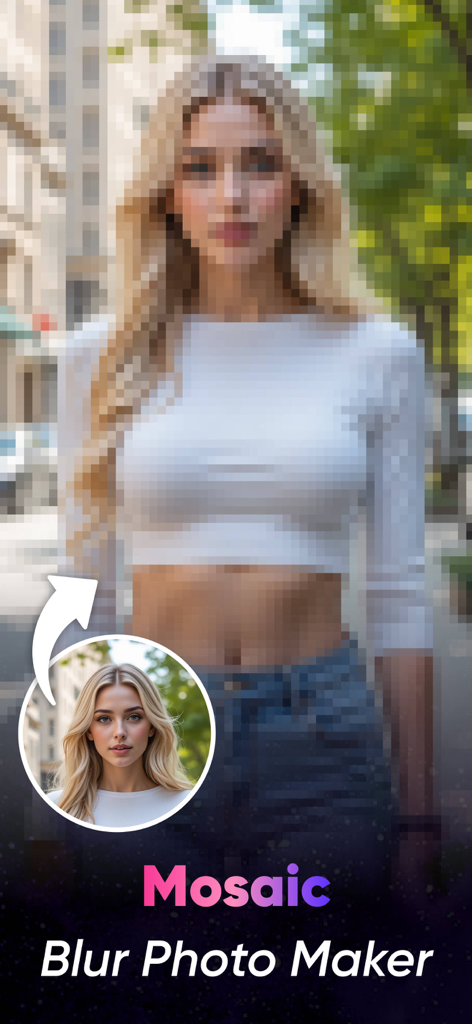
앱의 흐림 기능을 시연하기 위해 모자이크 픽셀화 효과가 강하게 적용된 여성 초상화

앱의 흐림 기능을 시연하기 위해 모자이크 픽셀화 효과가 강하게 적용된 여성 초상화

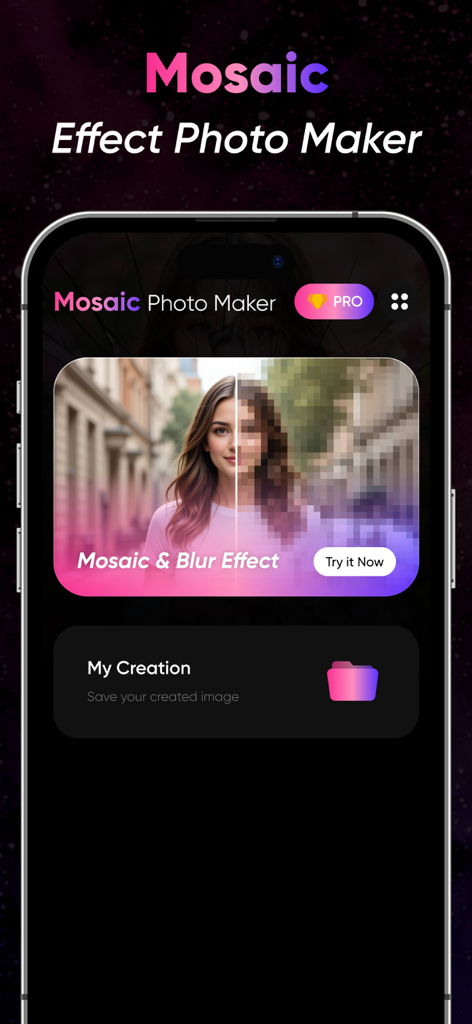
초상화와 내 창작물 폴더에 모자이크 효과 미리보기를 보여주는 Mosaic Blur Photo Maker 앱 인터페이스

초상화와 내 창작물 폴더에 모자이크 효과 미리보기를 보여주는 Mosaic Blur Photo Maker 앱 인터페이스

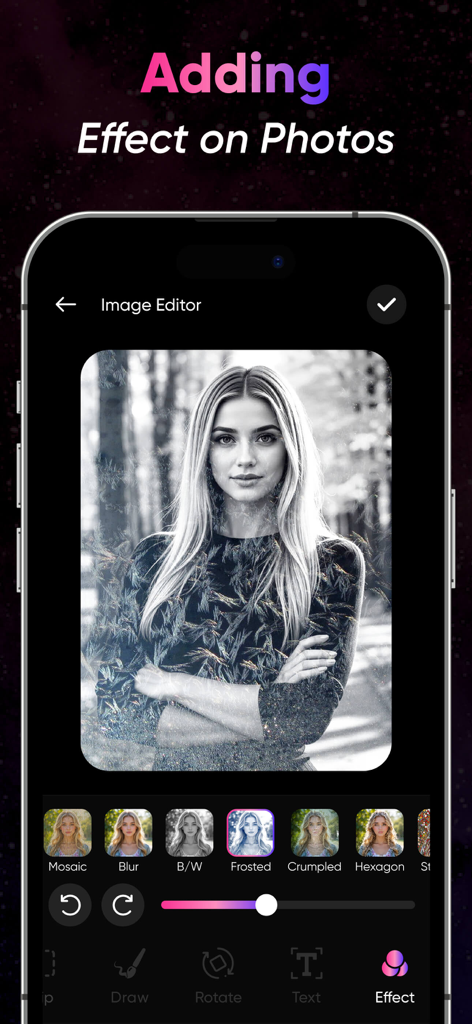
초상화 사진에 예술적 효과 옵션을 보여주는 Mosaic Blur Photo Maker의 모바일 앱 인터페이스

초상화 사진에 예술적 효과 옵션을 보여주는 Mosaic Blur Photo Maker의 모바일 앱 인터페이스

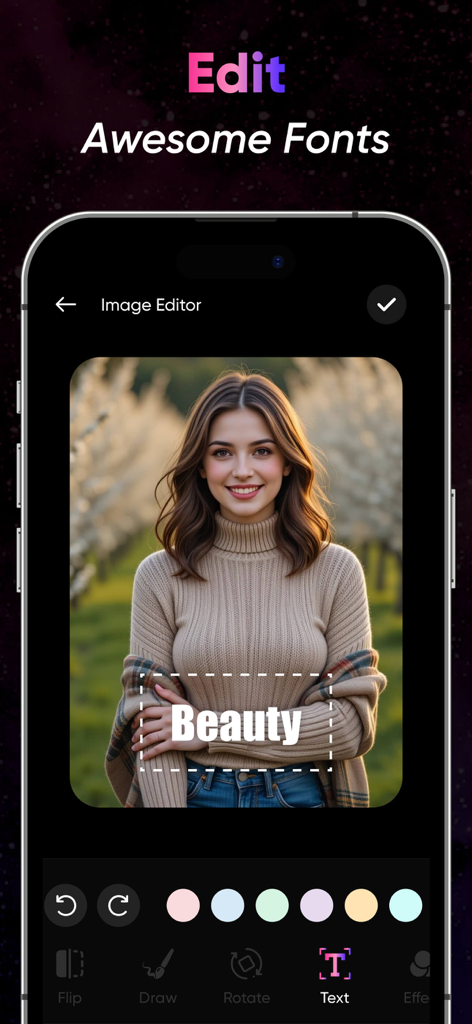
초상화 사진에 텍스트 편집기 및 글꼴 선택 기능을 보여주는 Mosaic Blur 앱의 스크린샷

초상화 사진에 텍스트 편집기 및 글꼴 선택 기능을 보여주는 Mosaic Blur 앱의 스크린샷

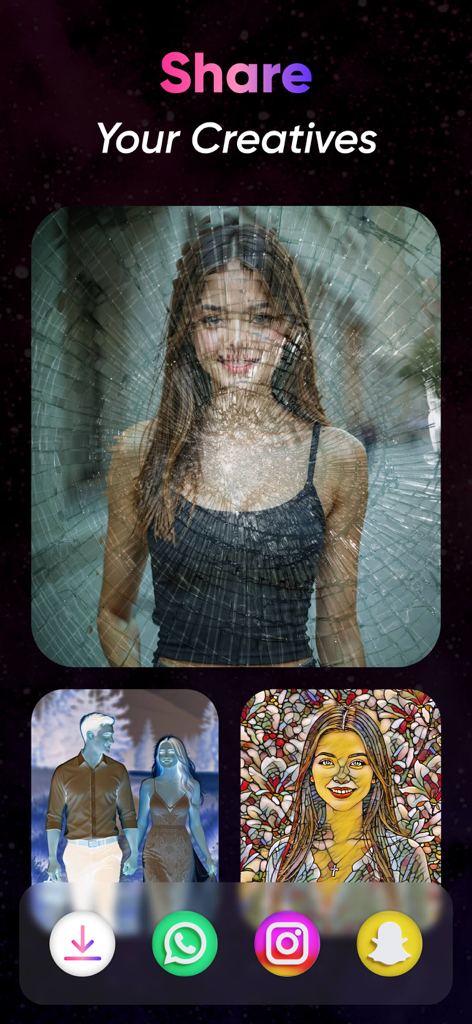
예술적 사진 필터와 소셜 미디어 공유 아이콘을 표시하는 Share Your Creatives라는 제목의 모바일 앱 화면

예술적 사진 필터와 소셜 미디어 공유 아이콘을 표시하는 Share Your Creatives라는 제목의 모바일 앱 화면

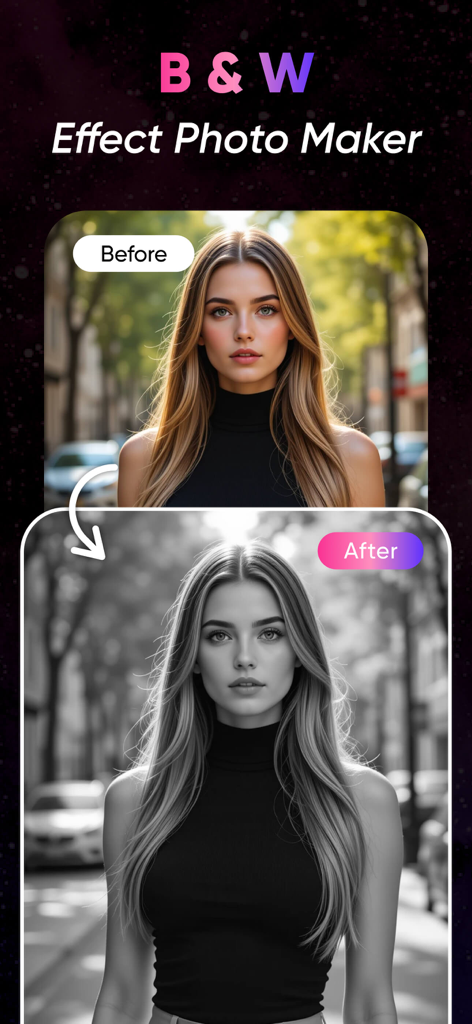
흑백 사진 필터를 사용하여 여성 초상화의 이전 및 이후 비교

흑백 사진 필터를 사용하여 여성 초상화의 이전 및 이후 비교

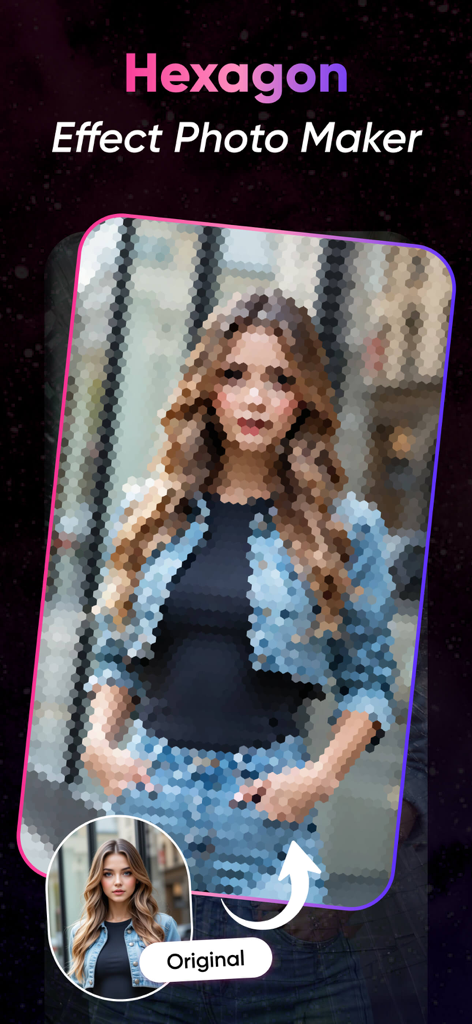
원래 사진 옆에 육각형 모자이크 흐림 효과가 적용된 여성의 초상화.

원래 사진 옆에 육각형 모자이크 흐림 효과가 적용된 여성의 초상화.

전문적인 개인 정보 보호 및 창의적인 스타일

이 앱을 돋보이게 하는 도구, 1K+ 명의 사용자가 선택.

🛡️

즉각적인 개인 정보 보호

전문적인 모자이크 및 픽셀화 효과로 얼굴, 번호판 또는 개인 문서를 쉽게 검열하여 안전하게 소셜 미디어에 공유하세요.

DSLR 품질의 부드러운 흐림 효과

흩어진 배경을 흐리게 하고 피사체를 부드러운 보케 효과로 강조하여 평범한 사진을 전문적인 초상화로 바꿔보세요.

🔍

정밀한 도구

픽셀 단위의 완벽한 편집을 위해 확대/축소 가능한 브러시를 사용하세요. 피드를 깔끔하고 프리미엄하게 유지하기 위해 워터마크 없이 고해상도로 이미지를 내보내세요.

앱 소개

에 대해 알아야 할 모든 것 Mosaic Blur Photo Maker.

설명

Blur Photos with Precision and Style Mosaic Blur Photo Editor is a simple yet powerful app that lets you blur parts of your photos using mosaic, pixel, or soft blur effects. Whether you want to protect privacy, highlight a subject, or create an artistic effect, this app offers precise tools for quick editing. Perfect for social media, content creators, photographers, or anyone looking to censor or stylize their images. Key Features: Mosaic & Pixel Blur: Apply pixelation or mosaic effects to any part of your photo. Soft Blur Tool: Smoothly blur backgrounds or unwanted areas for a DSLR-style effect. Brush & Eraser Tools: Use adjustable brushes for freehand blurring or precise edits. Shape Blur: Blur in circular or rectangular zones for fast targeting. Zoom & Pan: Edit with accuracy by zooming into your image. Undo/Redo Options: Make quick changes without losing your work. High-Resolution Export: Save edited images in full quality. No Watermark: Export clean images without branding. Use Cases: Censor faces, license plates, or private content Blur photo backgrounds for focus Add creative or artistic effects Prepare images for social sharing Fast. Clean. Effective. Mosaic Blur Photo Editor offers a simple workflow and precise editing tools to help you blur exactly what you need—whether for privacy, aesthetics, or storytelling. Download Mosaic Blur Photo Editor today and take control of how your photos are seen. To find out more about automatic subscription renewals: Ad-free version Unlimited blur image generation Premium Subscription : MosaicBlur One Week - 6.99 USD MosaicBlur One Year - 44.99 USD Your payment will be charged to your iTunes Account.The app offering is auto-renewable subscriptions For More Information : Privacy Policy : http://softizouniverse.com/pages/Privacy%20Policy.html Terms of Use : http://softizouniverse.com/pages/Terms%20Of%20Use.html

최신 버전

1.0

크기

76.3 MB

출시일

2025년 7월 23일

개인 정보 보호 및 미학을 마스터할 준비가 되셨나요?

정밀하고 고해상도의 워터마크 없는 편집을 위해 Mosaic Blur를 신뢰하는 수천 명의 크리에이터와 함께하세요. 오늘 사진을 제어하고 자신 있게 공유하세요.

다운로드: App Store

App information, icons, screenshots, and descriptions displayed on this page are sourced from the Apple App Store and are the property of their respective developers. Download estimates and rankings are based on MWM's proprietary models and may not reflect actual figures. This page is provided for informational and analytical purposes only.

Believe this page infringes your intellectual property? File a dispute