Mosquitone Detector

Mosquitone Detector

다운로드: App Store
로고: Mosquitone Detector

모스키톤 감지기: 집에 영향을 미치는 보이지 않는 소리 시각화

어린이와 반려동물에게 고통을 주는 고주파 소음, 모기 퇴치기, 초음파 파동을 식별하고 위치를 파악하세요.

다운로드: App Store

개발사

TOON,LLC

카테고리

Utilities

다운로드

22K+

사용자 평점

2.4/5

총 평가 수

0

지원 언어

1

보이지 않는 것 시각화

이 인터페이스를 사용하는 22K+ 명의 사용자.

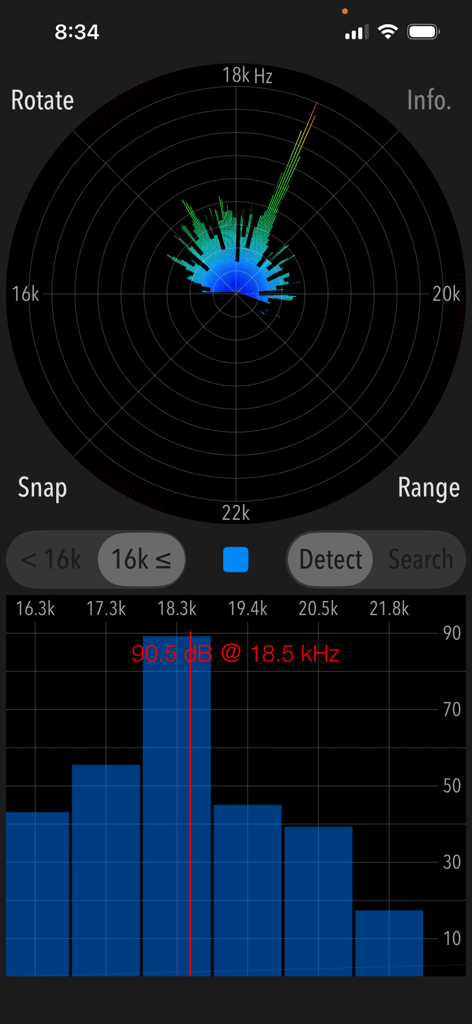
모스키톤 감지기 앱 인터페이스가 18.5킬로헤르츠 및 90.5데시벨에서 고주파 소음 감지를 표시함

모스키톤 감지기 앱 인터페이스가 18.5킬로헤르츠 및 90.5데시벨에서 고주파 소음 감지를 표시함

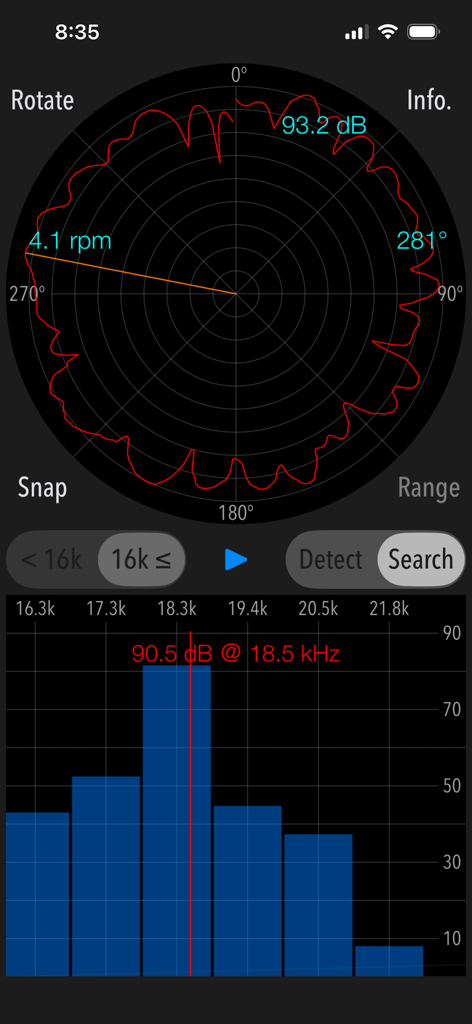
모스키톤 감지기 앱의 검색 모드 인터페이스로, 소스 방향을 위한 원형 레이더 그래프와 고주파 막대 그래프가 표시됨

모스키톤 감지기 앱의 검색 모드 인터페이스로, 소스 방향을 위한 원형 레이더 그래프와 고주파 막대 그래프가 표시됨

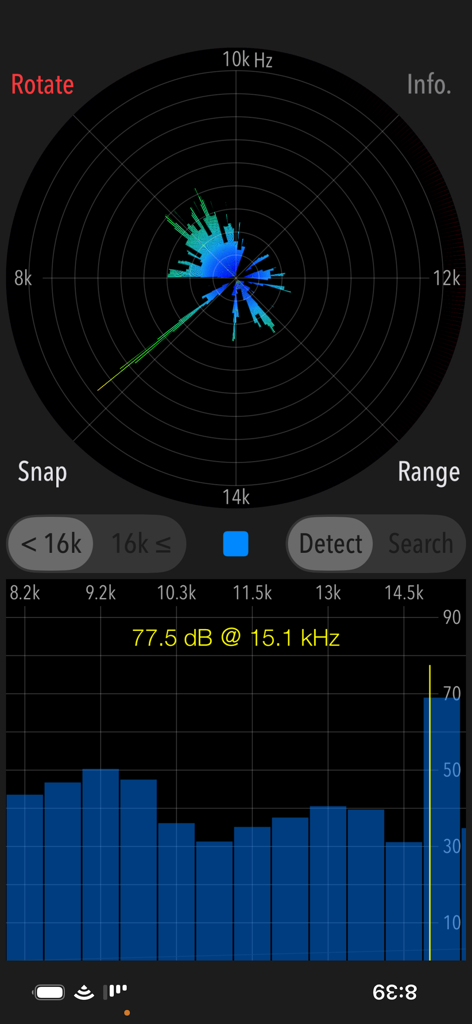
15.1kHz에서 77.5dB의 최대 음압 레벨을 감지하는 레이더 그래프와 막대 그래프를 보여주는 모스키톤 감지기 앱 인터페이스의 스크린샷

15.1kHz에서 77.5dB의 최대 음압 레벨을 감지하는 레이더 그래프와 막대 그래프를 보여주는 모스키톤 감지기 앱 인터페이스의 스크린샷

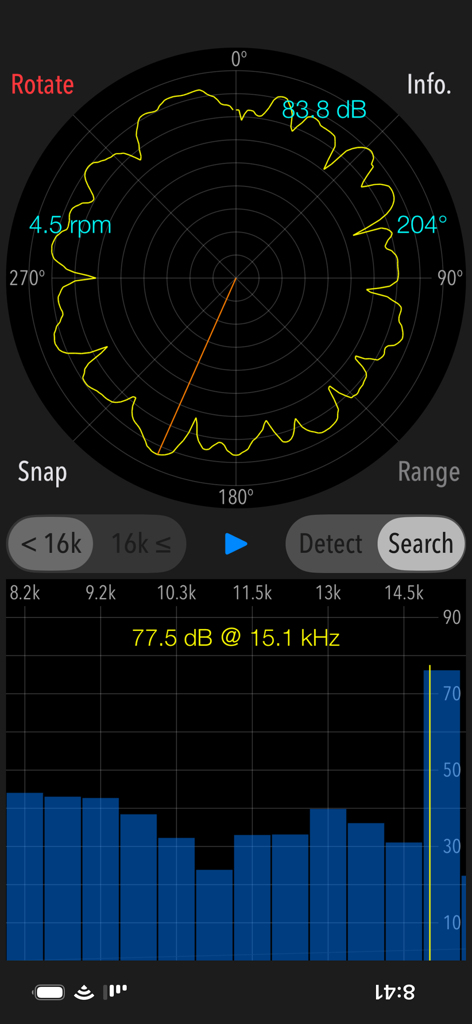
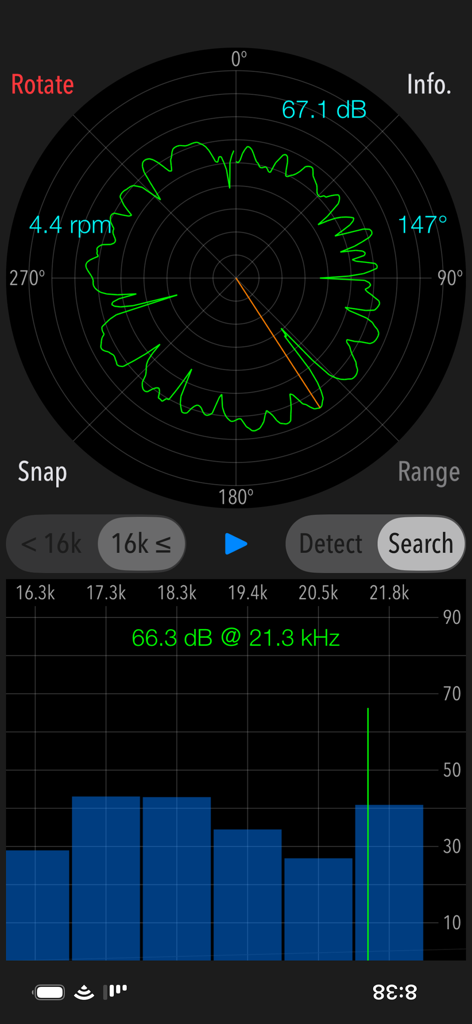
고주파 소음원을 찾기 위한 모스키톤 감지기 검색 모드 인터페이스

고주파 소음원을 찾기 위한 모스키톤 감지기 검색 모드 인터페이스

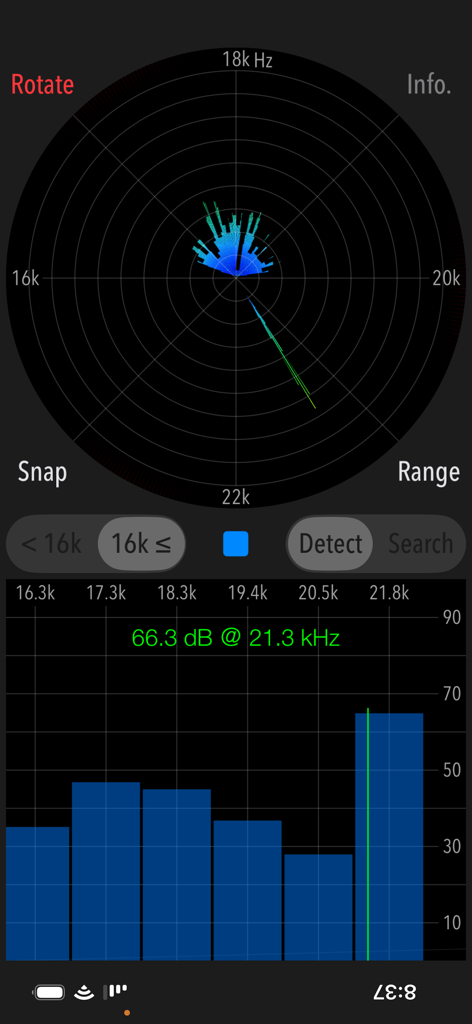
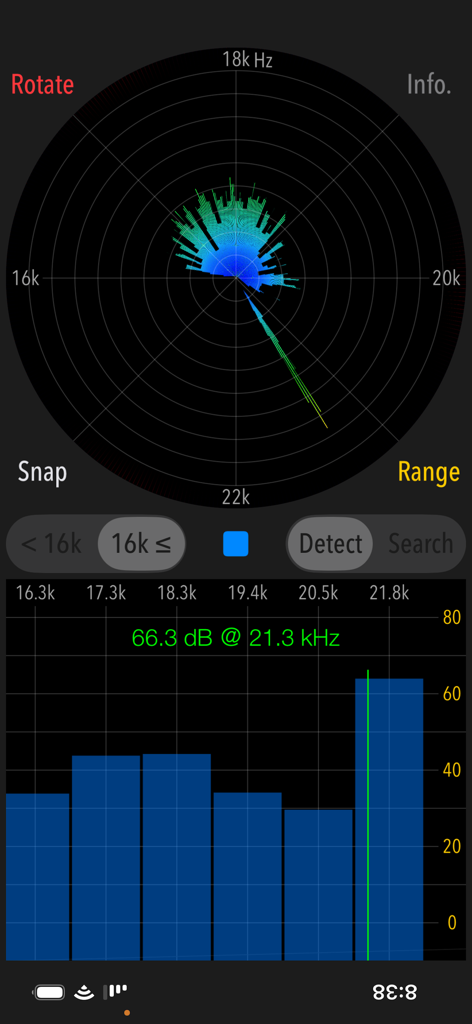
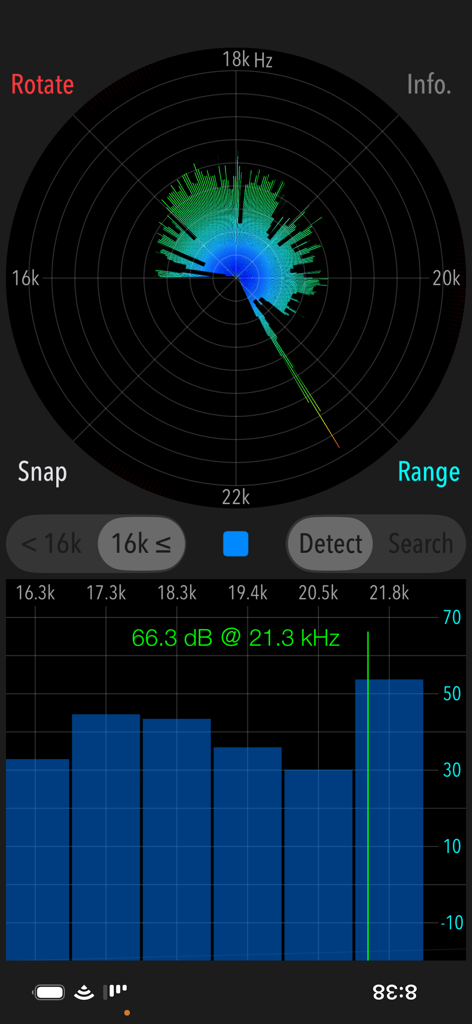
21.3킬로헤르츠에서 66.3데시벨의 고주파 소음 판독값과 시각적 스펙트럼 차트를 보여주는 모스키톤 감지기 앱 인터페이스

21.3킬로헤르츠에서 66.3데시벨의 고주파 소음 판독값과 시각적 스펙트럼 차트를 보여주는 모스키톤 감지기 앱 인터페이스

모스키톤 감지기 앱 인터페이스가 21.3kHz에서 고주파 소음 감지 피크를 표시함

모스키톤 감지기 앱 인터페이스가 21.3kHz에서 고주파 소음 감지 피크를 표시함

레이더 그래프와 막대 차트와 함께 21.3kHz에서 고주파 소음 측정을 보여주는 모스키톤 감지기 앱 인터페이스

레이더 그래프와 막대 차트와 함께 21.3kHz에서 고주파 소음 측정을 보여주는 모스키톤 감지기 앱 인터페이스

고주파 소음의 방향을 찾기 위한 원형 레이더 그래프를 보여주는 검색 모드의 모스키톤 감지기 앱 인터페이스

고주파 소음의 방향을 찾기 위한 원형 레이더 그래프를 보여주는 검색 모드의 모스키톤 감지기 앱 인터페이스

보이지 않는 소음으로부터 환경 보호

이 앱을 돋보이게 하는 도구, 22K+ 명의 사용자가 선택.

📡

들을 수 없는 소리 시각화

성인 귀에는 보이지 않지만 어린이와 반려동물에게 고통을 주는 최대 23kHz의 초음파 파동 및 고주파를 감지합니다.

🎯

소스 정확히 찾기

360° 검색 모드를 사용하여 이웃의 숨겨진 해충 퇴치기, 배회 방지 장치 또는 오작동하는 전자 제품의 정확한 위치를 파악하세요.

📸

시각적 증거 문서화

시간이 기록된 주파수 피크 스냅샷을 저장하여 HOA, 집주인 또는 환경 보건 전문가에게 구체적인 증거를 제공합니다.

앱 소개

에 대해 알아야 할 모든 것 Mosquitone Detector.

설명

"Mosquitone Detector" is a sound measurement app that detects high frequency noises and ultrasonic sounds hard to hear for human ears. You may have been exposed to artificial high frequency noise without realizing it. This app can detect and visualize such noises. In general, the human audible range is said to be 20 Hz to 20 kHz, but very high frequency sounds above 10kHz will gradually become difficult to hear with age. For example, there are increasing cases where high frequency noise generators are installed in various places as a purpose of repelling young people and beast pests using very high frequency mosquito noises, which are inaudible to general adults. Especially for young children, there are cases that they stay in the bad place even though on a very uncomfortable noise environment because adults can not recognize at all. Please use this app to find high frequency noise, so it will help you to quickly get away from the bad spot or remove the noise source. This app has two modes of operation, "Detection" and "Search". Detection mode can check if there are high frequency and ultrasonic sounds that you cannot hear. Search mode can find the direction of the high frequency sound source. It can be used only after it has found the peak frequency in Detection mode. Features: - Detection of high frequency sound and ultrasonic wave, display of the peak frequency of the highest level. - Search for sound source direction: 360 degrees horizontally - Detectable frequency range: 8kHz - 16kHz / 16kHz - 23kHz (2 band division) - Function to switch the gain range: 0dB - 100dB / -10dB - 90dB / -20dB - 80dB (in Detection mode) - Measurement screen rotation function (Rotate) Operating procedure: 1) Selection of detectable frequency band Select the frequency band as more than 16kHz or less than 16kHz. 2) Selection of Operational mode - Detection mode (Detect) It finds an inaudible high frequency and ultrasonic sound in the frequency band more than 16 kHz (or less than 16 kHz). Tap START button and it starts the detection function. If high frequency or ultrasonic sound exist, it will be displayed on the graph as the peak frequency. You can make the graph display easier to see by switching the gain range. - Search mode (Search) It finds the direction of occurrence of the high-frequency sound source that detected the peak frequency. Search mode can be used only when high frequency or ultrasonic sound is founded in Detect mode. Please make sure to hold the bottom built-in microphone of iPhone so that it faces outward. If you measure with the microphone facing inward, microphone sensitivity will deteriorate, and accurate measurement will not be possible. Tap Start button, and firmly hold the iPhone terminal, please turn slowly clockwise. Recommended that the time required for a rotation is about 15 seconds and the rotation speed in the graph is approximately 4 rpm. The measurement is completed by one revolution, and the signal strength of the peak frequency is displayed on the pie chart. You can find approximate direction of the high-frequency sound source relative to your standing position. 3) Snapshot Tap SNAP button, you can save the measurement result as “Photos” as an image file. A timestamp is inserted in the image. Note: If the frequency changes periodically or randomly, it is not possible to determine the direction of occurrence in "Search". Ultrasonic measurement depends on the sensitivity characteristics of the built-in microphone, so the measurement result may vary. Peak frequency measurements (dB) conform to general noise levels. Remarks: It is still under study about health effects on human body by listening to high frequencies including ultrasonic sound. If the high frequency noise of high level is detected daily, we recommend that you consult an expert. Please visit our iOS App Support page for more information on this app.

최신 버전

6.0.1

크기

1.9 MB

출시일

2017년 10월 5일

오늘 숨겨진 소음 공해 종식

수천 명의 적극적인 부모와 주택 소유자와 함께하세요. 모스키톤 감지기를 다운로드하여 들을 수는 없지만 가족은 들을 수 있는 고주파 소리를 시각화, 위치 파악 및 문서화하세요.

다운로드: App Store

App information, icons, screenshots, and descriptions displayed on this page are sourced from the Apple App Store and are the property of their respective developers. Download estimates and rankings are based on MWM's proprietary models and may not reflect actual figures. This page is provided for informational and analytical purposes only.

Believe this page infringes your intellectual property? File a dispute