MP3 Converter : music editor

MP3 Converter : music editor

다운로드: App Store
로고: MP3 Converter : music editor

MP3 변환기: 음악 편집기 - 최고의 올인원 오디오 제작 스튜디오

모든 동영상에서 오디오를 추출하고, AI로 보컬을 제거하고, 몇 초 만에 전문가 수준의 사운드트랙, 팟캐스트 또는 벨소리를 만드세요.

개발사

斐峥 刘

카테고리

Music

다운로드

544K+

사용자 평점

4.5/5

총 평가 수

1000

지원 언어

9

나만의 모바일 사운드 스튜디오

이 인터페이스를 사용하는 544K+ 명의 사용자.

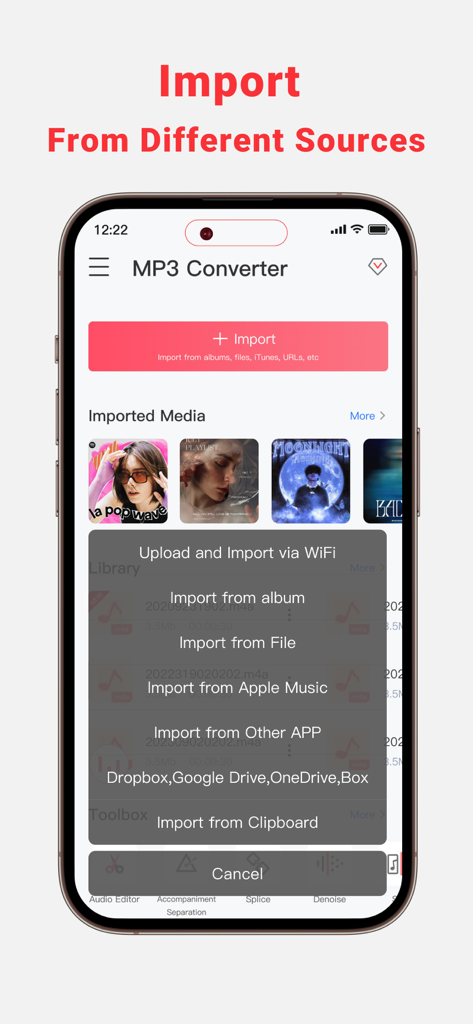
MP3 변환기 앱 인터페이스가 모바일 장치의 다양한 소스에서 음악을 가져오는 옵션을 표시합니다.

MP3 변환기 앱 인터페이스가 모바일 장치의 다양한 소스에서 음악을 가져오는 옵션을 표시합니다.

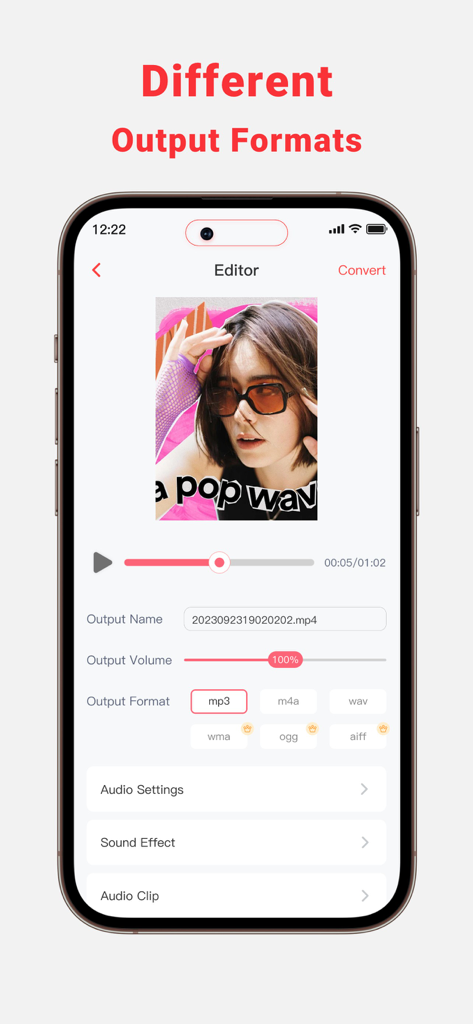
사운드 편집을 위해 MP3, WAV 및 M4A와 같은 다양한 오디오 출력 형식을 표시하는 모바일 앱 인터페이스.

사운드 편집을 위해 MP3, WAV 및 M4A와 같은 다양한 오디오 출력 형식을 표시하는 모바일 앱 인터페이스.

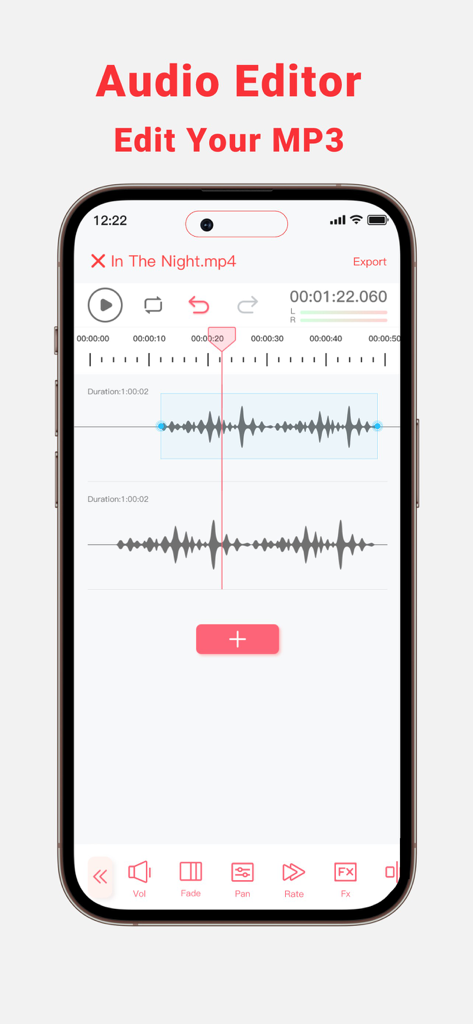
볼륨 페이드 및 팬 편집 도구가 있는 듀얼 트랙 파형을 보여주는 모바일 오디오 편집기 인터페이스

볼륨 페이드 및 팬 편집 도구가 있는 듀얼 트랙 파형을 보여주는 모바일 오디오 편집기 인터페이스

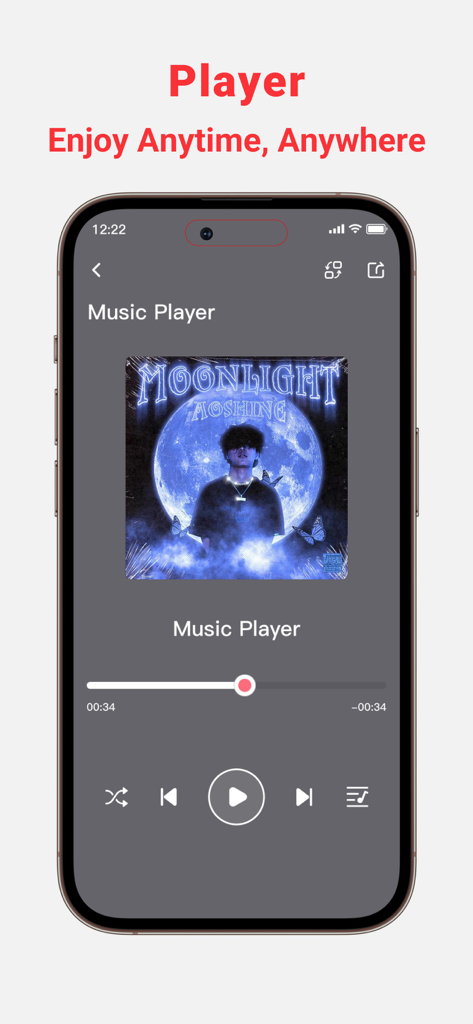
재생 컨트롤 및 앨범 아트가 있는 MP3 변환기 앱의 음악 플레이어 인터페이스를 보여주는 스마트폰.

재생 컨트롤 및 앨범 아트가 있는 MP3 변환기 앱의 음악 플레이어 인터페이스를 보여주는 스마트폰.

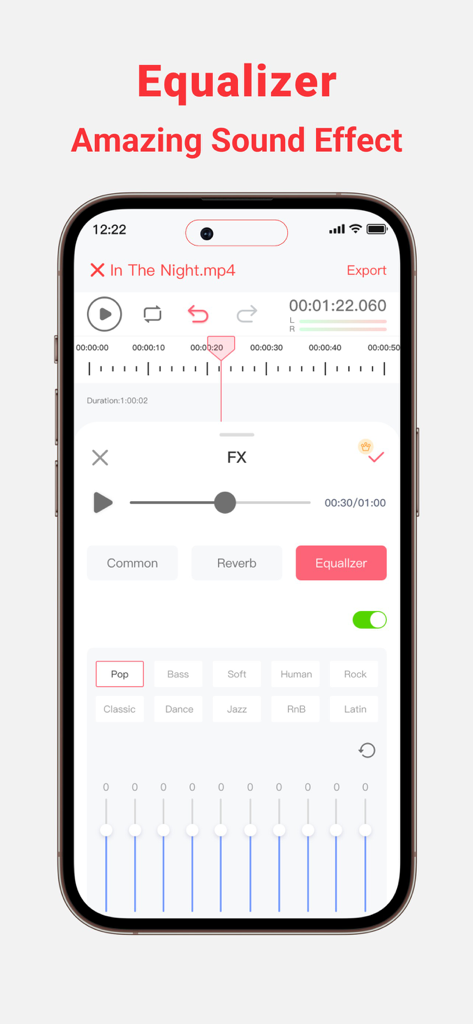
주파수 슬라이더와 음악 장르 사전 설정이 있는 오디오 이퀄라이저를 보여주는 MP3 변환기 앱의 인터페이스.

주파수 슬라이더와 음악 장르 사전 설정이 있는 오디오 이퀄라이저를 보여주는 MP3 변환기 앱의 인터페이스.

몇 초 만에 오디오 마스터하기

이 앱을 돋보이게 하는 도구, 544K+ 명의 사용자가 선택.

🎥

즉각적인 동영상-오디오 변환

인기 있는 사운드를 모든 동영상 파일이나 온라인 링크에서 추출하여 TikTok 또는 Reels에서 다음 바이럴 히트작을 만드세요.

🎤

AI 보컬 및 반주 분리

보컬을 쉽게 분리하거나 노래방, 리허설 및 리믹스를 위한 고품질 반주 트랙을 만드세요.

🎚️

전문가 수준의 모바일 편집기

Audacity와 같은 데스크톱 소프트웨어 수준의 정밀도로 트랙을 자르고, 믹싱하고, 노이즈를 제거하고, 향상시키세요.

앱 소개

에 대해 알아야 할 모든 것 MP3 Converter : music editor.

설명

MP3 Converter can Extract Audio from your Local and Online Video Files. Download and Convert Online Videos to MP3. Trim or mix converted MP3 to your phone or set them as personalized ringtones! Key Features: - Multi-Format Support, extract MP3, AAC, WAV, and more audio formats from various video formats such as 3GP,FLV,MP4,MOV,MXF,MKV,AVI,MPG,MPEG, and others. - Audio Editor (Splicing,Cutting,Shifting,Balance,Fade, etc.) - Vocal Remover, remove vocals from audio track and create accompaniment version for Karaoke. - Multiple audio clippers and splicers,Mix and Reverb - Intelligent denoising function - Quickly set ringtones - Audio Toolbox( Noise reduction, vocal enhancement, vocal/accompaniment separation...) - Multiple methods to import the audio: Wi-Fi Transfer,Video extract, Apple music, file and clipboard - Share extracted audio files via other apps MP3 Converter is perfect for: • Lovers of music production and audio editing • Podcast Maker, Talk Show producer and ASMR anchor • Youtube and TikTok video secondary creation • Musicians and Professional Music Producers • Music students and teachers • Especially for users who are familiar with Audacity or Audition Feature Highlights: • Professional music editor: supporting music clips, mergers, mixing and other advanced features, easy to play ringtones and music! • Add audio effects: choose from the variety of audio effects like, normalizer, EQ, tempo and more • Simple music stitching: song editing and splicing as a whole,connect the favorite songs! • Unique music mixing: free to cut the two songs, mixed together to play, feel different music effects! • Audio toolbox. Currently supported features include enhanced vocals, vocal removal, noise cancellation, automatic gain, accompaniment removal, bass boost, karaoke, etc. No more frustration about not finding the music you love! MP3 Converter offers you the simplest and most efficient solution. Download MP3 Converter and make your music life more vibrant! If you encounter any issues or have any suggestions while using the app, please feel free to contact us. We are more than happy to assist you. Thank you for choosing MP3 Converter! Terms of Service: https://www.freeprivacypolicy.com/live/348ab84f-9274-4a9d-b61b-1770fcc97fcf Privacy Policy: https://www.freeprivacypolicy.com/live/02eb5520-0c08-44e0-9802-20a8b257fdb8 Subscription Info: - The user can cancel his/her subscription at any time by going into iTunes and App Store Apple ID Settings. - All prices include applicable local sales taxes. - Payment will be charged to your iTunes Account after confirmation of purchase. - Subscription automatically renews at least 24-hours before the end of the current period. - The user's account will be charged for renewal within 24-hours before the end of the current period.

최신 버전

1.4.6

크기

145.8 MB

출시일

2023년 10월 19일

오디오 마스터할 준비가 되셨나요?

500,000명 이상의 크리에이터와 함께 동영상을 스튜디오 품질의 트랙으로 바꾸세요. 오늘 iPhone 및 iPad를 위한 최고의 올인원 오디오 툴박스를 다운로드하세요.

다운로드: App Store
FAQ

자주 묻는 질문

에 대해 알아야 할 모든 것 MP3 Converter : music editor

MP3 Converter : music editor란 무엇인가요?

MP3 Converter : music editor는 로컬 및 온라인 비디오 파일에서 오디오를 추출하고, 비디오를 MP3로 변환하며, 고급 오디오 편집 도구를 제공합니다. 사용자는 오디오를 자르고, 믹싱하고, 효과를 적용하고, 변환된 오디오를 벨소리로 설정할 수 있습니다.

MP3 Converter는 어떤 오디오 형식을 추출할 수 있나요?

MP3 Converter는 MP3, AAC, WAV 및 기타 형식으로 오디오를 추출합니다. 3GP, FLV, MP4, MOV, MXF, MKV, AVI, MPG, MPEG를 포함한 다양한 비디오 입력 형식을 지원합니다.

MP3 Converter로 노래에서 보컬을 제거할 수 있나요?

네, MP3 Converter에는 보컬 제거 기능이 포함되어 있습니다. 이 기능을 사용하면 오디오 트랙에서 보컬을 분리하여 노래방이나 다른 용도로 적합한 반주 버전을 만들 수 있습니다.

MP3 Converter로 오디오 파일을 어떻게 가져올 수 있나요?

MP3 Converter는 Wi-Fi 전송, 비디오 추출, Apple Music, 파일 가져오기, 클립보드 사용 등 다양한 가져오기 방법을 지원합니다. 또한 Dropbox, Google Drive, OneDrive, Box와 같은 다른 앱에서의 가져오기도 지원합니다.

MP3 Converter는 오디오 효과를 위한 이퀄라이저를 제공하나요?

네, MP3 Converter에는 다양한 음향 효과를 적용하기 위한 이퀄라이저가 있습니다. 사용자는 Pop, Bass, Soft, Human, Rock, RnB, Latin과 같은 사전 설정을 선택하여 오디오를 향상시킬 수 있습니다.

MP3 Converter를 사용하여 사용자 지정 벨소리를 설정할 수 있나요?

네, MP3 Converter를 사용하면 변환하거나 편집한 MP3를 휴대폰의 개인 벨소리로 빠르게 설정할 수 있습니다. 이 기능은 핵심 기능에 통합되어 있습니다.

MP3 Converter : music editor 구독을 어떻게 취소하나요?

사용자는 언제든지 MP3 Converter : music editor 구독을 취소할 수 있습니다. 이 프로세스는 iTunes 및 App Store Apple ID 설정에서 관리됩니다.

MP3 Converter는 노이즈 감소 기능을 제공하나요?

네, MP3 Converter에는 오디오 도구 상자 내에 지능형 노이즈 제거 기능과 노이즈 감소 기능이 포함되어 있습니다. 이러한 도구는 원치 않는 배경 소음을 줄여 오디오 선명도를 개선하는 데 도움이 됩니다.

MP3 Converter에는 어떤 종류의 오디오 편집 기능이 있나요?

MP3 Converter는 자르기, 붙이기, 이동, 균형, 페이드, 믹싱, 리버브를 포함한 포괄적인 오디오 편집 기능을 제공합니다. 또한 음악 클립, 병합, 정규화 및 템포와 같은 고급 음향 효과도 지원합니다.

App information, icons, screenshots, and descriptions displayed on this page are sourced from the Apple App Store and are the property of their respective developers. Download estimates and rankings are based on MWM's proprietary models and may not reflect actual figures. This page is provided for informational and analytical purposes only.

Believe this page infringes your intellectual property? File a dispute