
이 페이지는 앱이나 개발자의 공식 페이지가 아니며, 정보 제공 및 논평을 목적으로 작성된 독립 편집 간행물입니다. 명시적으로 달리 언급되지 않는 한, 해당 앱이나 개발자는 MWM, Apple, Google Play, 앱 퍼블리셔 또는 앱 개발자와 제휴, 보증, 후원, 승인 또는 공식적으로 연결되어 있지 않으며, 이 페이지의 어떤 내용도 해당 앱이 MWM의 서비스를 사용하여 개발되었음을 의미하지 않습니다. 모든 상표, 로고, 스크린샷 및 기타 콘텐츠는 해당 소유자의 자산입니다.

Audio Jam: AI for musicians
수술 정밀도로 악기 트랙을 분리하고, 음정 손실 없이 템포를 조정하며, 디지털 악보를 동기화하세요. AI를 사용하여 좋아하는 곡을 분석하고 연습 시간을 절반으로 줄이세요.
다운로드
299K+사용자 평점
총 평가 수
6K+개발사
카테고리
Music지원 언어
6최신 버전
2.12.0크기
135.4 MB출시일
2021년 12월 21일AI 기반 정밀도로 모든 음표 마스터하기
추측은 그만하고 연주를 시작하세요. Audio Jam은 뮤지션이 곡을 분석하고 학습 과정을 가속화할 수 있는 최고의 툴킷을 제공합니다.
AI 악기 분리
보컬, 드럼, 베이스, 기타를 어떤 곡에서든 즉시 분리하거나 제거하여 연주의 모든 디테일을 엑스레이처럼 선명하게 들어보세요.
스마트 AB 루핑 및 속도 제어
음정 변경 없이 빠른 구절을 느리게 재생하세요. 어려운 구간을 루핑하여 근육 기억을 형성하고 곡을 마스터할 때까지 반복하세요.
자주 묻는 질문
에 대해 알아야 할 모든 것 Audio Jam: AI for musicians
AudioJam이란 무엇인가요?
AudioJam은 전문 음악가를 위해 설계된 강력한 AI 기반 음악 학습 도구입니다. 악기 트랙 추출, 템포/음정 조정, AB 루프 재생과 같은 기능을 제공하여 사용자가 효율적으로 연습할 수 있도록 돕습니다.
AudioJam은 노래에서 악기 트랙을 분리할 수 있나요?
네, AudioJam의 AudioAI 기능은 모든 노래에서 보컬, 드럼, 베이스, 키보드, 기타 및 기타 악기 트랙을 분리합니다. 사용자는 분리된 개별 트랙의 볼륨도 조절할 수 있습니다.
AudioJam은 음악에서 코드를 감지하나요?
네, AudioJam은 코드 감지 기능을 제공합니다. 어떤 음악에서든 코드를 감지하고 700개 이상의 다양한 코드에 대한 인식을 지원하여 음악가가 학습하고 채보하는 데 도움을 줍니다.
AudioJam은 AB 루프 재생을 지원하나요?
네, AudioJam은 AB 루프 재생을 지원합니다. 사용자는 오디오 트랙 내에서 특정 시작점과 끝점을 설정하여 해당 부분을 지속적으로 반복하여 연습할 수 있습니다.
사용자는 AudioJam에서 속도와 음색을 조정할 수 있나요?
네, AudioJam은 사용자가 오디오의 음색(음정)과 속도(템포)를 모두 조정할 수 있도록 합니다. 이 기능은 음악가가 자신의 필요에 맞는 속도와 음정으로 노래를 연습하는 데 도움이 됩니다.
AudioJam에는 스마트 메트로놈이 있나요?
네, AudioJam은 음악 내의 비트를 분석하는 스마트 메트로놈 기능을 제공합니다. 또한 카운트다운 입력을 제공하여 음악가가 노래의 템포에 맞춰 효과적으로 연습을 시작할 수 있도록 돕습니다.
AudioJam은 어떤 오디오 및 비디오 형식을 지원하나요?
AudioJam은 mp3, m4a, aac, aiff, wav를 포함한 여러 오디오 형식을 지원합니다. 또한 mp4 및 mov와 같은 비디오 형식도 미디어 가져오기를 위해 지원합니다.
AudioJam Pro 멤버십은 어떤 혜택을 제공하나요?
AudioJam Pro 멤버십은 AudioAI 사용량을 월 100회로 늘리고, 오디오/비디오 길이를 20분으로 확장하며, 무제한 프로젝트를 제공하고, 프로젝트 내보내기를 허용하며, 광고를 제거하고, 크로스 플랫폼 혜택을 제공합니다.
월간 AudioJam Pro 구독료는 얼마인가요?
월간 AudioJam Pro 구독은 USD $6.99부터 시작합니다. 반기 구독을 포함한 다른 요금제도 있으며, 반기 요금제는 USD $39.99부터 시작합니다.
AudioJam Pro 구독을 어떻게 취소하나요?
사용자는 개인 iTunes 계정의 구독 설정에서 AudioJam Pro 구독을 취소합니다. 기존 요금제가 만료되기 최소 24시간 전에 취소해야 자동 갱신을 방지할 수 있습니다.
다음 스크린샷과 설명은 앱의 공식 스토어 목록에서 직접 가져온 것이며 앱 개발자의 자산입니다.
앱 스토어
스크린샷
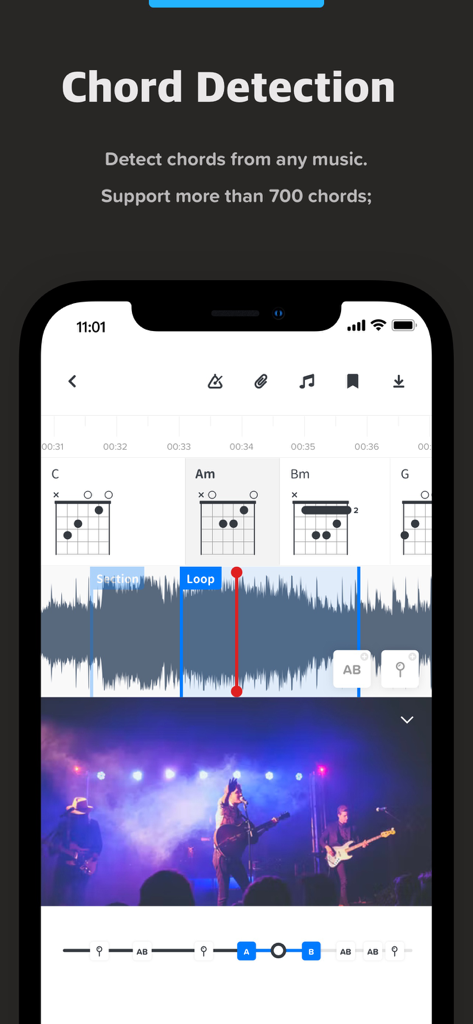
Audio Jam 앱 인터페이스에 AI 코드 감지 및 기타 코드 다이어그램 표시
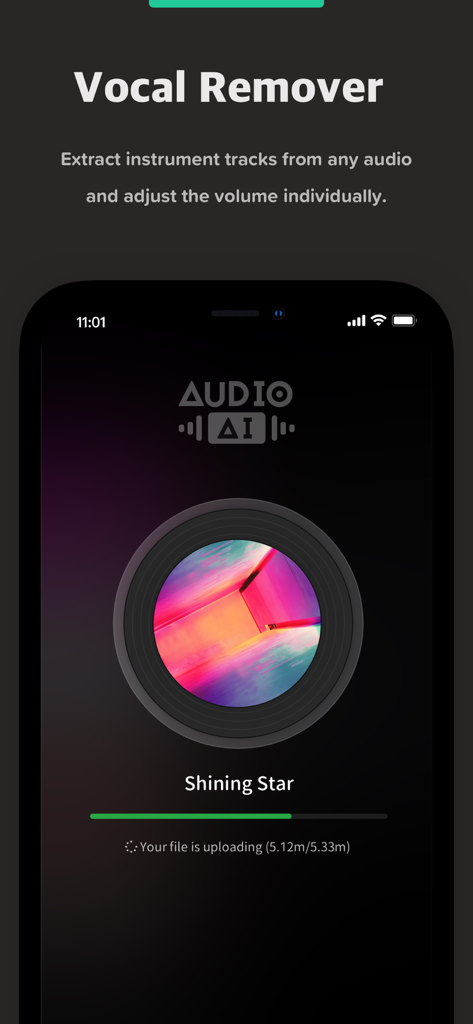
Audio Jam 앱 화면에 AI 보컬 제거 기능이 곡에서 악기 트랙을 추출하는 것을 보여줌
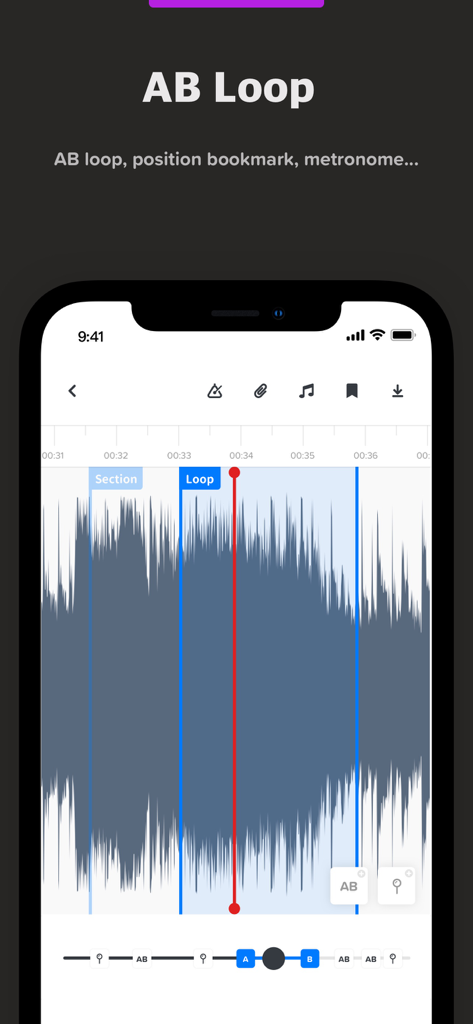
Audio Jam 앱 인터페이스에 음악 연습을 위한 마커와 오디오 파형이 표시된 AB 루프 기능 표시
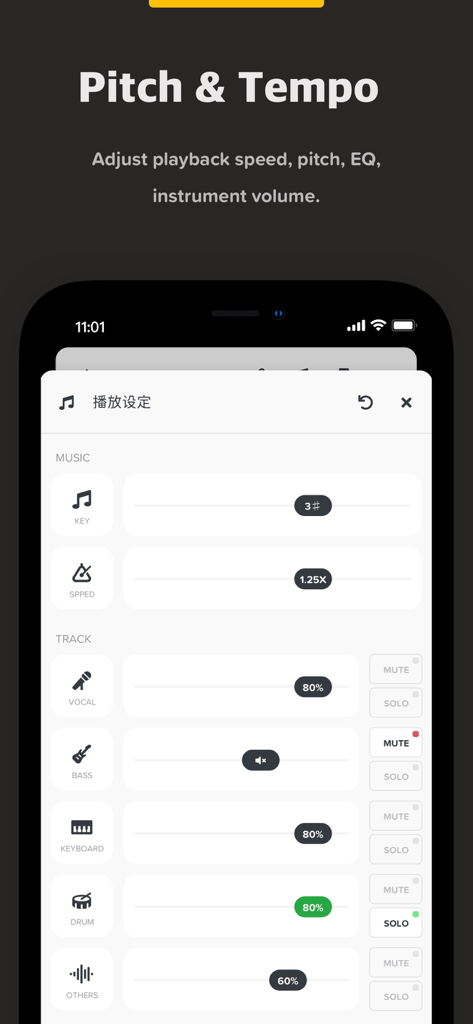
음악 음정 템포 및 개별 악기 트랙 볼륨 조정을 위한 Audio Jam 앱 인터페이스
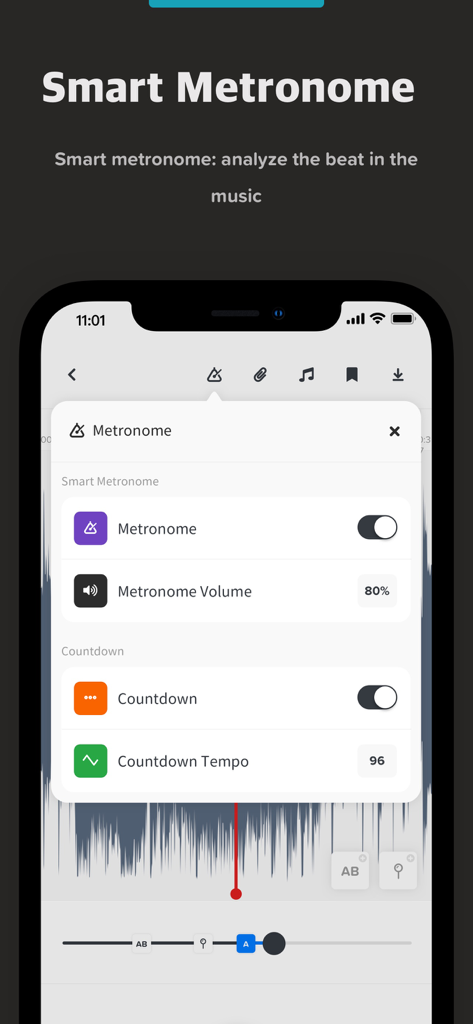
볼륨 및 카운트다운 템포를 포함한 스마트 메트로놈 설정이 표시된 Audio Jam 앱 인터페이스
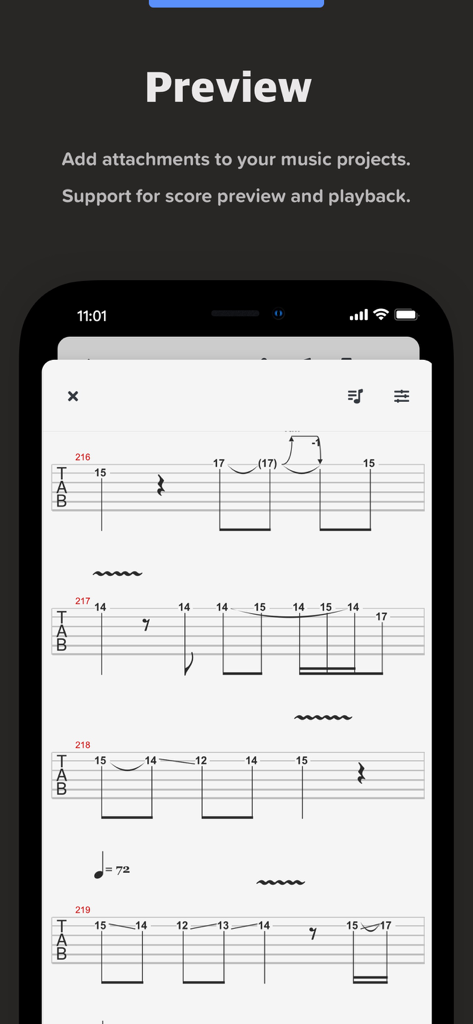
Audio Jam 앱 내 기타 타브 악보 미리보기를 보여주는 모바일 화면
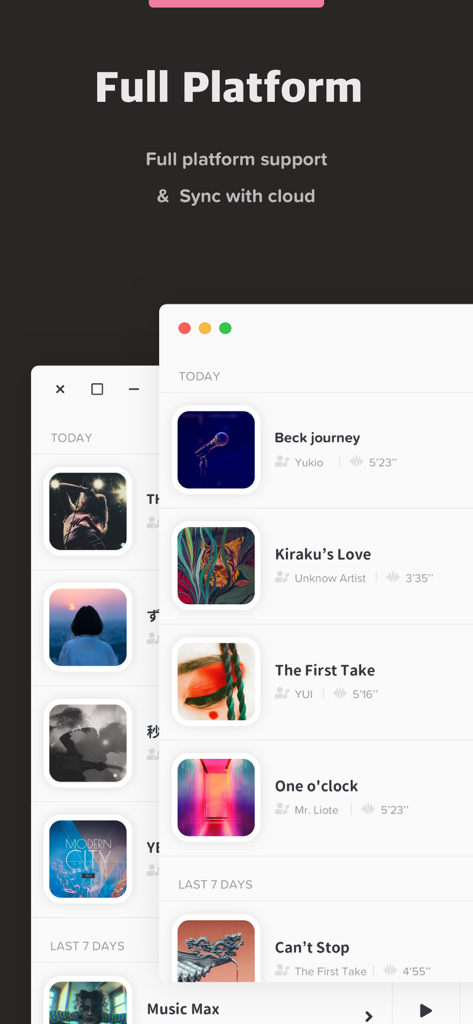
Audio Jam 음악 앱 인터페이스 전체 플랫폼 지원 및 클라우드 동기화 기능 강조

보컬, 드럼, 키보드, 기타 스템을 나타내는 아이콘과 함께 무대 위의 뮤지션 실루엣
설명
Download
비슷한 앱
유사한 기능과 사용자 경험을 가진 앱

Music Speed Changer ▶▶▶
Single Minded Productions, LLC

Vocal Remover - Musiclab
CHENGDU Yiwo Tech Development Co., Ltd

Audio Fusion
景睿 文

Anytune Pro+: Studio Tools
Anytune Inc.

Moises: The Musician's App
Moises Systems Inc

Strum - Play Guitar
W185 Holdings LLC

Chordify: Songs, Chords, Tuner
Chordify BV

Chord ai - Play any song!
Nomad AI OU

Audio Jam - AI for musicians
Mega e Limited
이 페이지는 앱이나 개발자의 공식 페이지가 아니며, 정보 제공 및 논평을 목적으로 작성된 독립 편집 간행물입니다. 명시적으로 달리 언급되지 않는 한, 해당 앱이나 개발자는 MWM, Apple, Google Play, 앱 퍼블리셔 또는 앱 개발자와 제휴, 보증, 후원, 승인 또는 공식적으로 연결되어 있지 않으며, 이 페이지의 어떤 내용도 해당 앱이 MWM의 서비스를 사용하여 개발되었음을 의미하지 않습니다. 모든 상표, 로고, 스크린샷 및 기타 콘텐츠는 해당 소유자의 자산입니다.