MX Player- Video Player*

MX Player- Video Player*


다운로드: App Store
로고: MX Player- Video Player*

MX Player- 비디오 플레이어*: 완벽한 포맷 자유를 위한 올인원 미디어 허브

변환 과정을 건너뛰고 어떤 비디오 포맷이든 쉽게 재생하세요. 고화질 재생을 경험하고, 암호로 라이브러리를 보호하며, 고급 제스처 컨트롤로 미디어를 완벽하게 관리하세요.

다운로드: App Store

개발사

Sakib Musharraf

카테고리

Photo & Video

다운로드

1M+

사용자 평점

4.5/5

총 평가 수

27K+

지원 언어

1

잠금 해제된 나만의 미디어

이 인터페이스를 사용하는 1M+ 명의 사용자.

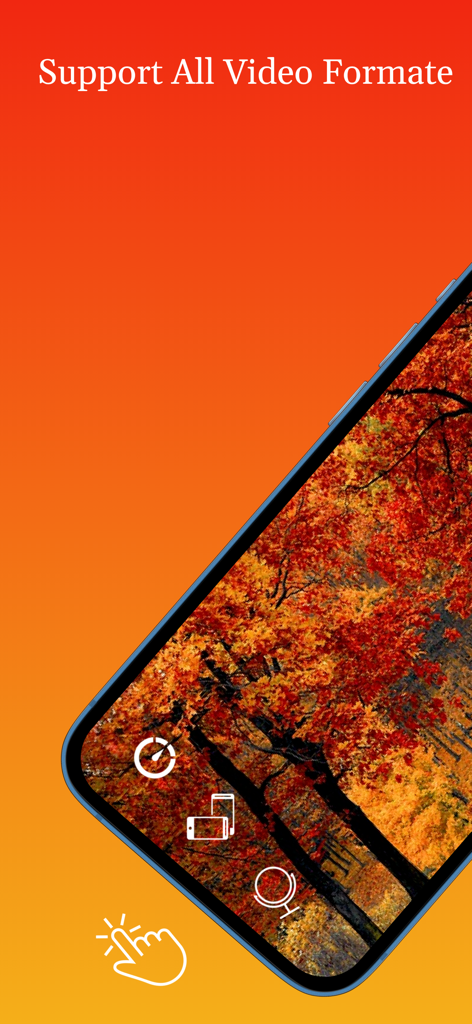
모든 비디오 형식 지원을 보여주는 스마트폰 화면의 MX Player 인터페이스

모든 비디오 형식 지원을 보여주는 스마트폰 화면의 MX Player 인터페이스

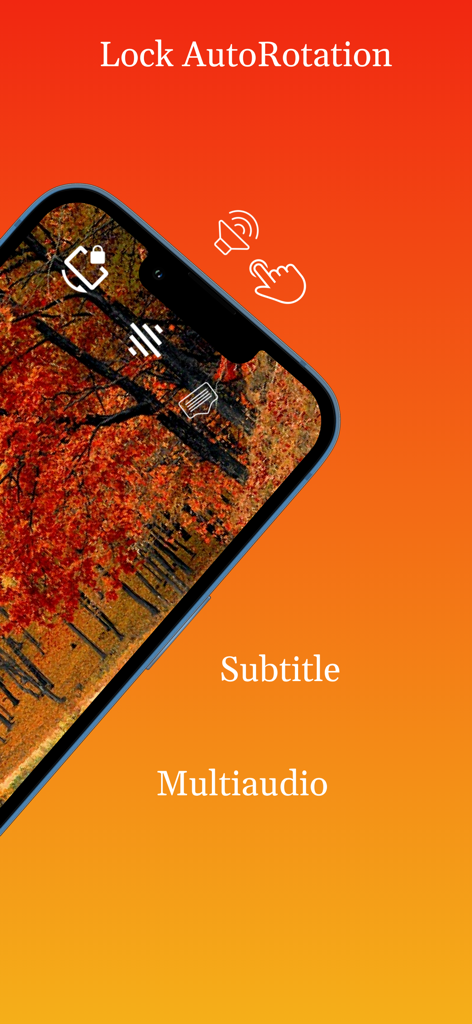
가을 숲 비디오에서 회전 잠금 자막 및 다중 오디오 기능을 보여주는 MX Player 인터페이스

가을 숲 비디오에서 회전 잠금 자막 및 다중 오디오 기능을 보여주는 MX Player 인터페이스

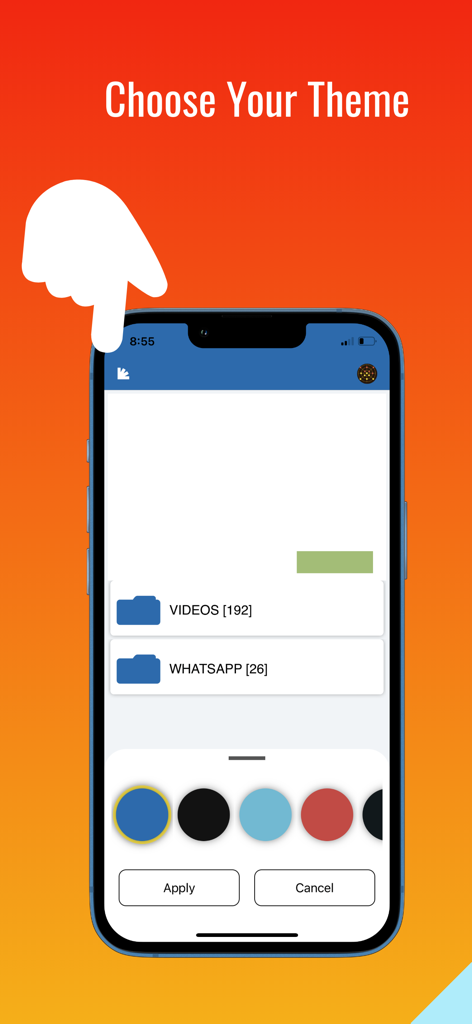
여러 색상 옵션이 있는 테마 선택 화면을 보여주는 MX Player 앱 인터페이스

여러 색상 옵션이 있는 테마 선택 화면을 보여주는 MX Player 앱 인터페이스

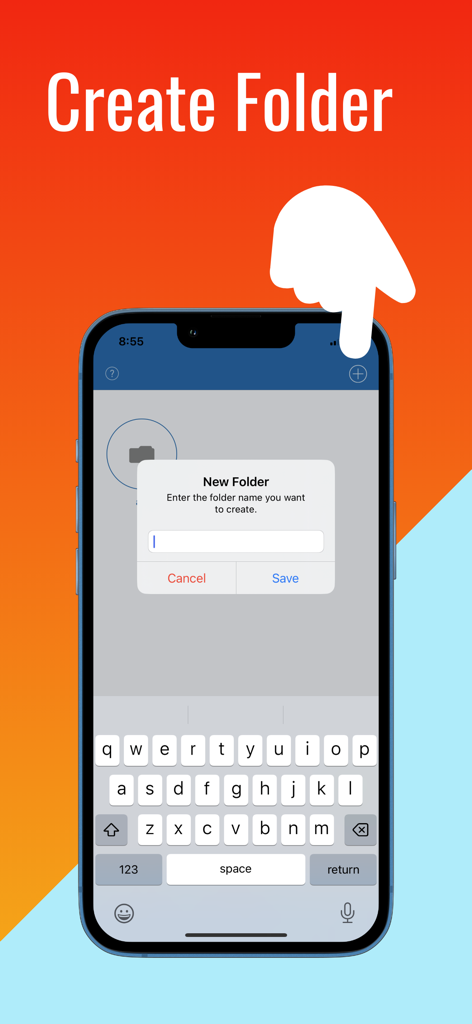
MX Player 앱에서 폴더 생성 기능을 보여주는 스마트폰 화면

MX Player 앱에서 폴더 생성 기능을 보여주는 스마트폰 화면

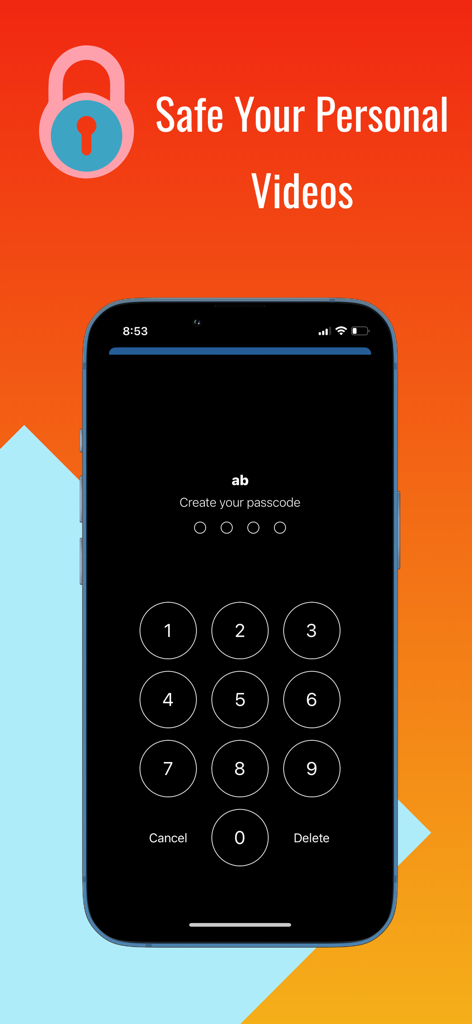
개인 비디오를 보호하기 위한 숫자 암호 잠금을 보여주는 MX Player 앱 화면

개인 비디오를 보호하기 위한 숫자 암호 잠금을 보여주는 MX Player 앱 화면

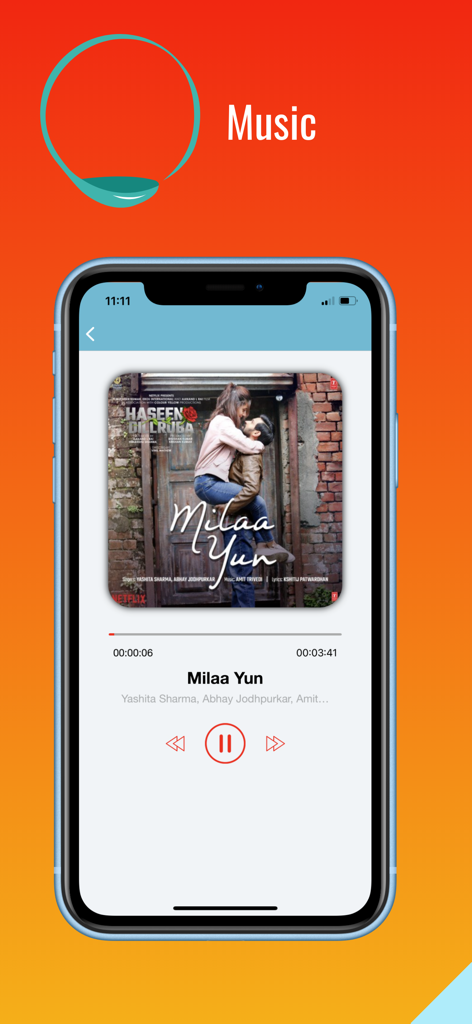
노래 정보와 오디오 컨트롤을 보여주는 MX Player 음악 재생 화면

노래 정보와 오디오 컨트롤을 보여주는 MX Player 음악 재생 화면

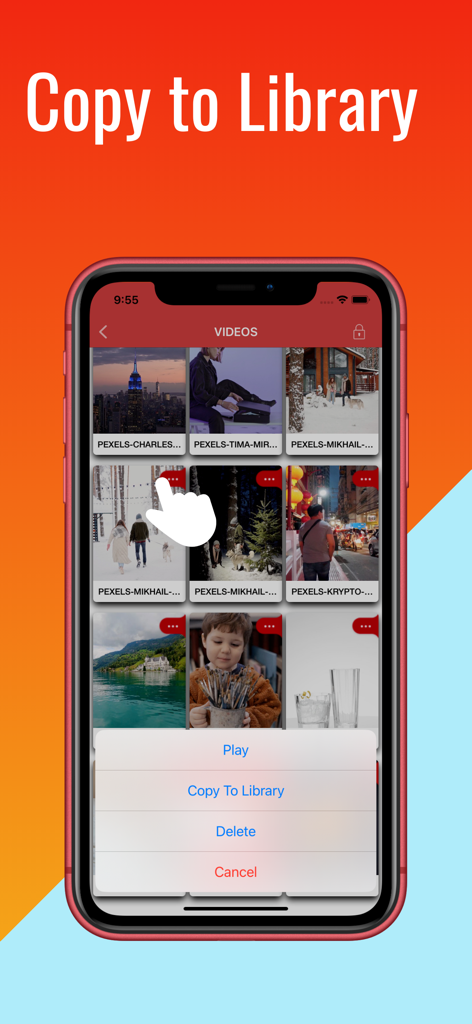
비디오 관리를 위한 라이브러리로 복사 옵션을 보여주는 iPhone의 MX Player 앱 인터페이스

비디오 관리를 위한 라이브러리로 복사 옵션을 보여주는 iPhone의 MX Player 앱 인터페이스

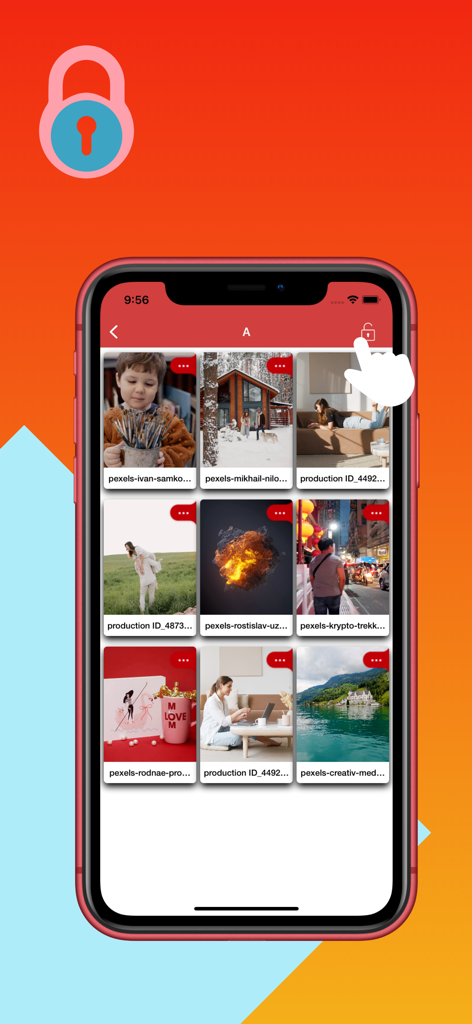
미디어 개인 정보를 위한 잠긴 비디오 폴더를 보여주는 iPhone MX Player 앱 인터페이스

미디어 개인 정보를 위한 잠긴 비디오 폴더를 보여주는 iPhone MX Player 앱 인터페이스

미디어 경험을 완벽하게 관리하세요

이 앱을 돋보이게 하는 도구, 1M+ 명의 사용자가 선택.

🎞️

무제한 포맷 자유

파일 변환의 번거로움은 잊으세요. iPhone 또는 iPad에서 자막 및 다중 오디오 지원을 완벽하게 제공하며 MKV, AVI, 4K 비디오를 즉시 재생하세요.

🔐

안전한 개인 보관함

개인 다운로드 파일을 카메라 롤과 분리하여 보관하세요. 암호화된 암호 잠금으로 미디어 라이브러리와 개별 폴더를 보호하세요.

🖐️

직관적인 제스처 컨트롤

간단한 스와이프로 밝기 및 볼륨을 조절하고, 미러 모드로 안무 및 운동을 완벽하게 익히세요. 프로 수준의 탐색 기능을 경험하세요.

앱 소개

에 대해 알아야 할 모든 것 MX Player- Video Player*.

설명

MX Player video is a media player and media manager. MX Video Player plays almost all media & Movies files. MX Player HD is high quality media player. Max video player provided Easily Playing Videos & Audios. Full Hd Video , Audio songs, Subtitle Player, Multi Audio Player & movie subtitle Player quick player. This is a good video player available to fit your media player buzz your audio listening. The user experience has been optimised to allow you to quickly view all of your mobile and gallery videos through an attractive user interface. Full Hd Video player has features MX Player,Music Player Max Video Player is video player app, Lite Player classic hd video player for any iOS version,Full HD Video Player Good video player hd Oplayer Lite AVPlayer free version 3D Video Player is the most powerful media player in App store market that supports all the most popular video without any conversion. Max Player app is supported player video player.HD Video Player is the best HD Video Player. Enjoy for high quality videos plays smoothly.video to mp3. > PLAY ALL VIDEO FORMATS mp4 mpeg-4, mov quicktime movie file format, avi, m4a, m4v iTunes video file format, mpeg, mpeg-2-video, aifc-audio, aac-audio, mpeg-4, au-audio, aiff-audio, mp2, 3gpp2, ac3-audio, mp3, 3gpp, -audio and etc Mx Video player - Video Player Hd is support different types of video format Like AVI,MP4,3GP,MPEG,MKV and many more.MX Audio Video Player app is use to play video with amazing feature and its Music.full hd video player is max player high quality 1080p Multimedia Vidmate player. tube player hd download is Video Player app it's one of the Fastest, Light weight iOS app with less ads. MX Audio player built-in music Player to play music. Easy to support all music & audio file formats, max music player,Mp3 Player is One of the most gorgeous and powerful music player for iOS,Audio Player,Gallery Vault shared video what's App video & music files to play very easily & smoothly. Powerful and Fast Music Player with elegant design This audio Video player supports almost all types of mp3 with music player you will get the next level experience. The best free music player and media player! with smooth gesture. > SUBTITLES Support inbuild subtitle > MULTIAUDIO Support multiaudio formate video > FOLDER Can manage playlist by creating folder > SECURITY • Set Passcode on your library to restrict anyone from accessing your folders/files. • Set Passcode on individual folders • Can update password • Can disable password Features –––––––– -Plays both (mobile & gallery) videos. -Auto play option for videos works . -Resize your video display with single click if video aspect ratio is not compatible with your device screen. -Rewind and forward -Adjust volume by swiping up and down on right side of playback screen. -Control brightness by swiping up and down on left side of playback screen. -On screen button to turn off rotation. -On screen button to change rotation. -On screen button to lock orientation. -On screen button to change play rate(speed) -Optimised for retina display. -Shuffle and repeat option available for users -Screen capture and save it into phone gallery. -Lock the screen for smooth watch. - Gesture Controls - Continuous playback - Change audio by swiping left and right -MiniPlayer - Industry standard HD Audio support -Supports mirror mode, which allows you to switch between left and right sides of a movie. It helps to learn choreography by video. -Watch videos on both orientations (portrait, landscape). • Additional features - Rotation Lock / Aspect ratio:auto/16:9/4:3/Full screen - Folder Management:Pass code/Move/Rename/Create • Note 1. How to add video with USB - Run iTunes 9.1 or above - Device->My Device(My iPad)->Apps, drag and drop files to the MX Video Player Documents If you enjoy our app, please take a minute To reward our efforts with an excellent rating, it helps immensely!

최신 버전

1.67

크기

21.6 MB

출시일

2019년 6월 10일

포맷 제한에서 벗어날 준비가 되셨나요?

1백만 명 이상의 사용자와 함께 끊김 없는 1080p 재생, 제스처 컨트롤, 개인 폴더 보호 기능을 즐겨보세요. 지금 바로 iOS용 가장 다재다능한 미디어 플레이어를 다운로드하세요.

다운로드: App Store
FAQ

자주 묻는 질문

에 대해 알아야 할 모든 것 MX Player- Video Player*

MX Player는 어떤 동영상 형식을 지원하나요?

MX Player는 MP4, MOV, AVI, M4A, M4V, MPEG, MKV 및 기타 동영상 형식을 지원합니다. 거의 모든 미디어 및 영화 파일을 효율적으로 재생합니다.

MX Player로 오디오 파일을 재생할 수 있나요?

네, MX Player에는 내장 음악 플레이어가 있습니다. 거의 모든 종류의 MP3 및 다양한 오디오 파일 형식을 원활하게 재생할 수 있습니다.

MX Player에서 동영상을 안전하게 보호하려면 어떻게 해야 하나요?

MX Player는 라이브러리 및 개별 폴더에 비밀번호를 설정하여 동영상을 안전하게 보호할 수 있습니다. 사용자는 개인 정보 보호를 위해 이러한 비밀번호를 업데이트하거나 비활성화할 수 있습니다.

MX Player는 자막과 여러 오디오 트랙을 지원하나요?

네, MX Player는 자체 자막 지원 기능을 제공합니다. 또한 포괄적인 시청 경험을 위해 여러 오디오 형식의 동영상을 지원합니다.

MX Player 내에서 미디어 파일을 폴더별로 정리할 수 있나요?

네, MX Player를 사용하면 사용자 지정 폴더를 만들어 미디어를 관리할 수 있습니다. 사용자는 이러한 폴더를 이동, 이름 변경 및 비밀번호로 보호할 수도 있습니다.

MX Player는 동영상 재생 시 제스처 컨트롤을 제공하나요?

네, MX Player는 재생 중에 제스처 컨트롤을 제공합니다. 오른쪽으로 스와이프하여 볼륨을 조절하고 왼쪽으로 스와이프하여 화면 밝기를 조절할 수 있습니다.

MX Player 앱의 모양을 사용자 지정할 수 있나요?

네, MX Player는 테마 사용자 지정 기능을 제공합니다. 사용자는 다양한 색상 옵션 중에서 선택하여 앱의 인터페이스를 개인화할 수 있습니다.

MX Player에서 화면 방향을 고정할 수 있나요?

네, MX Player는 화면 방향을 고정하는 화면 내 버튼을 제공합니다. 또한 동영상 재생 중에 회전을 변경하거나 끄는 옵션도 제공합니다.

컴퓨터에서 MX Player로 동영상을 추가하려면 어떻게 해야 하나요?

iTunes 9.1 이상을 사용하여 USB를 통해 동영상을 추가할 수 있습니다. 컴퓨터에서 MX Video Player 문서 섹션으로 파일을 직접 드래그 앤 드롭하세요.

MX Player에는 미러 모드 기능이 있나요?

네, MX Player는 미러 모드 기능을 지원합니다. 이를 통해 동영상의 좌우를 전환할 수 있으며, 안무 연습에 유용합니다.

App information, icons, screenshots, and descriptions displayed on this page are sourced from the Apple App Store and are the property of their respective developers. Download estimates and rankings are based on MWM's proprietary models and may not reflect actual figures. This page is provided for informational and analytical purposes only.

Believe this page infringes your intellectual property? File a dispute