
이 페이지는 앱이나 개발자의 공식 페이지가 아니며, 정보 제공 및 논평을 목적으로 작성된 독립 편집 간행물입니다. 명시적으로 달리 언급되지 않는 한, 해당 앱이나 개발자는 MWM, Apple, Google Play, 앱 퍼블리셔 또는 앱 개발자와 제휴, 보증, 후원, 승인 또는 공식적으로 연결되어 있지 않으며, 이 페이지의 어떤 내용도 해당 앱이 MWM의 서비스를 사용하여 개발되었음을 의미하지 않습니다. 모든 상표, 로고, 스크린샷 및 기타 콘텐츠는 해당 소유자의 자산입니다.


Video Player - All in One
"지원되지 않는 형식" 오류는 이제 그만. 다중 트랙 오디오, 재생 속도 제어 및 손쉬운 오프라인 동기화와 같은 프로 수준의 기능으로 4K, MKV 및 AVI 파일을 원활하게 재생하세요.
다운로드
2M+사용자 평점
총 평가 수
34K+개발사
카테고리
Photo & Video지원 언어
11최신 버전
1.8.4크기
112.0 MB출시일
2020년 12월 22일미디어 컬렉션을 위한 궁극의 허브
'지원되지 않는 형식' 오류에 대한 걱정은 그만. 파워 유저를 위해 설계된 전문적인 컨트롤로 모든 비디오 또는 오디오 파일의 원활한 재생을 경험하세요.
모든 형식을 4K로 재생
MKV 및 AVI부터 MOV 및 MP4까지, 시간이 많이 걸리는 파일 변환 없이도 놀라운 4K로 고화질 콘텐츠를 즐기세요.
완전한 오프라인 제어
라이브러리를 어디든 가져가세요. iCloud 또는 iTunes를 통해 파일을 동기화하고 영화 및 음악을 사용자 지정 폴더로 구성하여 통근 중 완벽한 오프라인 보기를 즐기세요.
자주 묻는 질문
에 대해 알아야 할 모든 것 Video Player - All in One
Video Player - All in One 앱은 어떤 비디오 및 오디오 형식을 지원하나요?
Video Player - All in One 앱은 4k, HD, MKV, AVI, MOV, MP4, 3GP, MPEG를 포함한 모든 비디오 형식과 모든 음악 및 오디오 파일 형식을 지원합니다.
사용자는 Video Player - All in One 앱으로 어떻게 파일을 전송할 수 있나요?
사용자는 iTunes 파일 공유 또는 iCloud Drive 동기화를 통해 Video Player - All in One 앱으로 파일을 전송할 수 있습니다. 또한 기기의 사진 갤러리에서 직접 비디오를 재생할 수도 있습니다.
Video Player - All in One은 재생 속도 제어 및 다중 트랙 오디오를 제공하나요?
예, Video Player - All in One 앱은 재생 속도 제어를 제공하고 다중 트랙 오디오를 지원하여 비디오에 사용 가능한 경우 다른 오디오 언어를 선택할 수 있습니다.
사용자는 Video Player - All in One 앱의 비디오에서 직접 스크린샷을 찍을 수 있나요?
예, 사용자는 Video Player - All in One 앱 내의 비디오에서 직접 스크린샷을 찍을 수 있습니다. 이 기능은 핵심 기능 중 하나로 나열되어 있습니다.
Video Player Pro 구독에는 어떤 프리미엄 기능이 포함되어 있나요?
Video Player Pro 구독은 Video Player 앱 내에서 무제한 폴더, 여러 재생 목록, 무제한 URL 스트리밍 및 광고 없는 경험에 대한 액세스를 제공합니다.
Video Player Pro 구독에 대한 결제 옵션은 무엇인가요?
Video Player Pro 구독은 선택한 요금제에 따라 월별, 6개월별 또는 연별로 청구됩니다. 구매 확인 시 iTunes 계정으로 결제가 청구됩니다.
Video Player Pro 구독은 자동으로 갱신되나요?
예, Video Player Pro 구독은 현재 청구 기간이 끝나기 최소 24시간 전에 자동 갱신을 해제하지 않는 한 자동으로 갱신됩니다.
사용자는 Video Player Pro 구독을 어떻게 관리하고 자동 갱신을 해제할 수 있나요?
구매 후 계정 설정을 통해 Video Player Pro 구독을 관리하고 자동 갱신을 해제할 수 있습니다. 이는 일반적인 iTunes 관행에 따릅니다.
Video Player - All in One은 VLC 미디어 플레이어를 기반으로 하나요?
예, Video Player - All in One 앱은 GNU 일반 공중 사용 허가 버전 3 이상에 따라 라이선스가 부여된 VLC 미디어 플레이어의 iOS 플랫폼 이식 버전입니다.
Video Player - All in One 앱은 다른 화면으로 캐스팅하는 것을 지원하나요?
예, Video Player - All in One 앱은 캐스팅을 지원합니다. 사용자는 '모든 화면으로 캐스팅'하여 앱의 홍보 자료에 표시된 대로 큰 TV에서 비디오를 시청할 수 있습니다.
Video Player - All in One에는 Picture-in-Picture (PIP) 모드가 포함되어 있나요?
예, Video Player - All in One 앱에는 Picture-in-Picture (PIP) 모드가 있어 사용자가 다른 작업을 하는 동안에도 비디오 재생을 계속할 수 있습니다.
사용자는 Video Player - All in One 앱으로 비디오의 오디오를 백그라운드에서 들을 수 있나요?
예, Video Player - All in One 앱은 백그라운드 오디오 기능을 제공합니다. 화면이 꺼져 있어도 비디오 오디오를 들을 수 있습니다.
다음 스크린샷과 설명은 앱의 공식 스토어 목록에서 직접 가져온 것이며 앱 개발자의 자산입니다.
앱 스토어
스크린샷
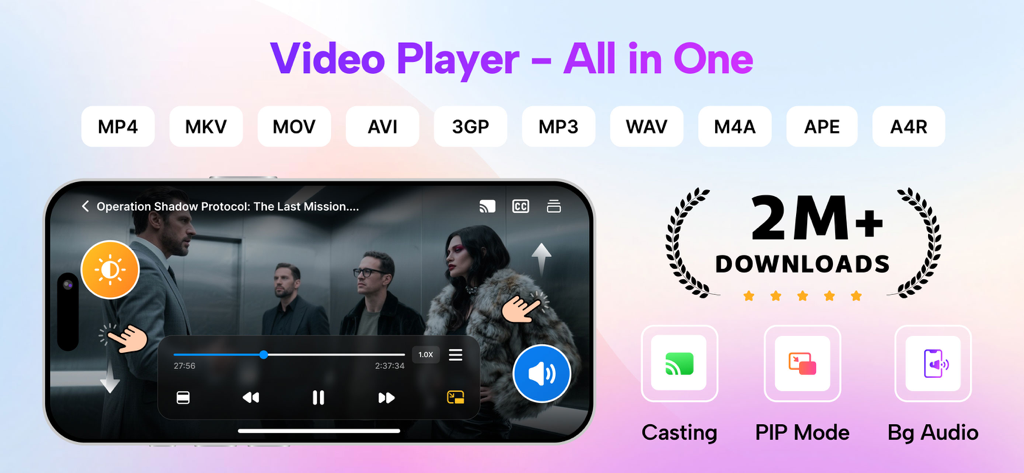
캐스팅 및 PIP 모드와 같은 지원되는 형식 및 기능을 보여주는 Video Player All in One 앱의 프로모션 배너
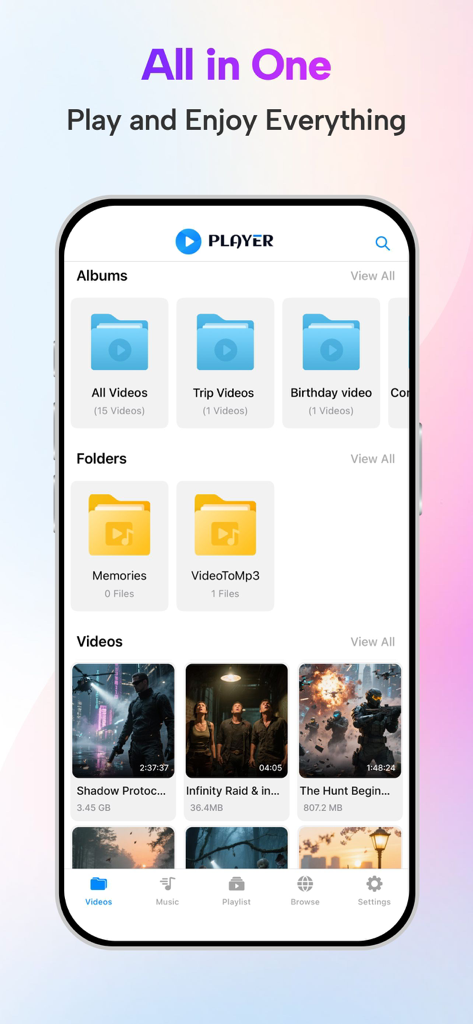
정리된 비디오 앨범과 폴더를 보여주는 Video Player All in One 앱의 인터페이스
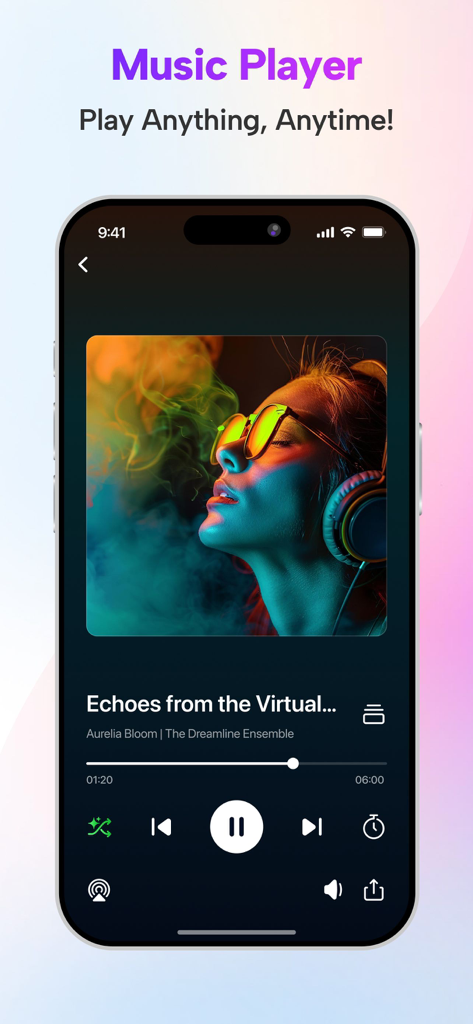
노래 세부 정보 및 재생 컨트롤을 보여주는 Video Player 앱의 음악 플레이어 인터페이스
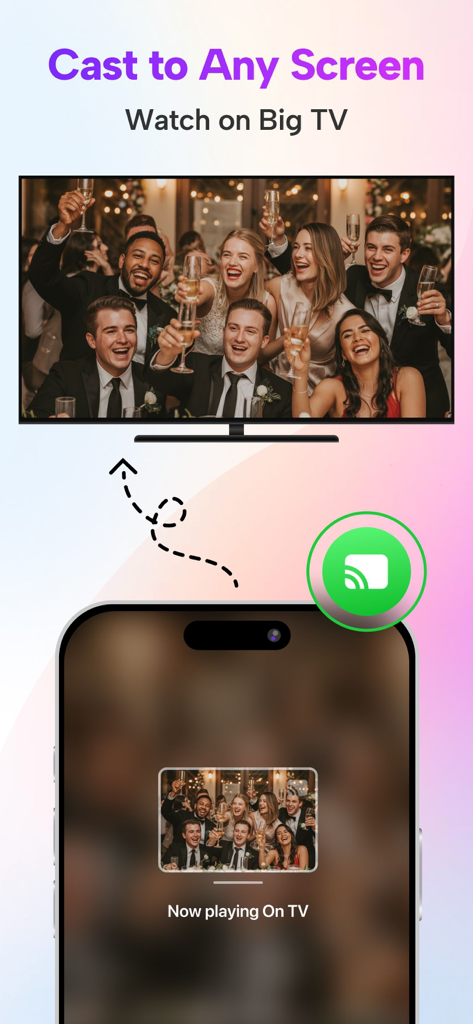
모바일 전화에서 대형 TV 화면으로 비디오를 캐스팅하는 방법을 보여주는 iPhone 앱 인터페이스
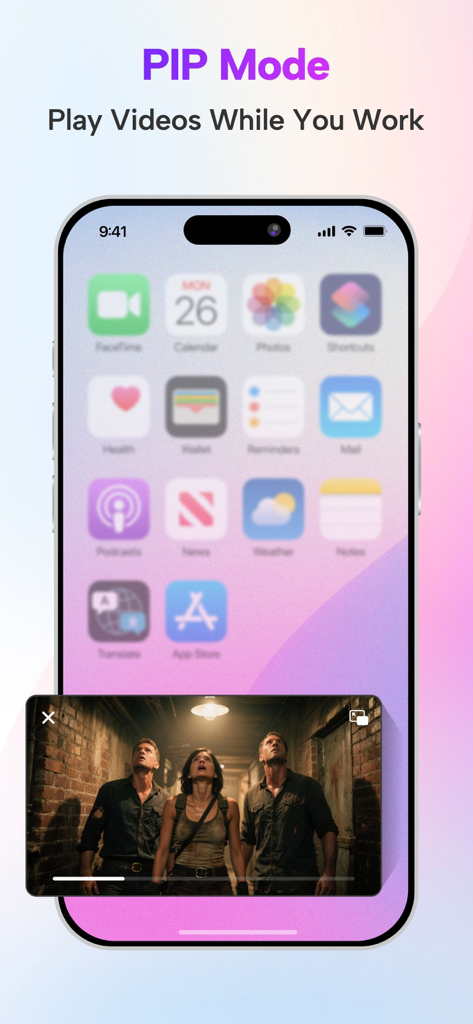
홈 화면 위에서 비디오를 재생하는 Picture-in-Picture 모드를 보여주는 iPhone
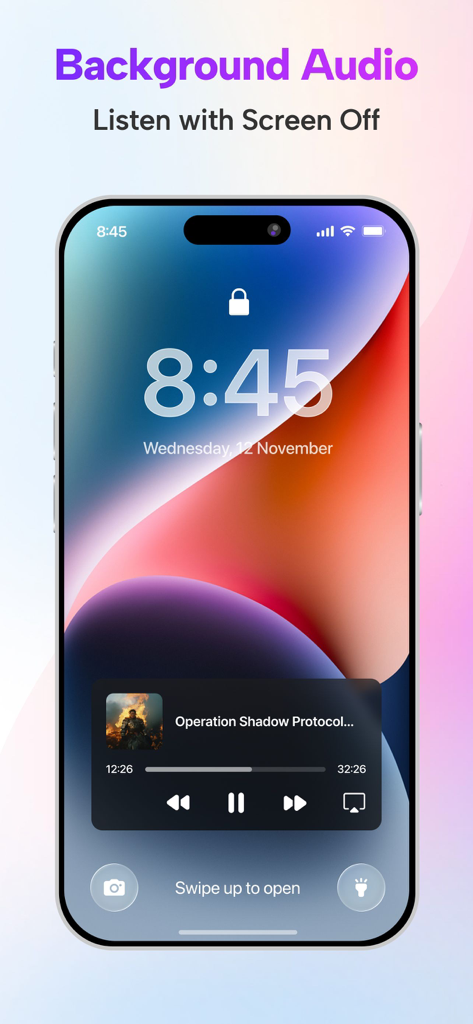
Video Player 앱의 백그라운드 오디오 재생 기능을 보여주는 iPhone 잠금 화면
설명
Download
비슷한 앱
유사한 기능과 사용자 경험을 가진 앱

Stube : Offline Music & Videos
Aquila Space (Hong Kong) Company Limited

Lark Music: Offline Player,Mp3
志辉 黎

Infuse
Firecore, LLC

MX Player - Video Player
Jatin Maniya
Evermusic: Simple Music Player
EVERAPPZ SL

Player GR - MUSIC PLAY
GAME WORLD SAI GON COMPANY LIMITED

Omanager - Video for Files
STRETFORD STUDIOS LIMITED

高画質な画面録画BREMEN〜音楽 動画
shinichi fukui
Fileplay - Documents Player
Kristian Sepp
이 페이지는 앱이나 개발자의 공식 페이지가 아니며, 정보 제공 및 논평을 목적으로 작성된 독립 편집 간행물입니다. 명시적으로 달리 언급되지 않는 한, 해당 앱이나 개발자는 MWM, Apple, Google Play, 앱 퍼블리셔 또는 앱 개발자와 제휴, 보증, 후원, 승인 또는 공식적으로 연결되어 있지 않으며, 이 페이지의 어떤 내용도 해당 앱이 MWM의 서비스를 사용하여 개발되었음을 의미하지 않습니다. 모든 상표, 로고, 스크린샷 및 기타 콘텐츠는 해당 소유자의 자산입니다.