My Files - All File Manager

My Files - All File Manager


다운로드: App Store
로고: My Files - All File Manager

My Files - 모든 파일 관리자: 모바일 워크플로우를 위한 데스크탑급 파워

듀얼 창 탐색, AES 암호화 및 최신 전문가를 위해 설계된 원활한 멀티 클라우드 통합으로 디지털 라이프를 마스터하세요.

개발사

Liam Sammy

카테고리

Utilities

다운로드

2K+

사용자 평점

4.4/5

총 평가 수

100

지원 언어

1

귀하의 디지털 명령 센터

이 인터페이스를 사용하는 2K+ 명의 사용자.

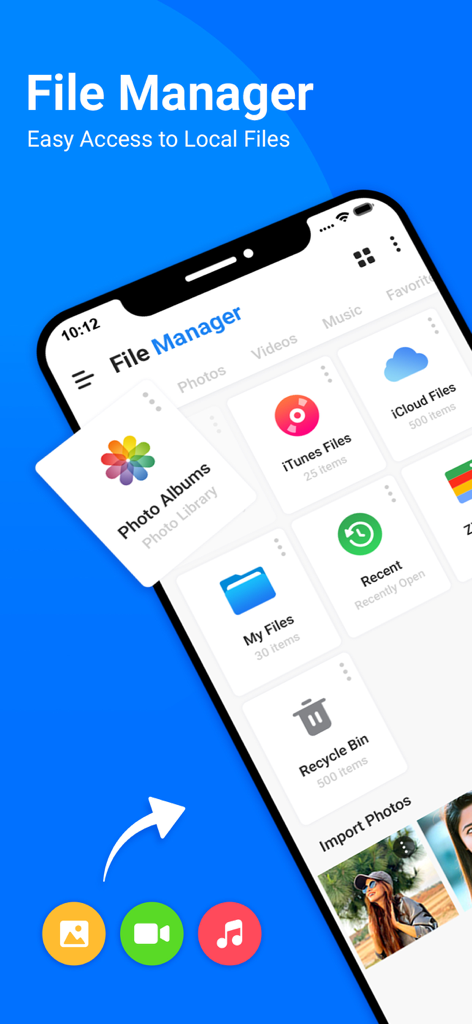
iPhone의 My Files 앱 사용자 인터페이스로 다양한 파일 범주와 저장 옵션을 보여줍니다.

iPhone의 My Files 앱 사용자 인터페이스로 다양한 파일 범주와 저장 옵션을 보여줍니다.

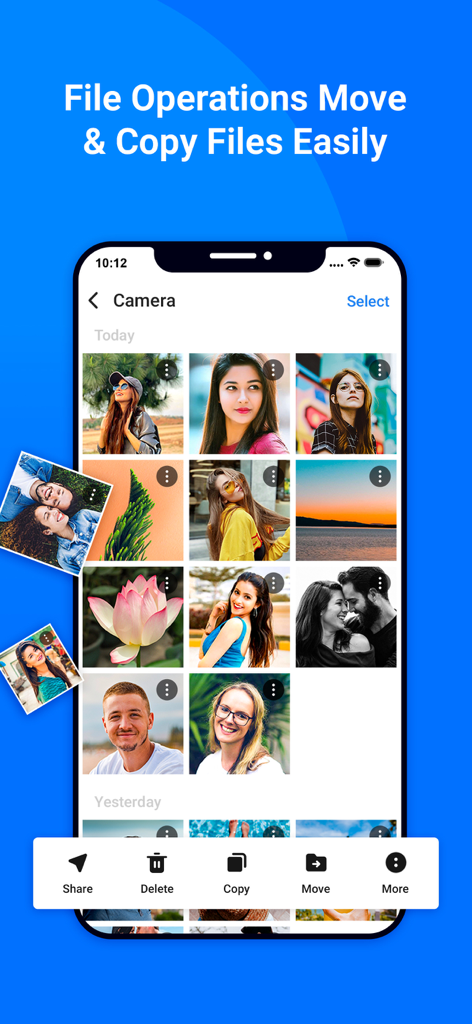
이동 및 복사 도구를 사용하여 사진 갤러리 관리를 보여주는 My Files 앱의 iPhone 스크린샷

이동 및 복사 도구를 사용하여 사진 갤러리 관리를 보여주는 My Files 앱의 iPhone 스크린샷

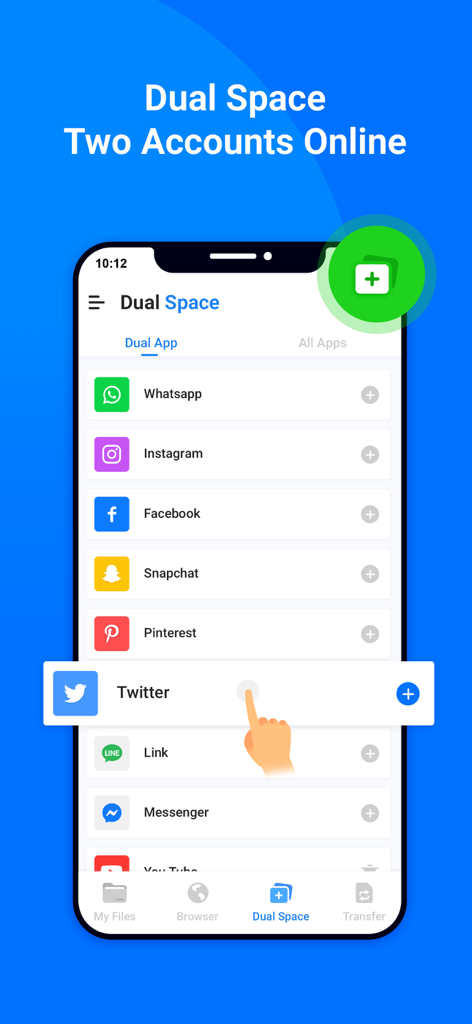
WhatsApp 및 Instagram과 같은 여러 소셜 미디어 계정 관리를 위한 듀얼 스페이스 기능을 보여주는 스마트폰 인터페이스

WhatsApp 및 Instagram과 같은 여러 소셜 미디어 계정 관리를 위한 듀얼 스페이스 기능을 보여주는 스마트폰 인터페이스

안전하고 익명으로 웹을 검색할 수 있는 시크릿 모드가 있는 개인 브라우저 기능을 보여주는 모바일 인터페이스

안전하고 익명으로 웹을 검색할 수 있는 시크릿 모드가 있는 개인 브라우저 기능을 보여주는 모바일 인터페이스

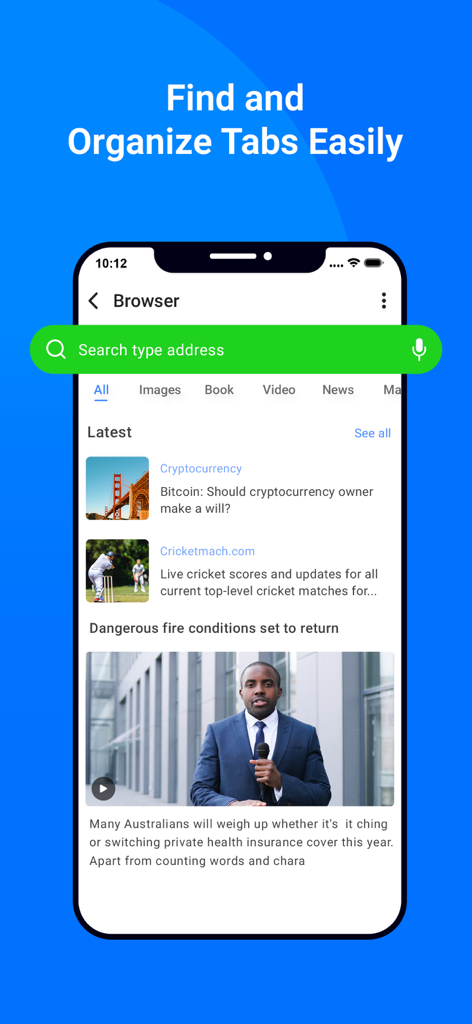
My Files 앱에서 검색창, 뉴스 피드 및 정리된 탭을 보여주는 인앱 브라우저 화면

My Files 앱에서 검색창, 뉴스 피드 및 정리된 탭을 보여주는 인앱 브라우저 화면

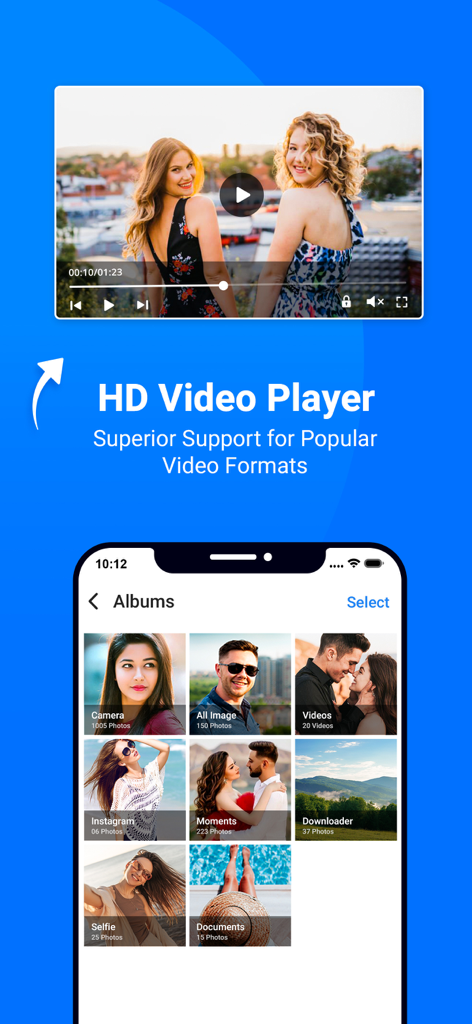
정리된 미디어 앨범과 HD 비디오 플레이어를 보여주는 My Files 앱 인터페이스

정리된 미디어 앨범과 HD 비디오 플레이어를 보여주는 My Files 앱 인터페이스

재생 제어 및 노래 정보를 보여주는 My Files 앱의 HD 오디오 음악 플레이어 인터페이스

재생 제어 및 노래 정보를 보여주는 My Files 앱의 HD 오디오 음악 플레이어 인터페이스

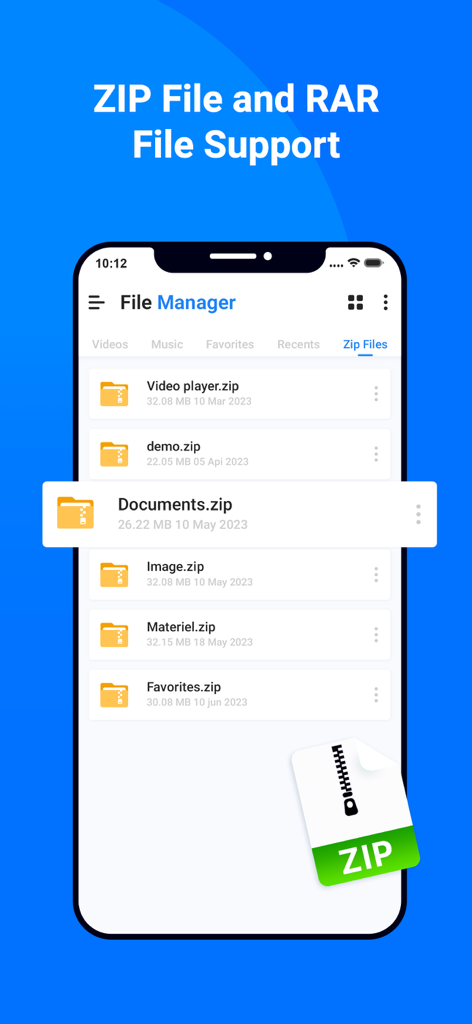
모바일 화면에서 ZIP 및 RAR 파일 지원을 표시하는 파일 관리자 앱 인터페이스

모바일 화면에서 ZIP 및 RAR 파일 지원을 표시하는 파일 관리자 앱 인터페이스

디지털 작업 공간을 마스터하세요

이 앱을 돋보이게 하는 도구, 2K+ 명의 사용자가 선택.

↔️

듀얼 창 생산성

고속 워크플로우에 최적화된 클래식 나란히 레이아웃으로 두 위치 간에 파일을 한 번에 효율적으로 관리하고 이동하세요.

🔐

전문가급 암호화

군사 등급 AES 암호화 및 원활한 생체 인증으로 민감한 전문 자산 및 개인 문서를 안전하게 보호하세요.

☁️

최고의 클라우드 허브

로컬 저장소, FTP 서버 및 여러 클라우드 계정을 하나의 인터페이스로 연결하여 장치를 중앙 집중식 제어 센터로 전환하세요.

앱 소개

에 대해 알아야 할 모든 것 My Files - All File Manager.

설명

All File Manger - Solid Explorer is a file management app inspired by the old school file commander applications. It will help you: • Easily manage files in dual pane layout • Protect files with strong encryption • Manage files on your cloud storage or NAS • Backup apps and files to any desired destination • Explore your device All File Manger - Solid Explorer lets you navigate to files stored on your device and automatically organizes them into collections. You can view, delete, move, rename or share any files. It also allows you to quickly find the files you need through indexed search with filters. • Keep your files safe All File Manger - Solid Explorer can protect selected files with strong AES encryption and put them in a secure folder, which contents are unreadable for other apps. The file manager will ask for password or fingerprint confirmation when you browse the folder. Even if you uninstall All File Manger - Solid Explorer, the files stay on your device and are still protected. • Analyze Storage Although this file manager doesn’t feature a dedicated storage analyzer, you can find out which files take up most of space by going to folder properties of internal storage or SD card. You will find the information about the percentage of space each folder takes and the list of biggest files. You can also use search with a file size filter. • Organize remote files All File Manger - Solid Explorer supports major network protocols and cloud providers to let you organize multiple remote file locations in one place. You can easily transfer files between cloud locations/servers just by dragging them from one panel to another. ◆ Major feature list: • Files management - main storage, other store from PC • Cloud storage - easily connect and manage files on Google Drive, OneDrive, Dropbox • File encryption - password and fingerprint protection • Archives - support for ZIP, 7ZIP, RAR and TAR files • Indexed search - quickly find files on your device • Analyze storage - manage files taking too much space on your device • Organized collections - files categorized in Downloads, Recent,Photos, Videos, Music, Documents and Apps • Internal image viewer, music player and text editor - for easier browsing on remote storages • Batch rename - with support for naming patterns • FTP Server to Share File - for accessing your local files from PC • Themes and icon sets - rich customization options. This app include Subscribe All File Manager Pro Monthly at $1.99 and All File Manager Pro Yearly at $9.99 to use ads free versions of the app for a Month and user can cancel it anytime. – Privacy Policy: https://sites.google.com/view/liam-sammy-pp – Terms of Use: https://sites.google.com/view/liam-sammy-tos If you are looking for a file manager app that has simple and sleek interface with full features, All File Explorer would be the best choice.

최신 버전

1.3

크기

54.7 MB

출시일

2023년 6월 8일

프로처럼 파일을 제어하세요

듀얼 창 효율성과 군사 등급 보안을 위해 iOS 제한을 벗어난 수천 명의 디지털 전문가들과 함께하세요.

다운로드: App Store

App information, icons, screenshots, and descriptions displayed on this page are sourced from the Apple App Store and are the property of their respective developers. Download estimates and rankings are based on MWM's proprietary models and may not reflect actual figures. This page is provided for informational and analytical purposes only.

Believe this page infringes your intellectual property? File a dispute