MyMap – Track Visited Places

MyMap – Track Visited Places

다운로드: App Store
로고: MyMap – Track Visited Places

MyMap – 방문한 장소 추적: 추억과 비즈니스를 위한 최고의 맞춤 지도

기본 핀을 넘어선 경험. 색상 코딩된 카테고리, 무제한 사진, 친구 및 팀과의 원활한 공유로 좋아하는 레스토랑, 여행 명소, 고객 위치를 정리하세요.

개발사

KAZUNORI WAKAMATSU

카테고리

Navigation

다운로드

3K+

사용자 평점

4.5/5

총 평가 수

100

지원 언어

5

당신의 세상, 시각적으로 담다

이 인터페이스를 사용하는 3K+ 명의 사용자.

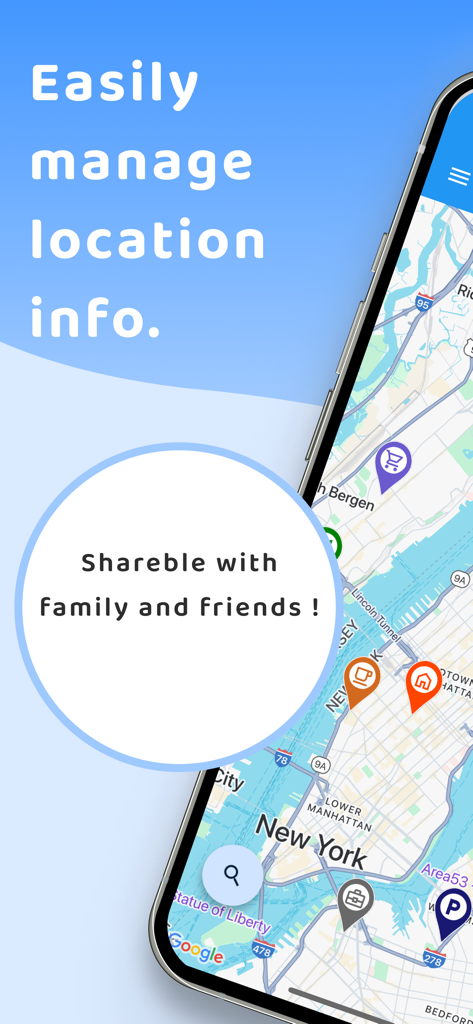
맞춤 카테고리 아이콘과 위치 정보 관리 및 공유에 대한 텍스트가 포함된 뉴욕시 지도에서 MyMap의 모바일 앱 스크린샷

맞춤 카테고리 아이콘과 위치 정보 관리 및 공유에 대한 텍스트가 포함된 뉴욕시 지도에서 MyMap의 모바일 앱 스크린샷

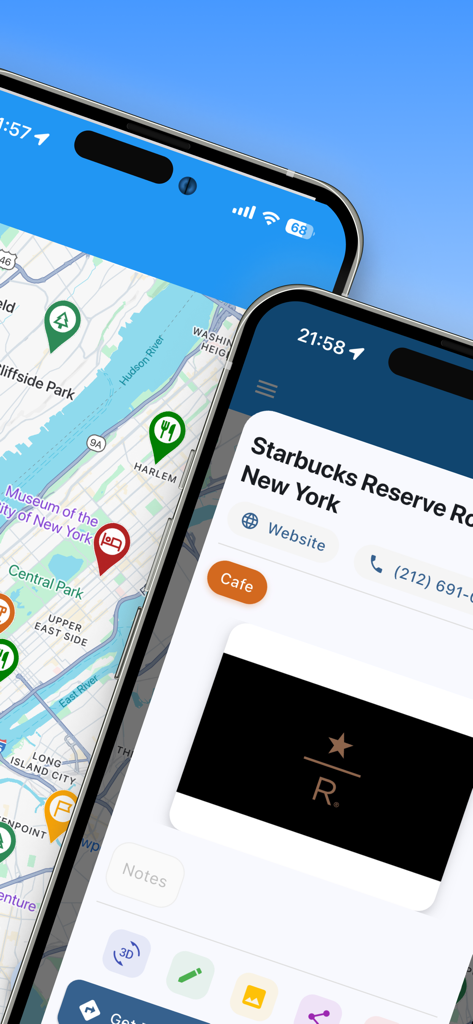
뉴욕시 지도에 색상 코딩된 핀과 카페의 특정 위치 정보가 표시된 MyMap 앱 인터페이스

뉴욕시 지도에 색상 코딩된 핀과 카페의 특정 위치 정보가 표시된 MyMap 앱 인터페이스

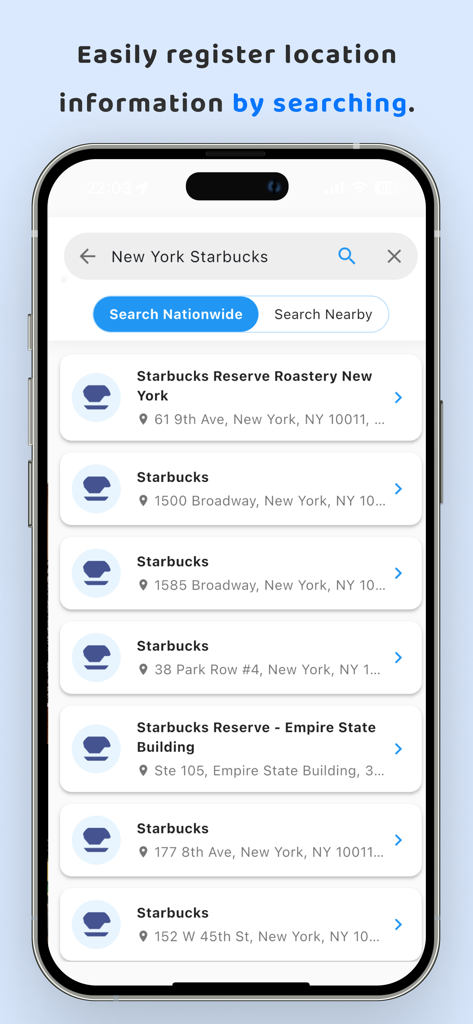
뉴욕시 스타벅스 매장 검색 결과가 표시되는 MyMap 앱의 모바일 인터페이스

뉴욕시 스타벅스 매장 검색 결과가 표시되는 MyMap 앱의 모바일 인터페이스

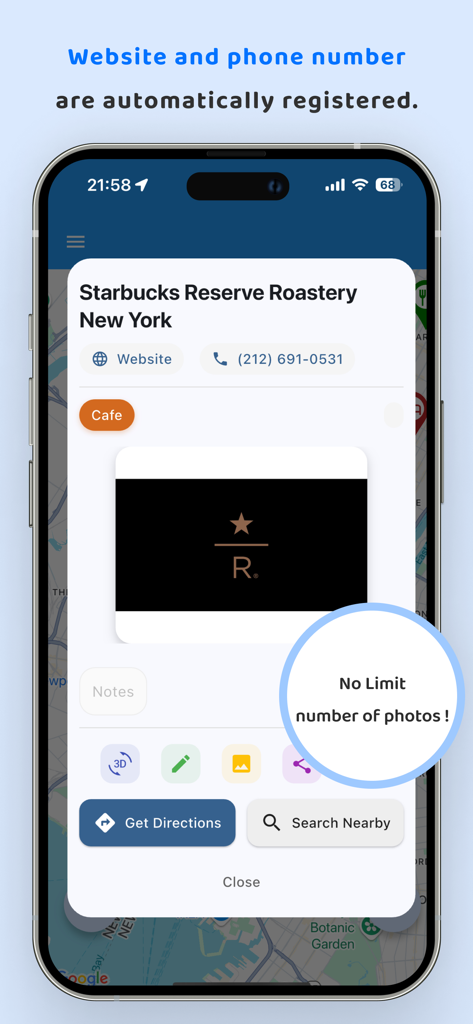
자동 웹사이트 및 전화번호 등록과 무제한 사진 저장을 보여주는 MyMap 앱의 저장된 위치에 대한 자세한 보기

자동 웹사이트 및 전화번호 등록과 무제한 사진 저장을 보여주는 MyMap 앱의 저장된 위치에 대한 자세한 보기

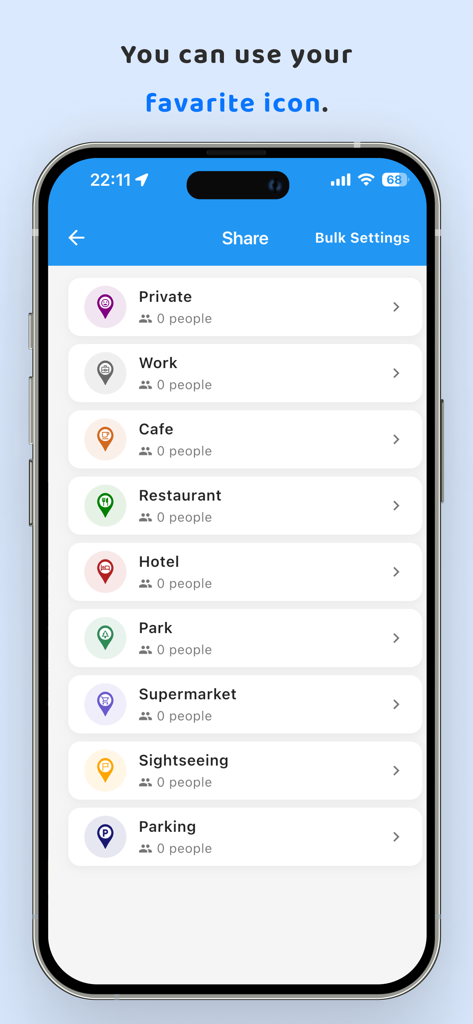
카페, 레스토랑, 직장 등 다양한 아이콘이 있는 맞춤 위치 카테고리 목록을 보여주는 MyMap 앱 화면

카페, 레스토랑, 직장 등 다양한 아이콘이 있는 맞춤 위치 카테고리 목록을 보여주는 MyMap 앱 화면

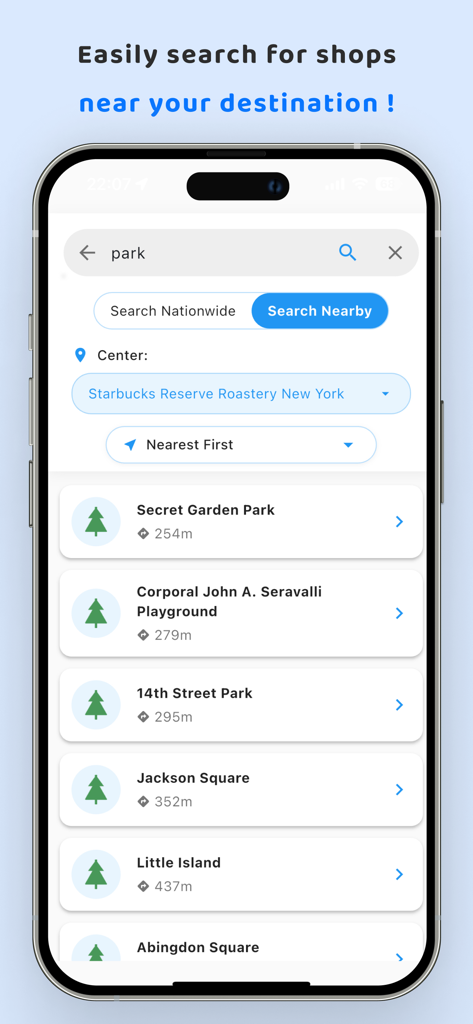
뉴욕 특정 위치 근처에서 검색한 공원 목록을 보여주는 MyMap 앱 인터페이스

뉴욕 특정 위치 근처에서 검색한 공원 목록을 보여주는 MyMap 앱 인터페이스

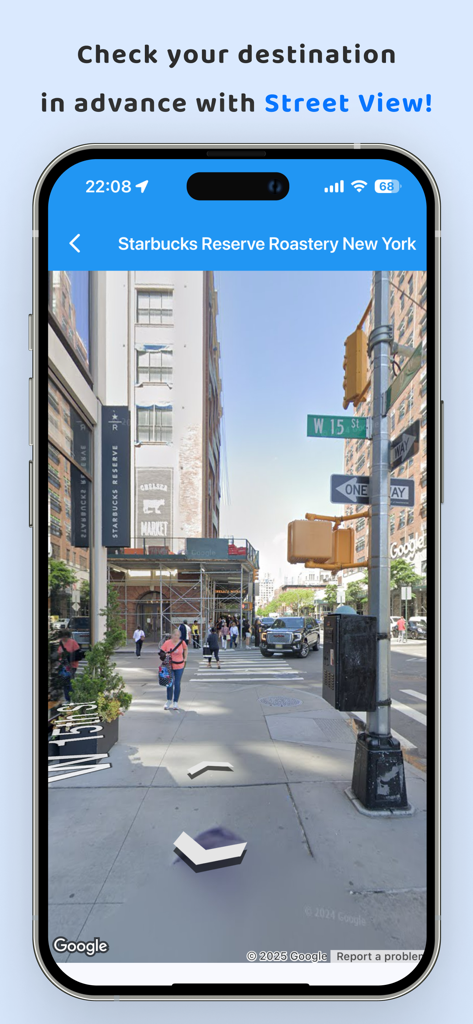
MyMap 내비게이션 앱을 사용하여 뉴욕의 목적지에 대한 스트리트 뷰 미리 보기

MyMap 내비게이션 앱을 사용하여 뉴욕의 목적지에 대한 스트리트 뷰 미리 보기

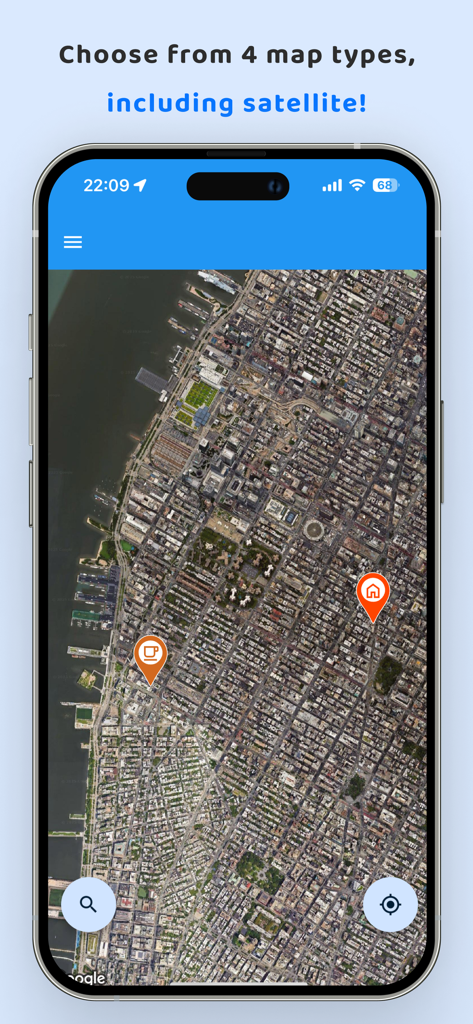
MyMap 앱에서 맞춤 위치 핀이 있는 위성 지도 보기

MyMap 앱에서 맞춤 위치 핀이 있는 위성 지도 보기

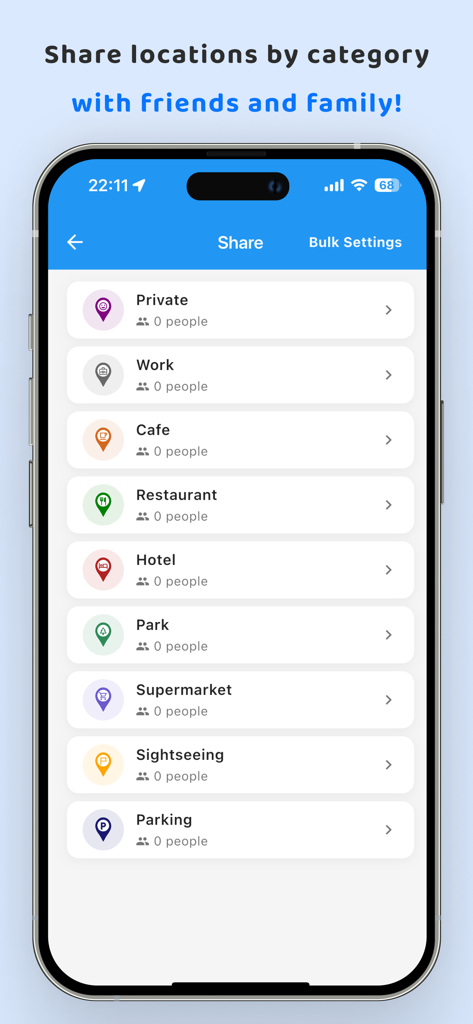
친구와 공유하기 위한 직장, 카페, 레스토랑과 같은 카테고리를 보여주는 MyMap 앱 스크린샷

친구와 공유하기 위한 직장, 카페, 레스토랑과 같은 카테고리를 보여주는 MyMap 앱 스크린샷

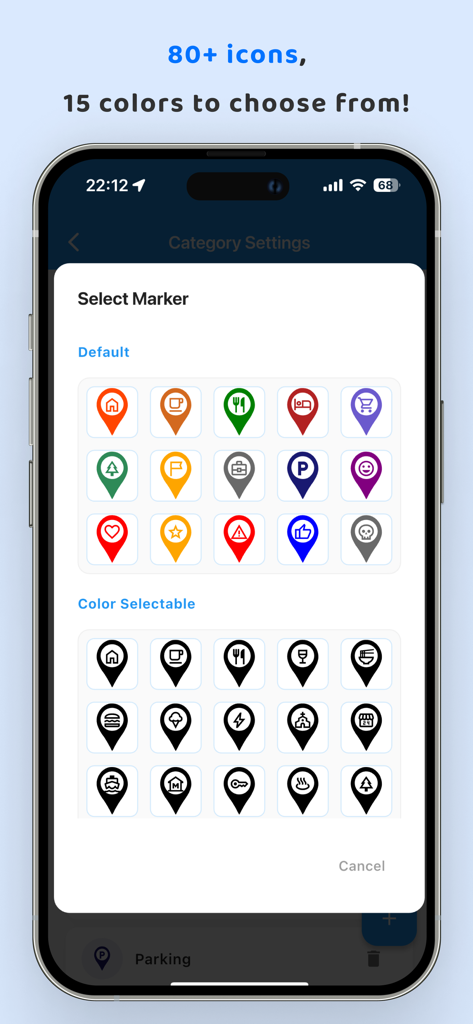
MyMap 앱 인터페이스에서 80개 이상의 맞춤 지도 마커 아이콘 및 색상 선택 화면

MyMap 앱 인터페이스에서 80개 이상의 맞춤 지도 마커 아이콘 및 색상 선택 화면

완벽하게 정리된 당신의 세상

이 앱을 돋보이게 하는 도구, 3K+ 명의 사용자가 선택.

📸

시각적 추억 기록

모든 장소에 무제한 사진과 자세한 메모를 첨부하세요. 완벽한 일몰 뷰나 좋아하는 카페의 숨겨진 메뉴를 기억하는 데 이상적입니다.

🎨

스마트 카테고리화

색상 코딩된 마커와 맞춤 카테고리로 지도를 깔끔하게 정리하세요. '비즈니스 고객'과 '주말 하이킹'을 탭 한 번으로 전환하세요.

👥

협업 공유

그룹 여행을 계획하거나 영업 지역을 쉽게 관리하세요. 유연한 '보기 전용' 또는 '편집 가능' 권한을 사용하여 특정 카테고리를 친구나 동료와 공유하세요.

앱 소개

에 대해 알아야 할 모든 것 MyMap – Track Visited Places.

설명

Easily register and manage location information on a map with this map app. Use it to record "restaurants," "travel destinations," "business clients," "memorable places," and more. You can attach an unlimited number of photos to each location! ------------------------------------------------ Features of My Map ------------------------------------------------ 1. Easy Registration of Location Information! You can attach detailed text and photos to the registered locations. To register, simply long-press on the desired location on the map. Keep important information and memories with texts and photos! 2. Register Locations from Searches! Search for locations using free text, and register them directly. If the place is a store, the store's website URL and phone number will be automatically registered. Temporarily register any store you like! This way, you can easily access the website or make a call anytime. 3. Route Search to Locations! Search for routes from registered locations. You can select the starting point from your current location or another registered location. Never get lost on your way to your destination again! 4. Categorize Location Information Categories can be freely added. You can toggle the display of location information by category. Even as you register more locations, you can temporarily hide categories you don't need to see. 5. Freely Set the Color of Location Markers You can set colors for markers by category. Even as you add more locations, it's clear at a glance on the map what type of locations they are! 6. Save Data on the Cloud By registering an account and logging in, you can save your data in the cloud. This allows for seamless continued use, even when changing devices. 7. Share Registered Locations with Family, Friends, and Colleagues Sharing can be set by category. You can choose between "view only" and "editable" for sharing. Share travel plans and memories with your family! Share customer information with your colleagues! ------------------------------------------------ User Feedback ------------------------------------------------ Female in her 20s: "I use it to register restaurants I want to visit!" Male in his 40s: "I've registered all my valued customers." Male in his 30s: "I use it to keep travel memories." ------------------------------------------------ Frequently Asked Questions ------------------------------------------------ Q. My map is cluttered because I've registered too many locations. A. You can categorize location information and choose whether to display each category on the map. Use this feature to toggle the display of relevant categories as needed. Q. Is there a limit to the number of photos I can attach? A. There's no limit to the number of photos you can attach. Feel free to add as many as you like! Q. I want to know how to get to a registered location. A. Use the route search feature from the location information dialog. You can search for routes from your current location or another registered location. More features are coming soon. Please enjoy using My Map! Terms of Use https://www.apple.com/legal/internet-services/itunes/dev/stdeula/ Privacy Policy https://doc-hosting.flycricket.io/maidi-tu-privacy-policy/45bf0659-caf5-4ed7-9b59-4e88a6d8d032/privacy

최신 버전

2.0.60

크기

88.6 MB

출시일

2023년 12월 25일

여정을 지도에 담을 준비가 되셨나요?

수천 명의 탐험가 및 전문가들과 함께 좋아하는 장소, 여행 추억, 비즈니스 잠재 고객을 한곳에 정리하세요. 지금 MyMap을 다운로드하고 장소를 다시는 잊지 마세요.

다운로드: App Store

App information, icons, screenshots, and descriptions displayed on this page are sourced from the Apple App Store and are the property of their respective developers. Download estimates and rankings are based on MWM's proprietary models and may not reflect actual figures. This page is provided for informational and analytical purposes only.

Believe this page infringes your intellectual property? File a dispute