Nav Tools - Flight and Sail

Nav Tools - Flight and Sail


다운로드: App Store
로고: Nav Tools - Flight and Sail

Nav Tools - 비행 및 항해: 항공 및 해상을 위한 전문가 수준의 정밀도

iPhone을 고성능 디지털 계기판으로 변환하세요. 제로 지연 네비게이션과 센서 기반 정확성, 사용자 정의 가능한 가상 화면, 손끝에서 실시간 비행 및 항해 데이터를 경험하세요.

다운로드: App Store

개발사

NAVSTEP, TOO

카테고리

Navigation

다운로드

1K+

사용자 평점

1.0/5

총 평가 수

0

지원 언어

1

한눈에 보는 정밀도

이 인터페이스를 사용하는 1K+ 명의 사용자.

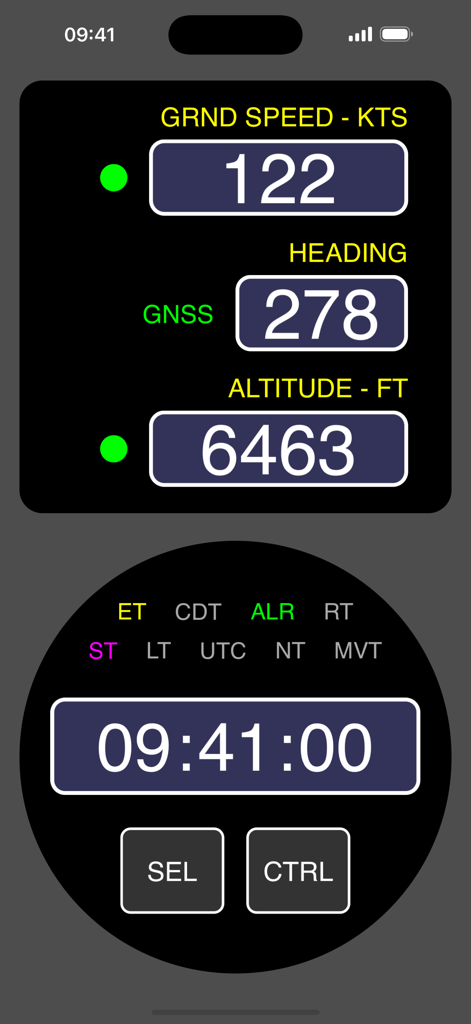
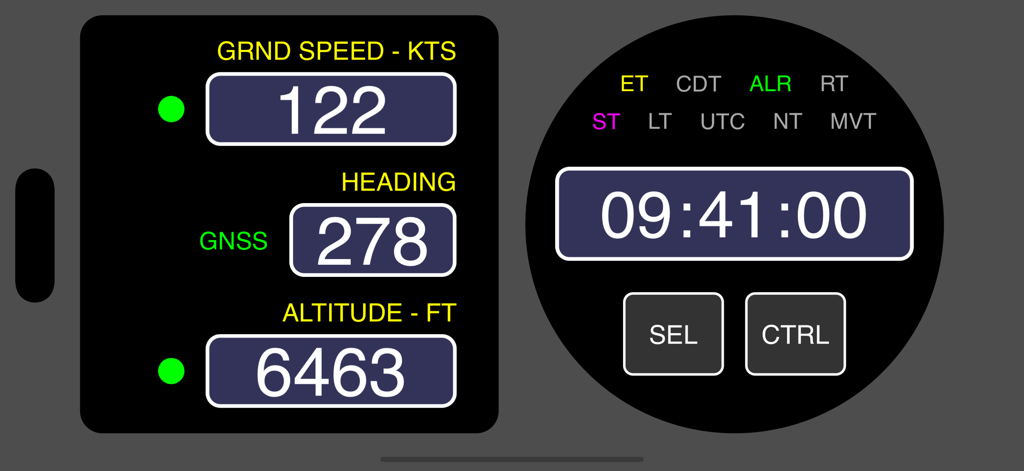
지상 속도, 방위, 고도 및 디지털 크로노미터를 보여주는 항공 및 해양 네비게이션 대시보드

지상 속도, 방위, 고도 및 디지털 크로노미터를 보여주는 항공 및 해양 네비게이션 대시보드

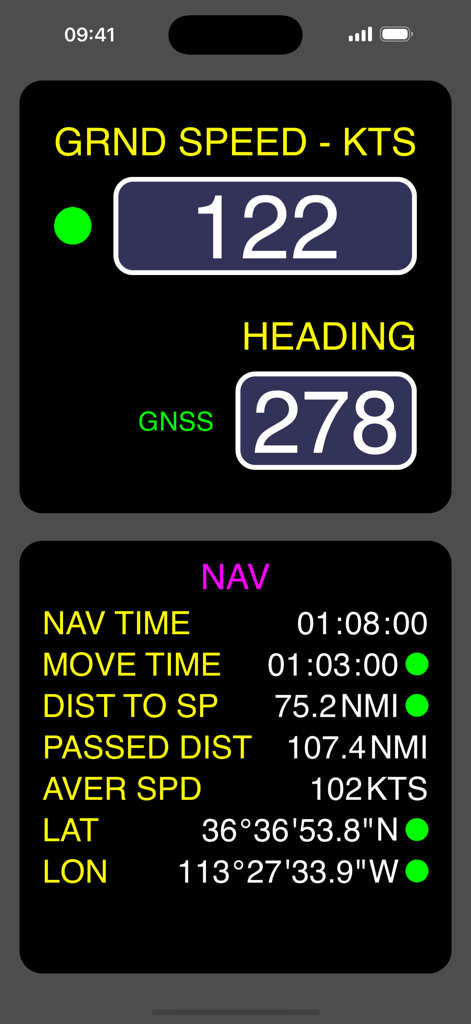
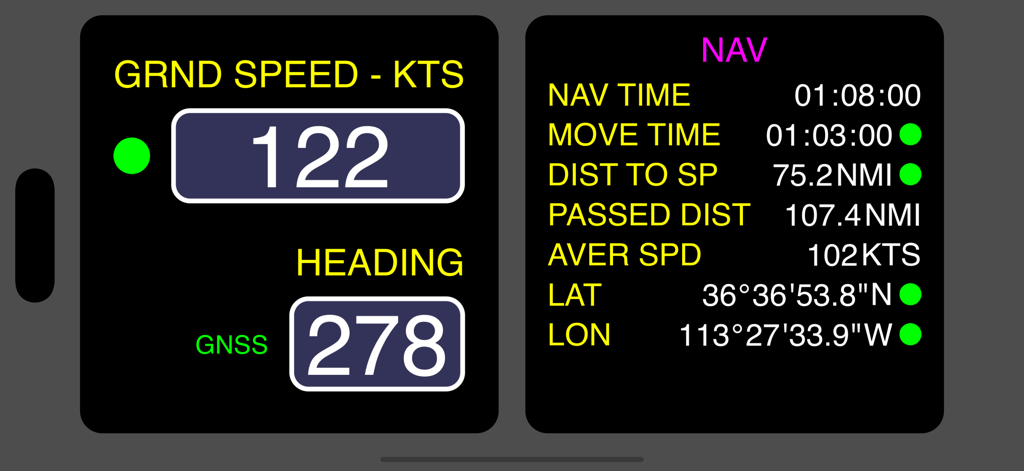
지상 속도, 방위 및 비행 및 항해 세션 통계를 보여주는 디지털 네비게이션 인터페이스

지상 속도, 방위 및 비행 및 항해 세션 통계를 보여주는 디지털 네비게이션 인터페이스

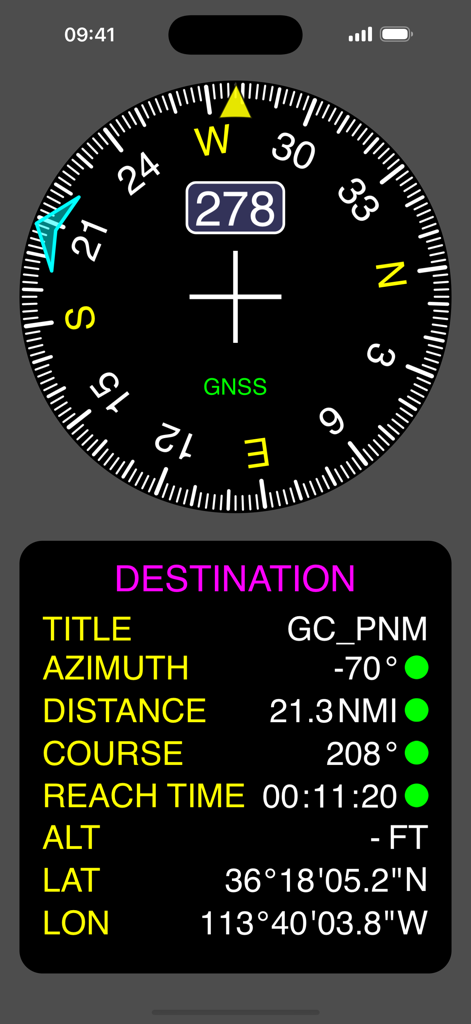
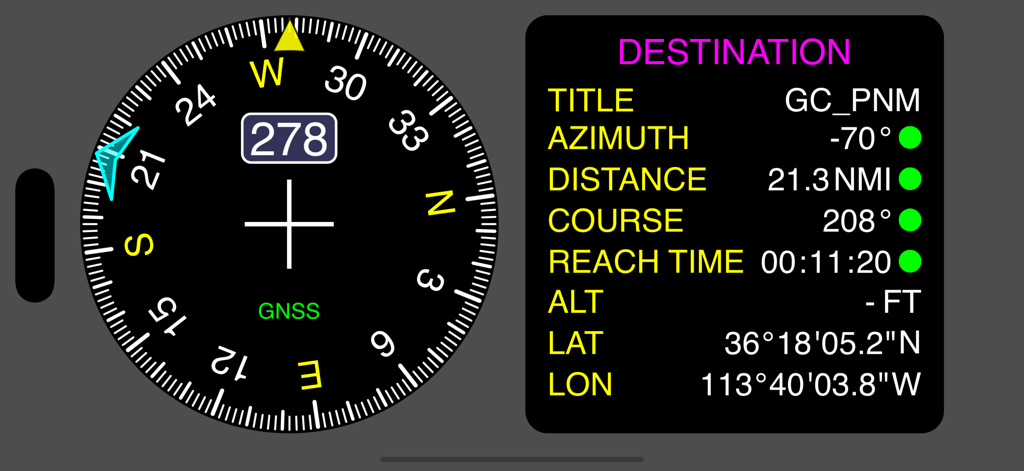
나침반 방위 및 목적지 네비게이션 매개변수를 보여주는 Nav Tools 앱 스크린샷

나침반 방위 및 목적지 네비게이션 매개변수를 보여주는 Nav Tools 앱 스크린샷

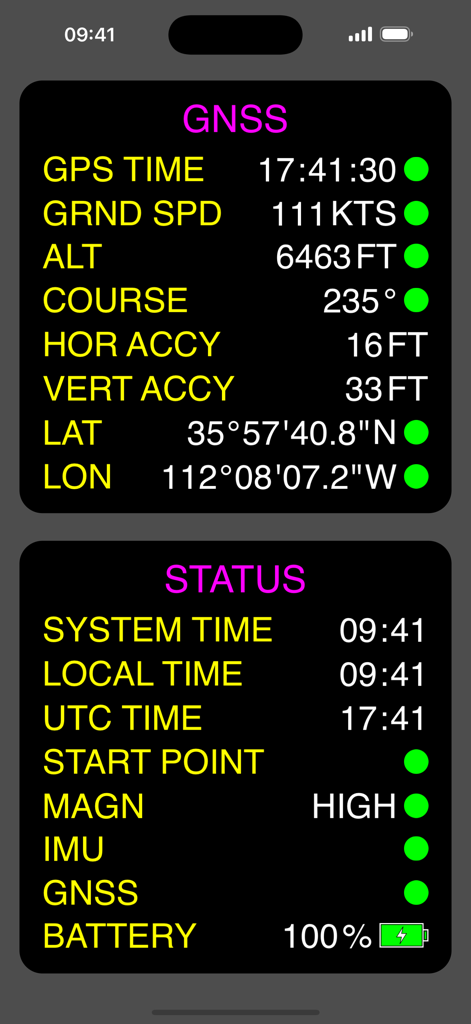
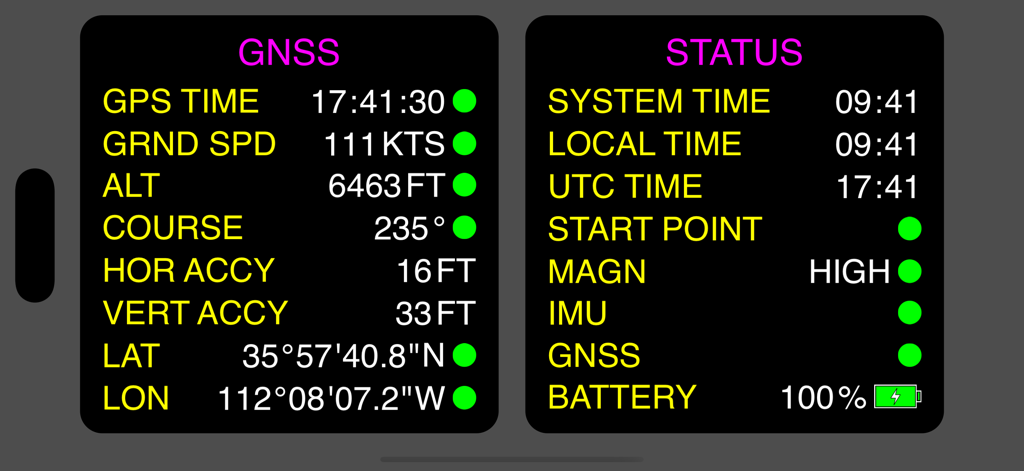
비행 및 항해 네비게이션을 위한 GNSS 데이터 및 장치 상태를 표시하는 Nav Tools 앱의 디지털 대시보드

비행 및 항해 네비게이션을 위한 GNSS 데이터 및 장치 상태를 표시하는 Nav Tools 앱의 디지털 대시보드

지상 속도, 방위, 고도 및 원형 크로노미터를 보여주는 디지털 계기판 디스플레이

지상 속도, 방위, 고도 및 원형 크로노미터를 보여주는 디지털 계기판 디스플레이

비행 및 항해를 위한 지상 속도, 방위 및 GPS 좌표를 보여주는 디지털 네비게이션 대시보드

비행 및 항해를 위한 지상 속도, 방위 및 GPS 좌표를 보여주는 디지털 네비게이션 대시보드

나침반 방위 및 거리 및 좌표를 포함한 목적지 추적 데이터가 있는 디지털 네비게이션 대시보드

나침반 방위 및 거리 및 좌표를 포함한 목적지 추적 데이터가 있는 디지털 네비게이션 대시보드

어두운 배경에 GNSS 네비게이션 데이터 및 시스템 상태를 표시하는 Nav Tools의 대시보드

어두운 배경에 GNSS 네비게이션 데이터 및 시스템 상태를 표시하는 Nav Tools의 대시보드

조종석 및 항해를 위한 정밀 계측기

이 앱을 돋보이게 하는 도구, 1K+ 명의 사용자가 선택.

고주파 센서 융합

제로 지연 업데이트를 경험하세요. 당사의 엔진은 자이로스코프, 가속도계 및 자력계 데이터를 결합하여 매우 부드러운 방위 및 움직임 추적을 제공합니다.

🎛️

사용자 정의 가능한 가상 화면

임무에 맞게 대시보드를 맞춤 설정하세요. 필요한 정확한 지시계로 여러 화면을 구성하고 간단한 스와이프로 화면 간에 전환하세요.

전문 임무 도구

중요한 네비게이션 통계, UTC 크로노미터 및 원터치 '시작 지점으로 돌아가기' 기능을 액세스하여 항공 또는 해상에서 최고의 안전 이중화를 확보하세요.

앱 소개

에 대해 알아야 할 모든 것 Nav Tools - Flight and Sail.

설명

The Nav Tools app is a mobile navigation toolbox for air and watercrafts which is always at hand on your iPhone. It uses full power of device’s internal sensors data (gyroscope, accelerometer and magnetometer) along with GNSS information for calculating all navigation parameters what provides very high update rate, instant response and indication smoothness. With Nav Tools app you can: - Display main navigation information including heading (based on GNSS course / magnetic heading / true magnetic heading), ground speed, altitude, coordinates, navigation session statistics (total time, moving time, passed distance, average speed, distance to start point) and destination point navigation parameters (distance, azimuth, course, reach time); - Display various times (system time, local time, UTC time) and launch different timers (count up, count down, count down with auto repeat); - Switch between various units of displayed parameters; - Search and save POIs (destination points) for fast access navigation (multiple search options are available); - Activate navigation back to start point by pressing just one button; - Enable multiple virtual screens and select which indicators to display on each screen. Switching between screens is made by simple swipe; - Perform adjustment of indicators appearance to make them fully correspond to your needs. List of indicators: - Multi parameter indicator (ground speed / altitude / heading); - Heading indicator (with indication of direction to destination point); - Chronometer (with multiple time display modes and timers); - Navigation session info indicator; - GNSS info indicator; - Device status info indicator; - Destination point navigation info indicator.

최신 버전

1.1.0

크기

3.9 MB

출시일

2024년 10월 22일

다음 임무를 위한 전문가 수준의 네비게이션

센서 기반 데이터로 제로 지연 정밀도를 경험하세요. 기본 백업 및 사용자 정의 조종석 계측을 위해 Nav Tools를 신뢰하는 조종사 및 선원들과 함께하세요.

다운로드: App Store

App information, icons, screenshots, and descriptions displayed on this page are sourced from the Apple App Store and are the property of their respective developers. Download estimates and rankings are based on MWM's proprietary models and may not reflect actual figures. This page is provided for informational and analytical purposes only.

Believe this page infringes your intellectual property? File a dispute