NCS+

NCS+

다운로드: App Store다운로드: Google Play
로고: NCS+

NCS+ | 전문가를 위한 정밀 색상 디자인

추측을 없애고 색상 조화를 마스터하세요. 표면을 스캔하고, Natural Colour System®을 탐색하고, 탁월한 과학적 정확도로 전문적인 무드 보드를 만드세요.

개발사

NCS Colour AB

카테고리

Graphics & Design

다운로드

95K+

사용자 평점

4.1/5

총 평가 수

100

지원 언어

1

한눈에 보는 정밀성

이 인터페이스를 사용하는 95K+ 명의 사용자.

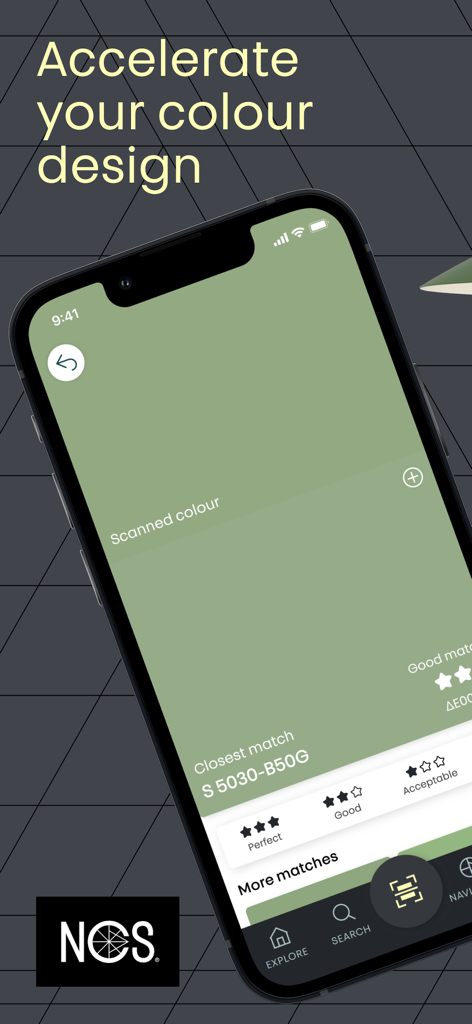
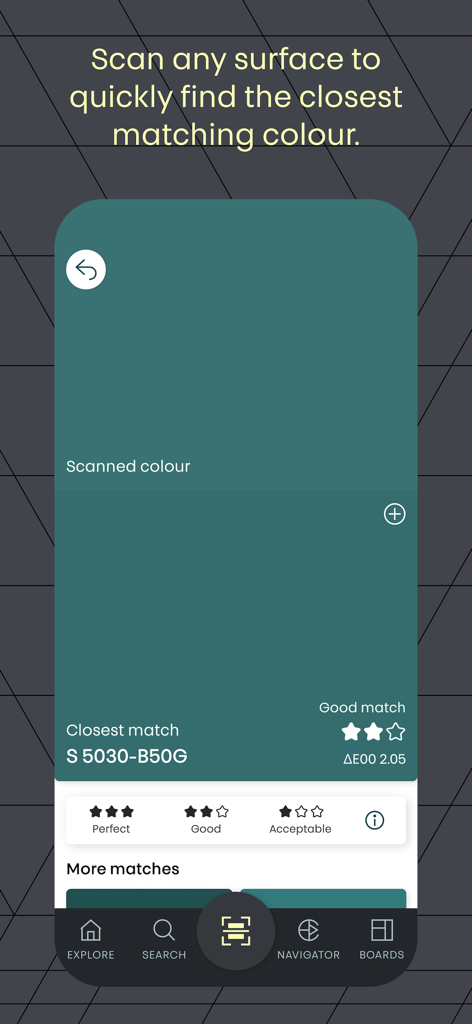
NCS 플러스 앱 인터페이스가 스캔된 녹색과 가장 가까운 NCS 표기 S 5030-B50G를 보여주는 스마트폰.

NCS 플러스 앱 인터페이스가 스캔된 녹색과 가장 가까운 NCS 표기 S 5030-B50G를 보여주는 스마트폰.

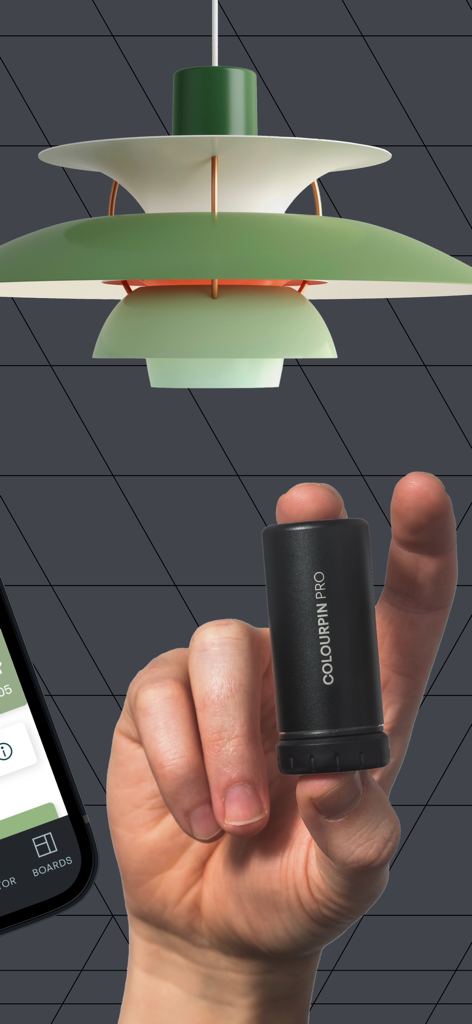
Colourpin Pro 디지털 색상 스캐너를 녹색 디자이너 램프 근처에서 들고 있는 손

Colourpin Pro 디지털 색상 스캐너를 녹색 디자이너 램프 근처에서 들고 있는 손

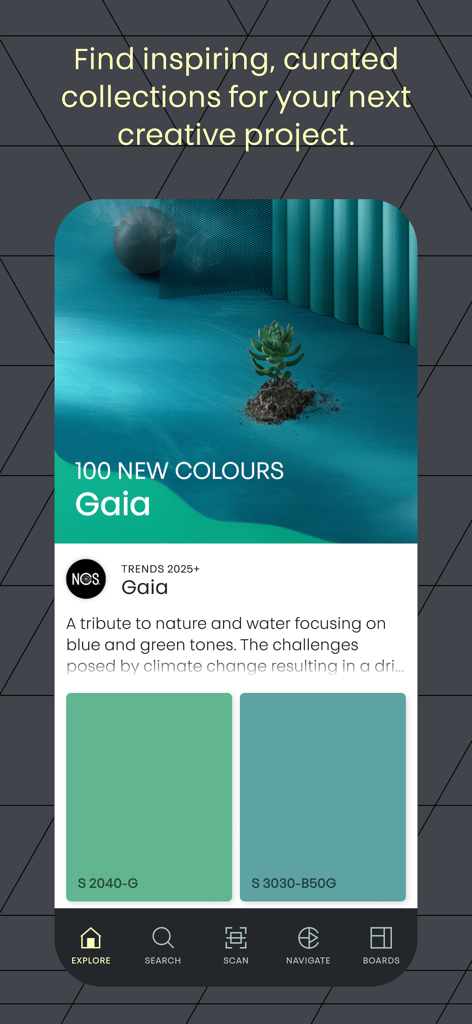
NCS+ 모바일 앱 화면에 녹색 및 파란색 견본이 포함된 2025년 디자인 트렌드용 큐레이션된 가이아 색상 컬렉션 표시

NCS+ 모바일 앱 화면에 녹색 및 파란색 견본이 포함된 2025년 디자인 트렌드용 큐레이션된 가이아 색상 컬렉션 표시

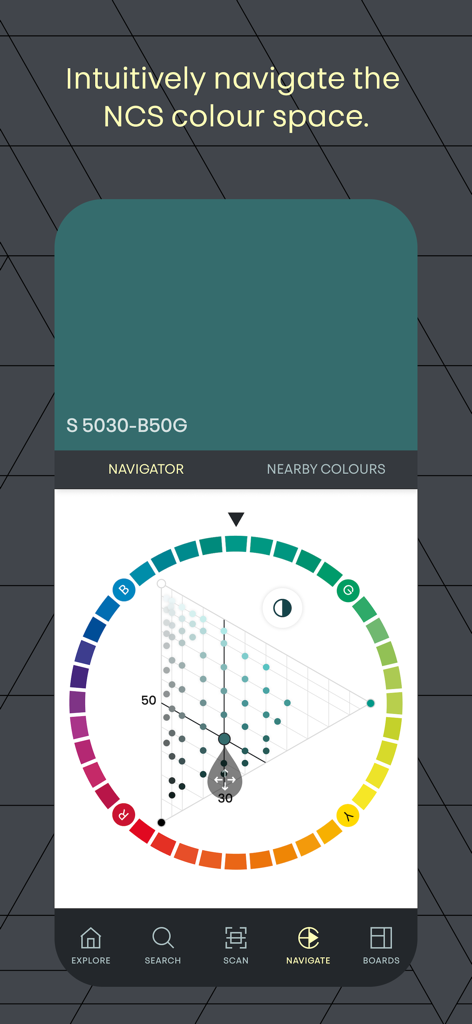
정확한 색상 선택을 위해 특유의 원과 삼각형이 있는 색상 탐색기를 보여주는 NCS 플러스 앱 스크린샷

정확한 색상 선택을 위해 특유의 원과 삼각형이 있는 색상 탐색기를 보여주는 NCS 플러스 앱 스크린샷

가장 가까운 NCS 표기 및 정확도 등급과 일치하는 스캔된 청록색을 보여주는 NCS 플러스 앱 인터페이스

가장 가까운 NCS 표기 및 정확도 등급과 일치하는 스캔된 청록색을 보여주는 NCS 플러스 앱 인터페이스

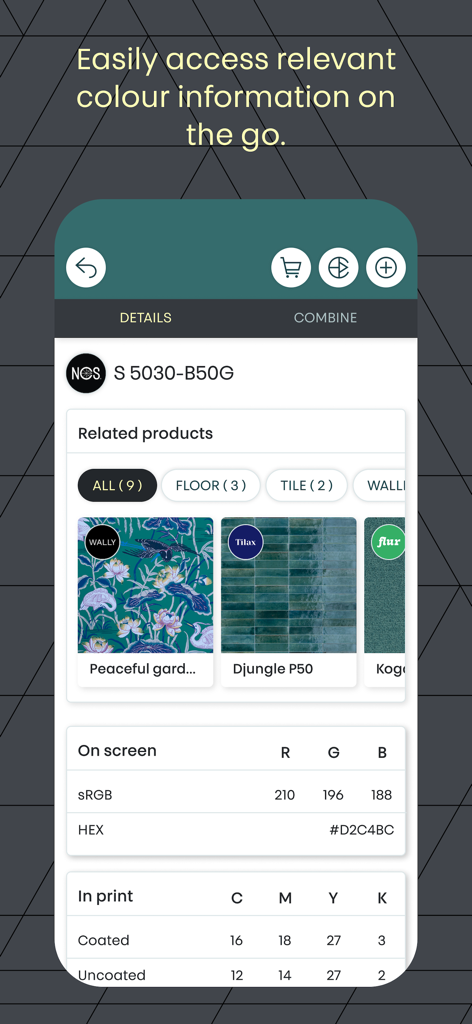
RGB 및 CMYK에 대한 색상 표기 및 기술 번역 값을 표시하는 NCS 플러스 앱 인터페이스

RGB 및 CMYK에 대한 색상 표기 및 기술 번역 값을 표시하는 NCS 플러스 앱 인터페이스

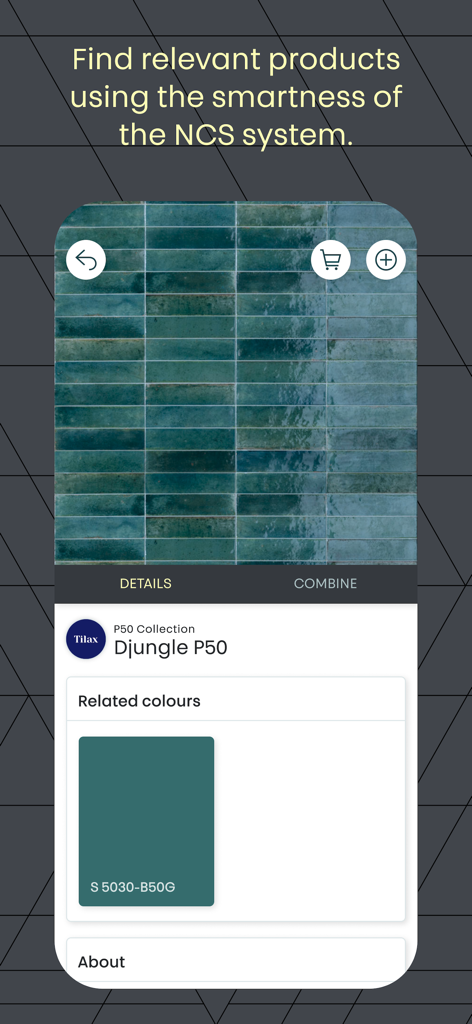
청록색 타일 제품 컬렉션에 대한 관련 NCS 색상을 보여주는 NCS+ 앱 인터페이스

청록색 타일 제품 컬렉션에 대한 관련 NCS 색상을 보여주는 NCS+ 앱 인터페이스

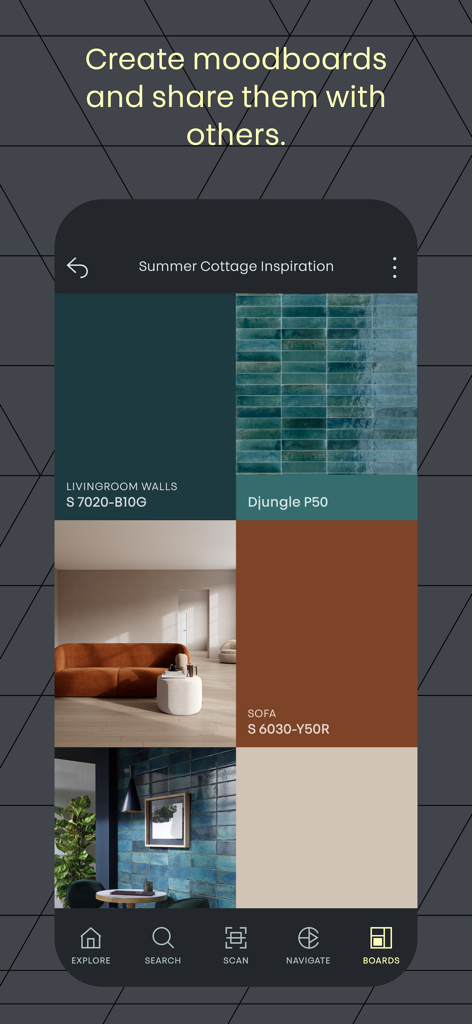
색상 코드 및 영감 사진이 포함된 전문 인테리어 디자인 무드 보드를 보여주는 NCS 플러스 앱 인터페이스

색상 코드 및 영감 사진이 포함된 전문 인테리어 디자인 무드 보드를 보여주는 NCS 플러스 앱 인터페이스

모든 색조에 담긴 전문가 수준의 정밀성

이 앱을 돋보이게 하는 도구, 95K+ 명의 사용자가 선택.

🗲

표면 스캔 및 매칭

Colourpin 하드웨어와 페어링하여 모든 물리적 색상을 즉시 식별하고 정확한 Delta E 2000 정확도 등급을 확인하세요.

과학적인 색상 조화

NCS Navigator 및 Triangle을 사용하여 검정색, 흰색, 채도를 기반으로 완벽하게 균형 잡힌 팔레트를 만드세요.

📋

원활한 디자인 워크플로우

협업 무드 보드를 만들고 색상을 RGB, HEX, CMYK, Lab로 직접 내보내 디지털 소프트웨어에 사용하세요.

앱 소개

에 대해 알아야 할 모든 것 NCS+.

설명

Find the right colour for your next project. NCS+ helps you to succeed in any colour design. With NCS - Natural Colour System®©, developed by world-renowned colour experts, it has never been easier to find the right colour for your project. EXPLORE COLOUR THEMES In NCS+, you have access to all of the standardized NCS colours, and can explore all of the NCS Colour products, including Trend collections, the NCS Index, NCS Exterior and NCS Inspire. FIND YOUR COLOUR Search for colours in the new and innovative search panel, either through an NCS Notation (or parts of it) or filter for colours based on their hue and/or nuance. MATCH A SURFACE Using the built-in support for the Colourpin II / SE / PRO colour readers, you can easily scan any surface and find the closest matching NCS colour with the click of a button. You can also see how much the scanned surface differs from the closest matching colours with the built-in rating function and its corresponding delta E 2000 value. NAVIGATE THE NCS COLOUR SPACE The new and improved NCS Navigator brings unparallelled ease of navigating in the NCS System, through the NCS Circle selecting the prefered hue, and the NCS Triangle to select the correct nuance. The innovative beehive allows you to fine-tune your selection by modifying the selected colour in either chromaticness, blackness or whiteness, giving you exactly the colour you want. COMBINE COLOURS Through the smartness of the NCS System, you can combine colours of your choice based on colour similarities such as nuance-, hue-, blackness-, chromaticness-, whiteness and NCS lightness similarity. Basing your combination colours on these properties are one of the most certain ways of creating colour combinations that harmonize. COLOUR SAMPLE REFERENCES With unprecedented on-screen colour accuracy, you can now bring up any standard NCS colour on your mobile device. On each colour, you can also find out in which collections they are available, buy a physical sample in different sizes from the NCS Colour web shop or any NCS reseller as well as find translation values into other systems such as RGB, HEX, CMYK and Lab values. SAVE, SHARE AND INSPIRE Save your favourite colours into mood boards, upload images or take photos of your project to provide addional context to the board. You can then share the boards with friends or colleagues to inspire and collaborate.

최신 버전

2.7.10

크기

84.4 MB

출시일

2021년 9월 17일

전문가 수준의 색상 정확성을 당신의 주머니에

NCS+를 사용하여 물리적 표면과 디지털 완벽함의 간극을 메우고 있는 수천 명의 건축가 및 디자이너와 함께하세요. 과학적 정확성으로 다음 프로젝트를 마스터하려면 지금 다운로드하세요.

다운로드: App Store다운로드: Google Play

App information, icons, screenshots, and descriptions displayed on this page are sourced from the Apple App Store and are the property of their respective developers. Download estimates and rankings are based on MWM's proprietary models and may not reflect actual figures. This page is provided for informational and analytical purposes only.

Believe this page infringes your intellectual property? File a dispute