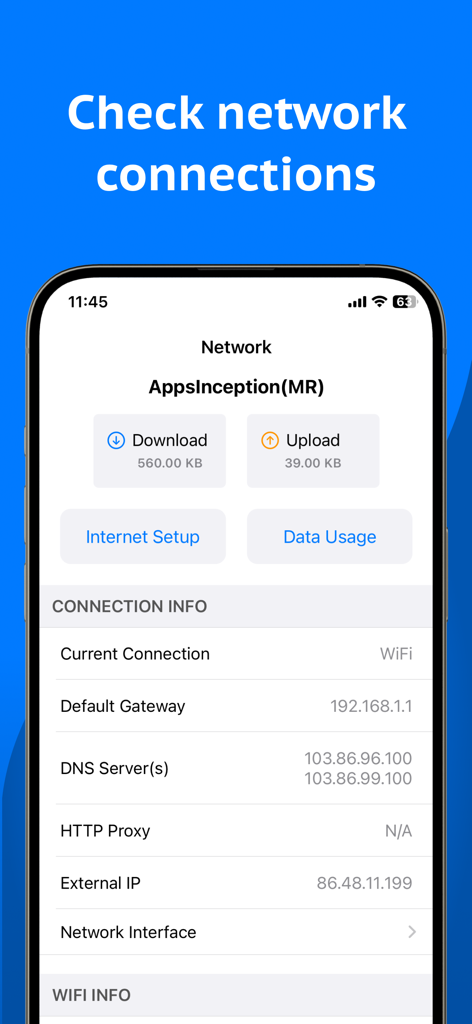
Network Analyzer 앱에서 IP 주소가 있는 WiFi 네트워크에 연결된 장치 목록
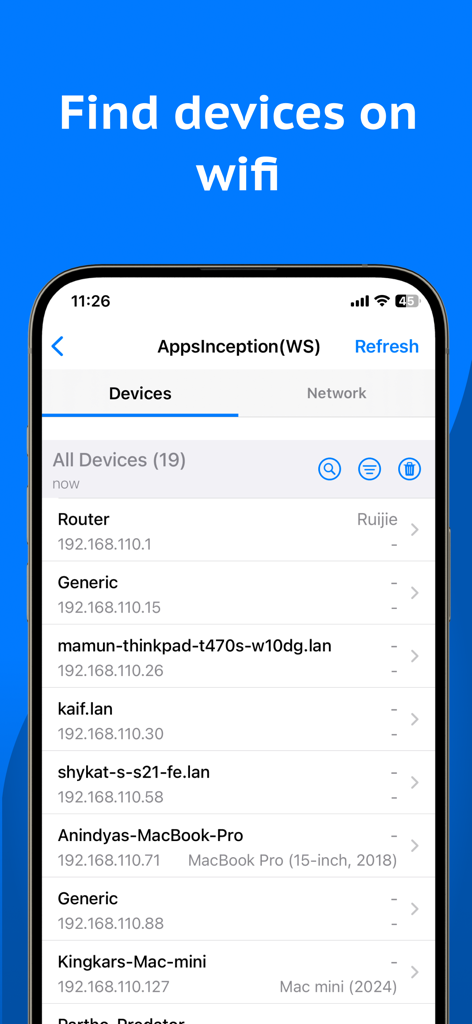
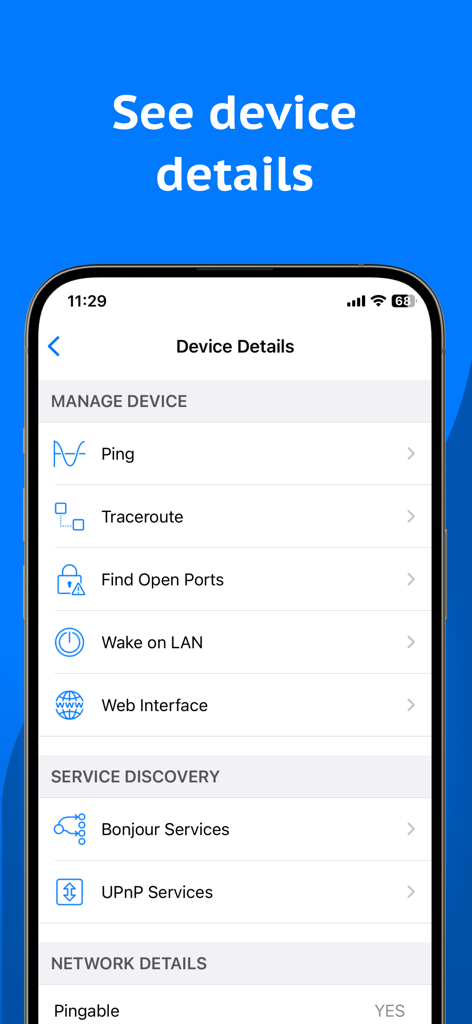
ping, traceroute 및 포트 스캔 도구가 있는 Network Analyzer 앱의 iPhone 스크린샷으로 장치 세부 정보 표시
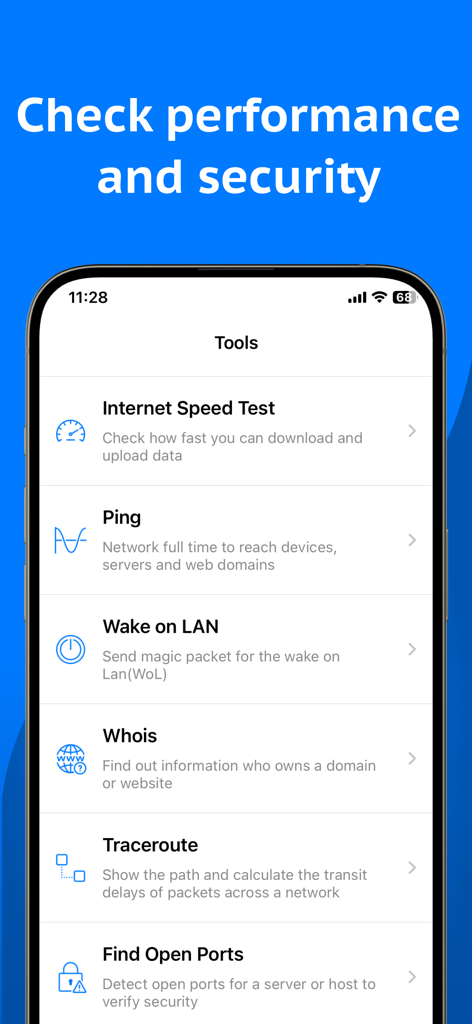
인터넷 속도 테스트, ping, traceroute와 같은 도구가 나열된 Network Analyzer 앱 메뉴 스크린샷
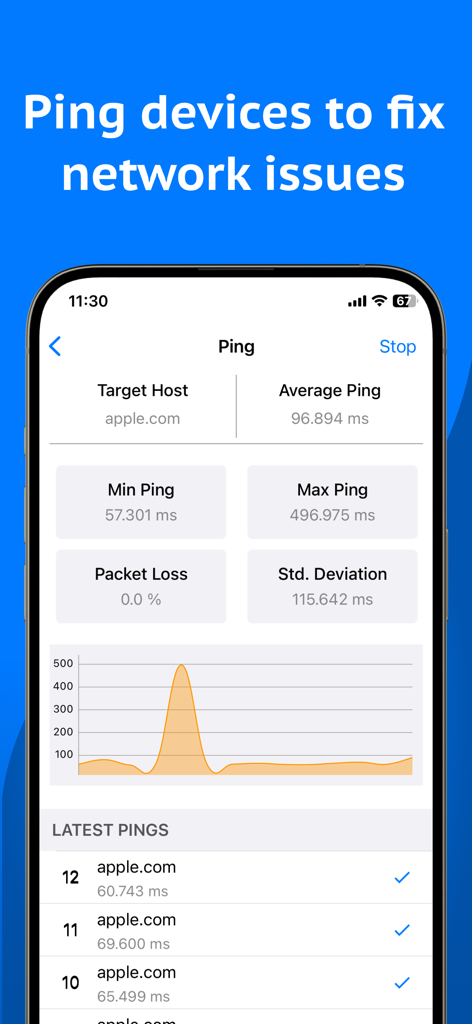
네트워크 문제 해결을 위한 지연 시간 통계 및 성능 그래프를 보여주는 Network Analyzer 앱의 ping 도구 인터페이스
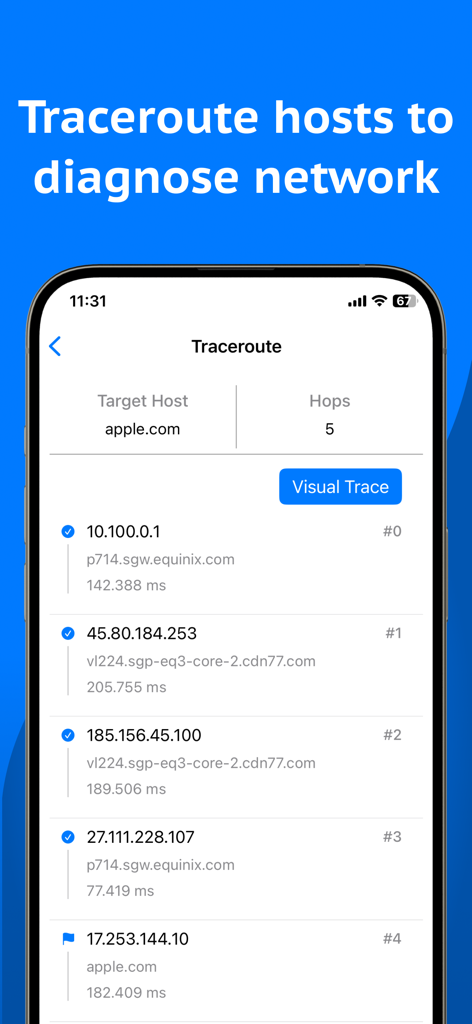
네트워크 연결 진단을 위해 apple.com에 대한 traceroute 결과를 보여주는 모바일 앱 스크린샷
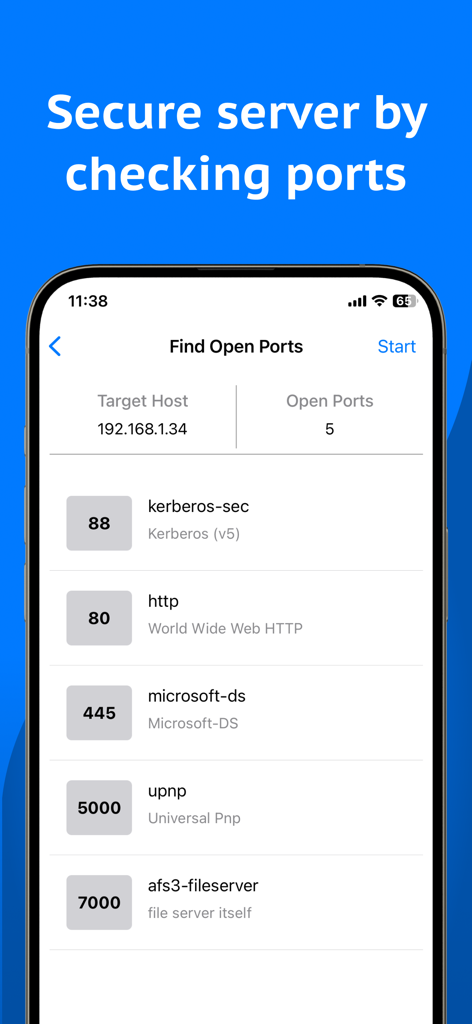
로컬 네트워크 서버의 열린 포트를 보여주는 Network Analyzer 앱 인터페이스
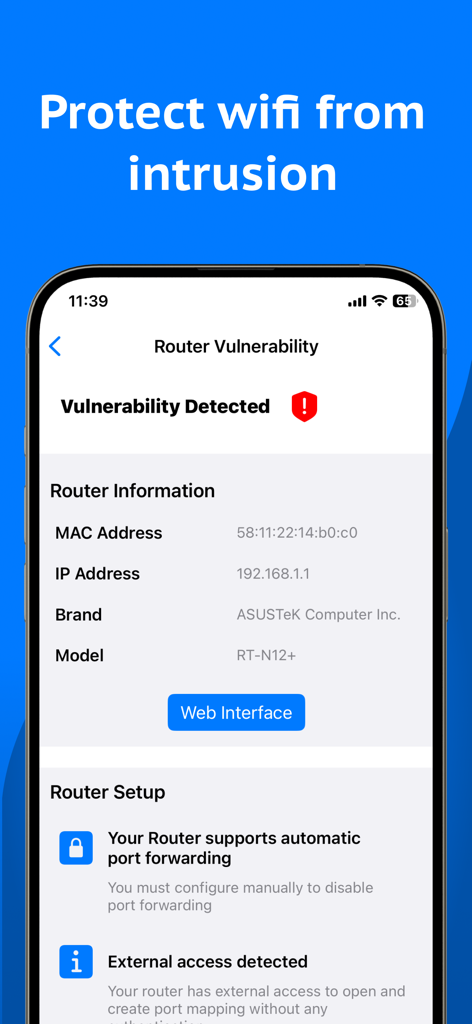
감지된 라우터 취약점 및 기술 장치 정보를 보여주는 Network Analyzer의 모바일 앱 인터페이스
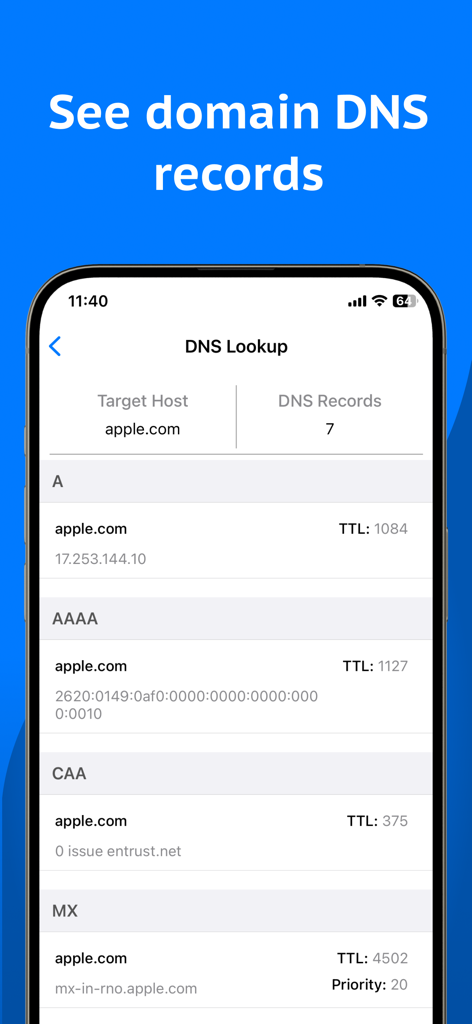
Network Analyzer 앱을 사용하여 apple.com에 대한 DNS 레코드를 표시하는 스마트폰 화면
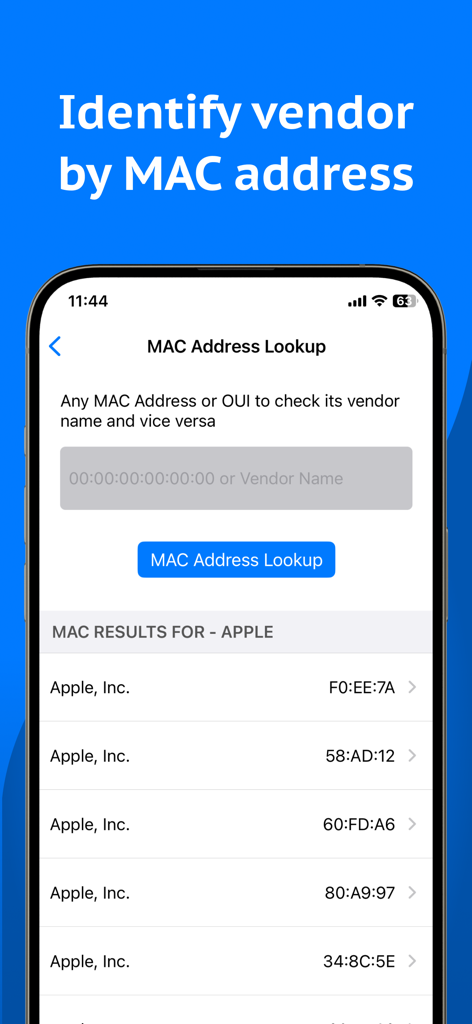
Network Analyzer 앱의 MAC 주소 조회 기능을 사용하여 하드웨어 공급업체를 식별하는 인터페이스
디지털 환경을 마스터하세요
이 앱을 돋보이게 하는 도구, 6K+ 명의 사용자가 선택.
🛡️
즉각적인 네트워크 감사
연결된 모든 장치를 식별하고 보안 사각지대를 제거하여 가정 또는 사무실 네트워크를 비공개로 안전하게 유지하세요.
⚡
정밀 성능 측정
원격 근무, 4K 스트리밍 및 게임에 최적화된 고정밀 속도 테스트 및 ping 진단으로 지연을 제거하세요.
🛠️
전문가 수준의 문제 해결
Visual Traceroute 및 Port Scanning을 포함한 프로 도구의 완전한 스위스 군용 칼로 IT 전문가처럼 연결 문제를 해결하세요.
앱 소개
에 대해 알아야 할 모든 것 Network Analyzer: WiFi Scanner.
설명
Network Analyzer is an advanced network tool designed as WiFi analyzer, WiFi scanner, network scanner, WiFi speed test, internet speed test and port scanner to troubleshoot and improve network security, connectivity issues and performances. It also offers a wide range of features to assist in diagnosing the problems within your office and home WiFi/local network, router, Internet connection and even on remote servers. All the Key features include: Network Information: - Current connection with default gateway, HTTP Proxy, external IP, DNS server(s), ISP name - Provides WiFi information & analysis with network details (SSID, BSSID, vendor, IP address, IPv6 address, subnet mask, broadcast, WiFi security type) - Shows cell/mobile network information (network type, IP Address, IPv6 address, subnet mask) - VPN and HOTSPOT Network Information - Internet Information (AS Number, AS Name, Public Address, Hostname, Time Zone, Location with MAP) - Monitors WiFi, cellular, vpn & hotspot data usage - Network Interface of your device - Real time internet speed meter - Network routing tables Device Discovery (LAN / IP Scanner): - WiFi analyzer and Scanner to detect all online devices connected to the network - Provides IP addresses of all detected devices - Identifies mDNS (Bonjour), netBIOS, UPnP and DNS names where available - Conducts ping tests on discovered devices - Device details (Manage device, Local service discovery and Network details) - WiFi Network details (Access points, Network setup) - Discover online devices in home and office WiFi network Network Tools: Our advanced network tools are used to verify internet performance, improve network security, troubleshoot and monitor network and more - - Internet speed test / WiFi speed test - Ping - Wake on LAN (WOL) - Whois - Traceroute (Including Visual Trace) - Find open ports - Router vulnerability - Privacy Analyzer - SSL Certificate Checker - IP Address Lookup - DNS Speed Test - DNS Lookup (A, AAAA, CAA, MX,NS, TXT more) - MAC Address Lookup (Including MAC address, OUI and Vendor name) Local Service Discovery: - Bonjour services browser - UPnP services and device browser *** Light/Dark appearance supported Network Analyzer: WiFi Scanner is an essential net tools and network analyzer for anyone looking forward to managing and troubleshooting their network efficiently. Privacy Policy: https://networkanalyzer.io/privacy-policy Terms of Use: https://networkanalyzer.io/terms-of-service
최신 버전
1.1.10
크기
49.3 MB
출시일
2024년 1월 6일
오늘 네트워크를 완벽하게 제어하세요
수천 명의 기술 전문가 및 DIY 최적화 사용자와 함께 WiFi 진단, 보안 스캔 및 성능 마스터를 위한 최고의 툴킷을 사용하세요.
App information, icons, screenshots, and descriptions displayed on this page are sourced from the Apple App Store and are the property of their respective developers. Download estimates and rankings are based on MWM's proprietary models and may not reflect actual figures. This page is provided for informational and analytical purposes only.
Believe this page infringes your intellectual property? File a dispute