Network Monitor Pro

Network Monitor Pro

다운로드: App Store
로고: Network Monitor Pro

Network Monitor Pro: 실시간으로 연결을 마스터하세요

실시간 속도 추적, 스마트 이상 징후 알림, 아름다운 iOS 위젯으로 인터넷을 완벽하게 제어하세요. 정밀도와 개인 정보 보호를 요구하는 파워 유저를 위해 제작되었습니다.

다운로드: App Store

개발사

JAVIER GONZALEZ CASARES

카테고리

Utilities

다운로드

0

사용자 평점

1.0/5

총 평가 수

0

지원 언어

1

눈에 보이는 성능

이 인터페이스를 사용하는 0 명의 사용자.

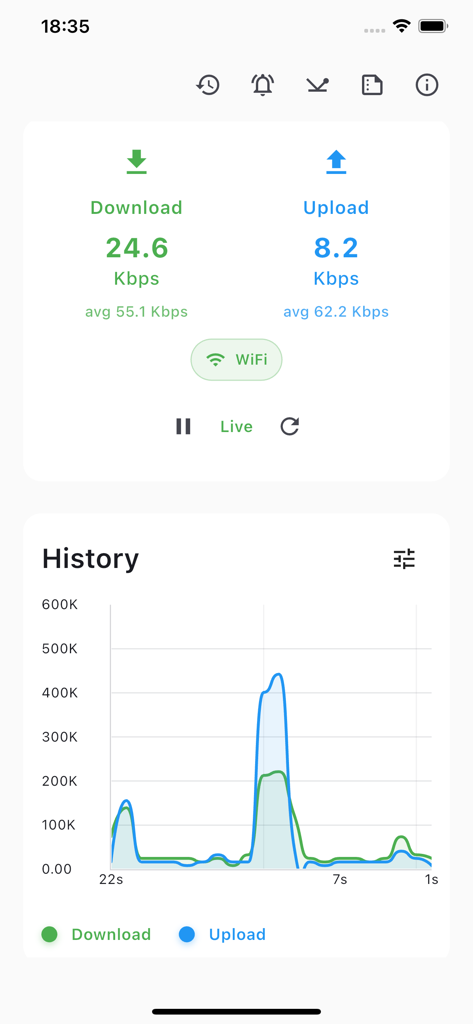
Network Monitor Pro 인터페이스에 iOS에서 과거 성능 그래프와 함께 실시간 다운로드 및 업로드 속도가 표시됩니다.

Network Monitor Pro 인터페이스에 iOS에서 과거 성능 그래프와 함께 실시간 다운로드 및 업로드 속도가 표시됩니다.

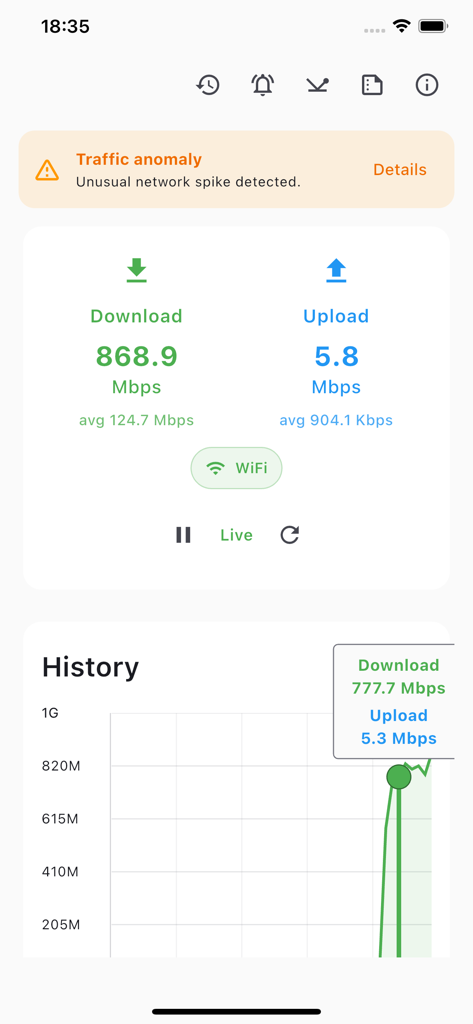
트래픽 이상 징후 알림과 함께 실시간 다운로드 및 업로드 속도를 표시하는 Network Monitor Pro 앱의 대시보드.

트래픽 이상 징후 알림과 함께 실시간 다운로드 및 업로드 속도를 표시하는 Network Monitor Pro 앱의 대시보드.

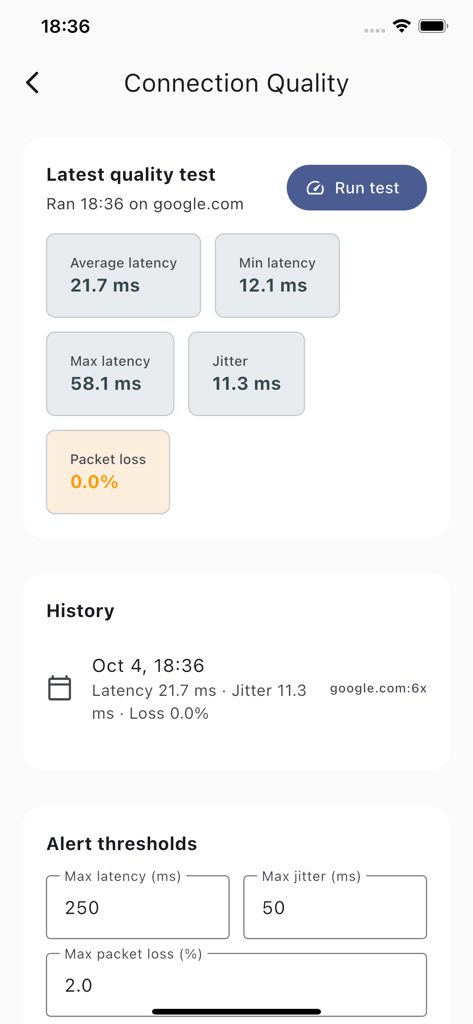
지연 시간 지터 및 패킷 손실 통계를 표시하는 Network Monitor Pro의 연결 품질 대시보드

지연 시간 지터 및 패킷 손실 통계를 표시하는 Network Monitor Pro의 연결 품질 대시보드

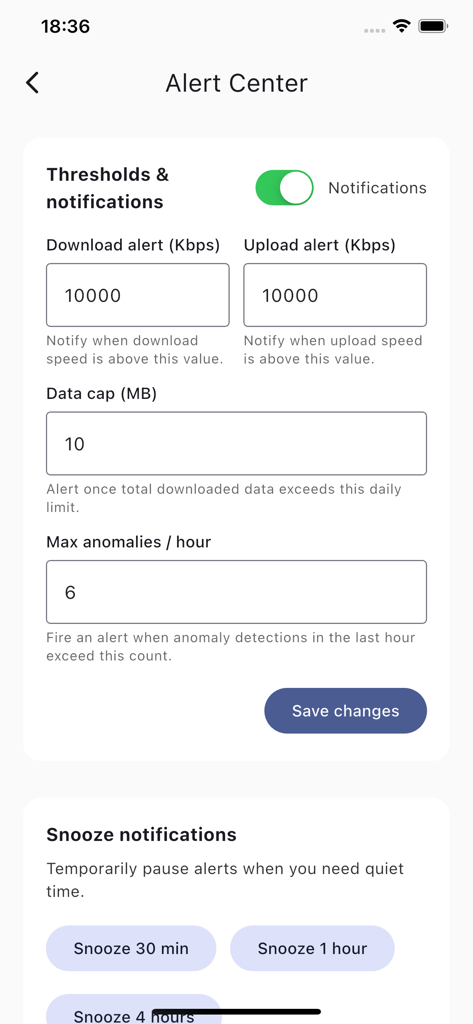
네트워크 속도 임계값 및 데이터 제한 설정을 위한 Network Monitor Pro 경고 센터 화면.

네트워크 속도 임계값 및 데이터 제한 설정을 위한 Network Monitor Pro 경고 센터 화면.

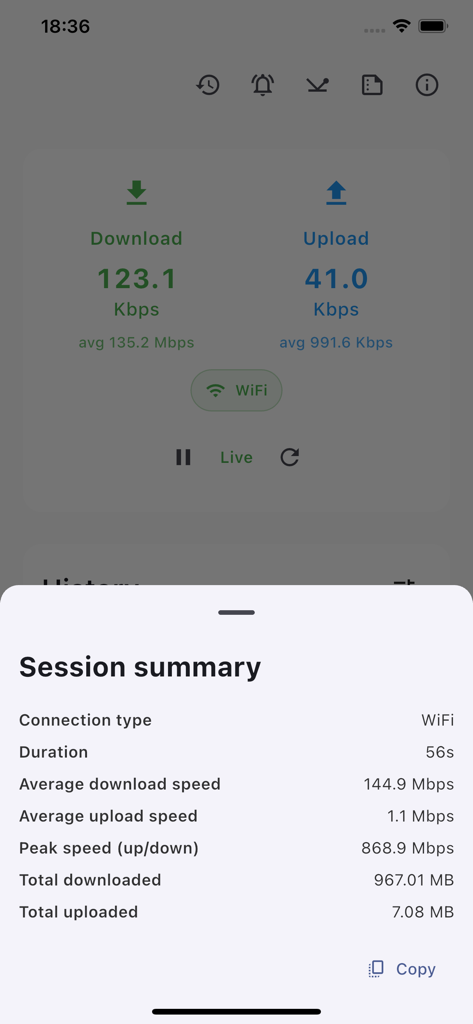
자세한 WiFi 성능 및 데이터 사용량을 보여주는 Network Monitor Pro 세션 요약

자세한 WiFi 성능 및 데이터 사용량을 보여주는 Network Monitor Pro 세션 요약

연결성을 마스터하세요

이 앱을 돋보이게 하는 도구, 0 명의 사용자가 선택.

실시간 속도 대시보드

전문적인 작업 흐름에 맞는 세련된 차트와 사용자 정의 가능한 홈 화면 위젯으로 성능을 실시간으로 확인하세요.

🔍

지능형 이상 징후 알림

연결이 느린 이유를 추측하지 마세요. 성능이 기준치 이하로 떨어지면 즉시 알림을 받아 즉시 문제를 해결할 수 있습니다.

🔒

디자인에 따른 절대적 개인 정보 보호

네트워크 통계는 귀하의 비즈니스입니다. 모든 데이터는 iPhone에서 로컬로 처리되므로 측정값과 사용량이 기기를 벗어나지 않습니다.

앱 소개

에 대해 알아야 할 모든 것 Network Monitor Pro.

설명

Network Monitor gives you a clear, real‑time view of your internet connection—so you always know what’s happening with your Wi‑Fi or cellular data. See download and upload speeds live, track today’s usage, spot performance drops instantly with smart anomaly detection, and run scheduled quality checks that notify you when something’s off. All with a clean, modern design and a handy Home Screen widget. What you’ll love Live speed meters: Watch download and upload speeds update in real time with a smooth, readable chart. At‑a‑glance clarity: Instantly see your connection type (Wi‑Fi or Cellular), today’s total data usage, peak speed, and session averages. Smart anomaly alerts: Get alerted when your connection suddenly drops or spikes compared to your recent baseline. Background quality tests: Schedule periodic connection checks and receive a notification with results—no need to keep the app open. Home Screen widget (iOS): View current speeds, averages, usage, and status right from your Home Screen in small or medium sizes. Pause anytime: Temporarily pause/resume monitoring with a tap when you don’t want to sample in the background. Beautiful, lightweight UI: Minimal, responsive design that looks great in Light and Dark Mode. Privacy‑first by design: Your network stats are processed on‑device and are not shared. Why Network Monitor Actionable insights: It doesn’t just show numbers— it highlights unusual behavior, so you know when to investigate your network. Made for everyday use: Clean visuals, clear labels, and a simple widget make it effortless to keep tabs on your connection.

최신 버전

1.0.1

크기

22.4 MB

출시일

2025년 10월 6일

네트워크 성능을 마스터하세요

실시간 추적, 스마트 알림, 개인 정보 보호 우선 인사이트로 연결을 최적화하는 파워 유저 커뮤니티에 참여하세요. 지금 바로 모니터링을 시작하세요.

다운로드: App Store

App information, icons, screenshots, and descriptions displayed on this page are sourced from the Apple App Store and are the property of their respective developers. Download estimates and rankings are based on MWM's proprietary models and may not reflect actual figures. This page is provided for informational and analytical purposes only.

Believe this page infringes your intellectual property? File a dispute