AI 기반 마스킹, 데스크톱급 조정 및 유연한 저장 옵션으로 워크플로우를 완벽하게 제어하세요. 강제 구독 없이 Apple 생태계를 위해 구축된, 노골적이고 고성능 편집기를 경험해 보세요.
개발사
Gentlemen Coders, LLC
카테고리
Photo & Video
다운로드
1K+
사용자 평점
4.7/5
총 평가 수
100
지원 언어
7
전문가 수준의 제어, 시각화
이 인터페이스를 사용하는 1K+ 명의 사용자.
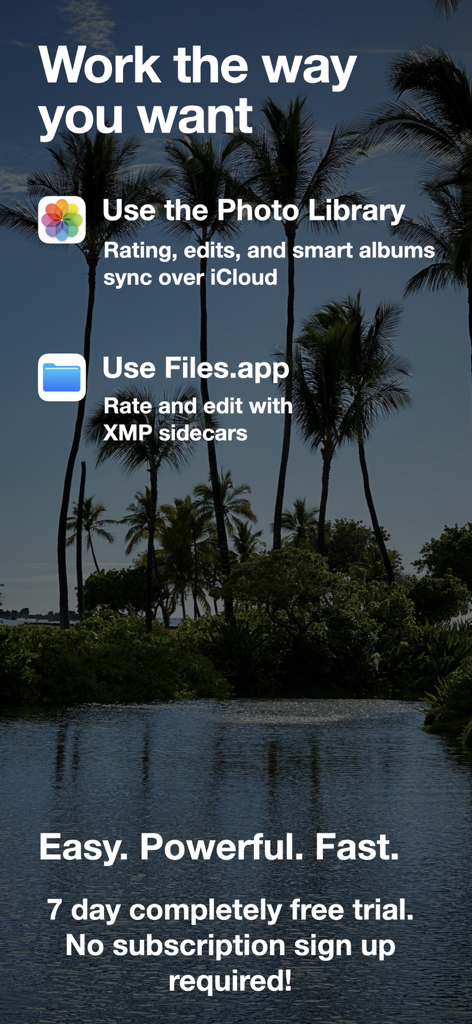
Nitro Photo 앱 화면에 사진 라이브러리 통합 및 xmp 사이드카를 지원하는 파일 앱에 대한 옵션이 표시됩니다.
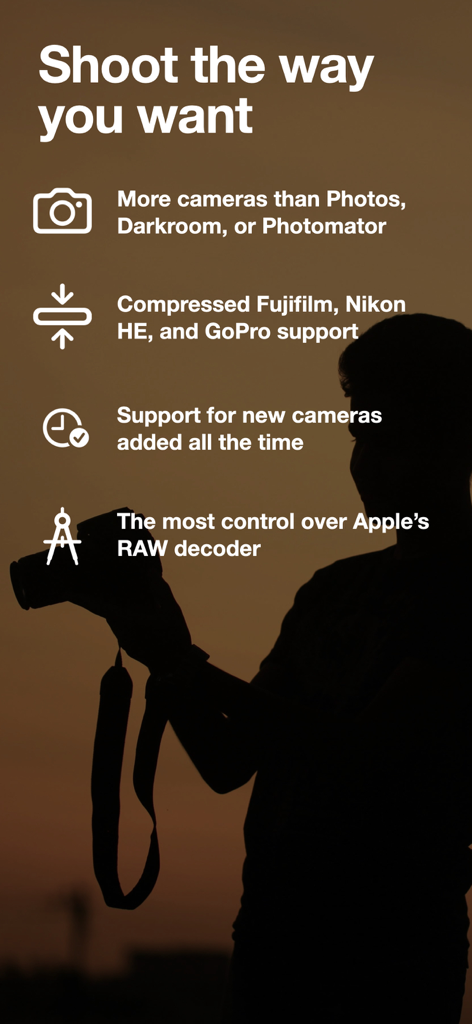
Nitro Photo 앱 화면에 Fujifilm 및 Nikon RAW를 포함한 전문 카메라 형식에 대한 지원이 강조 표시됩니다.
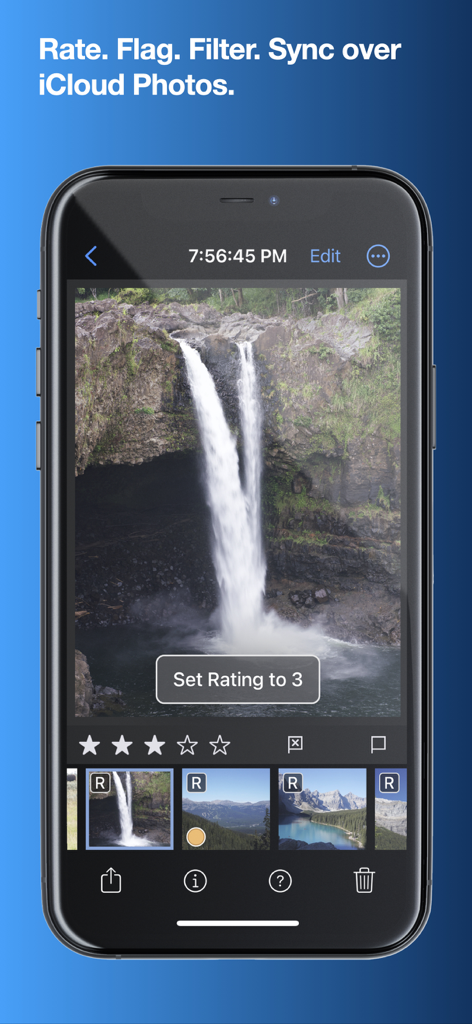
Nitro Photo 앱 인터페이스(iPhone)로 RAW 이미지의 등급을 매기고 구성합니다.
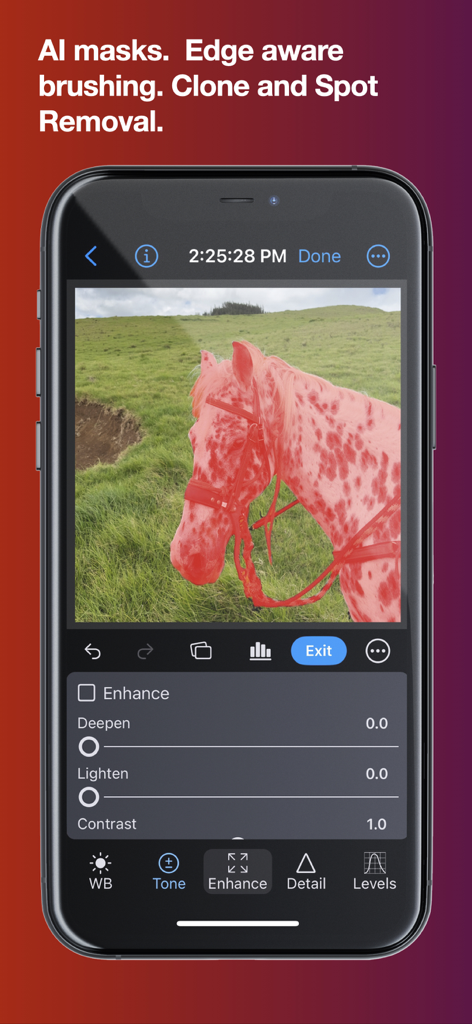
전문적인 편집 컨트롤이 있는 말 사진에 AI 마스킹을 표시하는 Nitro Photo 앱(iPhone) 인터페이스
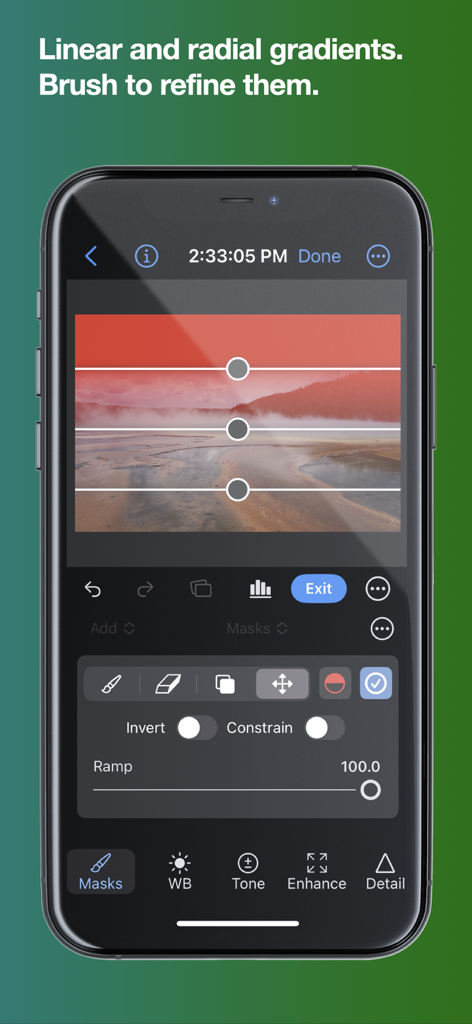
풍경 사진에 선형 그라디언트 마스크를 적용하는 Nitro Photo 앱(iPhone)
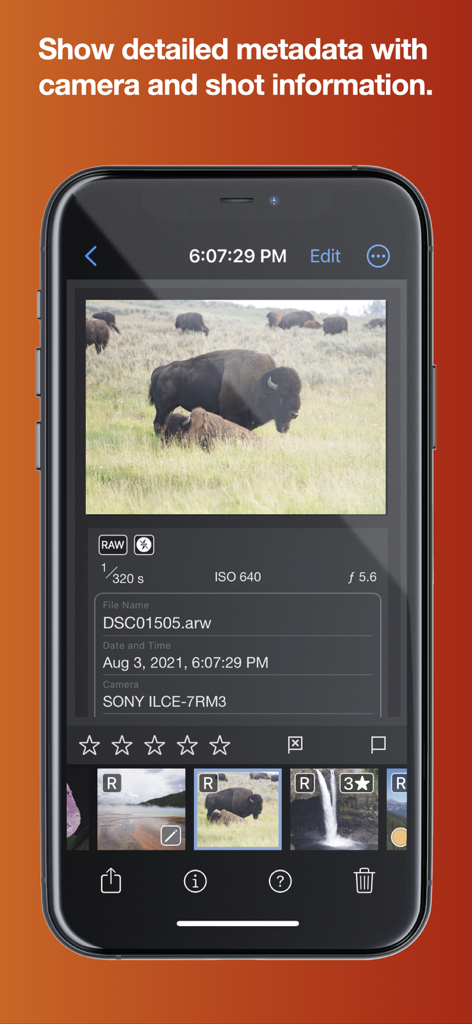
RAW 이미지에 대한 자세한 카메라 메타데이터 및 촬영 정보를 보여주는 Nitro Photo 앱 인터페이스
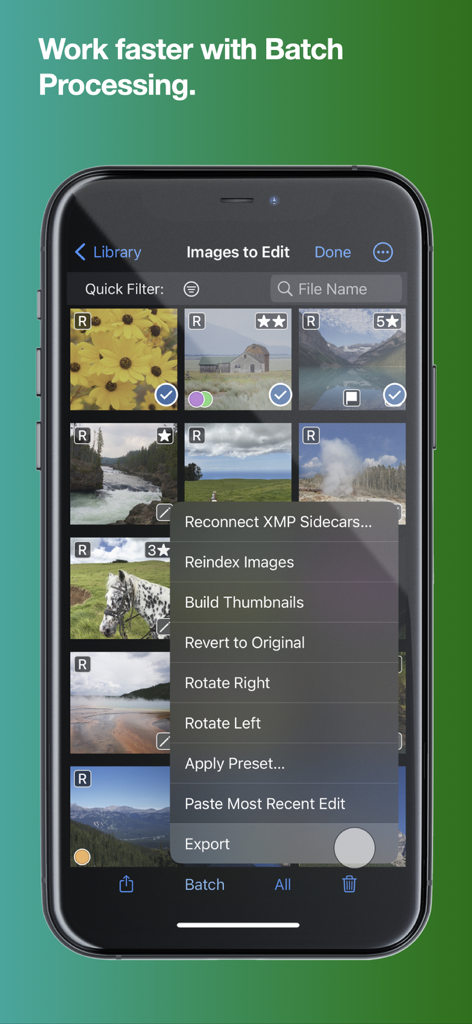
회전, 사전 설정 적용, 이미지 내보내기와 같은 옵션이 있는 Nitro Photo 앱의 일괄 처리 메뉴를 보여주는 스마트폰
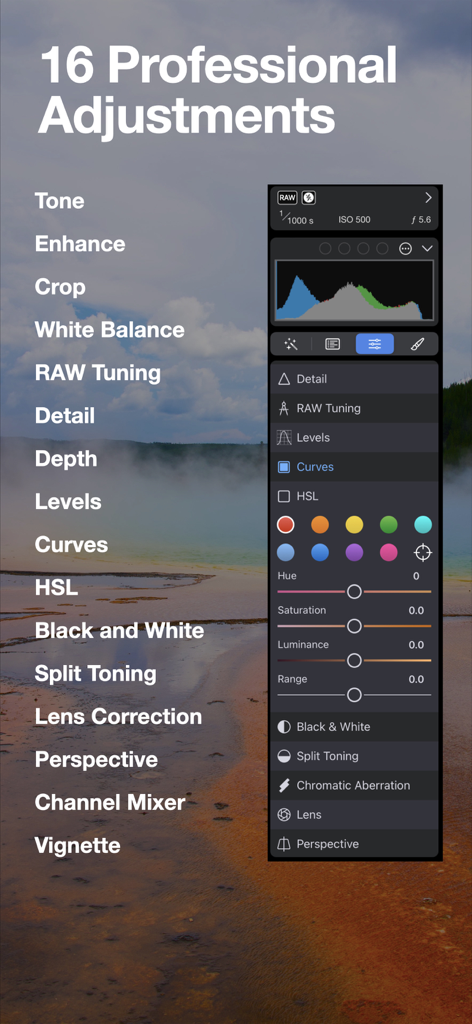
HSL 및 곡선을 포함한 16가지 전문 조정 기능을 보여주는 Nitro Photo 앱
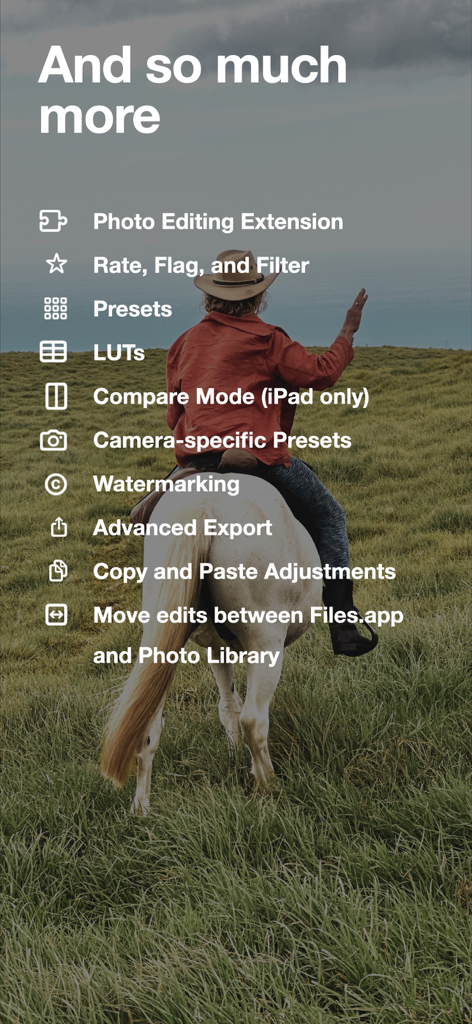
말을 탄 사람 이미지 위에 표시되는 Nitro Photo 앱의 고급 사진 편집 기능 목록
마찰 없는 전문가 수준의 성능
이 앱을 돋보이게 하는 도구, 1K+ 명의 사용자가 선택.
📸
고급 RAW 제어
Fujifilm, Nikon HE, GoPro RAW에 대한 엘리트 지원으로 기본 필터를 뛰어넘으세요. iOS에서 가장 정밀한 RAW 디코더 제어가 특징입니다.
📂
유연한 저장 공간 및 XMP
고립된 라이브러리에서 벗어나세요. Files.app 또는 외장 드라이브에서 직접 편집하고, 기기 간에 동기화되는 비파괴 XMP 사이드카를 사용하세요.
🪄
AI 기반 정밀도
AI 마스킹으로 피사체를 즉시 분리하고, 레벨, 곡선, HSL을 포함한 16가지 전문가 조정 기능을 사용하여 비전을 다듬으세요.
앱 소개
에 대해 알아야 할 모든 것 Nitro Photo.
설명
Introducing Nitro, the brand new photo editor and manager from the developer of RAW Power. Nitro is designed for every photographer and every photograph. Try Nitro for free for 7 days without any obligation. No subscription signup, no nonsense. Requires iOS 16 or later. Easy, Powerful, Fast. Built with the latest technologies, Nitro has exceptional integration with iOS, including the most control over Apple’s RAW decoder. Its combination of flexible storage options, camera support, and editing tools is unmatched by any app. If you liked Aperture or RAW Power, you’ll love Nitro. Flexible Storage Options * Store your images in Files.app, external storage, or use Apple’s Photo Library * Rate, flag, and filter your images by 11 criteria, including rating, orientation and file type * With Photos, ratings, edits, and smart albums sync over iCloud * With Files.app and external storage, ratings and edits are stored in XMP sidecars * Move originals, ratings, and edits between the Photo Library and Files.app Thoughtful purchasing and trial options * Try the app with absolutely no obligation. No signup, no unexpected charges. * Buy the app once, or get an inexpensive monthly and annual plan * All purchases include all platforms: macOS, iPhone, and iPad! Stop waiting for camera support * Supports more cameras than Photos, Darkroom, or Photomator, including compressed Fujifilm, Nikon HE and GoPro RAWs * By far, the most control over Apple’s RAW decoder. Fine tune your RAWs with noise reduction, moire, ProRAW tone mapping, and more. Seeing is Believing * View detailed metadata side-by-side * Synchronized Pan and Zoom of up to 4 images at once (iPad only) * Comparison mode helps you pick your favorites from a burst * Light and Dark user interface modes Masking with AI * AI-generated masks to quickly isolate a subject or background * Linear and radial gradients with invert and control over the ramp * Brushes provide full control over your mask, including softness, strength, and size * Edge Aware brushes automatically follow contours * Fine tune AI and gradients with brushes for maximum control Quick Fixes * Clone * Spot/Wire Removal * Highlight Recovery * Auto Enhance 16 Professional Adjustments * Tone, Enhance, White Balance, RAW * Crop, Lens Correction, Perspective * Levels, Curves, HSL, Split Toning * Detail, Depth, Black and White, Vignette, Channel Mixer * Apply most adjustments to masks including Levels, Curves, Blur, HSL, and Fringe control Presets, LUTs, and Copy/Paste * Quickly enhance images with a large set of presets and LUTs * Import your own LUTs and make your own presets * Advanced Copy and Paste of adjustments * Camera presets let you apply adjustments automatically by camera model Do More with the Photo Library * Make Smart Albums with complex queries * Search by file name, file type (including RAW+JPEG), and more * Sync everything over iCloud * Edit inside Nitro or with the included Photo Editing Extension Do More with the File System * Rate, flag, and edit non-destructively * All data is stored in XMP sidecars next to your originals * Search by file name, camera, lens, ISO, and more Workflow the way you want * Batch processing of presets, rotation and export * Export with control over size, compression, format, and metadata * Launch other apps after export for custom workflows * Integrated watermarking with both images and text * RAW Power edits are 100% compatible with Nitro After the trial, you need to purchase the app or subscribe to use all the features. Privacy Policy: https://www.iubenda.com/privacy-policy/68647707 Terms of Use: http://www.apple.com/legal/itunes/appstore/dev/stdeula
최신 버전
2026.1
크기
111.8 MB
출시일
2024년 3월 12일
전문가 수준의 워크플로우를 시작할 준비가 되셨나요?
지금 바로 7일 무료 체험을 시작하세요. iPhone, iPad, Mac 전반에 걸쳐 탁월한 RAW 제어와 유연한 저장 공간을 경험해 보세요.
App information, icons, screenshots, and descriptions displayed on this page are sourced from the Apple App Store and are the property of their respective developers. Download estimates and rankings are based on MWM's proprietary models and may not reflect actual figures. This page is provided for informational and analytical purposes only.
Believe this page infringes your intellectual property? File a dispute