Note Widget

Note Widget

다운로드: App Store
로고: Note Widget

Note Widget: iPhone에 완벽하게 맞춰진 사용자 지정 메모

홈 화면을 영감과 생산성의 개인화된 허브로 바꿔보세요. 사용자 지정 글꼴, 색상 및 Markdown을 사용하여 독특한 모양의 아름다운 텍스트 위젯을 디자인하세요.

다운로드: App Store

개발사

Francis Bonnin

카테고리

Utilities

다운로드

13K+

사용자 평점

4.4/5

총 평가 수

100

지원 언어

8

당신의 홈 화면, 재해석되다

이 인터페이스를 사용하는 13K+ 명의 사용자.

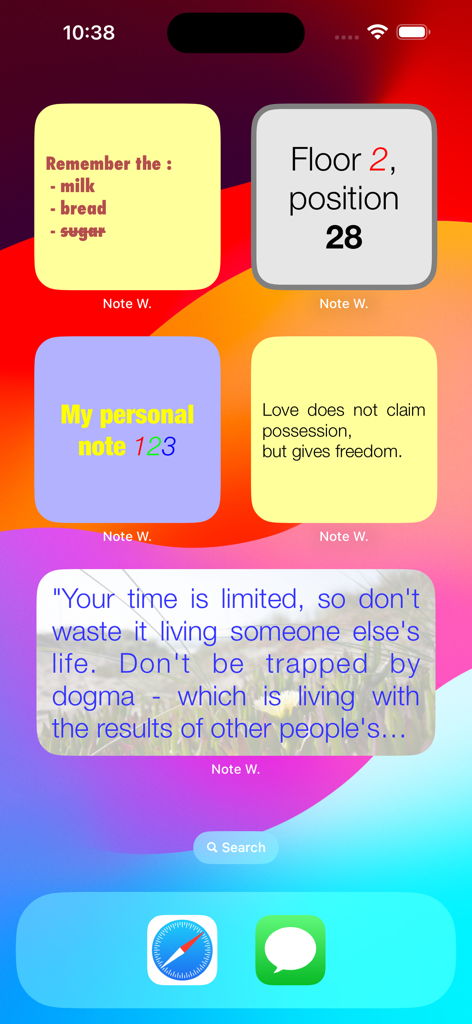
다양한 색상의 맞춤 설정된 iPhone 홈 화면에 목록과 인용구가 있는 메모 위젯 표시

다양한 색상의 맞춤 설정된 iPhone 홈 화면에 목록과 인용구가 있는 메모 위젯 표시

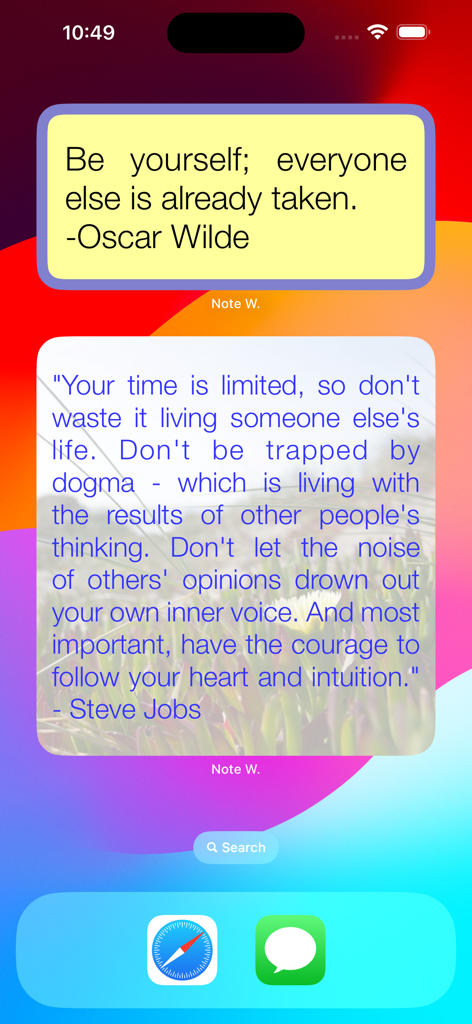
영감을 주는 인용구를 표시하는 iPhone 홈 화면의 두 가지 맞춤 설정된 메모 위젯

영감을 주는 인용구를 표시하는 iPhone 홈 화면의 두 가지 맞춤 설정된 메모 위젯

맞춤 글꼴과 색상으로 식료품 목록과 영감을 주는 인용구를 표시하는 맞춤 설정된 iOS 위젯 그룹

맞춤 글꼴과 색상으로 식료품 목록과 영감을 주는 인용구를 표시하는 맞춤 설정된 iOS 위젯 그룹

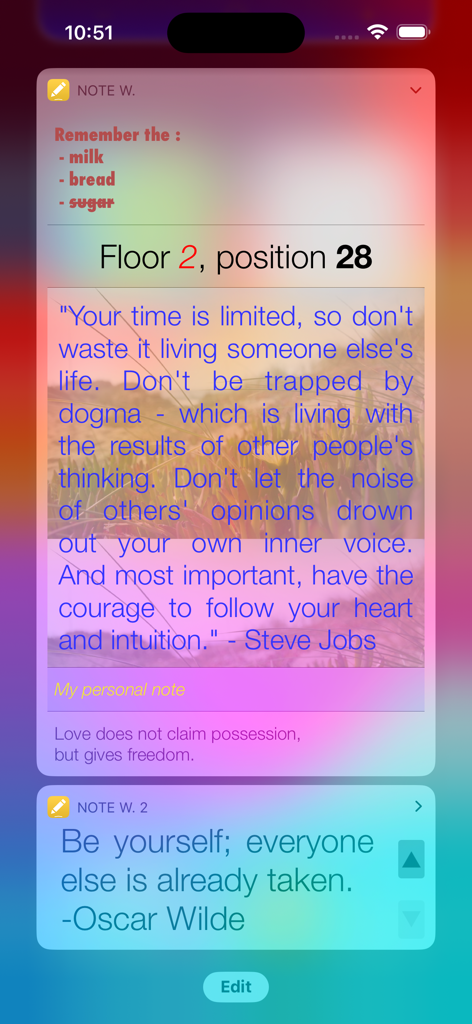
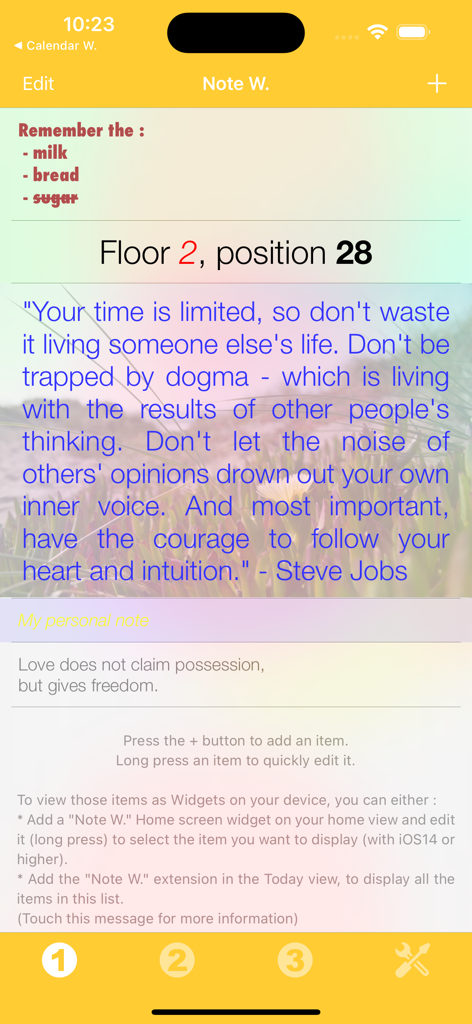
식료품 목록, 주차 위치 알림, 맞춤 색상 및 글꼴의 영감을 주는 스티브 잡스 인용구를 보여주는 Note Widget 인터페이스

식료품 목록, 주차 위치 알림, 맞춤 색상 및 글꼴의 영감을 주는 스티브 잡스 인용구를 보여주는 Note Widget 인터페이스

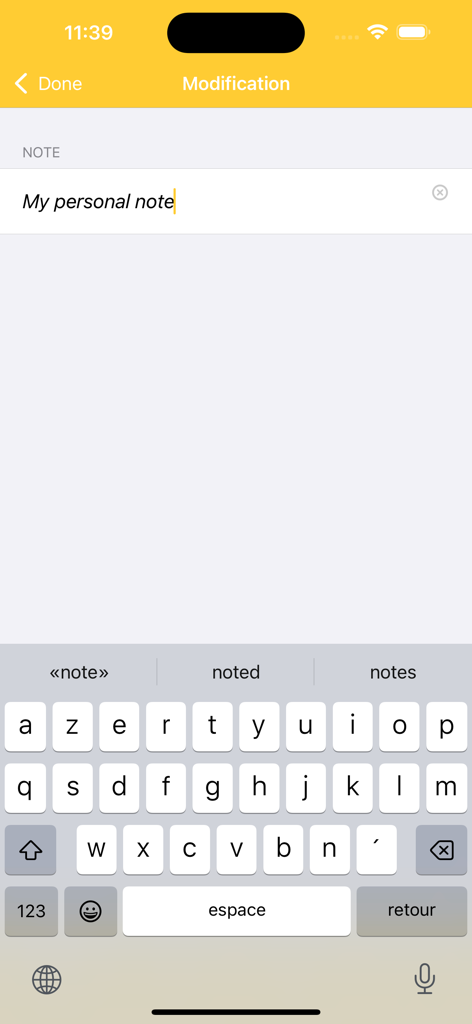
텍스트 입력 필드와 모바일 키보드를 보여주는 Note Widget 앱의 편집 인터페이스

텍스트 입력 필드와 모바일 키보드를 보여주는 Note Widget 앱의 편집 인터페이스

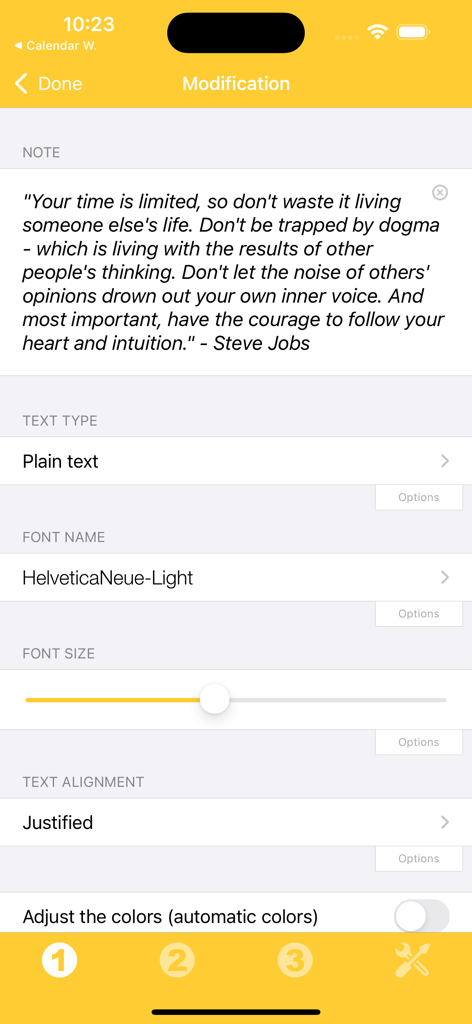
메모 위젯 글꼴 크기 및 정렬 설정을 편집하기 위한 사용자 지정 인터페이스

메모 위젯 글꼴 크기 및 정렬 설정을 편집하기 위한 사용자 지정 인터페이스

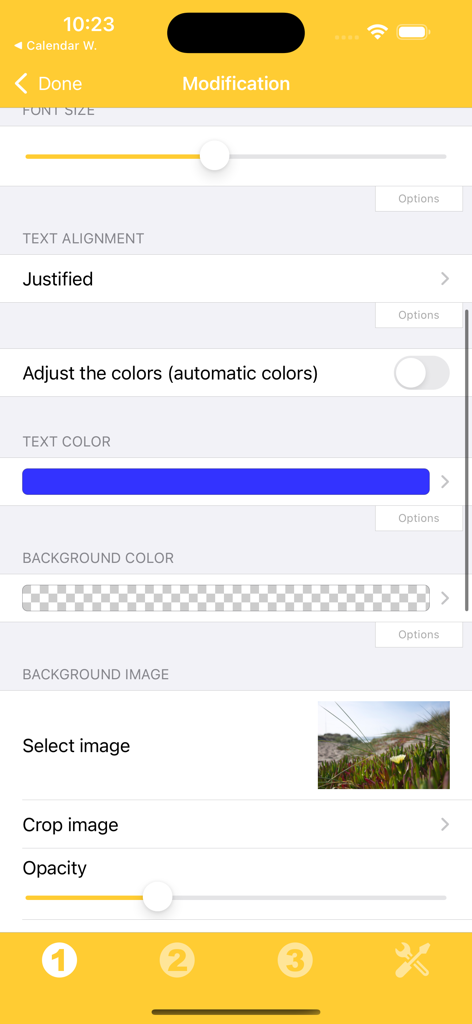
메모 위젯 텍스트 정렬, 색상 및 배경 이미지를 사용자 지정하기 위한 인터페이스

메모 위젯 텍스트 정렬, 색상 및 배경 이미지를 사용자 지정하기 위한 인터페이스

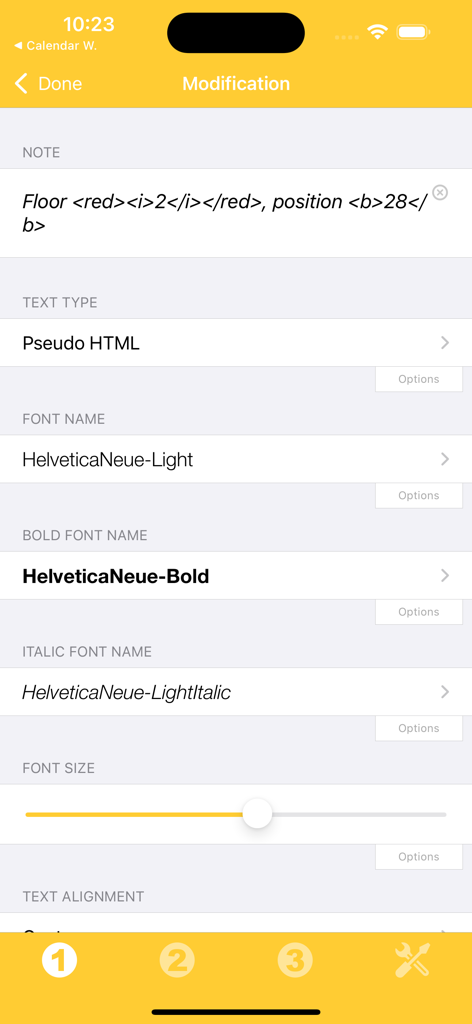
유사 HTML 글꼴 선택 및 크기 조정을 포함한 텍스트 서식 옵션을 보여주는 Note Widget 앱 인터페이스

유사 HTML 글꼴 선택 및 크기 조정을 포함한 텍스트 서식 옵션을 보여주는 Note Widget 앱 인터페이스

당신의 정보, 당신의 스타일

이 앱을 돋보이게 하는 도구, 13K+ 명의 사용자가 선택.

🎨

당신의 미학에 맞춰보세요

기본 메모를 넘어서세요. 글꼴, 색상 및 정렬을 사용자 지정하여 위젯이 당신의 독특한 iPhone 테마를 완벽하게 보완하도록 만드세요.

한눈에 보는 정보

간단한 스와이프로 미리 알림 또는 인용구에 액세스하세요. 시간을 절약하고 앱 피로를 줄이기 위해 홈 화면에서 직접 편집하세요.

✍️

프로 수준의 서식

Markdown과 유사 HTML을 사용하여 풍부하고 스타일이 지정된 텍스트를 만드세요. 중요한 세부 정보를 강조 표시하거나 복잡한 일일 목록을 구성하는 데 적합합니다.

앱 소개

에 대해 알아야 할 모든 것 Note Widget.

설명

Those Widgets are compatible with the new iOS 14 Home Screen Widgets. Thanks to this application (and the other Widget apps from PacoLabs), you can now customize the Today view of your device, by adding custom widgets for some specific purposes. From anywhere in your device, with a simple top to bottom swipe, you'll have access to your own information and actions. Each Note widget allows to view user defined text. This is perfect to quickly view and edit some notes and reminders or to give you inspiration with your favourite quotes. The text can be displayed in different ways (by changing the size, the font, the color, the alignment). Markdown and pseudo HTML are partially handled and allows to easily add some specific colors and text formatting. The text can be quickly edited by touching it. The application is really easy to use and is adapted to the fresh look of your device. Dark mode of iOS13 is supported. You can add as many widgets as you want and they will be displayed in up to 3 different lists. Those same lists will be available in the Today view and in the application (although it is possible, if you want, to hide some widgets in the Today view). To avoid overloading the Today view, when too many widgets are displayed, an intuitive control will allow you to navigate from one widget to another. Even if the main purpose of the app is to view the widgets in the Today view, it can also be very handy to view them directly in the application (a long press on a widget in the Today view will open it directly in the main application).

최신 버전

6.2

크기

14.3 MB

출시일

2014년 11월 2일

당신의 홈 화면을 진정으로 당신의 것으로 만드세요

맞춤형 위젯으로 생산성을 향상시킨 13,000명 이상의 사용자와 함께하세요. 지금 Note Widget을 다운로드하고 스타일을 갖추어 삶을 정리하세요.

다운로드: App Store

App information, icons, screenshots, and descriptions displayed on this page are sourced from the Apple App Store and are the property of their respective developers. Download estimates and rankings are based on MWM's proprietary models and may not reflect actual figures. This page is provided for informational and analytical purposes only.

Believe this page infringes your intellectual property? File a dispute