OCR Text Scanner – Text reader

OCR Text Scanner – Text reader

다운로드: App Store
로고: OCR Text Scanner – Text reader

OCR 텍스트 스캐너 – 텍스트 리더: 실물 문서를 편집 가능한 디지털 텍스트로 손쉽게 변환

수동 데이터 입력에 시간을 낭비하지 마세요. 전문 등급 OCR을 사용하여 몇 초 안에 사진 또는 문서에서 텍스트를 스캔, 추출 및 직접 PDF로 내보낼 수 있습니다.

다운로드: App Store

개발사

David Serrano Canales

카테고리

Utilities

다운로드

1K+

사용자 평점

4.7/5

총 평가 수

100

지원 언어

9

효율적인 작동

이 인터페이스를 사용하는 1K+ 명의 사용자.

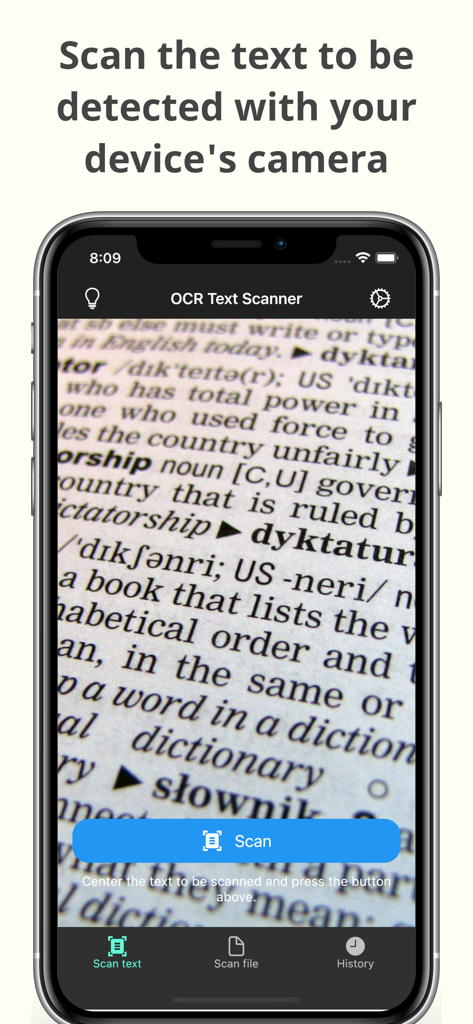
OCR 텍스트 스캐너 앱 카메라 인터페이스가 문서에서 텍스트를 스캔하고 있습니다.

OCR 텍스트 스캐너 앱 카메라 인터페이스가 문서에서 텍스트를 스캔하고 있습니다.

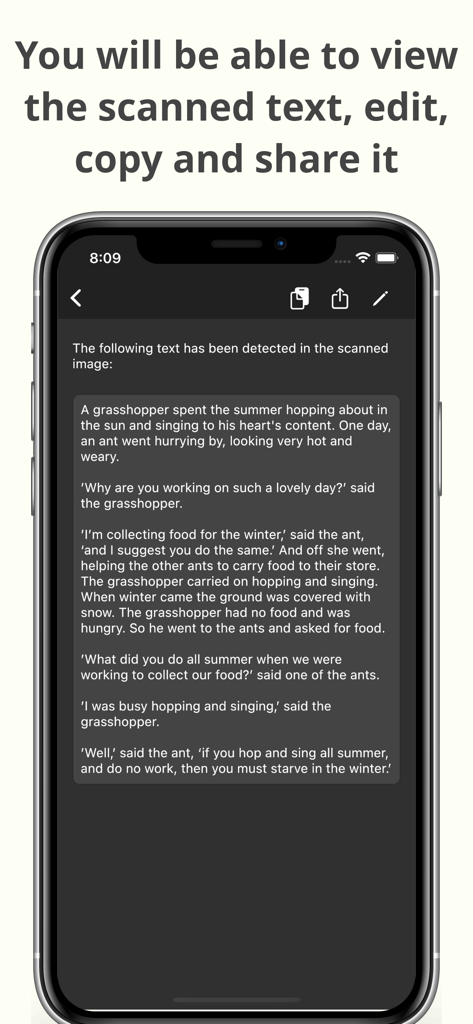
OCR 텍스트 스캐너 앱 내에서 편집, 복사 및 공유 옵션이 있는 스캔된 텍스트를 표시하는 스마트폰.

OCR 텍스트 스캐너 앱 내에서 편집, 복사 및 공유 옵션이 있는 스캔된 텍스트를 표시하는 스마트폰.

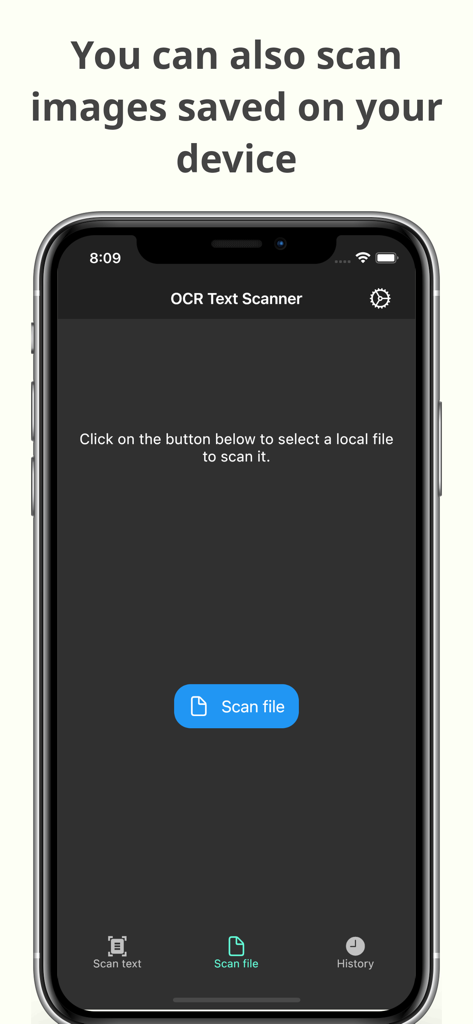
OCR 텍스트 스캐너 앱 인터페이스가 장치에 저장된 이미지를 스캔하여 텍스트 인식을 수행하는 기능을 보여줍니다.

OCR 텍스트 스캐너 앱 인터페이스가 장치에 저장된 이미지를 스캔하여 텍스트 인식을 수행하는 기능을 보여줍니다.

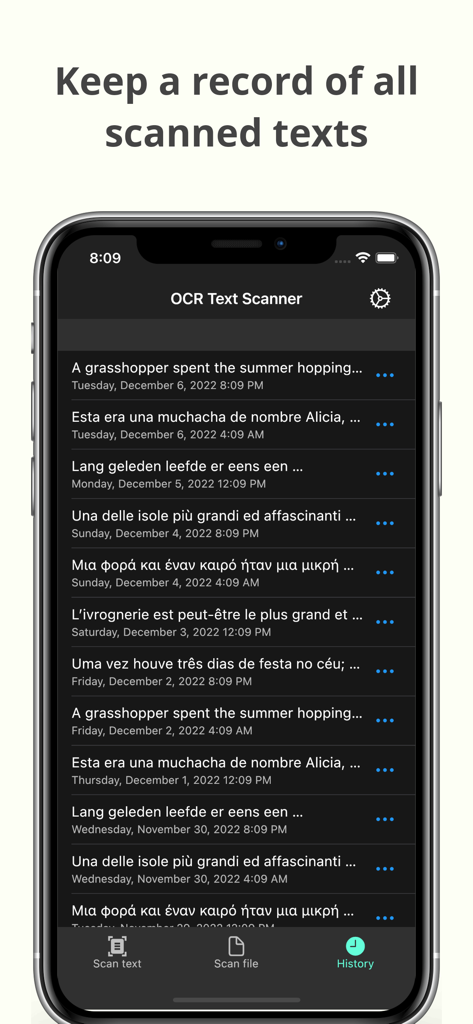
OCR 텍스트 스캐너 앱의 기록 화면이 날짜별로 기록된 텍스트 스캔 목록을 보여줍니다.

OCR 텍스트 스캐너 앱의 기록 화면이 날짜별로 기록된 텍스트 스캔 목록을 보여줍니다.

실물 문서를 디지털 자산으로 전환

이 앱을 돋보이게 하는 도구, 1K+ 명의 사용자가 선택.

즉각적인 텍스트 추출

사진을 찍어 업계 최고 수준의 정확도로 책, 문서 또는 화이트보드에서 텍스트를 추출하세요.

📲

즉시 복사 및 공유

데이터를 필요한 곳으로 이동하세요. 스캔한 텍스트를 이메일, 메모 또는 프로젝트 관리 도구로 직접 보내세요.

🗂️

자동 아카이브 및 PDF

전체 스캔 기록에 액세스하고 깔끔하고 종이 없는 워크플로를 위해 전문적인 PDF를 생성하세요.

앱 소개

에 대해 알아야 할 모든 것 OCR Text Scanner – Text reader.

설명

OCR Text Scanner is an OCR reader (Optical Character Recognition) that will allow you to scan texts from the physical world with your device's camera and convert them to digital format quickly and easily. Features: - Image to text: scan any text with the camera and get its digital representation - You can also scan local images of your device to convert any picture to text - Copy, edit, and share all the texts you have scanned - Convert text scanned with the OCR reader to a PDF file - Review any text previously recognized with the OCR scanner in the History section > How does this application work? To start text scanning, all you have to do is open the application, which by default will open with the camera scanner ready to scan text. From there you just have to point at the text you want to scan and press the “Scan” button. The app will show you a preview of the captured image, at this point you can choose to scan only a fraction of the taken image if you don't want to scan it all. The application will then proceed to perform text recognition and show you the recognized characters, allowing you to go from image to text quickly and easily. > Can I convert an existing picture to text? Of course! To do a photo to text conversion, go to the image scanning section and press the button to choose an image. A selector will open where you can choose which pre-existing image from your device you want to scan. From this point the process is exactly the same as when scanning with the camera: you will be shown a preview of the image where you can choose to scan it all or just a fraction, then the text recognition will start and you will be shown the recognized characters. > What can I do with scanned texts? After using the Text Scanner function to recognize text, it will be displayed on the screen. Here you can edit the recognized text to make any corrections you deem appropriate. You can then copy that text to use it in any other application on your device, as well as share it with other people or applications through the sharing option. Additionally, users who have subscribed to the Premium membership can also automatically convert scanned text into a PDF file. > Is there any type of record of the scanned texts? Yes. All texts that have been scanned with the Text Reader function, regardless of whether they were scanned with your device's camera or by image file recognition, are stored in the History section. Go to this section to see all these texts and click on any of them to see their details, copy it, share it, or export it to a file in PDF format. Here you can also delete texts that you no longer want to keep. In short, OCR Text Scanner is your trusted OCR scanner that will allow you to convert any picture to text that you can capture with your camera or from any image you have, it will allow you to perform all the appropriate actions on them and give you all the power of digitization within your mobile device. Download now to start digitizing text!

최신 버전

1.15.0

크기

84.2 MB

출시일

2021년 11월 17일

다시 입력하는 것을 멈추고 오늘부터 디지털화하세요

수동 작업에 몇 시간을 절약하는 수천 명의 학생 및 전문가와 함께하세요. 고정밀 OCR 스캐너를 다운로드하여 몇 초 안에 모든 문서를 편집 가능한 텍스트로 변환하세요.

다운로드: App Store

App information, icons, screenshots, and descriptions displayed on this page are sourced from the Apple App Store and are the property of their respective developers. Download estimates and rankings are based on MWM's proprietary models and may not reflect actual figures. This page is provided for informational and analytical purposes only.

Believe this page infringes your intellectual property? File a dispute