OneCam 2 (with Effects)

OneCam 2 (with Effects)

다운로드: App Store
로고: OneCam 2 (with Effects)

OneCam 2 (효과 포함): iPhone 사진 촬영을 위한 전문가 수준의 제어

수동 초점, 고해상도 안정화 및 사용자 정의 가능한 복고풍 타임스탬프로 렌즈의 모든 잠재력을 발휘하세요. 번개처럼 빠른 제스처 기반 인터페이스로 모든 것을 제어할 수 있습니다.

다운로드: App Store

개발사

masahiro seto

카테고리

Photo & Video

다운로드

17K+

사용자 평점

4.5/5

총 평가 수

300

지원 언어

2

당신의 비전, 세련되게

이 인터페이스를 사용하는 17K+ 명의 사용자.

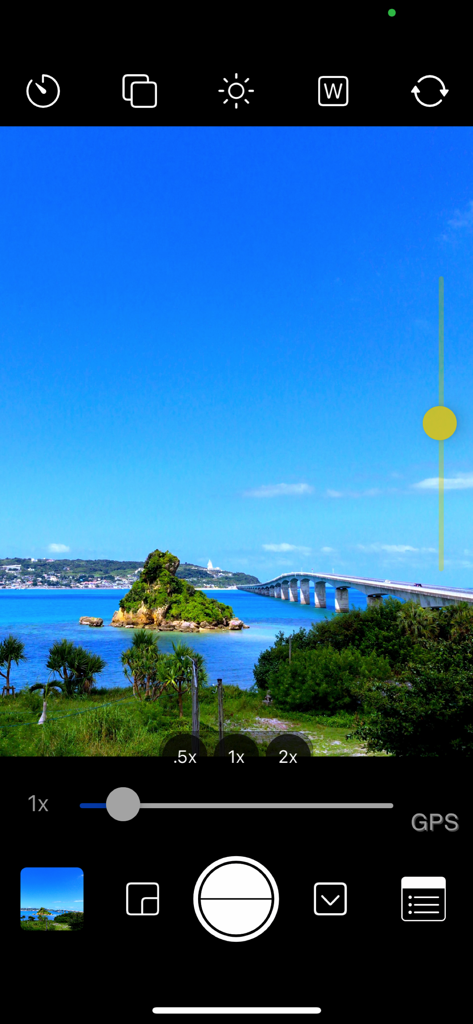
풍경 사진을 촬영하는 동안 수동 노출 및 줌 제어를 보여주는 OneCam 2 모바일 앱 인터페이스 스크린샷

풍경 사진을 촬영하는 동안 수동 노출 및 줌 제어를 보여주는 OneCam 2 모바일 앱 인터페이스 스크린샷

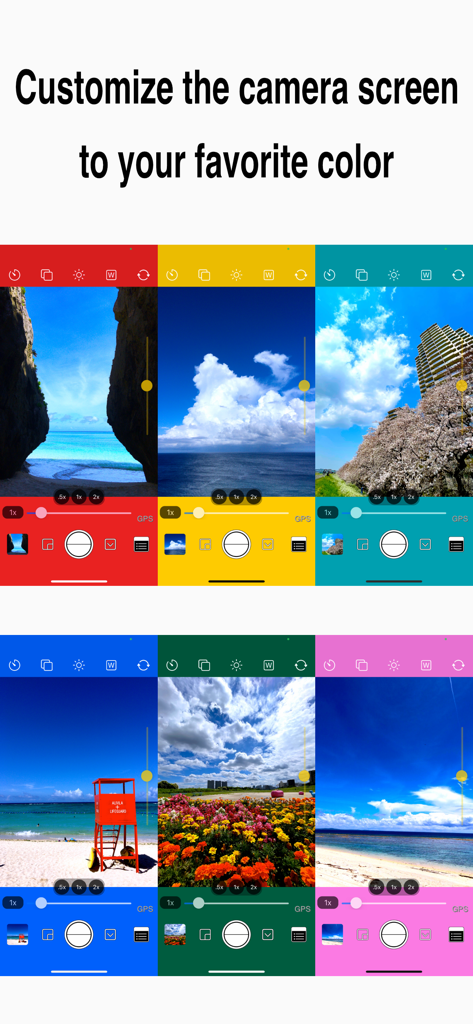
UI 사용자 정의 옵션을 보여주는 다양한 생생한 색상의 카메라 인터페이스 목업 6개

UI 사용자 정의 옵션을 보여주는 다양한 생생한 색상의 카메라 인터페이스 목업 6개

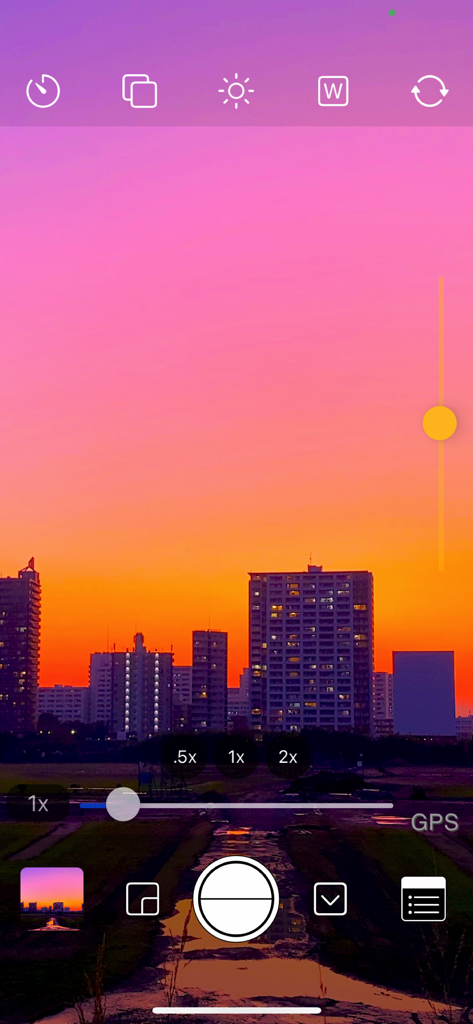
노출 제어와 해질녘 도시 스카이라인 풍경이 있는 OneCam 2 수동 카메라 인터페이스

노출 제어와 해질녘 도시 스카이라인 풍경이 있는 OneCam 2 수동 카메라 인터페이스

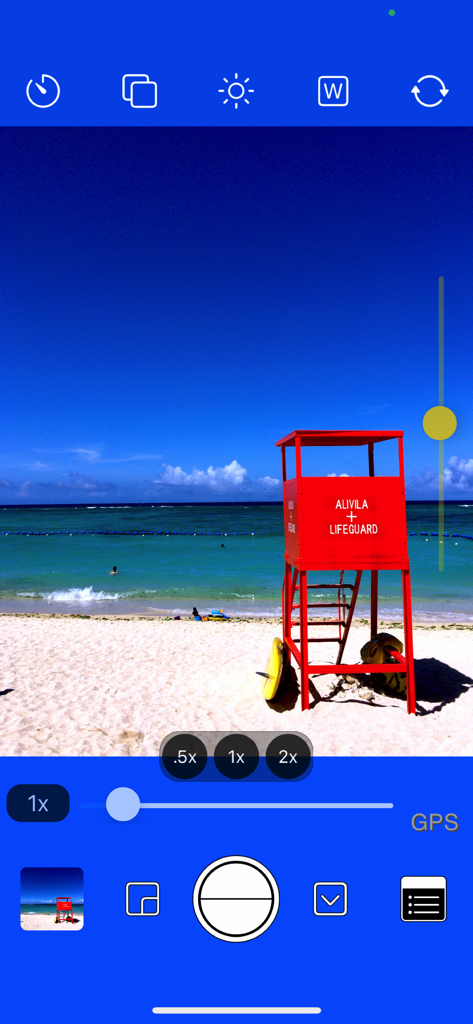
해변 사진 위에서 수동 노출 제어 및 렌즈 배율 설정을 특징으로 하는 OneCam 2 카메라 앱 인터페이스

해변 사진 위에서 수동 노출 제어 및 렌즈 배율 설정을 특징으로 하는 OneCam 2 카메라 앱 인터페이스

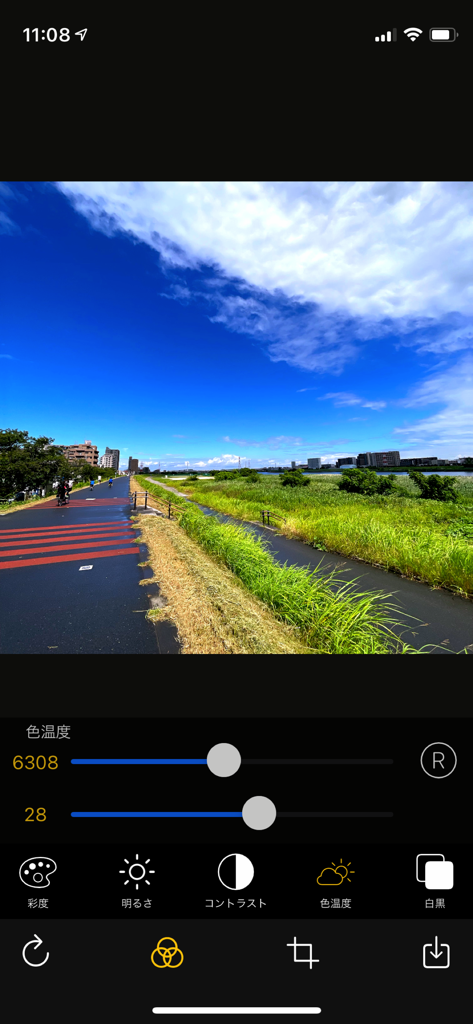
풍경 사진에 대한 색온도 및 수동 사진 편집 조정을 보여주는 OneCam 2 앱 인터페이스

풍경 사진에 대한 색온도 및 수동 사진 편집 조정을 보여주는 OneCam 2 앱 인터페이스

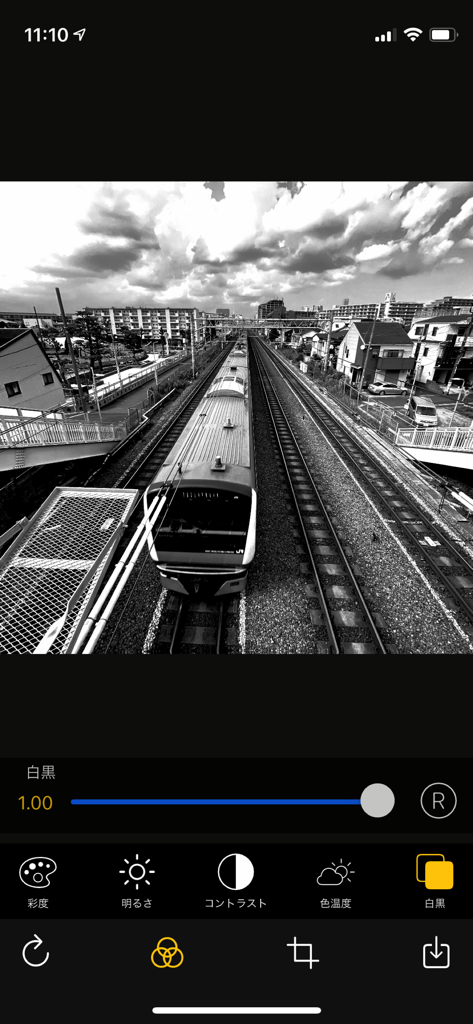
편집 슬라이더 및 효과가 있는 기차 흑백 사진을 보여주는 OneCam 2 모바일 앱 인터페이스

편집 슬라이더 및 효과가 있는 기차 흑백 사진을 보여주는 OneCam 2 모바일 앱 인터페이스

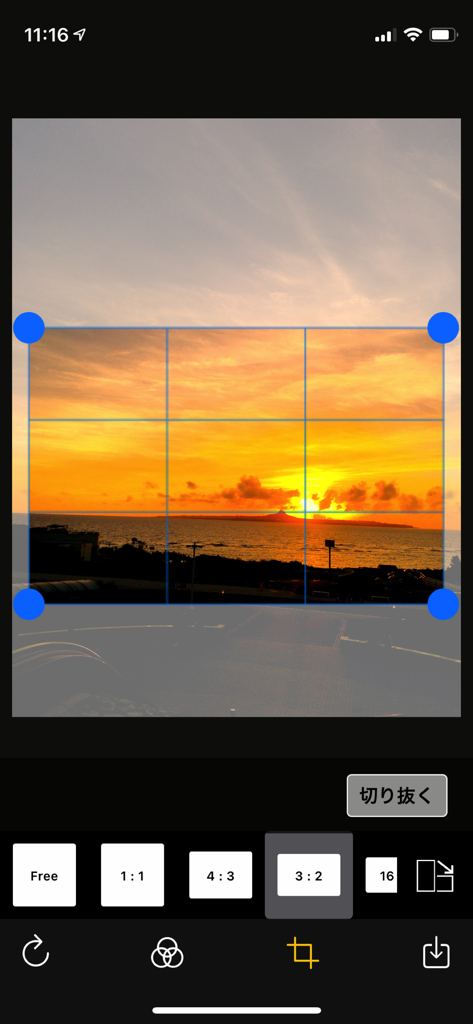
일몰 이미지를 특징으로 하는 OneCam 2 앱의 사진 자르기 및 종횡비 선택 화면

일몰 이미지를 특징으로 하는 OneCam 2 앱의 사진 자르기 및 종횡비 선택 화면

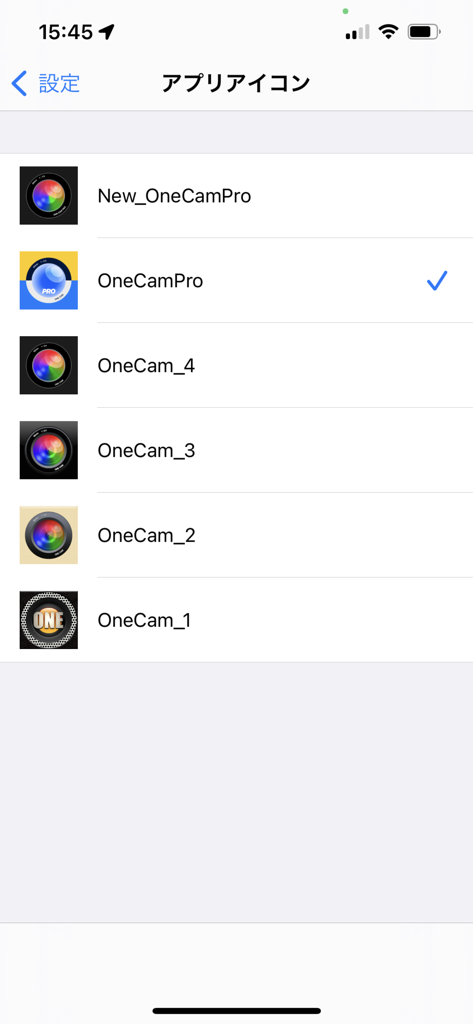
다양한 렌즈 디자인이 있는 사용자 정의 가능한 OneCam 2 앱 아이콘 선택 화면.

다양한 렌즈 디자인이 있는 사용자 정의 가능한 OneCam 2 앱 아이콘 선택 화면.

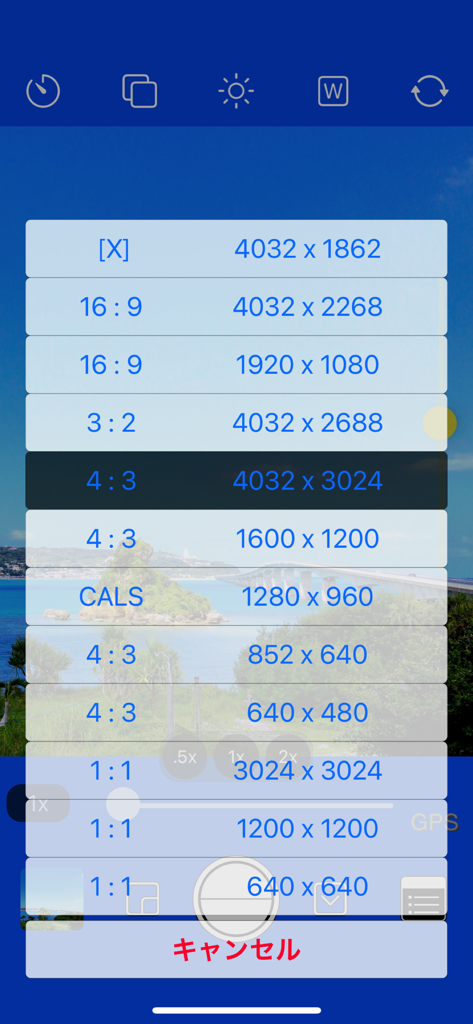
16:9, 4:3, 1:1과 같은 다양한 사진 해상도 및 종횡비 설정을 보여주는 OneCam 2의 메뉴.

16:9, 4:3, 1:1과 같은 다양한 사진 해상도 및 종횡비 설정을 보여주는 OneCam 2의 메뉴.

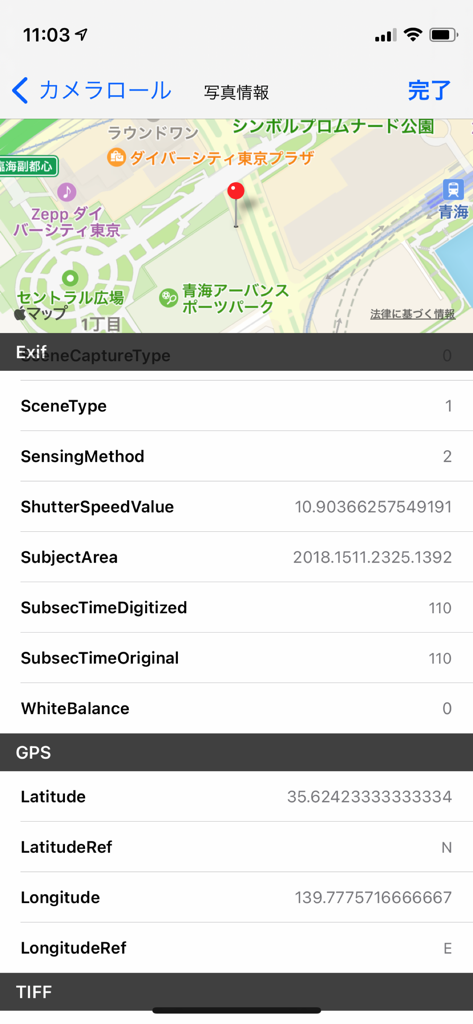
지도에 상세한 사진 EXIF 데이터 및 GPS 위치를 표시하는 OneCam 2 스크린샷

지도에 상세한 사진 EXIF 데이터 및 GPS 위치를 표시하는 OneCam 2 스크린샷

모든 프레임에서 완벽함을 포착하세요

이 앱을 돋보이게 하는 도구, 17K+ 명의 사용자가 선택.

🎛️

전문가 수준의 수동 제어

과도하게 처리된 AI 느낌을 피하기 위해 수동 초점, 노출 잠금 및 화이트 밸런스로 촬영을 완벽하게 제어하세요.

제스처 기반 워크플로

직관적인 스와이프 제스처로 촬영물을 즉시 검토하세요. 위로 스와이프하여 미리 보고 아래로 스와이프하여 촬영으로 돌아가세요. 순간을 놓치지 마세요.

📸

하드웨어 최적화

고해상도 안정화 및 HEIC 지원으로 초광각, 망원 및 매크로 렌즈의 모든 잠재력을 발휘하세요.

앱 소개

에 대해 알아야 할 모든 것 OneCam 2 (with Effects).

설명

OneCam Pro is the highest quality iPhone and can shoot in high resolution with the help of image stabilization. It supports fixing ultra-wide-angle lenses and telephoto lenses, and you can easily switch lenses with the magnification button. It also supports macro photography of iPhone13 Pro and ProMax and 3x of telephoto lens. You can easily adjust the brightness with the exposure (brightness) slider on the left side of the camera screen. You can customize the color of the camera screen to your liking, so you can enjoy the atmosphere of the camera different from humans. You can freely edit the photo such as simple effect adjustment, cropping, rotating and flipping. After taking a photo with the quick preview function, swipe the camera screen upward to display the photo view directly. (Double-tap to enlarge and check) Swipe down on the photo view to return to the camera screen as if you pressed the cancel button. You can also view and delete the previous and next photos by swiping left and right, including the album. 【 function 】 - Effects (Saturation, Brightness, Contrast, Temperature, Black and white) (Press and hold the edit screen to check the original image) - Photo editing (crop, rotate, flip) - HEIC format compatible. (Only compatible models) - Customize the camera screen to your favorite color by setting - You can now select the icon - Manual mode (for lock) - Focus, exposure, and white balance - Reception desk camera, digital zoom, and light - View Exif meta data such as in the photo view - Geotag (location information) and grid - The brightness of iPhone can be changed now. - date+time stamp (white, black, orange, and custom color) - Self-timer - Burst mode You can shoot continuously.)(iPhone8 and later) - iPhoneX and later new size added (4032x1862) - photo size(4032x3024 , 3024x3024, 4032x2688, 4032x2268, 1600x1200 , 1200x1200 , 1280 x960) - The resolution is 1920x1080 and 640x480 size of 852x640 and square size of 640x640 =========================== - Corresponding model iPhone corresponding to iOS version. - iPad, iPod touch are not supported. ===========================

최신 버전

2.1.0

크기

2.2 MB

출시일

2021년 8월 29일

iPhone의 진정한 잠재력을 발휘할 준비가 되셨나요?

'자동' 그 이상을 요구하는 수천 명의 창작자들과 함께하세요. OneCam 2의 속도로 전문 카메라의 정밀도를 경험하세요.

다운로드: App Store

App information, icons, screenshots, and descriptions displayed on this page are sourced from the Apple App Store and are the property of their respective developers. Download estimates and rankings are based on MWM's proprietary models and may not reflect actual figures. This page is provided for informational and analytical purposes only.

Believe this page infringes your intellectual property? File a dispute