PC Remote

PC Remote

다운로드: App Store
로고: PC Remote

PC Remote: PC를 위한 궁극의 올인원 컨트롤러

스마트폰을 무선 마우스, 맞춤형 게임 컨트롤러, 전문가급 웹캠으로 변환하세요. 최대 4개의 가상 디스플레이와 어디서든 안전한 원격 액세스로 생산성을 높이세요.

개발사

Monect Company Limited

카테고리

Utilities

다운로드

333K+

사용자 평점

2.8/5

총 평가 수

100

지원 언어

5

한눈에 보는 제어

이 인터페이스를 사용하는 333K+ 명의 사용자.

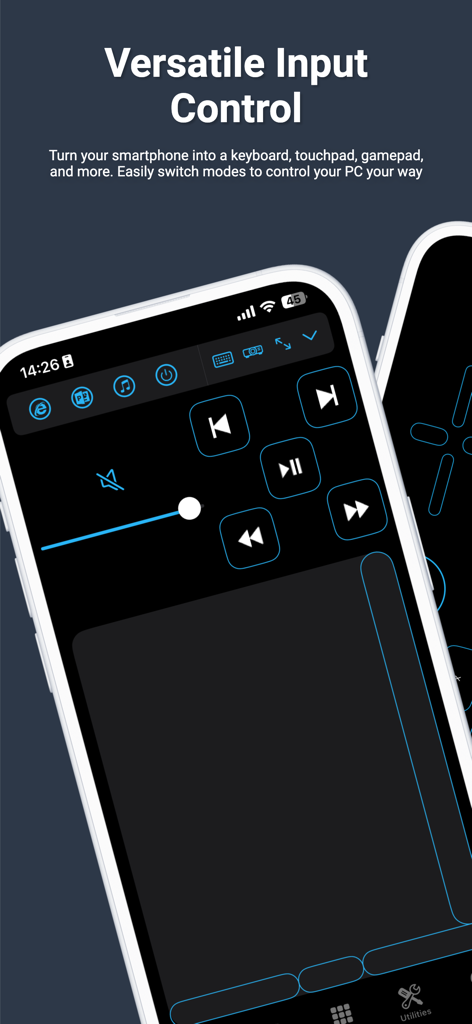
PC Remote 앱의 스마트폰 인터페이스로, 미디어 컨트롤과 원격 컴퓨터 탐색용 터치패드가 표시됩니다.

PC Remote 앱의 스마트폰 인터페이스로, 미디어 컨트롤과 원격 컴퓨터 탐색용 터치패드가 표시됩니다.

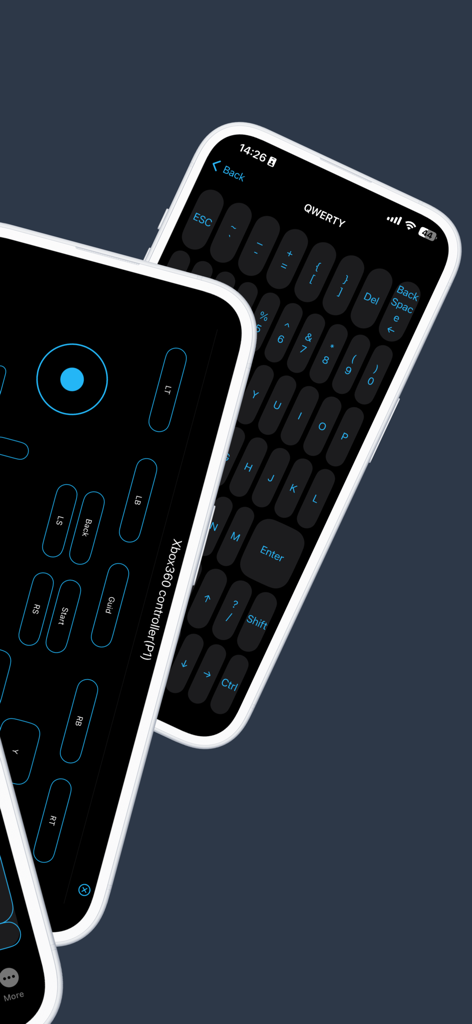
PC Remote 앱 화면으로 가상 게임 컨트롤러와 QWERTY 키보드 레이아웃이 표시됩니다.

PC Remote 앱 화면으로 가상 게임 컨트롤러와 QWERTY 키보드 레이아웃이 표시됩니다.

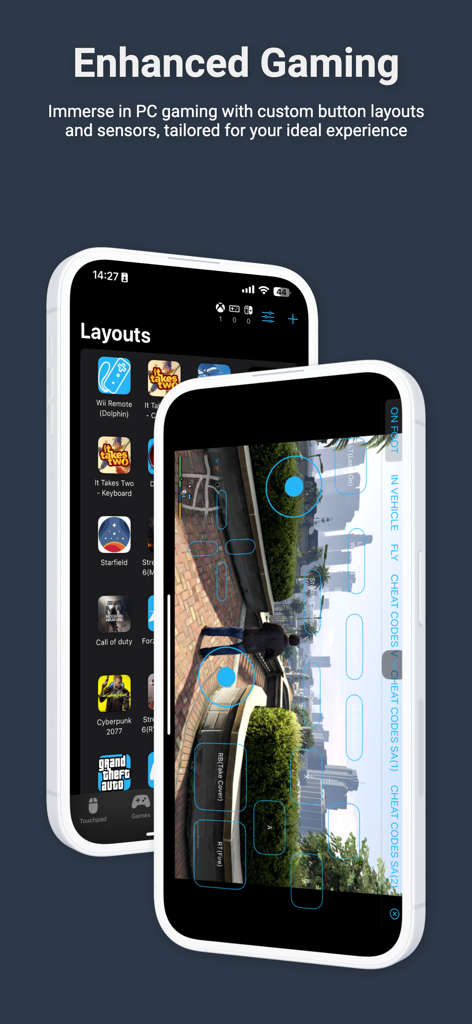
PC 게임용 맞춤형 게임 버튼 레이아웃과 가상 컨트롤러를 표시하는 스마트폰 화면.

PC 게임용 맞춤형 게임 버튼 레이아웃과 가상 컨트롤러를 표시하는 스마트폰 화면.

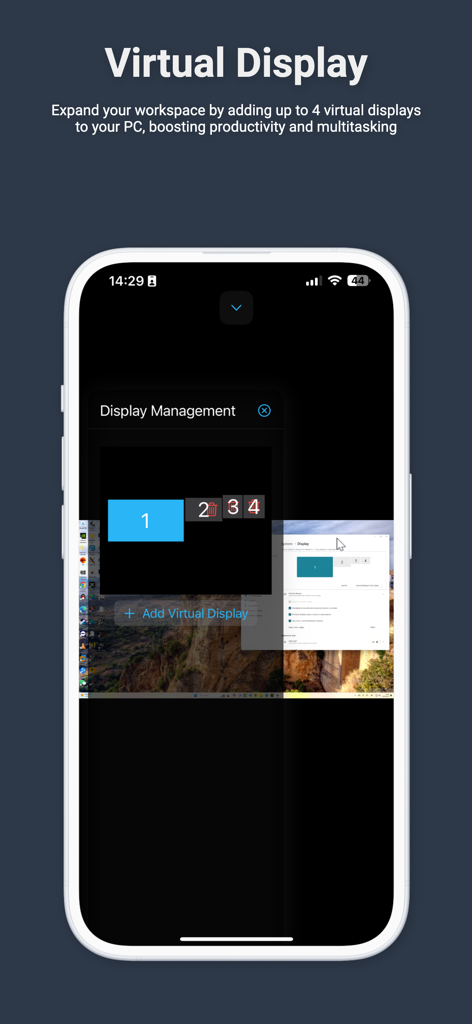
PC용 최대 4개의 가상 디스플레이 관리를 보여주는 스마트폰 화면.

PC용 최대 4개의 가상 디스플레이 관리를 보여주는 스마트폰 화면.

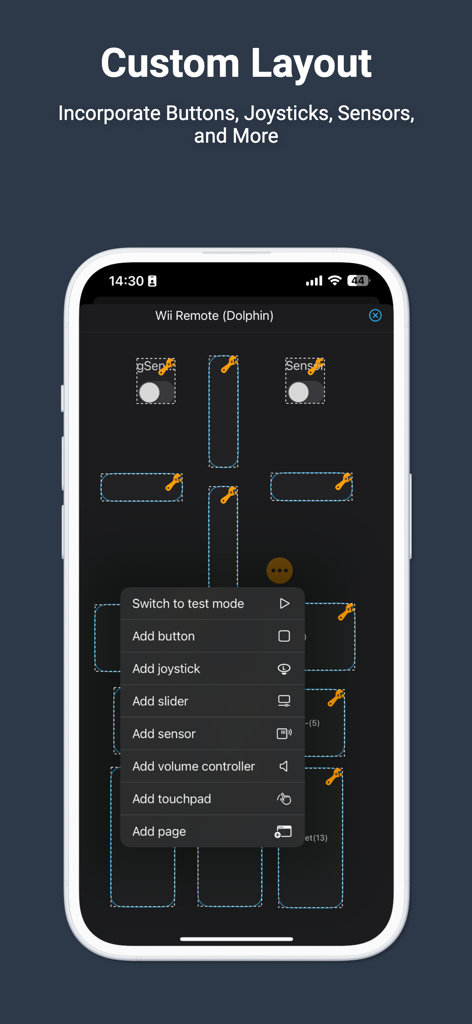
가상 게임 버튼과 조이스틱 구성을 위한 PC Remote 앱의 맞춤형 레이아웃 편집기를 보여주는 스마트폰 화면.

가상 게임 버튼과 조이스틱 구성을 위한 PC Remote 앱의 맞춤형 레이아웃 편집기를 보여주는 스마트폰 화면.

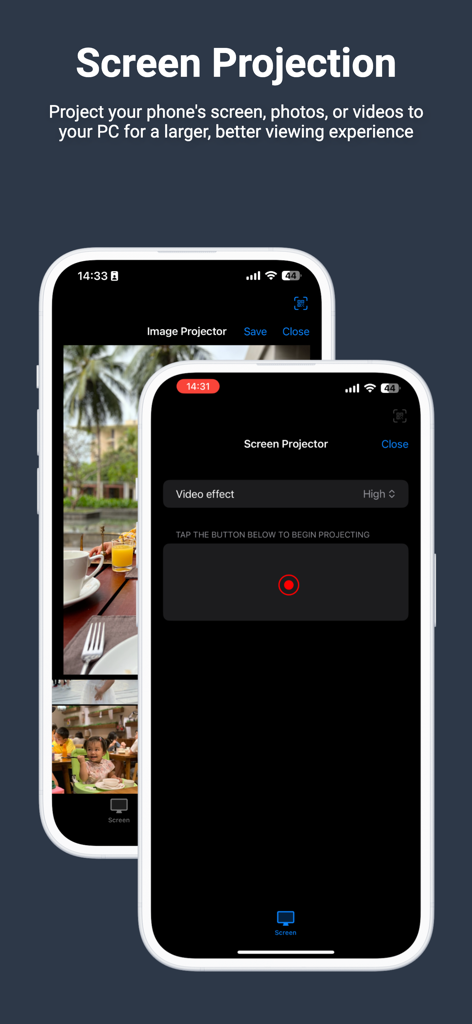
iPhone에서 화면 및 이미지 투사 옵션을 보여주는 PC Remote 앱 인터페이스.

iPhone에서 화면 및 이미지 투사 옵션을 보여주는 PC Remote 앱 인터페이스.

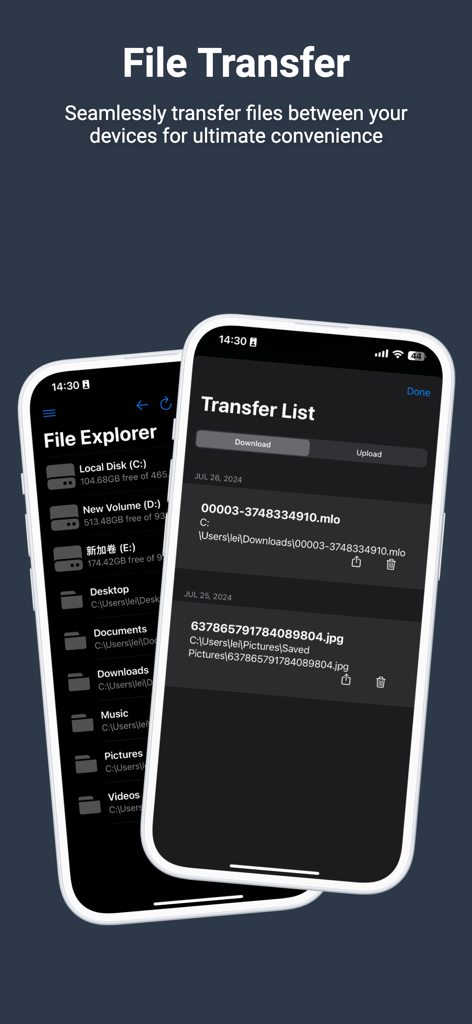
모바일 기기와 컴퓨터 간 파일 이동을 위한 파일 탐색기 및 전송 목록을 보여주는 PC Remote 앱 스크린샷.

모바일 기기와 컴퓨터 간 파일 이동을 위한 파일 탐색기 및 전송 목록을 보여주는 PC Remote 앱 스크린샷.

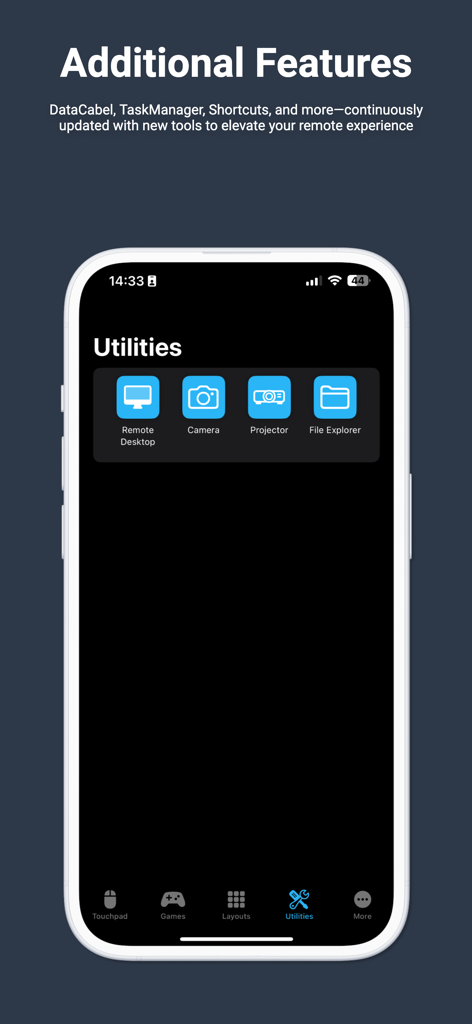
원격 데스크톱 및 파일 탐색기 기능을 보여주는 Monect PC Remote 앱 유틸리티 화면

원격 데스크톱 및 파일 탐색기 기능을 보여주는 Monect PC Remote 앱 유틸리티 화면

주머니 속에서 PC를 완벽하게 제어하세요

이 앱을 돋보이게 하는 도구, 333K+ 명의 사용자가 선택.

🎮

프로 게임 컨트롤러

부피 큰 주변기기는 잊으세요. 맞춤형 버튼 레이아웃과 스마트폰의 모션 센서를 사용하여 지연 없이 침대나 소파에서 PC 게임을 즐기세요.

📸

가상 4K 웹캠

하드웨어 비용을 수백 달러 절약하세요. iPhone의 뛰어난 카메라를 Twitch 스트리밍, Discord 또는 Zoom 통화를 위한 고화질 무선 웹캠으로 사용하세요.

🖥️

매끄러운 생산성

최대 4개의 가상 디스플레이로 작업 공간을 확장하고 스마트폰을 무선 트랙패드 및 키보드로 사용하여 손쉽게 탐색하세요.

앱 소개

에 대해 알아야 할 모든 것 PC Remote.

설명

Elevate your PC experience with Monect PC Remote, a versatile and free app designed to give you full control of your computer — whether you're nearby or miles away. Key Features: * Enhanced Gaming: Immerse yourself in PC gaming with custom button layouts and onboard sensors. Tailor them to your preferences for an unbeatable gaming experience. * Real-time Screen and Camera Sharing: Share your PC screen and camera feed seamlessly with your smartphone. Experience your PC as if it's right in your hand. * Virtual Camera: Use your phone’s high-quality camera as a virtual webcam on your PC. Perfect for video calls, streaming, and online meetings with crystal-clear visuals. * Mouse and Keyboard Control: Use your phone as a wireless mouse and keyboard for your PC. Navigate, type, and control your computer effortlessly from anywhere. * Multi-Display Capabilities: Expand your workspace by adding up to 4 virtual displays to your PC, boosting productivity and multitasking. * Effortless File Transfer: Seamlessly transfer files between your devices for ultimate convenience. * Top-Notch Security: Rest easy with our 256 Bit AES Session Encoding for secure remote network connections. How to Use: 1. Installation: Download Monect PC Remote from Google Play and the PC Remote Receiver from [https://www.monect.com/](https://www.monect.com/) on your computer. 2. Connect Your Device: Choose from multiple connection options: * Local Wi-Fi (on the same network) * Remote Wi-Fi (across different networks) Experience the freedom and control that Monect PC Remote offers, making your PC a truly versatile and powerful tool for work, play, and creativity — now with Virtual Camera and wireless Mouse & Keyboard control for even more possibilities.

최신 버전

9.1

크기

33.4 MB

출시일

2014년 10월 4일

스마트폰을 PC의 궁극적인 맥가이버 칼로 바꾸세요

비싼 주변기기는 이제 그만. 하나의 무료, 안전한 앱으로 끊김 없는 게임 컨트롤, 가상 디스플레이, 고급 웹캠을 사용하세요. 333,000명 이상의 기술 애호가들과 함께 오늘 바로 PC를 완벽하게 제어하세요.

다운로드: App Store

App information, icons, screenshots, and descriptions displayed on this page are sourced from the Apple App Store and are the property of their respective developers. Download estimates and rankings are based on MWM's proprietary models and may not reflect actual figures. This page is provided for informational and analytical purposes only.

Believe this page infringes your intellectual property? File a dispute