PDF Converter - To Word, Excel

PDF Converter - To Word, Excel

다운로드: App Store
로고: PDF Converter - To Word, Excel

PDF 변환기 - Word, Excel로: 전문적인 올인원 문서 제품군

손실 없는 정밀도로 파일을 즉시 변환, 병합, 보호하세요. 이동 중에 고품질 PDF 편집 및 관리가 필요한 바쁜 전문가와 학생을 위해 설계되었습니다.

다운로드: App Store

개발사

鑫 王

카테고리

Utilities

다운로드

100

사용자 평점

1.0/5

총 평가 수

0

지원 언어

40

효율적인 작동 방식

이 인터페이스를 사용하는 100 명의 사용자.

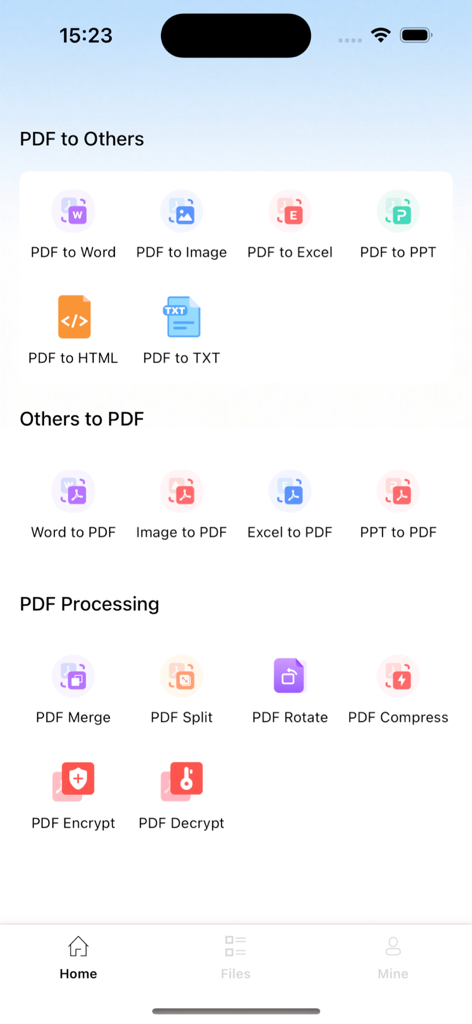
문서 변환 및 PDF 처리 도구가 포함된 PDF 변환기 앱의 홈 화면

문서 변환 및 PDF 처리 도구가 포함된 PDF 변환기 앱의 홈 화면

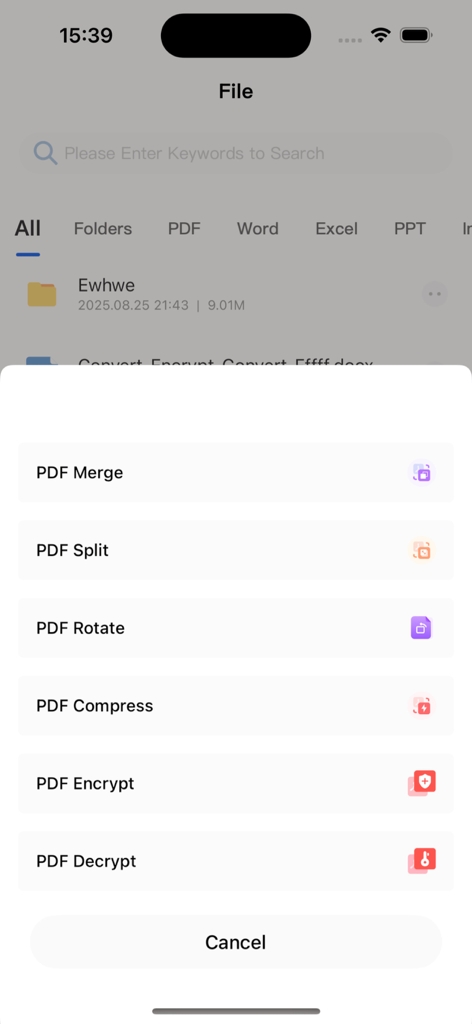
병합, 분할, 회전, 압축, 암호화 등 PDF 편집 도구 목록을 보여주는 모바일 앱 인터페이스

병합, 분할, 회전, 압축, 암호화 등 PDF 편집 도구 목록을 보여주는 모바일 앱 인터페이스

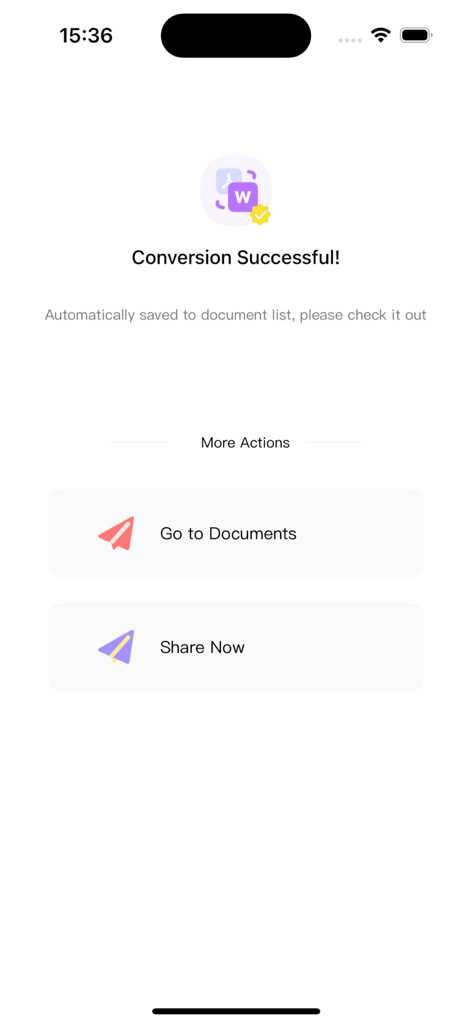
문서를 보거나 파일을 공유하는 버튼이 있는 성공적인 PDF-Word 변환을 보여주는 모바일 앱 화면

문서를 보거나 파일을 공유하는 버튼이 있는 성공적인 PDF-Word 변환을 보여주는 모바일 앱 화면

PDF에 필요한 모든 것

이 앱을 돋보이게 하는 도구, 100 명의 사용자가 선택.

완벽한 형식 변환

모든 글꼴, 레이아웃, 표를 완벽하게 유지하면서 PDF를 편집 가능한 Word, Excel 또는 PPT 파일로 바꾸세요.

📎

원활한 병합 및 분할

여러 계약서를 결합하거나 특정 페이지만 몇 초 만에 추출하세요. 이동 중에 문서 구조를 완벽하게 제어하세요.

🔒

기업 등급 보안

암호 암호화로 민감한 데이터를 보호하고 가장 중요한 파일을 기기에서 직접 안전하게 관리하세요.

앱 소개

에 대해 알아야 할 모든 것 PDF Converter - To Word, Excel.

설명

# PDF Conversion Assistant: An All-in-One PDF Tool for Creation, Conversion, and Viewing Whether you need to organize files at work, browse materials for study, or handle daily format conversion tasks, PDF Conversion Assistant solves all PDF processing challenges with its "comprehensive features + simple operation" advantage. It simplifies complex operations and significantly boosts efficiency. ## I. Core Features: Meeting All PDF Needs ### 1. Flexible PDF Creation & Easy Document Structure Management - **Lossless Merging**: Efficiently combine multiple PDF files while preserving the original format and content, no need to switch between files repeatedly. - **Custom Splitting**: Split single or multiple PDFs by custom page numbers or ranges to accurately extract key pages and remove redundant content. - **Free Rotation**: Adjust the angle of any pages in a single PDF to fix page orientation issues caused by scanning or exporting. - **Security Encryption/Decryption**: Encrypt sensitive PDF documents for protection, or decrypt authorized files—balancing security and usability. ### 2. Accurate Format Conversion & Lossless Content Reuse Supports bidirectional conversion between PDF and Word, Excel, PPT, HTML, TXT, and images. Whether you extract PDF content for further editing or export files in other formats to standard PDFs, it strictly retains the original layout, fonts, and table styles—ensuring lossless content and unchanged formatting with no need for post-adjustments. ### 3. Smooth PDF Viewing & Convenient Multi-Channel Import Directly import PDFs from WeChat, QQ, or local phone storage—no tedious navigation, just one tap to open. It supports page zooming, rotation, and fast flipping, adapting to different screen sizes for smooth browsing even of large files, meeting your on-the-go viewing needs. ## II. 3 Reasons to Choose Us - **All-in-One Integration**: Combines core features of creation, conversion, and viewing. No need to download multiple tools—one app handles all your PDF management needs. ## III. Subscription Service Details 1. **Subscription Types**: Offers 4 continuous subscription plans—weekly, monthly, quarterly, and annual—allowing flexible choices for short-term trials or long-term use. 2. **Subscription Prices**: Continuous weekly: ¥15/week; continuous monthly: ¥38/month; continuous quarterly: ¥88/quarter; continuous annual: ¥198/year (long-term plans offer better value). 3. **Payment Rules**: After confirming the purchase, the fee will be deducted from the bound iTunes account. Apple’s iTunes account will automatically deduct the fee 24 hours before the subscription expires; upon successful deduction, the subscription period will be automatically extended by one cycle. 4. **Cancellation Method**: To cancel the subscription, go to "Settings" on your Apple phone → select "iTunes Store & App Store" → tap "Apple ID" → choose "View Apple ID" → access the "Account Settings" page → tap "Subscriptions" → select the corresponding service to cancel. **Important Note**: If auto-renewal is not turned off 24 hours before the end of the current subscription period, the subscription will be automatically renewed and trigger the next cycle’s fee deduction. ## IV. Relevant Agreements - Privacy Policy: https://docs.qq.com/doc/p/1a97492bc7826c34d507ee9fc3041a4ba8a83535?u=a8355287884a403b87ae1d0d2597c204&nlc=1 - User Terms: https://docs.qq.com/doc/p/d4a3ee6f2a77316a99c7406a02eaf5ecf6de21b5?u=a8355287884a403b87ae1d0d2597c204&nlc=1 - Subscription Agreement: https://docs.qq.com/doc/p/48cf46ffd5d58cac843ec81dfbb23fb70f602619?u=a8355287884a403b87ae1d0d2597c204&nlc=1 Download PDF Conversion Assistant now to make PDF processing efficient and simple!

최신 버전

1.1.4

크기

24.1 MB

출시일

2025년 8월 29일

문서 워크플로우를 단순화할 준비가 되셨나요?

이동 중에 손실 없고 안전하며 즉각적인 문서 관리를 위해 PDF 변환 도우미를 신뢰하는 수천 명의 전문가 및 학생들과 함께하세요.

다운로드: App Store

App information, icons, screenshots, and descriptions displayed on this page are sourced from the Apple App Store and are the property of their respective developers. Download estimates and rankings are based on MWM's proprietary models and may not reflect actual figures. This page is provided for informational and analytical purposes only.

Believe this page infringes your intellectual property? File a dispute