Photo Editor * Collage Maker

Photo Editor * Collage Maker


다운로드: App Store
로고: Photo Editor * Collage Maker

사진 편집기 * 콜라주 메이커: 인플루언서 수준 콘텐츠를 위한 비밀 도구

전문적인 그리드, 트렌디한 필터, 500개 이상의 스티커로 소셜 미디어 게임을 한 단계 업그레이드하세요. 최대 25장의 사진을 하나의 고해상도 걸작으로 결합하여 피드를 돋보이게 만드세요.

개발사

Tech Nest IT Services

카테고리

Photo & Video

다운로드

103K+

사용자 평점

1.0/5

총 평가 수

0

지원 언어

1

멋진 피드의 비밀

이 인터페이스를 사용하는 103K+ 명의 사용자.

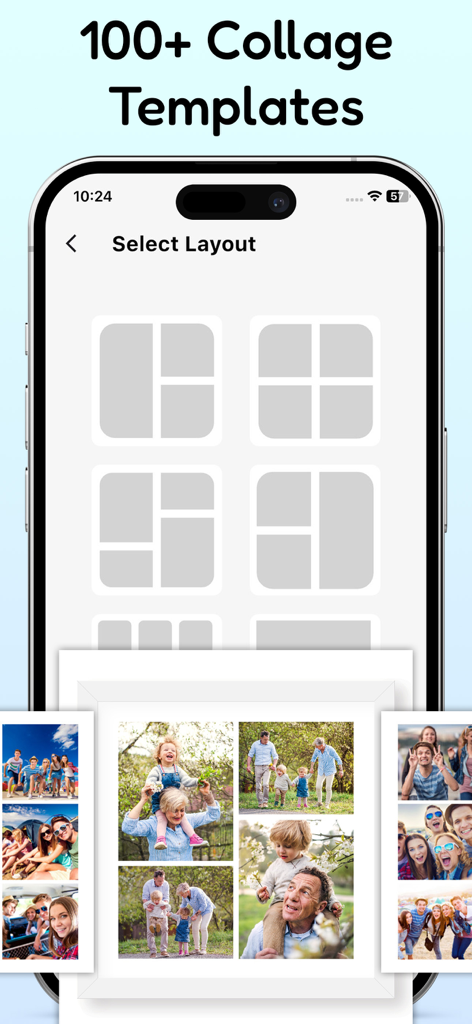
다양한 사진 콜라주 그리드 레이아웃과 샘플 가족 사진 콜라주를 보여주는 모바일 앱 인터페이스

다양한 사진 콜라주 그리드 레이아웃과 샘플 가족 사진 콜라주를 보여주는 모바일 앱 인터페이스

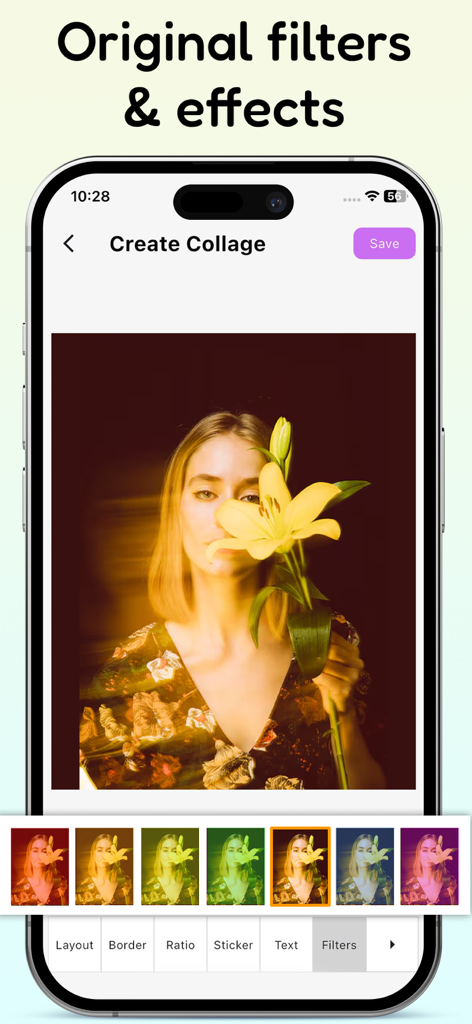
여성이 백합을 들고 있는 사진에 원본 필터와 효과를 적용한 사진 편집기 콜라주 메이커의 아이폰 앱 인터페이스

여성이 백합을 들고 있는 사진에 원본 필터와 효과를 적용한 사진 편집기 콜라주 메이커의 아이폰 앱 인터페이스

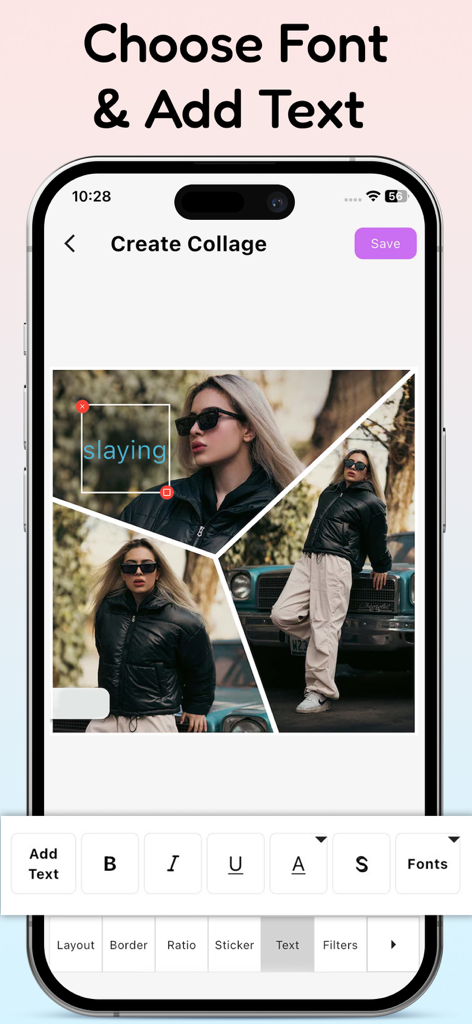
텍스트 편집 도구와 스타일리시한 사진 오버레이가 있는 콜라주 생성기를 표시하는 모바일 앱 인터페이스

텍스트 편집 도구와 스타일리시한 사진 오버레이가 있는 콜라주 생성기를 표시하는 모바일 앱 인터페이스

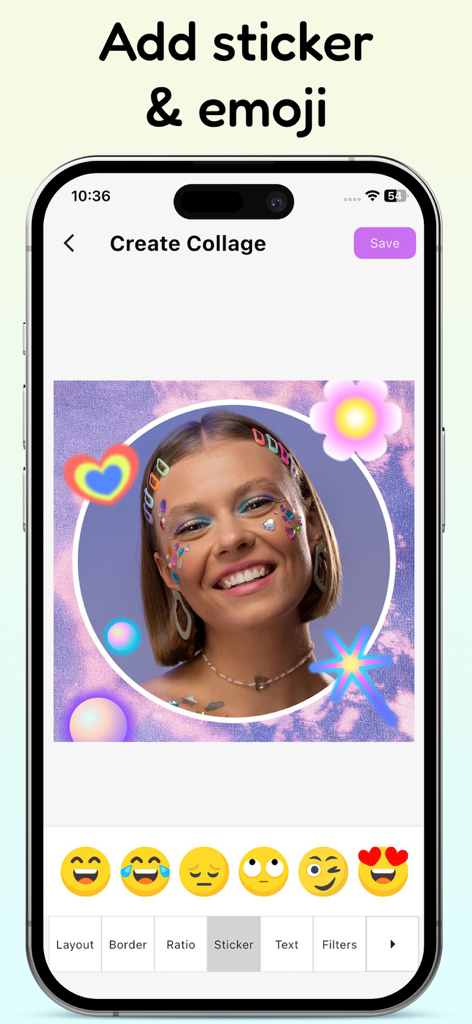
다채로운 스티커와 이모티콘 선택 기능으로 사진을 편집하는 과정을 보여주는 모바일 앱 인터페이스

다채로운 스티커와 이모티콘 선택 기능으로 사진을 편집하는 과정을 보여주는 모바일 앱 인터페이스

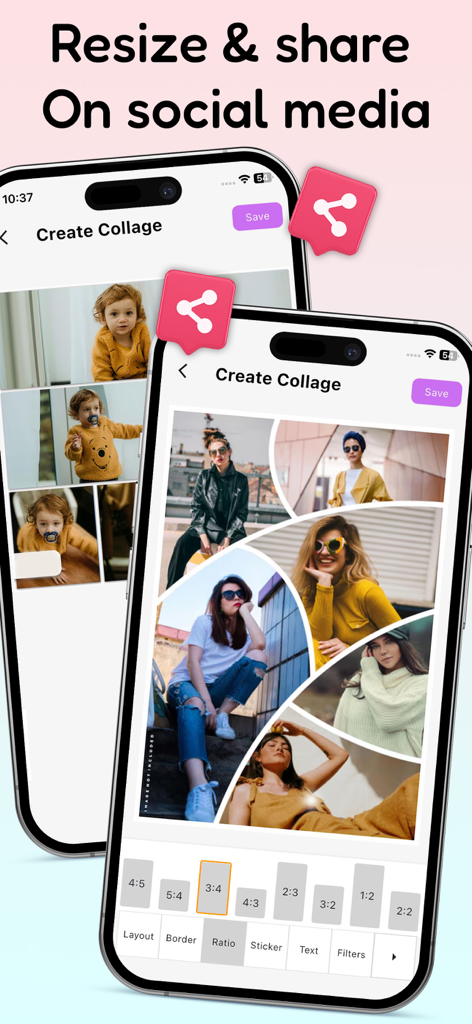
소셜 미디어 공유를 위해 다양한 화면 비율로 사진 콜라주를 만드는 모바일 앱 인터페이스

소셜 미디어 공유를 위해 다양한 화면 비율로 사진 콜라주를 만드는 모바일 앱 인터페이스

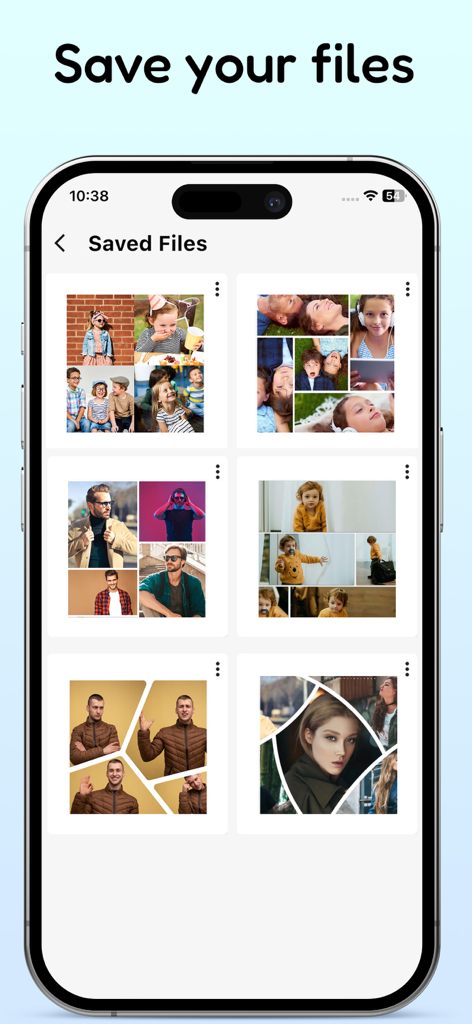
다양한 저장된 사진 콜라주를 보여주는 모바일 앱 화면

다양한 저장된 사진 콜라주를 보여주는 모바일 앱 화면

디지털 존재감 향상시키기

이 앱을 돋보이게 하는 도구, 103K+ 명의 사용자가 선택.

🖼️

궁극의 콜라주 자유

유연하고 전문적인 레이아웃을 사용하여 최대 25장의 사진을 하나의 고해상도 걸작으로 병합하여 '사진 덤프' 트렌드를 마스터하세요.

미학적 편집 스위트

업계 전문가들이 사용하는 동일한 비밀 FX 필터, 메이크업 스티커, 정밀 편집 도구를 적용하여 피드를 돋보이게 만드세요.

✍️

시그니처 텍스트 & 스타일

90개 이상의 프리미엄 패턴, 엄선된 폰트, 500개 이상의 트렌디한 스티커로 나만의 독특한 분위기에 맞는 콘텐츠를 개인화하세요.

앱 소개

에 대해 알아야 할 모든 것 Photo Editor * Collage Maker.

설명

Photo Editor: Collage Maker is a must-have app for anyone looking to level-up their photography, whether you're a social media influencer, blogger, content creator, or just looking to make unique collages to share with friends. Create professional-looking collages and make your photos pop with the same powerful tools and templates used by top photographers in the industry. If you have ever wondered how social media influencers combine several images into one glamorous frame, this is the secret tool they all use to make their content a masterpiece! Feature For Photo Editor: Collage Maker - Many collage app layouts in different shapes and styles. - Move, Scale, Rotate your pics in any way you like. - Combine from 2 to 25 pics into one creative image. - Make collage app boxes larger or smaller, squarer or rounder. - Amazing photo FX filters - Save to your photo album - High resolution export Powerful Photo Editor: Collage Maker - Turn your collage photos into art with perfect filters, effects and photo editing tools - Crop, rotate, resize, mirror, blur, cutout, flip photo editing, Pinch to zoom in or out - Large number of stickers, emoji, text, graffiti, borders for every need Professional Collage Maker & Photo Grid - All-in-one photo editing & photo frame app provides a bunch of photo editing tools - Combine up to 20 photos to create fun layouts and collage photos - Custom grid photo size, border and background, design layout on your own! So easy to make a beautiful photo collage Photo Collage Template Maker - Easily to swap, change and rotate and zoom pictures in the template maker - Flexibly create photo collage maker a shaped collage such as heart or diamond - Change the default text and create the right atmosphere with filters Text & Fonts - A rich variety of handpicked fonts. - Color your text, select a gradient, or go for one of the 90+ patterns. - Text stroke color and width is changeable. Emoji Stickers - Choose from over 500 funny stickers that can lend a festive touch to your photos. - They are regularly updated to stay on trend. Besides, there are a variety of amazing makeup stickers - Try adding emoji or makeup stickers to your collage, and see how it can enhance your creation. Photo Editor: Collage Maker has a simple design with a powerful photo editing to give you everything you could, add collage template maker to your photos to be amazing. Photo collage maker is an easy to use and all in one fancy collage app and photo editor. Photo Editor: Collage Maker is a powerful fancy collage maker and photo editor for you to create amazing collage photos using your photos, backgrounds and frames. Photo collage maker is the best collage app and photo editor helps you combine multiple photos with various frame patterns and photo grids, then share them at a time. By using our app, you accept our Privacy Policy and Terms of use. Privacy Policy: https://sites.google.com/view/technestitservices/photo-editor-collage-maker/privacy-policy Terms of Use: https://sites.google.com/view/technestitservices/photo-editor-collage-maker/terms-of-use

최신 버전

1.0.5

크기

49.1 MB

출시일

2025년 3월 3일

나만의 스타일을 업그레이드할 준비가 되셨나요?

바이럴 사진 덤프와 전문가 수준의 편집을 위한 비밀 도구를 사용하는 100,000명 이상의 크리에이터들과 함께하세요. 지금 바로 사진 편집기 & 콜라주 메이커를 다운로드하고 나만의 걸작을 만들기 시작하세요.

다운로드: App Store
FAQ

자주 묻는 질문

에 대해 알아야 할 모든 것 Photo Editor * Collage Maker

Photo Editor: Collage Maker란 무엇인가요?

Photo Editor: Collage Maker는 올인원 사진 편집 및 콜라주 앱입니다. 사용자는 사진을 결합하고, 필터를 적용하고, 텍스트를 추가하고, 다양한 도구와 템플릿으로 전문적으로 보이는 콜라주를 만들 수 있습니다.

Photo Editor: Collage Maker는 다양한 콜라주 템플릿을 제공하나요?

네, Photo Editor: Collage Maker는 다양한 모양과 스타일의 콜라주 앱 레이아웃을 많이 제공합니다. 사용자는 100개 이상의 콜라주 템플릿 중에서 선택하여 독특한 디자인을 만들 수 있습니다.

Photo Editor: Collage Maker에서 사용자는 몇 장의 사진을 결합할 수 있나요?

사용자는 Photo Editor: Collage Maker를 사용하여 2장에서 25장의 사진을 하나의 창의적인 이미지로 결합할 수 있습니다. 이 앱은 재미있는 레이아웃을 위해 최대 20장의 사진을 결합할 수도 있습니다.

Photo Editor: Collage Maker에는 어떤 사진 편집 도구가 있나요?

Photo Editor: Collage Maker는 사진 자르기, 회전, 크기 조정, 미러링, 흐리게 처리, 잘라내기 및 뒤집기와 같은 도구를 제공합니다. 또한 필터, 효과 및 핀치 투 줌 기능도 포함됩니다.

Photo Editor: Collage Maker에는 필터와 효과가 포함되어 있나요?

네, Photo Editor: Collage Maker에는 놀라운 사진 FX 필터와 독창적인 필터 및 효과가 포함되어 있습니다. 이러한 도구는 사용자가 콜라주 사진을 예술로 바꿀 수 있도록 도와줍니다.

사용자는 Photo Editor: Collage Maker에서 텍스트를 추가하고 글꼴을 사용자 지정할 수 있나요?

네, Photo Editor: Collage Maker를 사용하면 사용자는 텍스트를 추가하고 엄선된 다양한 글꼴 중에서 선택할 수 있습니다. 텍스트 색상, 그라데이션, 패턴, 획 색상 및 두께는 모두 변경할 수 있습니다.

Photo Editor: Collage Maker에는 스티커와 이모티콘이 있나요?

네, Photo Editor: Collage Maker는 정기적으로 업데이트되는 500개 이상의 재미있는 스티커(메이크업 스티커 포함)를 제공합니다. 사용자는 이러한 스티커를 콜라주에 추가하여 작품을 향상시킬 수 있습니다.

사용자는 Photo Editor: Collage Maker에서 만든 작품을 어떻게 저장하고 공유할 수 있나요?

사용자는 만든 작품을 고해상도로 사진 앨범에 저장합니다. Photo Editor: Collage Maker를 사용하면 사용자는 콜라주 크기를 조정하고 소셜 미디어 플랫폼에서 직접 공유할 수도 있습니다.

Photo Editor: Collage Maker에 개인정보 처리방침이 있나요?

네, Photo Editor: Collage Maker에는 개인정보 처리방침이 있습니다. 사용자는 앱을 사용하여 이를 수락하고 이용 약관을 준수합니다. 정책 링크는 앱 설명에 제공됩니다.

사용자는 Photo Editor: Collage Maker에서 콜라주 그리드와 레이아웃을 사용자 지정할 수 있나요?

네, Photo Editor: Collage Maker를 사용하면 사용자는 그리드 사진 크기, 테두리 및 배경을 사용자 지정할 수 있습니다. 레이아웃을 디자인하고, 상자를 더 크게 또는 더 작게 만들고, 더 사각형 또는 더 둥글게 변경할 수 있습니다.

App information, icons, screenshots, and descriptions displayed on this page are sourced from the Apple App Store and are the property of their respective developers. Download estimates and rankings are based on MWM's proprietary models and may not reflect actual figures. This page is provided for informational and analytical purposes only.

Believe this page infringes your intellectual property? File a dispute