
이 페이지는 앱이나 개발자의 공식 페이지가 아니며, 정보 제공 및 논평을 목적으로 작성된 독립 편집 간행물입니다. 명시적으로 달리 언급되지 않는 한, 해당 앱이나 개발자는 MWM, Apple, Google Play, 앱 퍼블리셔 또는 앱 개발자와 제휴, 보증, 후원, 승인 또는 공식적으로 연결되어 있지 않으며, 이 페이지의 어떤 내용도 해당 앱이 MWM의 서비스를 사용하여 개발되었음을 의미하지 않습니다. 모든 상표, 로고, 스크린샷 및 기타 콘텐츠는 해당 소유자의 자산입니다.


Photo Collage Maker: InCollage
AI 기반 도구와 10,000개 이상의 세련된 레이아웃을 사용하여 사진을 엄선된 걸작으로 바꾸는 7백만 명 이상의 크리에이터와 함께하세요. Instagram, TikTok 등에서 활용 가능합니다.
다운로드
7M+사용자 평점
총 평가 수
152K+개발사
카테고리
Photo & Video지원 언어
16최신 버전
2.2.13크기
228.1 MB출시일
2019년 3월 24일디지털 스토리텔링을 향상시키세요
수백만 명의 크리에이터와 함께 전문가 수준의 AI 도구와 10,000개 이상의 템플릿을 사용하여 일상의 순간을 공유할 만한 걸작으로 만드세요.
10,000개 이상의 미적인 레이아웃
완벽한 사진을 위해 디자인된 스타일리시한 그리드와 프리스타일 스크랩북으로 최대 20개의 사진을 즉시 재구성하세요.
AI 기반 완벽함
스마트한 원터치 도구로 원치 않는 개체를 쉽게 제거하고, 흐릿한 사진을 보정하고, 독특한 아바타를 생성하세요.
자주 묻는 질문
에 대해 알아야 할 모든 것 Photo Collage Maker: InCollage
Photo Collage Maker: InCollage에서 최대 몇 장의 사진을 합칠 수 있나요?
InCollage를 사용하면 앱 내에서 최대 20장의 사진을 결합하여 멋진 콜라주, 스크랩북, 스토리를 만들 수 있습니다.
Photo Collage Maker: InCollage의 Pro 구독에 대한 무료 체험 기간이 제공되나요?
네, InCollage는 모든 Pro 기능을 사용할 수 있는 무료 체험 기간을 제공합니다. InCollage Pro 구독 비용은 연간 $10.99입니다.
InCollage에서 사진의 불필요한 개체를 제거할 수 있나요?
네, InCollage는 AI를 사용하여 사진에서 불필요한 개체를 제거합니다. 이 AI 기반 도구를 사용하면 이미지를 손쉽게 정리하고 다듬을 수 있습니다.
Photo Collage Maker: InCollage에서 어떤 종류의 레이아웃과 템플릿을 사용할 수 있나요?
InCollage는 10,000개 이상의 무료 레이아웃, 그리드, 스크랩북 템플릿을 제공합니다. 또한 프리스타일, 스크랩북, 컷아웃 콜라주 모드를 지원합니다.
Photo Collage Maker: InCollage는 AI를 사용하여 사진 품질을 어떻게 향상시키나요?
InCollage는 AI를 사용하여 불필요한 개체를 제거하고, 흐릿한 사진을 보정하며, 탭 한 번으로 전반적인 이미지 품질을 개선하여 사진 품질을 향상시킵니다.
InCollage가 소셜 미디어 콘텐츠 제작에 적합한가요?
네, InCollage는 인스타그램 게시물 및 스토리, Pinterest 보드, 페이스북 커버를 지원하여 소셜 미디어에 완벽합니다. 즉각적인 형식 지정 및 비율 조정을 제공합니다.
Photo Collage Maker: InCollage로 사진 슬라이드쇼를 만들 수 있나요?
네, InCollage에는 슬라이드쇼 메이커 기능이 포함되어 있습니다. 사용자는 앱 내에서 좋아하는 사진을 아름다운 비디오 슬라이드쇼로 바로 만들 수 있습니다.
InCollage Pro 구독은 가족 공유를 지원하나요?
네, InCollage Pro 구독은 가족 공유를 지원합니다. 사용자는 연간 한 번만 결제하면 가족과 함께 모든 기능을 즐길 수 있습니다.
Photo Collage Maker: InCollage에서 어떤 사진 편집 도구를 사용할 수 있나요?
InCollage는 자르기, 뒤집기, 회전, 보정, 그리기 도구가 포함된 올인원 사진 편집기를 제공합니다. 텍스트 추가 및 비율 조정도 가능합니다.
InCollage Pro 구독의 연간 비용은 얼마인가요?
InCollage Pro 구독 비용은 연간 $10.99입니다. 이 연간 요금으로 모든 프리미엄 기능 및 콘텐츠에 대한 전체 액세스 권한을 얻을 수 있습니다.
다음 스크린샷과 설명은 앱의 공식 스토어 목록에서 직접 가져온 것이며 앱 개발자의 자산입니다.
앱 스토어
스크린샷
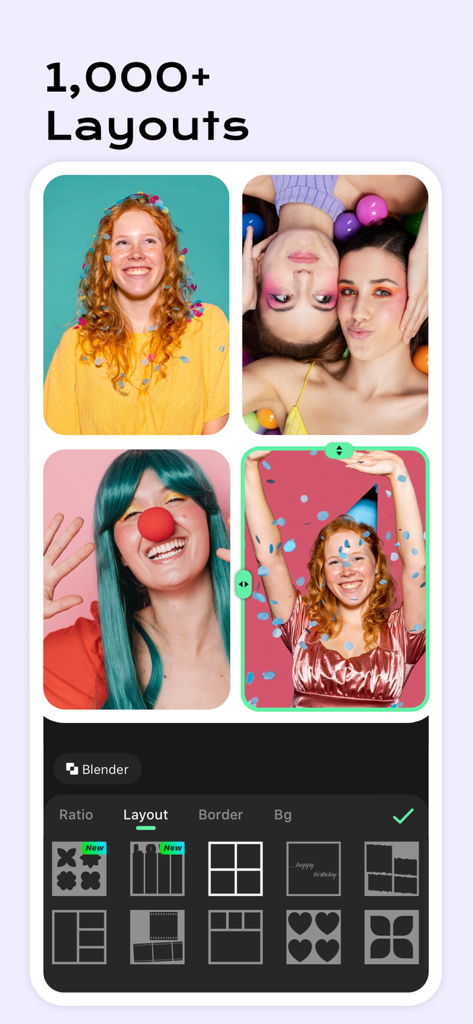
다양한 그리드 레이아웃과 편집 옵션을 보여주는 사진 콜라주 메이커 인터페이스
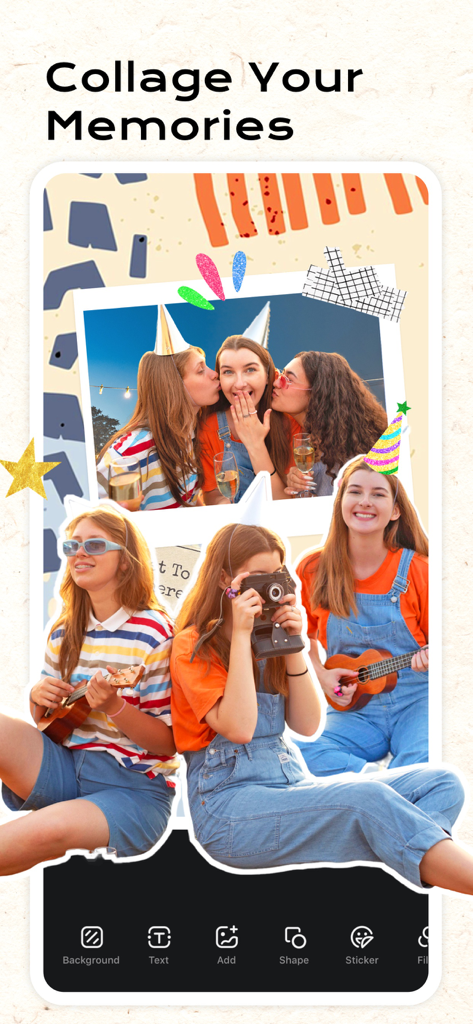
파티 사진과 편집 도구가 포함된 창의적인 스크랩북 레이아웃을 보여주는 InCollage 앱
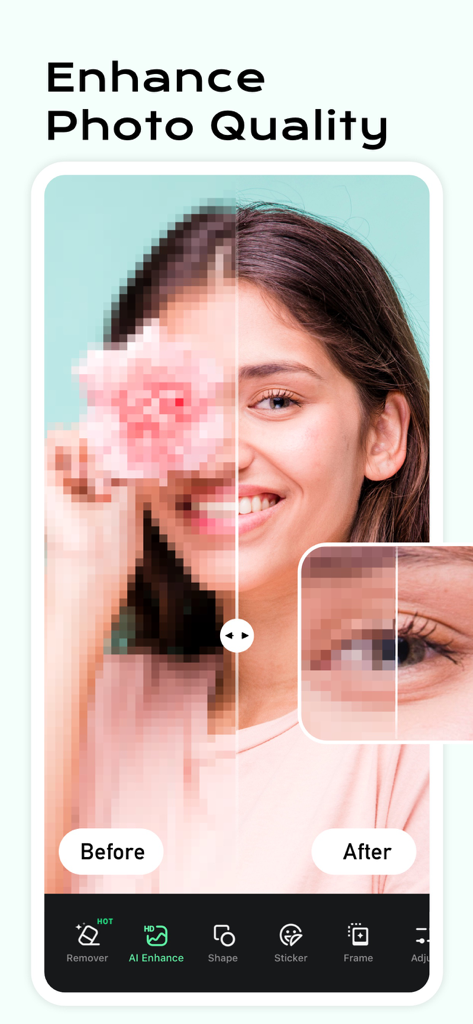
여성 초상화에 대한 AI 사진 품질 향상 전후 비교
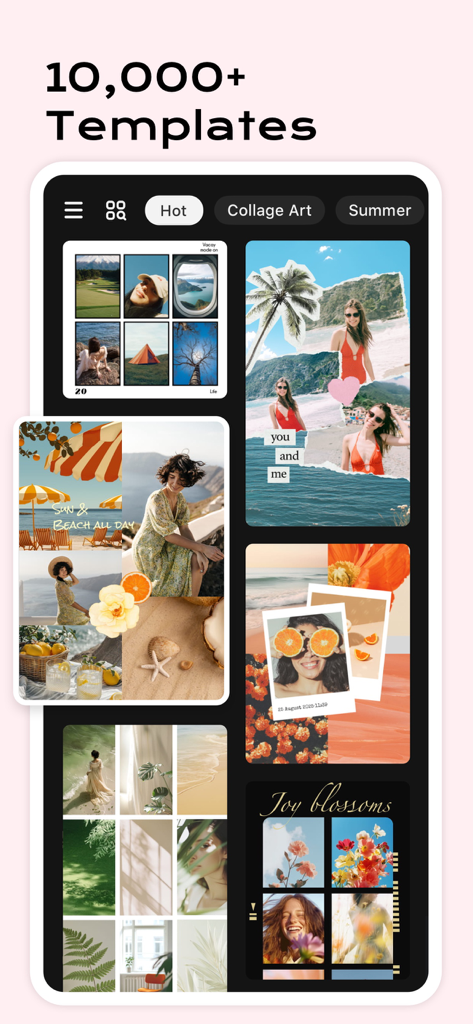
InCollage 앱에서 다양한 창의적인 사진 콜라주 템플릿 및 레이아웃을 보여주는 인터페이스
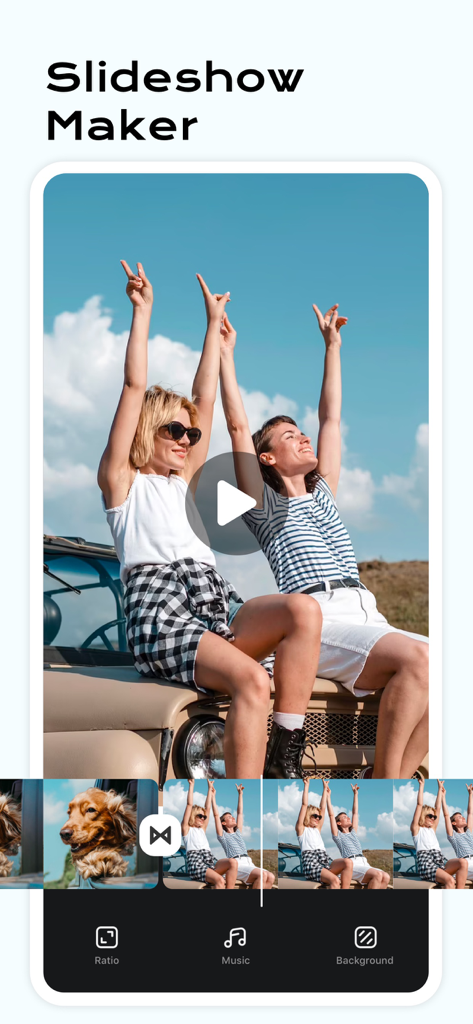
여행 사진의 비디오 타임라인과 음악 및 배경 편집 옵션을 보여주는 슬라이드 쇼 메이커 기능 모바일 앱 화면
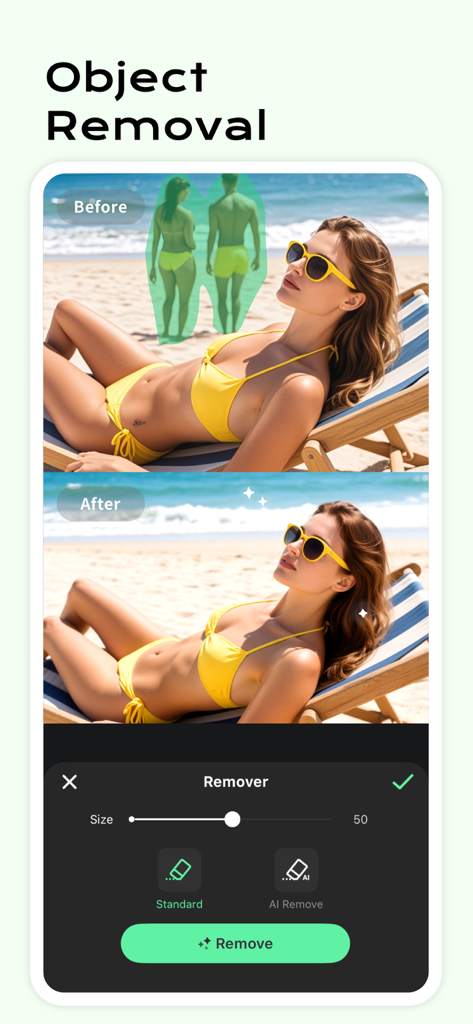
해변 사진에서 AI 개체 제거 기능의 전후 시연
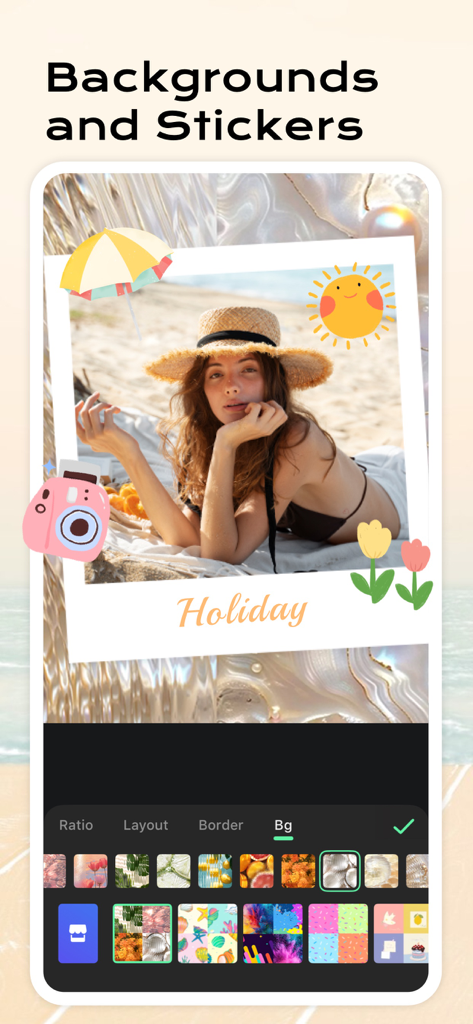
InCollage 앱 인터페이스에서 여름 스티커와 물결 모양 배경으로 편집 중인 홀리데이 해변 사진
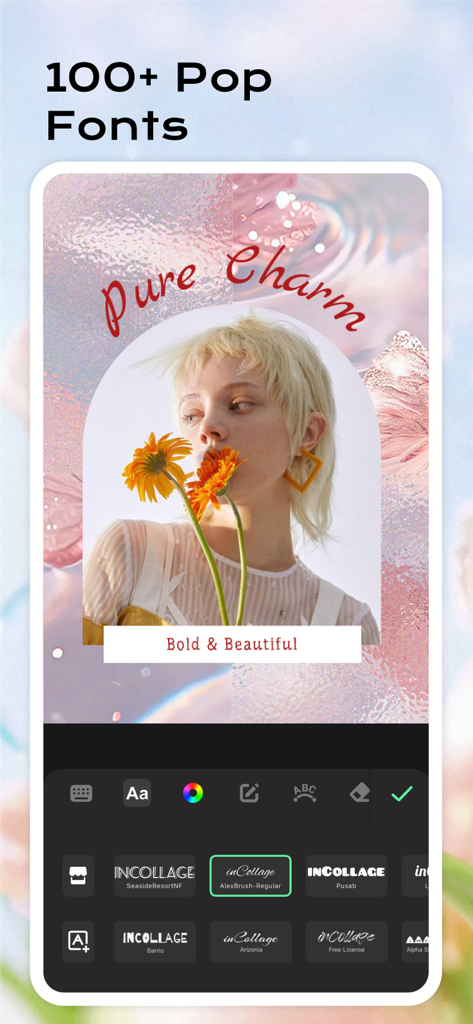
미적인 사진을 위한 다양한 트렌디한 글꼴과 텍스트 편집 도구를 특징으로 하는 InCollage 앱 인터페이스
설명
Download
비슷한 앱
유사한 기능과 사용자 경험을 가진 앱

SCRL: Photo Collage Maker
Appostrophe AB

PhotoGrid: Video Collage Maker
JUPITER PALACE PTE. LTD.

Layout for Instagram: Collage
Shamble, Inc.

TicPic
Zhuhai Kuxiong Network Technology Co., Ltd.

Collage Maker: CollagePlus
Shamble, Inc.

Photo Collage Montage Maker
Honk Honk Punch Pty Ltd

Photo Collage Maker & Creator
Honk Honk Punch Pty Ltd

Photo Collage Montage & Layout
Honk Honk Punch Pty Ltd

Jane - Art Collage & Video
Shanghai Ruishixinyan Information Technology Co., Ltd
이 페이지는 앱이나 개발자의 공식 페이지가 아니며, 정보 제공 및 논평을 목적으로 작성된 독립 편집 간행물입니다. 명시적으로 달리 언급되지 않는 한, 해당 앱이나 개발자는 MWM, Apple, Google Play, 앱 퍼블리셔 또는 앱 개발자와 제휴, 보증, 후원, 승인 또는 공식적으로 연결되어 있지 않으며, 이 페이지의 어떤 내용도 해당 앱이 MWM의 서비스를 사용하여 개발되었음을 의미하지 않습니다. 모든 상표, 로고, 스크린샷 및 기타 콘텐츠는 해당 소유자의 자산입니다.