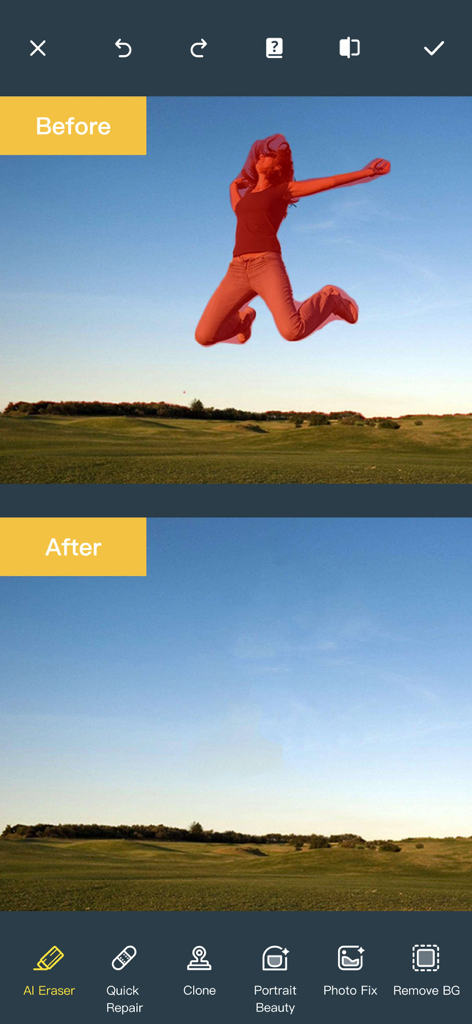
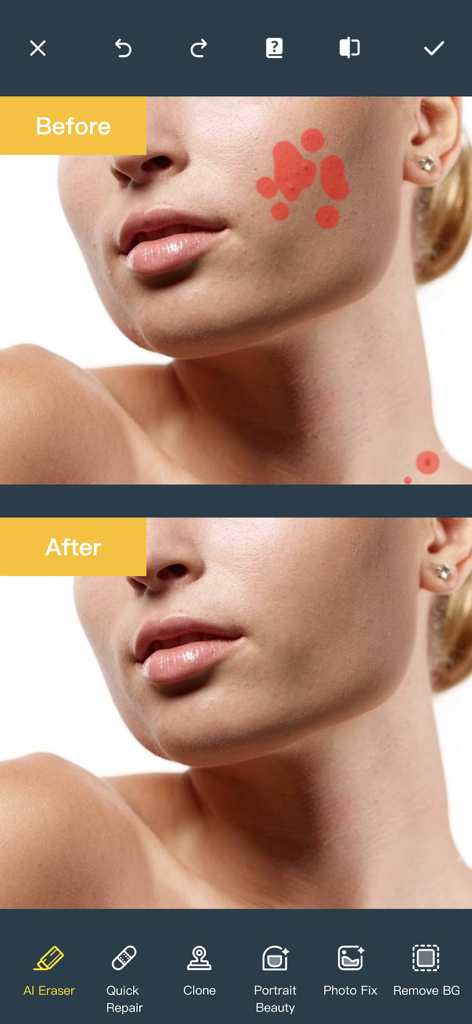
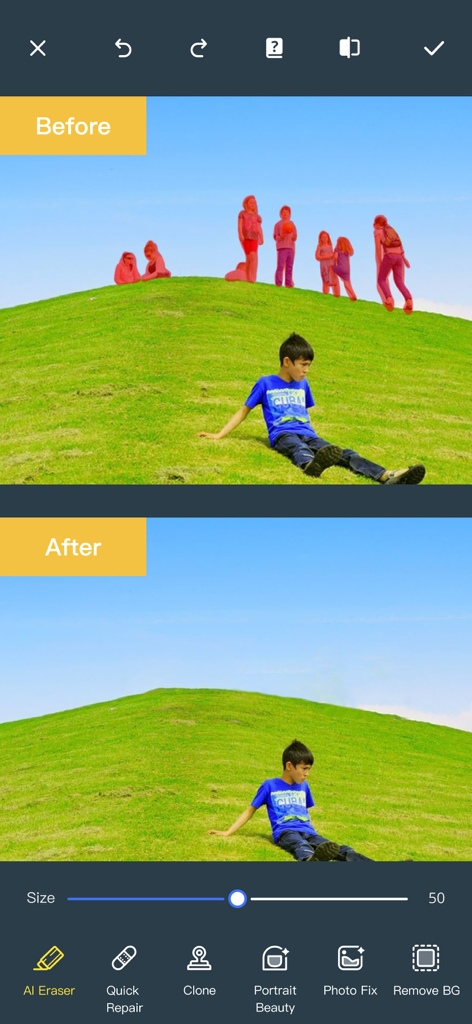
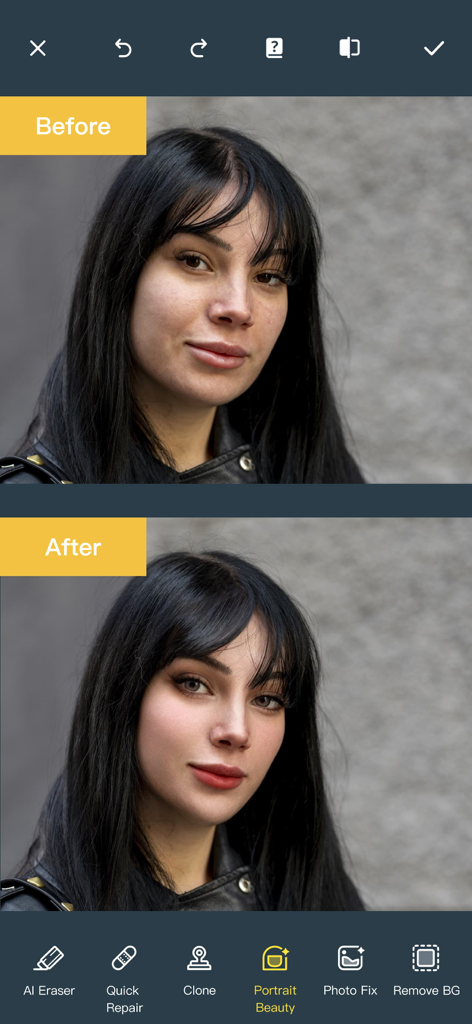
원하지 않는 사람, 배경 잡동사니 또는 피부 잡티를 쉽게 지우세요. AI가 픽셀을 완벽하게 혼합하여 방해 요소가 마치 존재하지 않았던 것처럼 사라지게 합니다.
✨
전문적인 피부 개선
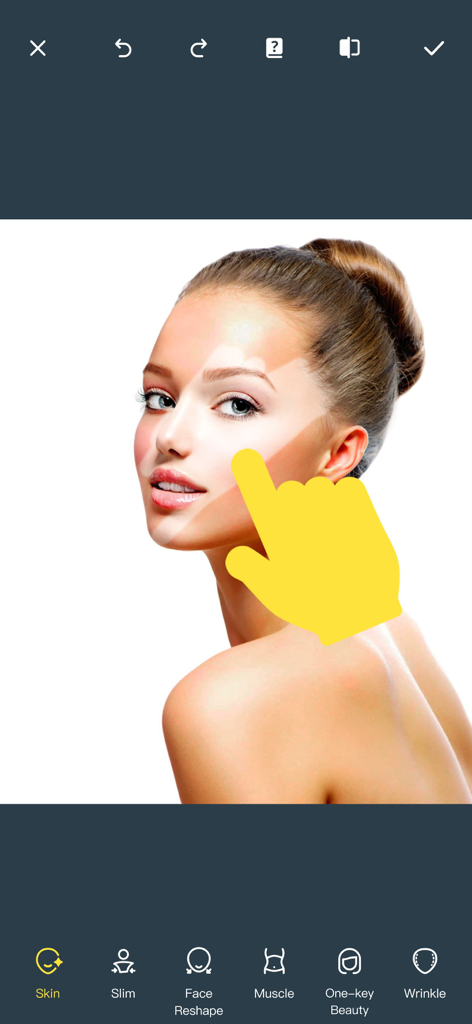
정밀 보정으로 몇 초 만에 카메라 준비를 완료하세요. 고급 AI 엔진을 사용하여 윤곽을 조각하고, 치아를 하얗게 하고, 피부를 매끄럽게 하고, 심지어 새로운 헤어스타일을 실험해 보세요.
🖼️
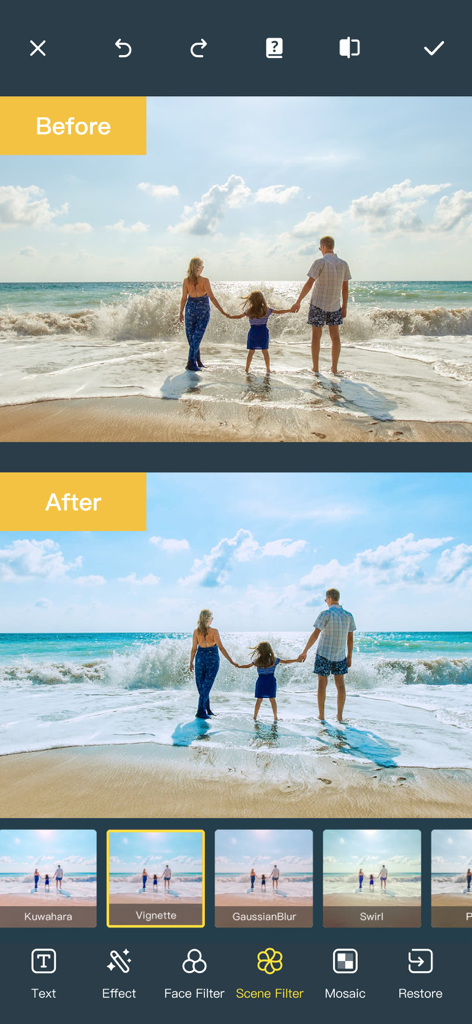
스마트 장면 확장
좁은 크롭으로 멋진 사진을 망치지 마세요. AI를 사용하여 배경을 지능적으로 확장하거나 오래되고 흐릿한 추억을 놀라운 고화질 선명도로 복원하세요.
앱 소개
에 대해 알아야 할 모든 것 Photo Retouch-Object Removal.
설명
Ever wanted to remove unwanted people, unsightly pimples from a photo/video? Now you can. Photo Retouch can make people, blemish disappear as if they were never there.
Very simple to use. Simply paint the items, and touch run erase.
Make fun pictures/videos, remove unwanted people, remove unsightly pimples, clean up the perfect shot.
Even more features:
*Powerful AI Photo Editor, add text, filters and effects to photos.
*Face Options: V-Face,Narrow Face,Little Face,Thin Face,Forehead,Chin,Cheekbones,Mandible Bone.
*Eye Options: Big Eye, Eye Opening, Eye Distance,Eye Angle,Brilliant.
*Nose Options: Long Nose,Thin Nose,Thin Philtrum.
*Mouth Options: Shape, Smile,Beautiful Teeth.
*Skin Options: Blur, Whitening, Sharpen, Rosy, Dark Circles, Nasolabial.
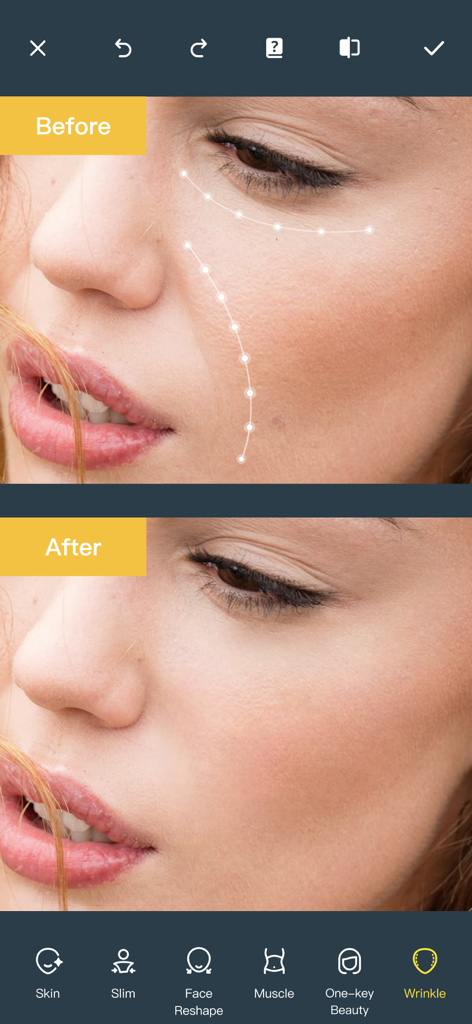
*Eliminate Acne, Wrinkle Killer, Thin Whiten Face.
*Hundreds of new image filters.
*Makeup Editing: Dozens of editable makeup for you to choose.
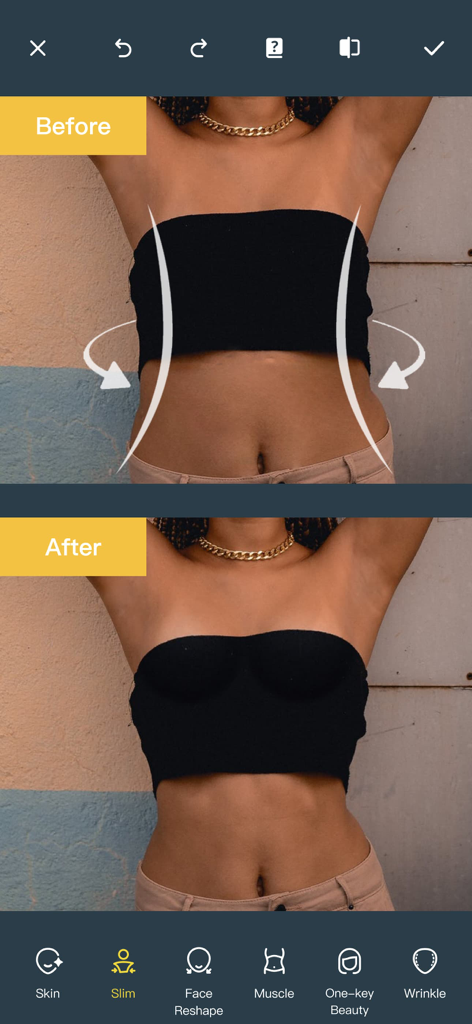
*Beautify Body:Turn your snaps into a model portfolio in a few minutes.
*Live Photo Editing: Beautify Live Photos instantly.
*AI Expansion: smartly fills in scenes for one-click expansion.
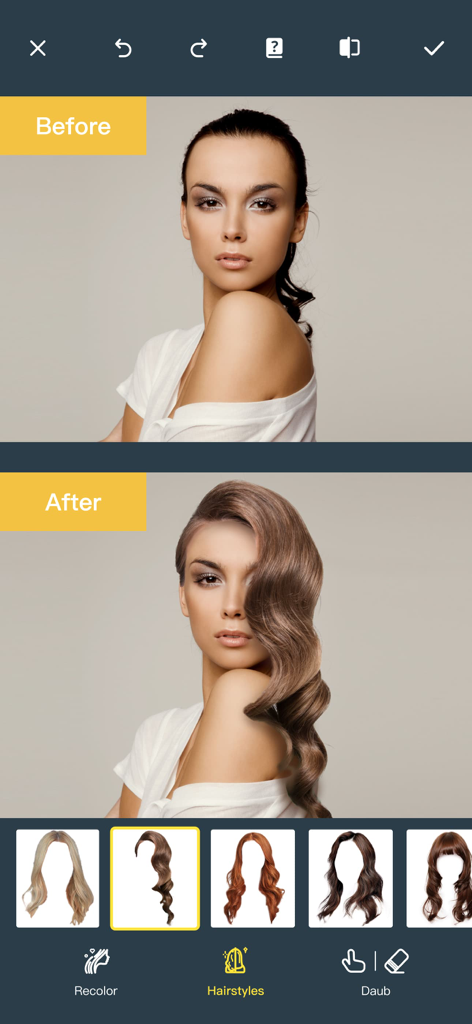
*AI Hairstyle Changer: AI-powered hairstyle transformation, freely change your look.
*AI Drawing: turns text or images into images and create artistic pictures with AI.
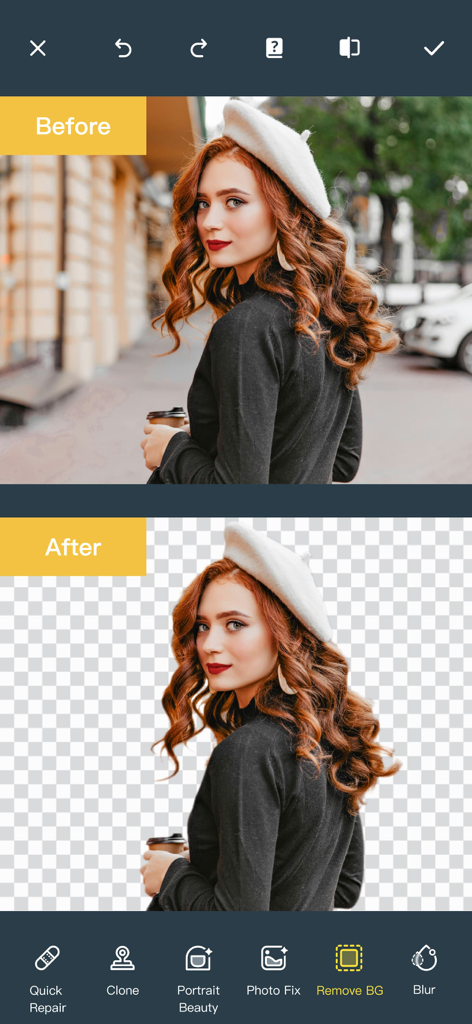
*AI Background Remover: Precise cutouts with smart recognition, quickly change backgrounds.
*Collage: Change layouts, switch backgrounds, seamlessly splice, and collage images to capture life's moments.
*Hairstyle and Hair Color: Change hairstyles and hair color, enhancing your beauty from the top down.
*Old Photo Restoration: Add more color to your old photos.
*Clarity repair: Turn blurry photos into high-definition in seconds, improving image quality.
*Image Fill Color: Fill color to your old photos automatically.
*Face Blur: Blur the faces in the video Easily.
*Track Blur: Remove/blur the moving people/blemish in the video.
*Powerful AI Editing: AI Face Restoration, AI Facial coloring restoration, AI Retouch custom prompt editing, AI Nail Design, AI Hairstyle, AI Photo Generator.
*Cloud Storage: Backup your editing result via cloud center.
Premium Package Subscription
- You can subscribe for large cloud storage space & premium features
- Payment will be charged to iTunes Account at confirmation of purchase
- You will be able to use large cloud storage space & premium features for the duration of the subscription
- Subscription automatically renews for the same price and duration period as the original "one week"/"one month"/"one year" package unless auto-renew is turned off at least 24-hours before the end of the current period
- Account will be charged for renewal within 24-hours prior to the end of the current period at the cost of the chosen package (weekly, monthly or yearly package)
- Subscriptions may be managed by the user and auto-renewal may be turned off by going to the user's iTunes Account Settings after purchase
- No cancellation of the current subscription is allowed during active subscription period
- You may cancel a subscription during its free trial period via the subscription setting through your iTunes account. This must be done 24 hours before the end of the subscription period to avoid being charged. Please visit http://support.apple.com/kb/ht4098 for more information
- You may turn off the auto-renewal of your subscription via your iTunes Account Settings. However, you are not able to cancel the current subscription during its active period
- Any unused portion of a free trial period, if offered, will be forfeited when the user purchases a subscription to that publication, where applicable
Links to our Terms of Service and Privacy Policy can be found below
Privacy Policy:https://privacy.tushikeji.com/app/privacy?name=photoretouch&os=ios&language=en&channelNo=1
Terms of Use: https://privacy.tushikeji.com/app/userAgreement?name=photoretouch&os=ios&language=en&channelNo=1
최신 버전
5.20
크기
183.3 MB
출시일
2017년 5월 5일
완벽한 편집을 할 준비가 되셨나요?
한 번의 탭으로 AI를 사용하여 사진을 변신시키는 3,400만 명 이상의 크리에이터와 함께하세요. 여행 사진의 군중을 지우는 것부터 전문가 수준의 보정까지, 항상 원했던 완벽한 미학을 만드세요.
FAQ
자주 묻는 질문
에 대해 알아야 할 모든 것 Photo Retouch-Object Removal
Photo Retouch는 사진에서 원치 않는 개체를 어떻게 제거하나요?
네, Photo Retouch는 원치 않는 사람이나 개체를 제거합니다. 사용자는 항목 위에 칠한 다음 "실행 지우기" 기능을 사용하여 사진에서 사라지게 합니다.
Photo Retouch는 프리미엄 기능에 대한 무료 체험판을 제공하나요?
네, Photo Retouch는 무료 체험 기간을 제공합니다. 사용자가 구독 패키지를 구매하면 이 무료 체험의 미사용 부분은 무효가 됩니다.
사용자는 Photo Retouch 프리미엄 구독을 어떻게 취소할 수 있나요?
사용자는 iTunes 계정 설정을 통해 구독을 관리하고 자동 갱신을 해제합니다. 갱신을 피하려면 현재 기간이 종료되기 최소 24시간 전에 이 작업을 수행해야 합니다.
Photo Retouch는 이미지에서 배경을 제거할 수 있나요?
네, Photo Retouch에는 AI 배경 제거 기능이 포함되어 있습니다. 이 기능은 스마트 인식을 통해 정확한 잘라내기를 제공하여 사용자가 이미지 배경을 빠르게 변경하거나 제거할 수 있도록 합니다.
Photo Retouch에 AI 헤어스타일 변경 기능이 있나요?
네, Photo Retouch에는 AI 헤어스타일 변경 기능이 있습니다. 이 AI 기반 도구를 통해 사용자는 헤어스타일을 변형하고 다양한 룩을 자유롭게 실험할 수 있습니다.
Photo Retouch는 사진에서 주름을 제거할 수 있나요?
네, Photo Retouch는 "주름 제거제" 기능을 제공합니다. 이 도구는 주름을 제거하고 사진 내 전반적인 피부 외관을 개선하도록 설계되었습니다.
Photo Retouch는 신체 부위를 날씬하게 하거나 재구성하는 도구를 제공하나요?
네, Photo Retouch에는 "슬림"과 같은 도구가 포함된 "몸매 보정" 기능이 있습니다. 이를 통해 사용자는 이미지에서 신체 비율을 재구성하고 다듬을 수 있습니다.
Photo Retouch는 편집된 사진을 위한 클라우드 스토리지를 제공하나요?
네, Photo Retouch는 클라우드 스토리지를 제공합니다. 사용자는 편집 결과를 백업하기 위해 대규모 클라우드 저장 공간에 액세스하려면 프리미엄 패키지를 구독할 수 있습니다.
사용자는 Photo Retouch로 라이브 사진을 편집할 수 있나요?
네, Photo Retouch는 라이브 사진 편집을 지원합니다. 이 애플리케이션을 통해 사용자는 다양한 편집 도구로 라이브 사진을 즉시 아름답게 만들 수 있습니다.
Photo Retouch에 오래된 사진을 복원하는 기능이 있나요?
네, Photo Retouch는 색상을 추가하는 "오래된 사진 복원"과 흐릿한 오래된 사진을 고화질 이미지로 변환하는 "선명도 복구"를 제공합니다.
App information, icons, screenshots, and descriptions displayed on this page are sourced from the Apple App Store and are the property of their respective developers. Download estimates and rankings are based on MWM's proprietary models and may not reflect actual figures. This page is provided for informational and analytical purposes only.
Believe this page infringes your intellectual property? File a dispute