PhotoMapper: GPS EXIF Editor

PhotoMapper: GPS EXIF Editor


다운로드: App Store
로고: PhotoMapper: GPS EXIF Editor

PhotoMapper: GPS EXIF 편집기 – 사진 지도 완성 및 개인 정보 보호

디지털 기록 보관자 및 전문 사진작가를 위한 필수 유틸리티. DSLR 사진에 누락된 지오태그를 손쉽게 추가하고, 메타데이터를 일괄 편집하며, 공유하기 전에 위치 데이터를 안전하게 제거하여 개인 정보를 보호하세요.

다운로드: App Store

개발사

Mykola Fiantsev

카테고리

Photo & Video

다운로드

120K+

사용자 평점

4.3/5

총 평가 수

400

지원 언어

8

당신의 세계, 지도화되다

이 인터페이스를 사용하는 120K+ 명의 사용자.

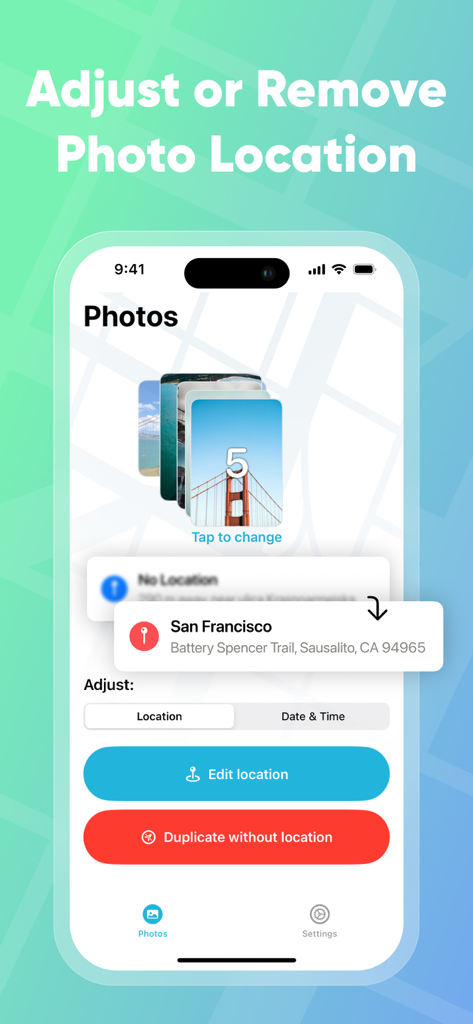
사진 스택의 위치 조정 및 제거 옵션을 보여주는 PhotoMapper GPS EXIF 편집기 인터페이스.

사진 스택의 위치 조정 및 제거 옵션을 보여주는 PhotoMapper GPS EXIF 편집기 인터페이스.

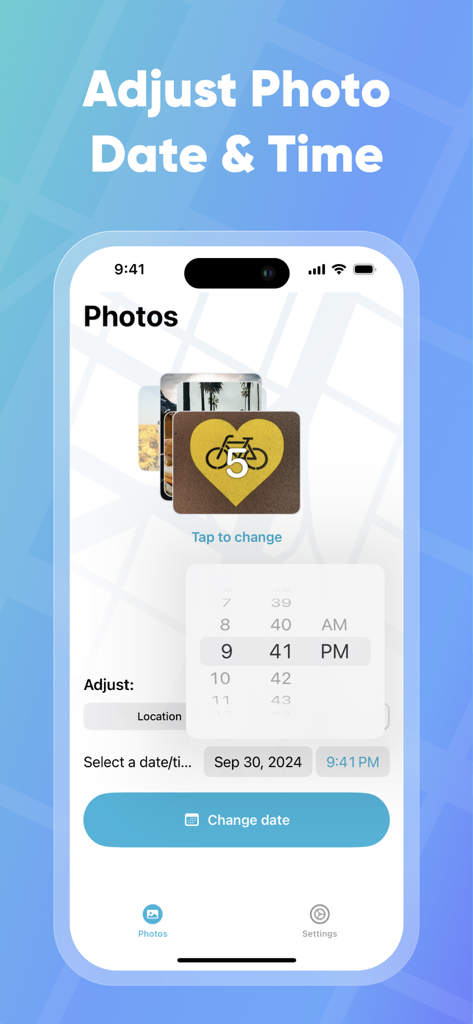
PhotoMapper 앱에서 사진 날짜 및 시간 조정을 위한 인터페이스

PhotoMapper 앱에서 사진 날짜 및 시간 조정을 위한 인터페이스

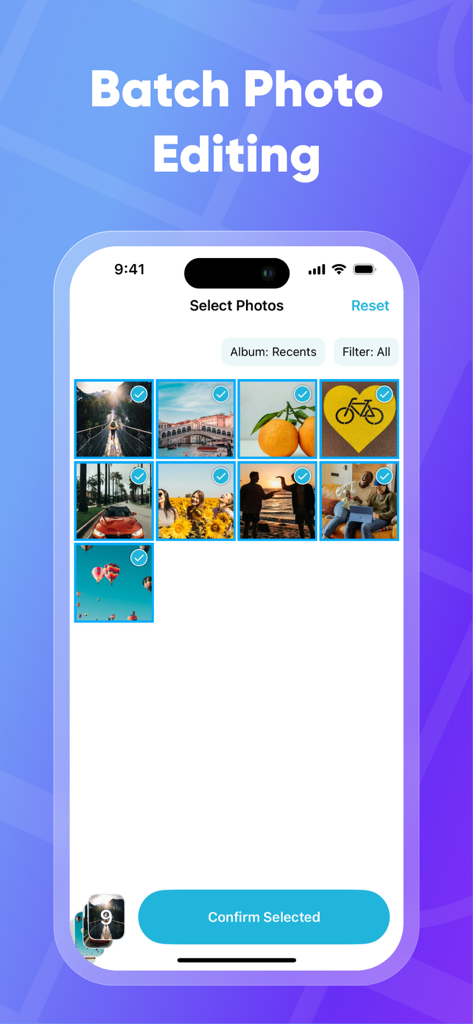
EXIF 데이터 편집을 위해 PhotoMapper 앱에서 일괄 사진 선택 기능을 보여주는 iPhone 화면

EXIF 데이터 편집을 위해 PhotoMapper 앱에서 일괄 사진 선택 기능을 보여주는 iPhone 화면

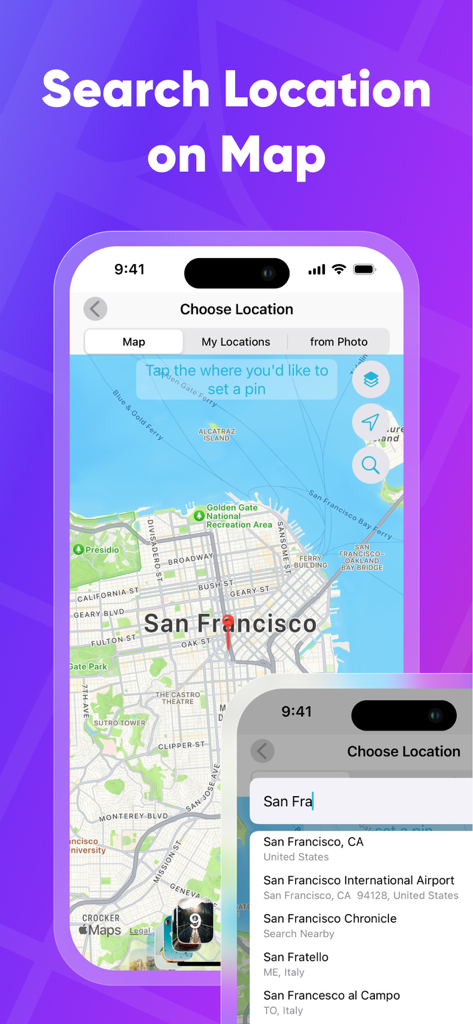
사진에 GPS 메타데이터를 추가하기 위해 지도에서 지리적 위치를 검색하고 선택합니다

사진에 GPS 메타데이터를 추가하기 위해 지도에서 지리적 위치를 검색하고 선택합니다

사진 아카이브를 완벽하게 만드세요

이 앱을 돋보이게 하는 도구, 120K+ 명의 사용자가 선택.

📍

'장소' 지도를 완성하세요

DSLR 사진이 매핑되지 않은 채 방치되지 않도록 하세요. GPS 좌표를 수동으로 추가하거나 수정하여 모든 사진이 iOS 라이브러리에서 정확히 제자리에 표시되도록 합니다.

🛡️

완벽한 프라이버시로 공유

메타데이터 없는 사본을 생성하여 개인 데이터를 보호하세요. 집이나 사적인 장소를 노출하지 않고 소셜 미디어에서 좋아하는 순간을 공유하세요.

파워 유저를 위한 효율성

일괄 편집으로 수작업 시간을 절약하세요. 몇 번의 탭만으로 한 사진의 위치 데이터를 복사하여 수백 장의 다른 사진에 적용하세요.

앱 소개

에 대해 알아야 할 모든 것 PhotoMapper: GPS EXIF Editor.

설명

PhotoMapper: GPS EXIF Editor is an essential app for anyone who wants to keep their iOS Photo library organized by the places where photos were taken. All photographers who store photos in their iOS Photos library and use geo-tags for systematization could be upset with lost geo-tag information due to using DSLRs or getting these photos from friends. Just add this info with our app and keep your geo-tag system in a consistent state. PhotoMapper: GPS EXIF Editor is also useful for people who want to protect their personal privacy. When you share your photos on social networks or send them via email, the geo-location information – where the photo was taken – is shared as well. If you are concerned about your personal privacy and would like to share photos without any mark of location in EXIF metadata, PhotoMapper can remove it. **FEATURES:** • Location info of your photos will always be correct and never missed Easily add or modify location info of photos in your iOS Photo library by simply placing a pin on the map. Never miss this info even if you use a DSLR or for any other reason. • Prepare photos for social sharing with clear location info - Keep the original photo for yourself and create a copy without any mark of the GPS location info (Geotagging) in EXIF metadata for sharing, reinforcing your privacy. • Batch photo editing Edit multiple photos in a few clicks, the fast and easy way. Forget about single selection. • Find all photo with missed location info Easily find all photos without location in one click. • Copy location info from one photo to another Long press in the gallery to open a large preview of the selected photo and use the “Copy Location” action. Now you can copy the location to as many other photos as you wish. **HOW TO ADD OR MODIFY LOCATION INFO:** This action adds a new location, which will be available in the iOS Photo library. 1. Select one or multiple photos 2. Click “Edit location” 3. Set the desired location by placing a pin on the map 4. Confirm the action. **HOW TO REMOVE LOCATION INFO:** This action keeps the original photo and creates a duplicate copy without GPS location info, which you can share. The EXIF metadata will be clean in this case. There is no location info of this photo in any app. 1. Select one or multiple photos on the first screen. 2. Click “Duplicate photo without location.” 3. Confirm the action. Thanks for all feedback! Please leave a 5-star review if you are happy with PhotoMapper :) Terms of Use: https://gist.github.com/bigMOTOR/27f60cb35180a150d38dc11df5462276 Privacy Policy: https://gist.github.com/bigMOTOR/e373f36ef179c17679d5083e5fb39e80

최신 버전

4.2.0

크기

21.6 MB

출시일

2018년 3월 26일

오늘 바로 사진 라이브러리를 완벽하게 만드세요

PhotoMapper를 사용하여 DSLR 추억을 정리하고 위치를 노출하지 않고 안전하게 사진을 공유하는 120,000명 이상의 사용자와 함께하세요.

다운로드: App Store

App information, icons, screenshots, and descriptions displayed on this page are sourced from the Apple App Store and are the property of their respective developers. Download estimates and rankings are based on MWM's proprietary models and may not reflect actual figures. This page is provided for informational and analytical purposes only.

Believe this page infringes your intellectual property? File a dispute