Proxygen

Proxygen

다운로드: App Store
로고: Proxygen

Proxygen: iOS 및 Mac을 위한 전문 HTTP 디버깅

서버급 성능으로 API 테스트를 간소화하세요. 복잡한 Wi-Fi 프록시 설정이나 수동 인증서 없이 네트워크 트래픽을 손쉽게 가로채고, 수정하고, 분석하세요.

개발사

Pasi Salenius

카테고리

Developer Tools

다운로드

44K+

사용자 평점

4.4/5

총 평가 수

0

지원 언어

1

정밀하게 검사하세요

이 인터페이스를 사용하는 44K+ 명의 사용자.

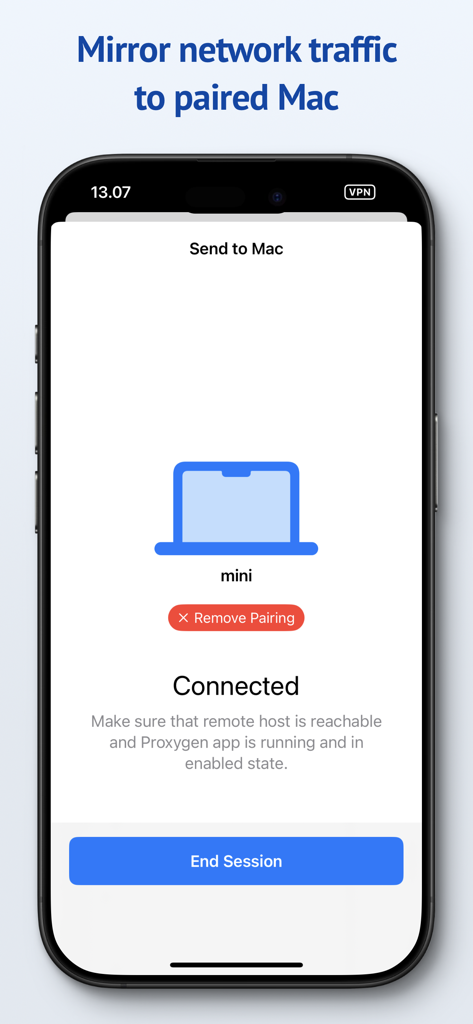
Proxygen 앱 인터페이스가 iPhone에 표시되며, 디버깅을 위해 Mac으로 네트워크 트래픽을 미러링하도록 페어링된 세션에 연결되어 있습니다.

Proxygen 앱 인터페이스가 iPhone에 표시되며, 디버깅을 위해 Mac으로 네트워크 트래픽을 미러링하도록 페어링된 세션에 연결되어 있습니다.

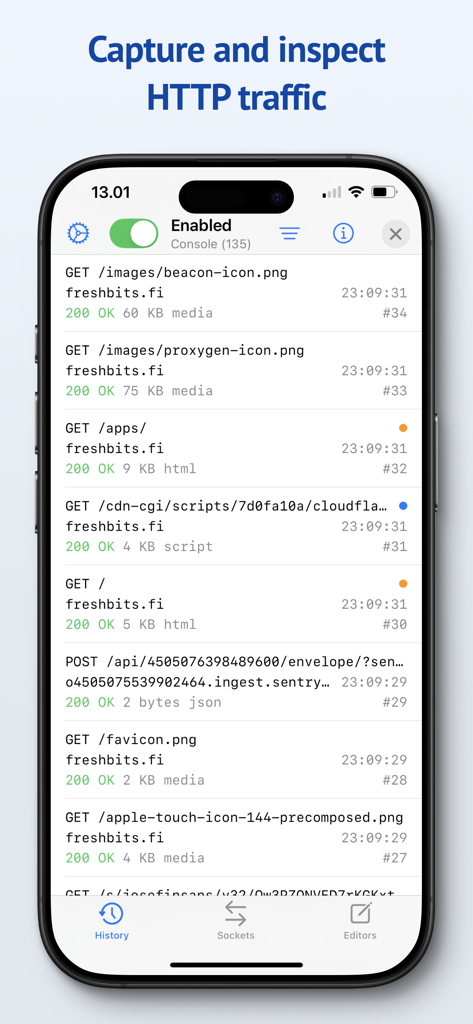
Proxygen 앱 인터페이스가 iPhone에 표시되며 캡처된 HTTP 네트워크 요청 및 API 트래픽 목록을 보여줍니다.

Proxygen 앱 인터페이스가 iPhone에 표시되며 캡처된 HTTP 네트워크 요청 및 API 트래픽 목록을 보여줍니다.

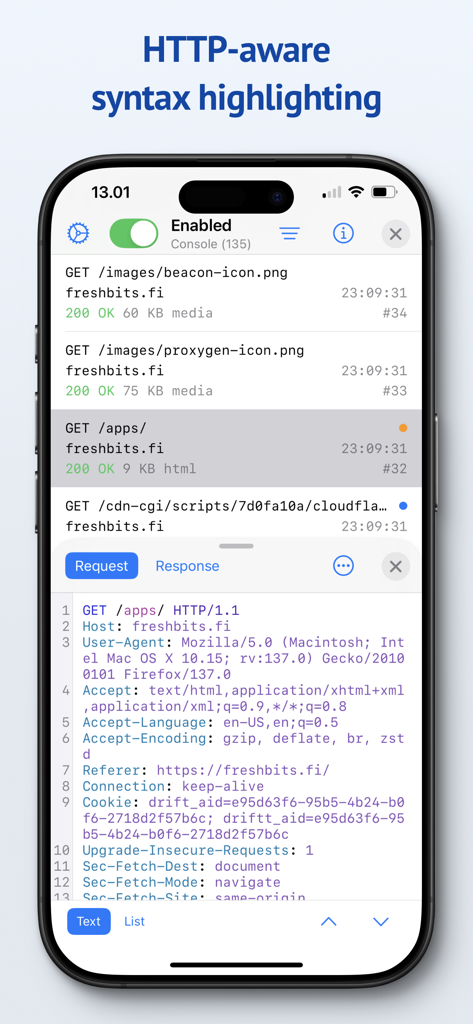
Proxygen 앱 인터페이스가 iPhone에서 구문 강조 기능이 있는 HTTP 요청 헤더를 보여줍니다.

Proxygen 앱 인터페이스가 iPhone에서 구문 강조 기능이 있는 HTTP 요청 헤더를 보여줍니다.

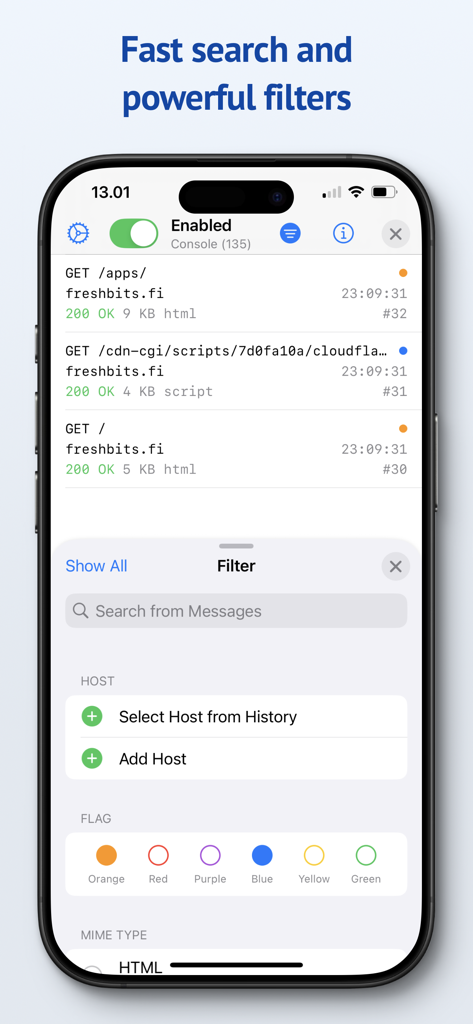
Proxygen 앱 스크린샷이 네트워크 트래픽 메시지에 대한 검색 및 필터 옵션을 보여줍니다.

Proxygen 앱 스크린샷이 네트워크 트래픽 메시지에 대한 검색 및 필터 옵션을 보여줍니다.

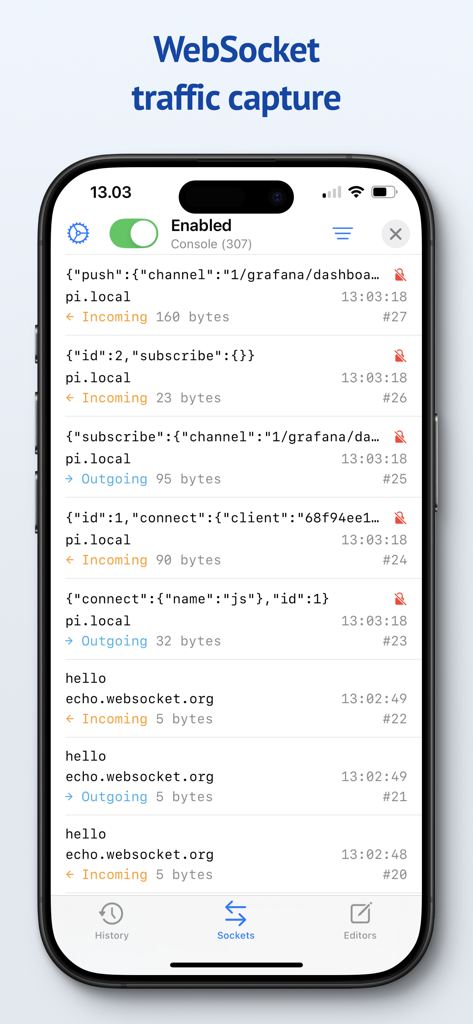
Proxygen 모바일 앱 인터페이스가 JSON 데이터 및 바이트 크기가 있는 수신 및 발신 WebSocket 메시지 목록을 보여줍니다.

Proxygen 모바일 앱 인터페이스가 JSON 데이터 및 바이트 크기가 있는 수신 및 발신 WebSocket 메시지 목록을 보여줍니다.

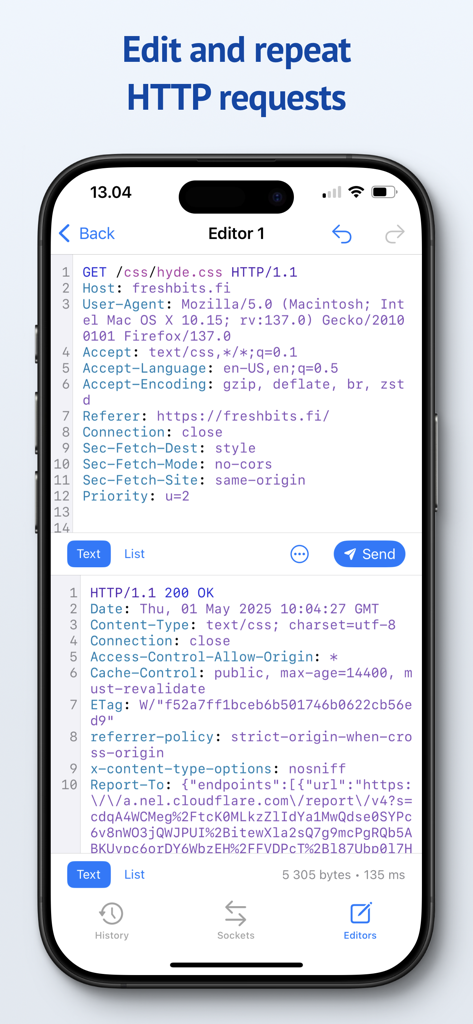
Proxygen 모바일 앱 인터페이스가 구문 강조 기능이 있는 HTTP 요청을 수정하고 반복하기 위한 편집기를 보여줍니다.

Proxygen 모바일 앱 인터페이스가 구문 강조 기능이 있는 HTTP 요청을 수정하고 반복하기 위한 편집기를 보여줍니다.

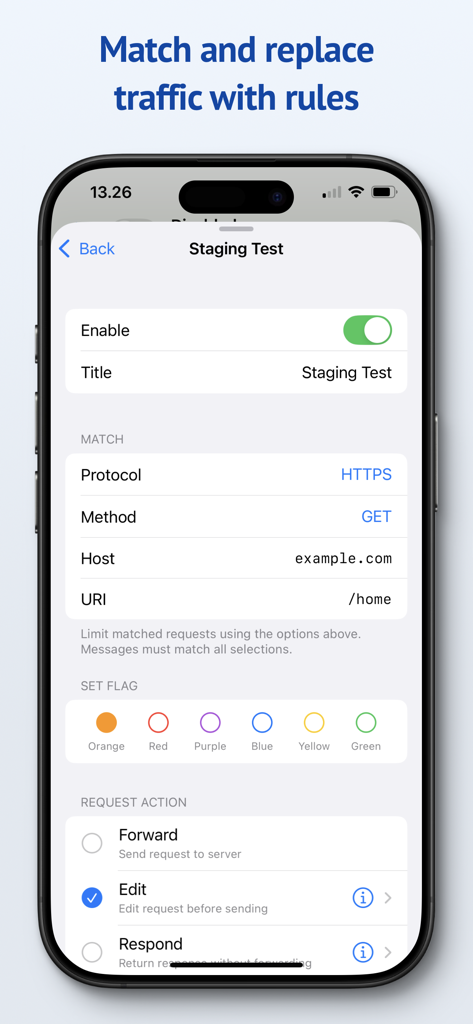
HTTP 트래픽 일치 및 바꾸기 규칙을 구성하기 위한 Proxygen 모바일 인터페이스

HTTP 트래픽 일치 및 바꾸기 규칙을 구성하기 위한 Proxygen 모바일 인터페이스

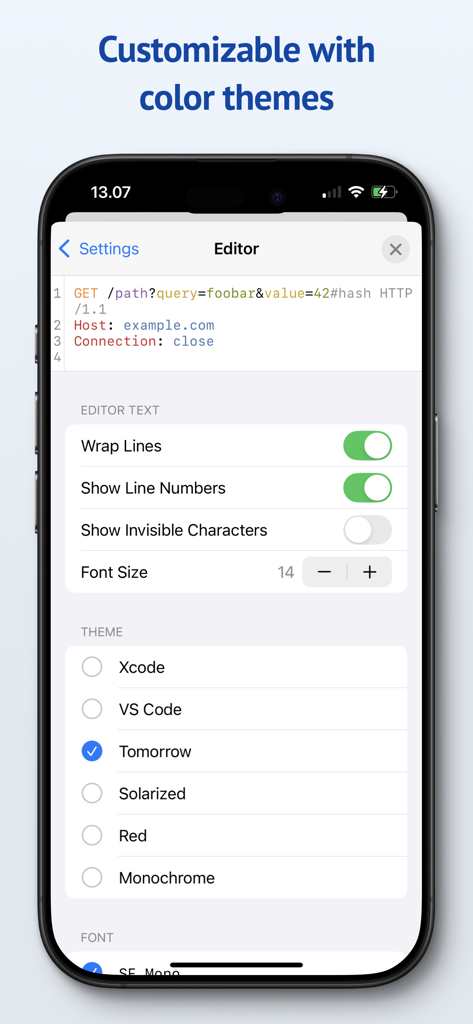
Proxygen 앱 설정 화면에 Xcode 및 VS Code와 같은 사용 가능한 색상 테마 및 편집기 사용자 지정 옵션이 표시됩니다.

Proxygen 앱 설정 화면에 Xcode 및 VS Code와 같은 사용 가능한 색상 테마 및 편집기 사용자 지정 옵션이 표시됩니다.

전문가 수준의 도구로 더 빠르게 디버깅하세요

이 앱을 돋보이게 하는 도구, 44K+ 명의 사용자가 선택.

💻

원활한 트래픽 미러링

복잡한 Wi-Fi 프록시 설정으로 시간 낭비를 멈추세요. 구성 마찰 없이 로컬 네트워크를 통해 즉시 iPhone 트래픽을 Mac으로 미러링하세요.

🚀

서버급 성능

SwiftNIO를 기반으로 한 번개처럼 빠른 비동기 네트워킹. 연결 속도 저하를 전혀 느끼지 않고 실시간으로 HTTPS 트래픽을 검사하세요.

🛠️

동적 일치 및 바꾸기

API 응답을 완벽하게 제어하세요. 헤더 또는 본문 데이터를 실시간으로 수정하는 규칙을 만들어 엣지 케이스를 시뮬레이션하고 테스트 시나리오를 자동화하세요.

앱 소개

에 대해 알아야 할 모든 것 Proxygen.

설명

Proxygen is a professional HTTP proxy tool for testing apps and debugging remote API endpoints right on your iPhone, iPad and Mac. And it’s built to delight you while doing it. Features • Send iOS device traffic to remote Mac • Message history with powerful filtering • WebSocket message capture • Syntax highlighting HTTP message editor • Match and replace headers and body data • Store all data in documents SEND TO MAC Easily capture HTTP messages from an iPhone or iPad on your Mac. Traffic is mirrored to the paired Mac over local network even when the iOS app is not active. The Mac app can intercept and edit data of requests and responses before they are forwarded. No more futzing around with Wi-Fi proxy settings and trusted certificates. SYNTAX AWARE EDITOR Edit requests from the message history or create new to any target. All previously sent requests are kept in the project file so you can return to your work later. The editor uses Tree-sitter for fast language parsing and syntax highlighting. It handles decoding of HTTP content automatically, letting you focus on testing the remote API. MATCH AND REPLACE Proxygen can modify requests and responses, on the fly, according to your custom rules. Multiple rules can be combined to create powerful automations that drop traffic to certain destinations, add or remove HTTP headers and respond locally with custom data, bypassing the remote server. SERVER GRADE PERFORMANCE The magic lies in a little custom HTTP proxy that the iOS app runs in a local VPN extension. This proxy was developed using SwiftNIO, a framework for bizarrely fast asynchronous network applications. The proxy can perform TLS Manipulator in the Middle (MitM) to see inside HTTPS connections and apply custom logic to each message. To put it bluntly, you’ve probably never seen a HTTP proxy this fast before. And you likely won’t notice that your web browsing is even proxied at all. PRIVACY Proxygen contains no third party frameworks for crash reporting or analytics. Note that Proxygen is a TLS MitM proxy, which means that it sees HTTPS network traffic in plain text. This data is transferred from the proxy to the Proxygen app and stored as part of the project document. Make sure you handle the documents accordingly, as they may contain sensitive data such as session tokens and login credentials. Privacy policy https://proxygen.app/docs/privacy Terms of Use https://proxygen.app/docs/terms Device Mockup created from https://deviceframes.com/templates/iphone-13

최신 버전

4.2.0

크기

26.7 MB

출시일

2022년 3월 19일

마찰 없는 디버깅을 할 준비가 되셨나요?

수천 명의 전문 개발자와 함께 API 테스트를 간소화하세요. iPhone, iPad, Mac에서 서버급 성능과 개인 정보 우선 워크플로우를 경험하세요.

다운로드: App Store

App information, icons, screenshots, and descriptions displayed on this page are sourced from the Apple App Store and are the property of their respective developers. Download estimates and rankings are based on MWM's proprietary models and may not reflect actual figures. This page is provided for informational and analytical purposes only.

Believe this page infringes your intellectual property? File a dispute