PTZ Control Panel

PTZ Control Panel

다운로드: App Store
로고: PTZ Control Panel

PTZ 제어판: 모던 원맨 크루를 위한 전문 카메라 제어

iPad 또는 iPhone을 강력한 제어 센터로 전환하세요. 복잡한 프로덕션 크루 없이도 높은 임팩트의 결과를 필요로 하는 전문가를 위해 설계된 AVer Pro AV 카메라의 자동 추적, 프리셋 및 음성 제어 움직임을 손쉽게 관리하세요.

다운로드: App Store

개발사

AVer Information Inc.

카테고리

Education

다운로드

1K+

사용자 평점

1.0/5

총 평가 수

0

지원 언어

2

모든 각도 제어

이 인터페이스를 사용하는 1K+ 명의 사용자.

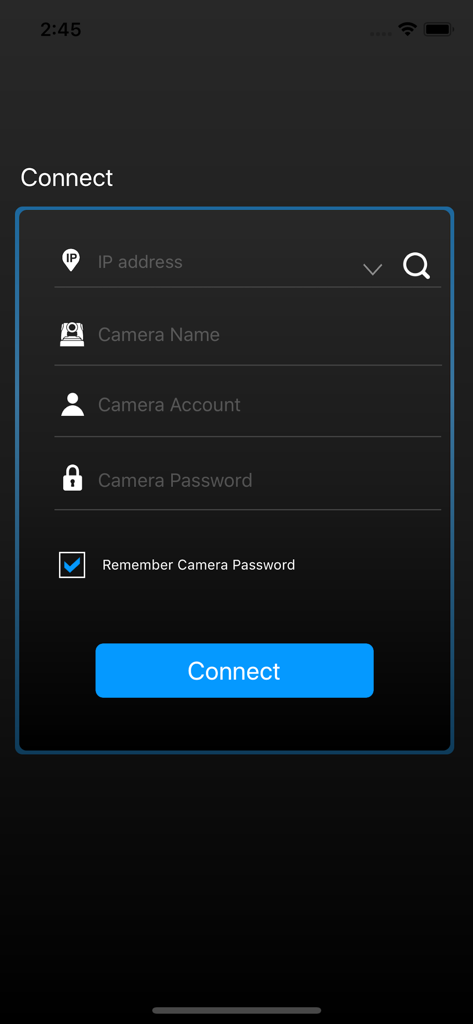
카메라 로그인 필드가 표시된 PTZ 제어판 앱 연결 화면

카메라 로그인 필드가 표시된 PTZ 제어판 앱 연결 화면

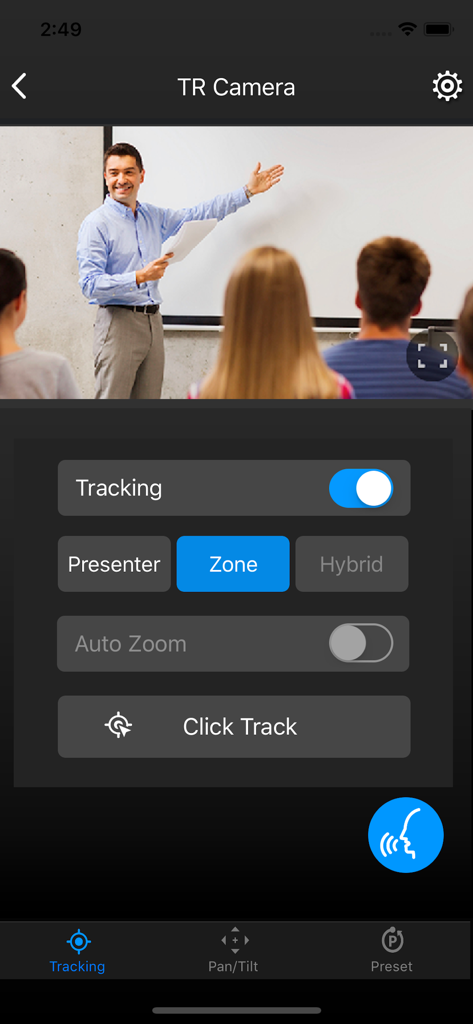
자동 추적 설정과 교실의 교사 실시간 영상 피드가 표시된 PTZ 제어판 앱 인터페이스

자동 추적 설정과 교실의 교사 실시간 영상 피드가 표시된 PTZ 제어판 앱 인터페이스

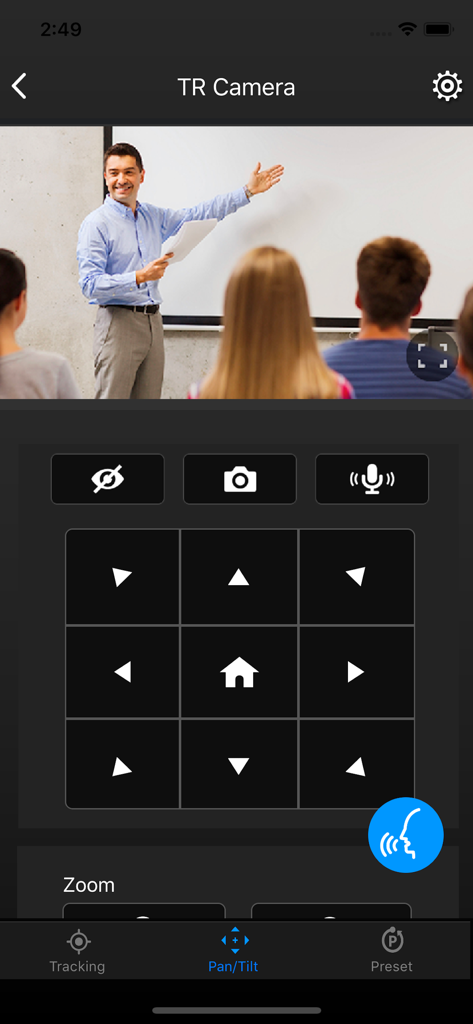
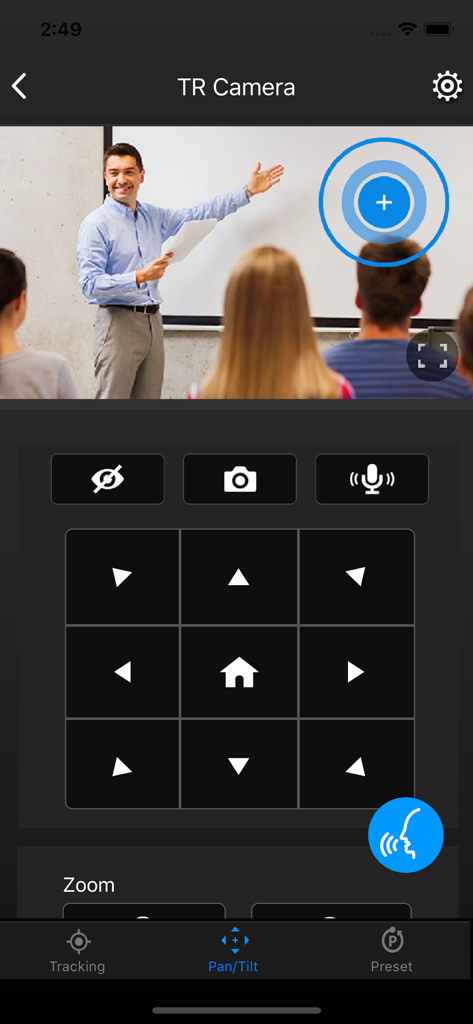
교실 카메라의 팬 및 틸트 방향 제어가 표시된 PTZ 제어판 앱 인터페이스

교실 카메라의 팬 및 틸트 방향 제어가 표시된 PTZ 제어판 앱 인터페이스

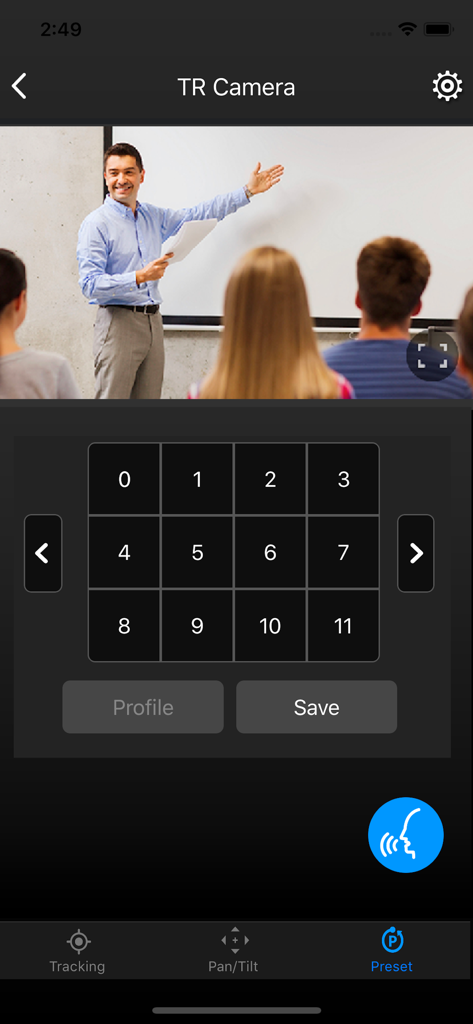
교실 실시간 영상 스트림과 숫자 카메라 프리셋 컨트롤이 표시된 AVer PTZ 제어판 앱 인터페이스

교실 실시간 영상 스트림과 숫자 카메라 프리셋 컨트롤이 표시된 AVer PTZ 제어판 앱 인터페이스

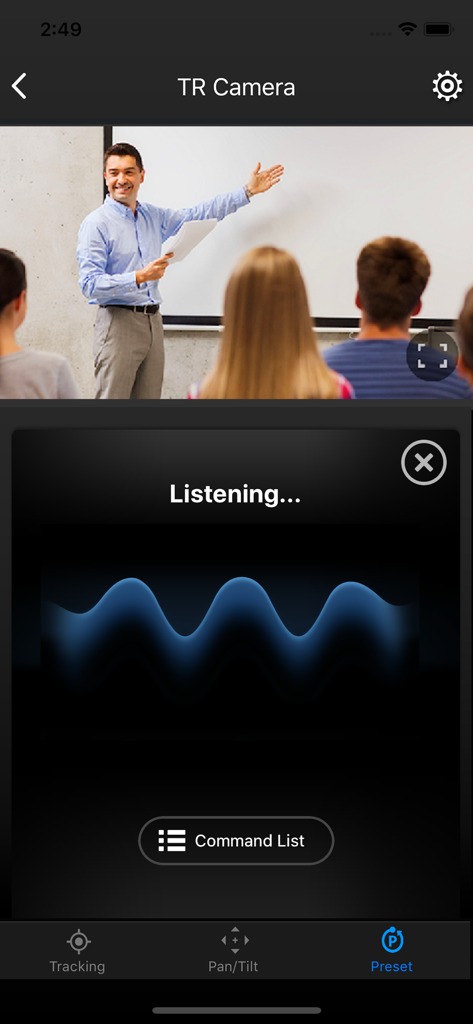
실시간 교실 카메라 피드가 표시된 음성 명령 대기 화면을 보여주는 PTZ 제어판 앱 인터페이스

실시간 교실 카메라 피드가 표시된 음성 명령 대기 화면을 보여주는 PTZ 제어판 앱 인터페이스

실시간 강의 영상 피드와 함께 방향 팬 및 틸트 컨트롤을 보여주는 PTZ 제어판 앱 인터페이스

실시간 강의 영상 피드와 함께 방향 팬 및 틸트 컨트롤을 보여주는 PTZ 제어판 앱 인터페이스

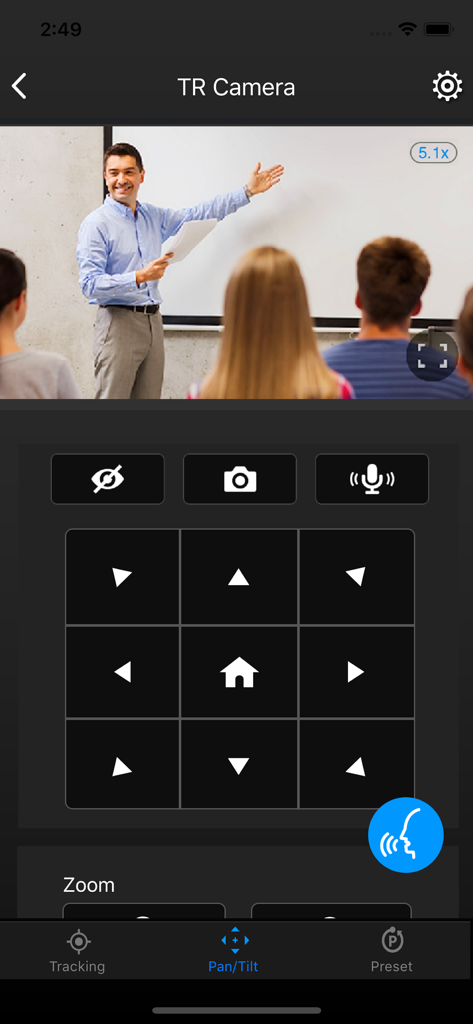
카메라 팬 및 틸트 컨트롤을 보여주는 PTZ 제어판 앱 인터페이스

카메라 팬 및 틸트 컨트롤을 보여주는 PTZ 제어판 앱 인터페이스

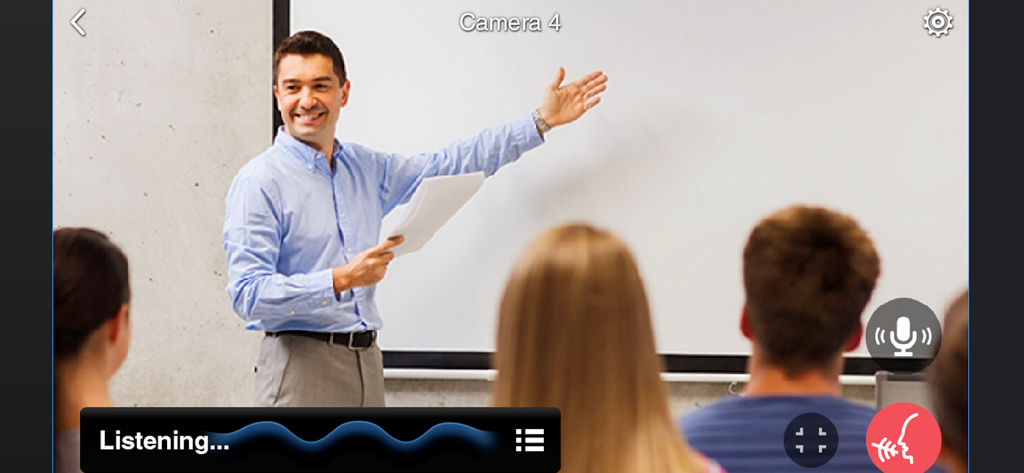
교실 발표 중에 음성 제어 활성화를 보여주는 PTZ 제어판 앱 인터페이스

교실 발표 중에 음성 제어 활성화를 보여주는 PTZ 제어판 앱 인터페이스

크루 없이 전문적인 프로덕션

이 앱을 돋보이게 하는 도구, 1K+ 명의 사용자가 선택.

👤

AI 기반 자동 추적

초점을 정확한 위치에 유지하세요. 발표자, 영역 및 하이브리드 모드를 즉시 전환하여 시청자가 액션의 순간을 놓치지 않도록 하세요.

🗣️

핸즈프리 음성 제어

화면을 전혀 만지지 않고 카메라를 조정하세요. 손이 자유롭지 않은 강사나 카메라 움직임이 끊김 없이 필요한 멸균 환경의 의료 전문가에게 완벽합니다.

🔘

256개의 정밀 프리셋

몇 초 만에 여러 각도로 전환하세요. 최대 256개의 프리셋 지점을 저장하고 불러와 전문 등급의 부드러운 전환으로 교실이나 회의실의 모든 구석을 포착하세요.

앱 소개

에 대해 알아야 할 모든 것 PTZ Control Panel.

설명

AVer PTZ Control Panel puts you in charge of camera controls in an easy user interface within your internal network. It gives you access to live video and audio streams from AVer Pro AV and DL Series cameras on an iPad or iPhone, and it allows you to control the camera’s capture and PTZ functions, even enables voice command which provides hands-free experience. You can also enable or disable tracking features like Presenter, Zone, or Hybrid mode, store and call up to 256 presets. With the AVer PTZ Control Panel, there’s no need for complicated controllers, heavy software applications, or professional AV operators to run your AVer PTZ cameras. Product Features - Instantly find and connect to available AVer Professional Auto Tracking and PTZ Cameras. - Voice control supported, control your AVer cameras handsfree. - Currently supports only one camera connection at a time. PTZ and Tracking Controls - Capture camera images and save them to the device album. - Pan, tilt, and zoom your camera to capture different areas of your room. - Adjust the pan/tilt speed, and switch between autofocus and manual focus. - Enable and disable tracking features, including Presenter/Zone/Hybrid Mode, and Click Track. - Save and call up to 256 preset points. Compatibility - Requires iOS & iPadOS® 9 and later. Compatible with iPad® and iPhone®. Supported Camera Models -USA TR310/TR311/TR311HN/TR313/TR331/TR333 V0.0.0000.21 and later TR530/TR320/TR530+/TR320+ V0.0.1000.47 and later PTZ310/PTZ310N/PTZ330/PTZ330N V0.0.0000.56 and later DL30 V7.0.0010.13 and later TR313V2 V0.1.0000.18 and later TR333V2/TR333NV2/TR313V2/TR313UV2 V0.1.0000.19 and later PTZ310UV2/PTZ310UNV2/PTZ330UV2/ PTZ330UNV2 V0.0.0000.15 and later MD330 series V1.1.1006.0 and later MD120U 1.1.1003.0 and later TR/211/TR315/TR315N/TR335/TR335N 0.0.0000.12 -Non USA PTC310/PTC310U/PTC310H/PTC310N/PTC310UN/PTC310HN V0.0.0000.21 and later PTC330/PTC330N/PTC330U V0.0.0000.21 and later PTC115/PTC500S/PTC115+/PTC500+ V0.0.1000.47 and later PTZ310/PTZ310N/PTZ330/PTZ330N V0.0.0000.56 and later PTZ310UV2/PTZ310UNV2/PTZ330UV2/ PTZ330UNV2 V0.0.0000.15 and later PTC330UV2/PTC330UNV2/PTC330V2/PTC330NV2 V0.1.0000.19 and later. DL30 V7.0.0010.13 and later DL10 V7.0.0031.32 and later MD330 series V1.1.1006.0 and later MD120U 1.1.1003.0 and later TR211/TR315/TR315N/TR335/TR335N 0.0.0000.12 Visit websites below to get assistance or find user manual: - Global Download Center: https://www.aver.com/download-center Technical Support: https://www.aver.com/technical-support - USA Download Center: https://www.averusa.com/pro-av/support/ Technical Support: https://averusa.force.com/support/s/contactsupport - European Headquarters Download Center: https://www.aver.com/download-center Technical Support: https://www.avereurope.com/technical-support

최신 버전

1.2.1039.0

크기

32.7 MB

출시일

2020년 11월 23일

한 번의 탭으로 프로덕션 마스터하기

iPad 또는 iPhone을 전문 등급의 제어 센터로 전환하세요. 핸즈프리 음성 제어, 자동 추적 및 즉시 프리셋 액세스로 워크플로우를 간소화하세요. AV 크루가 필요 없습니다.

다운로드: App Store

App information, icons, screenshots, and descriptions displayed on this page are sourced from the Apple App Store and are the property of their respective developers. Download estimates and rankings are based on MWM's proprietary models and may not reflect actual figures. This page is provided for informational and analytical purposes only.

Believe this page infringes your intellectual property? File a dispute