임원, 학생 및 리더를 위한 올인원 프롬프터 및 리허설 스튜디오. 오디오-비디오 피드백으로 발표를 만들고, 시간을 측정하고, 녹화하여 자신감 있게 모든 군중을 사로잡으세요.
개발사
Plum Amazing Software LLC
카테고리
Education
다운로드
1K+
사용자 평점
1.0/5
총 평가 수
0
지원 언어
1
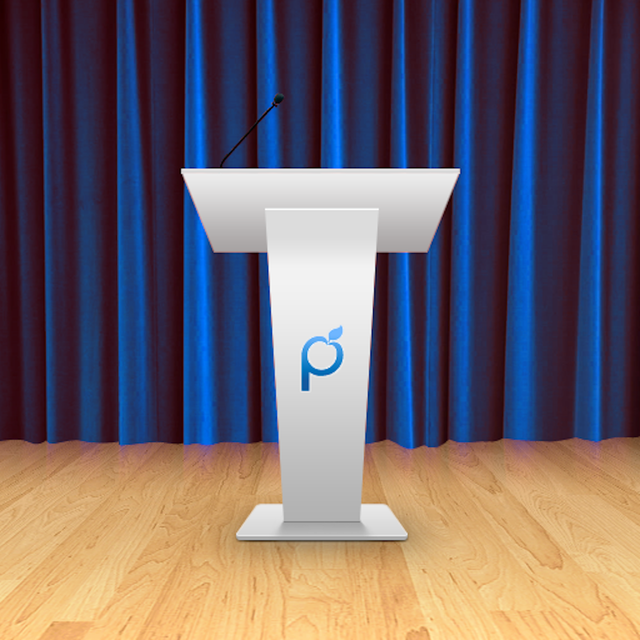
연단 미리보기
이 인터페이스를 사용하는 1K+ 명의 사용자.
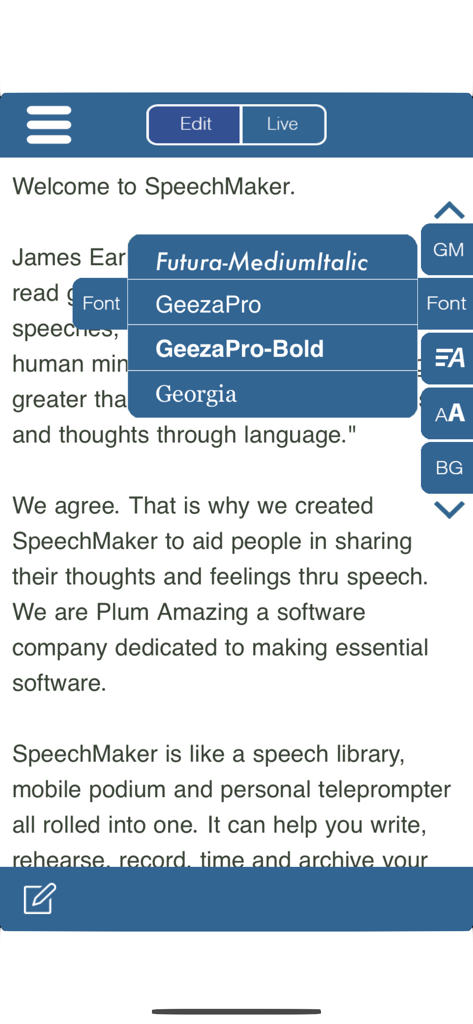
iPhone에서 연설 텍스트를 위한 SpeechMaker 앱 글꼴 사용자 지정 메뉴.
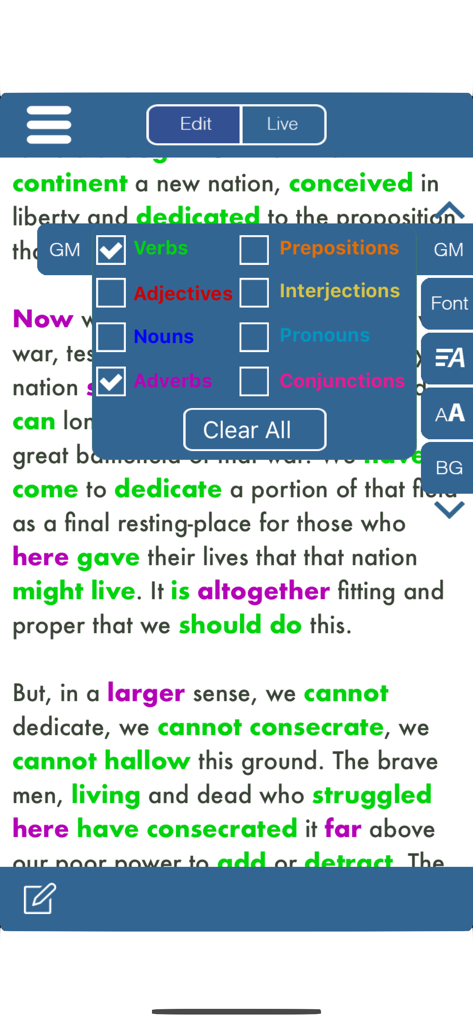
Gettysburg Address를 표시하는 SpeechMaker의 프롬프터 화면으로, 색상으로 구분된 문법 메뉴를 사용하여 동사와 부사가 녹색과 보라색으로 강조 표시됩니다.
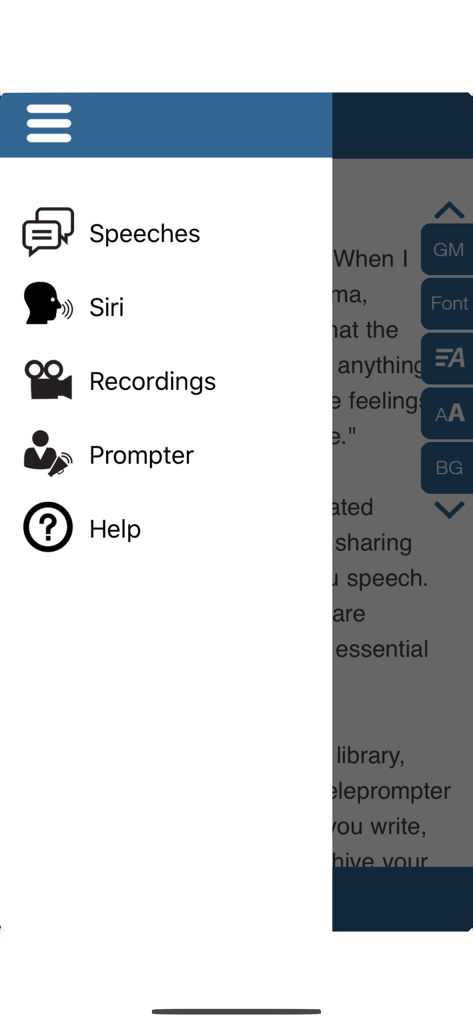
SpeechMaker 앱의 사이드바 탐색 메뉴로 연설, Siri, 녹화, 프롬프터 및 도움말 옵션이 있습니다.
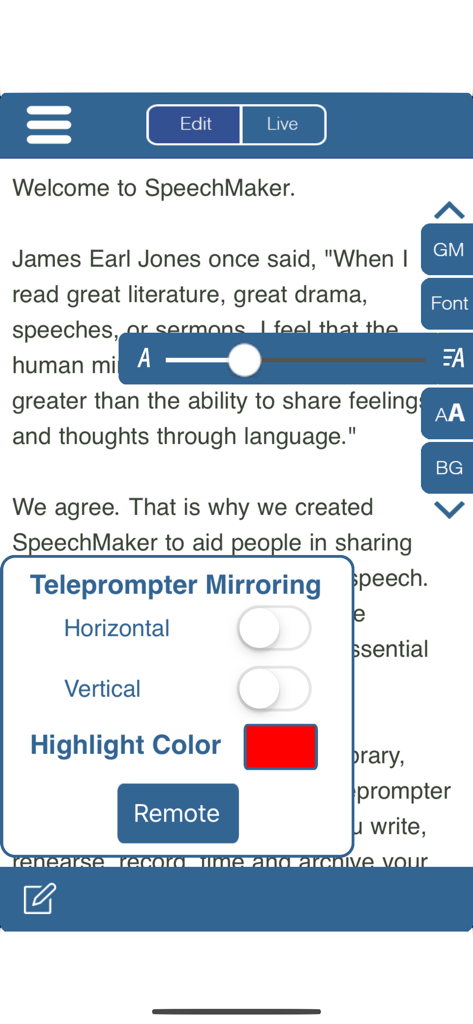
SpeechMaker 앱 인터페이스로 연설 초안에 대한 프롬프터 미러링 설정 및 글꼴 크기 조정을 보여줍니다
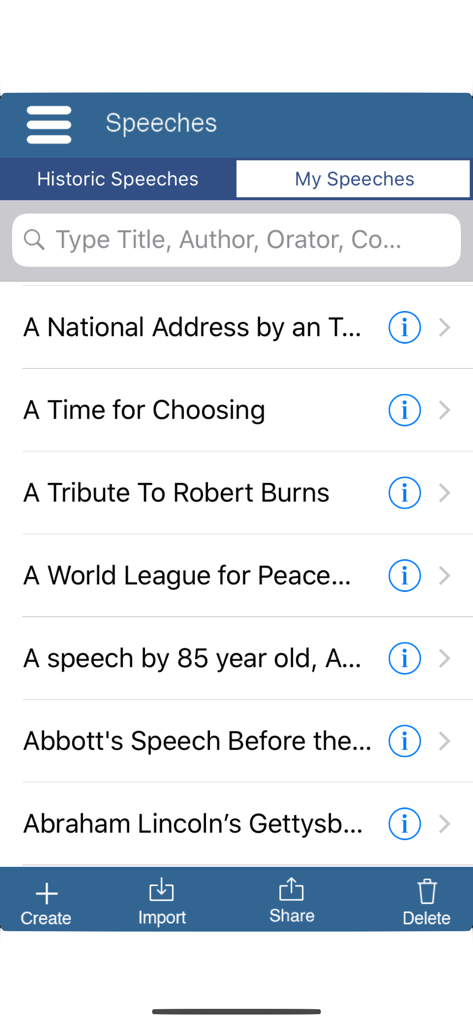
SpeechMaker 앱 인터페이스로 링컨의 Gettysburg Address를 포함한 유명한 역사적 연설 목록을 검색할 수 있습니다.
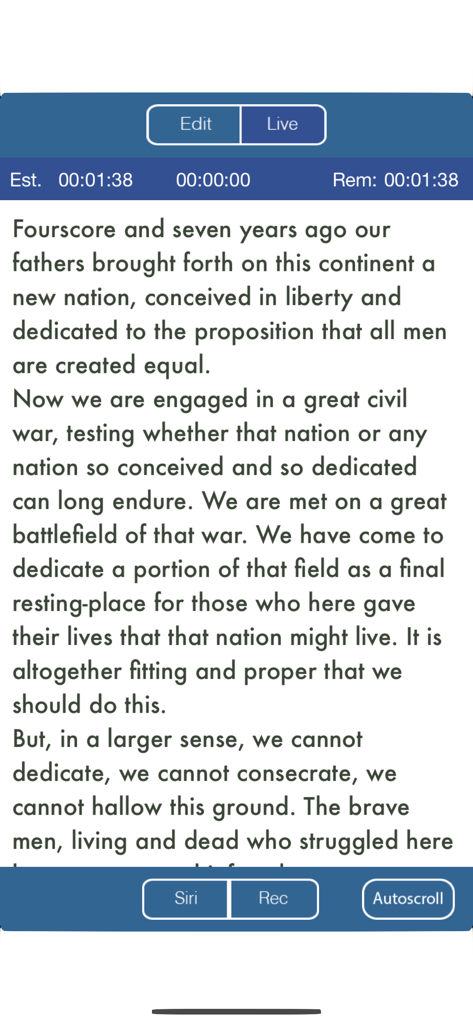
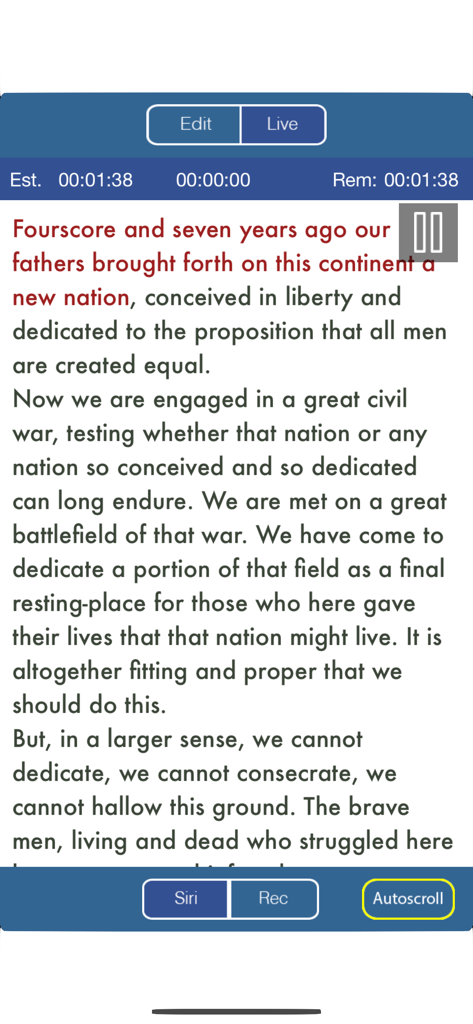
타이밍 및 녹화 기능이 있는 연설 텍스트를 보여주는 SpeechMaker 앱의 프롬프터 보기
경과 시간 및 남은 시간을 보여주는 실시간 타이머로 제 시간에 맞춰 제한 시간을 초과하거나 서두르지 마세요.
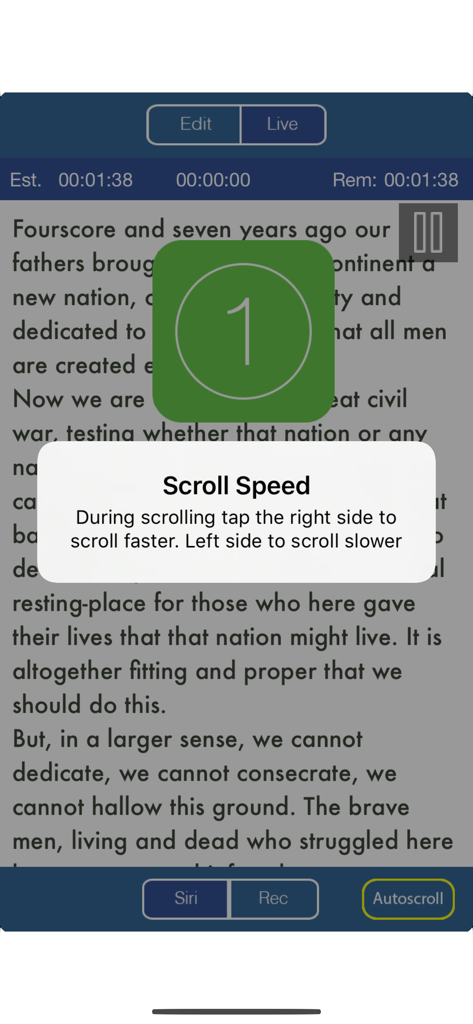
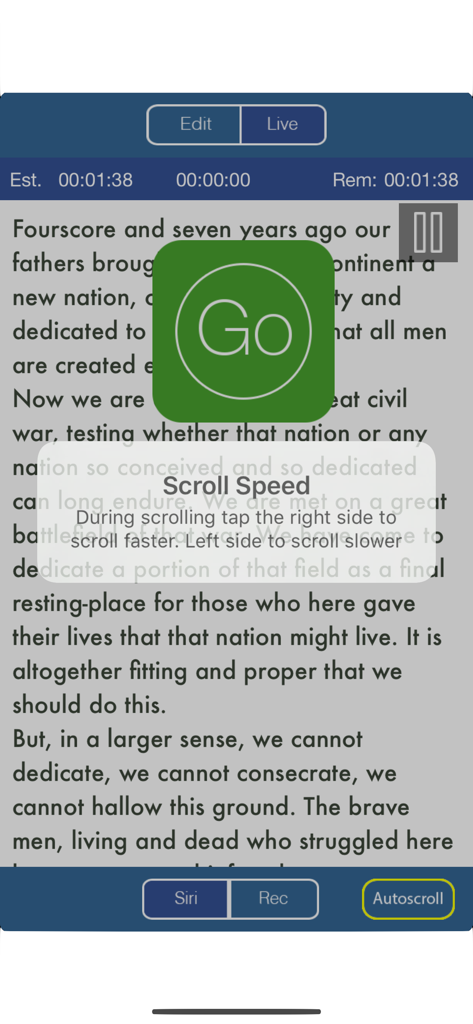
연설 텍스트를 표시하는 SpeechMaker 앱의 프롬프터 화면으로 스크롤 속도 지침 팝업 및 큰 녹색 이동 버튼이 표시됩니다.
타이밍 및 녹화 컨트롤이 있는 Gettysburg Address 텍스트를 프롬프터에 표시하는 SpeechMaker 모바일 앱 인터페이스.
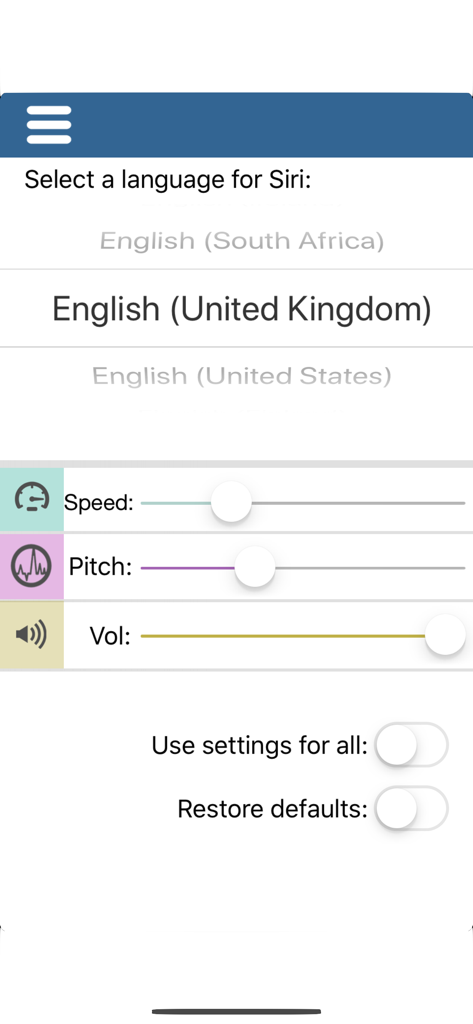
SpeechMaker 앱에서 Siri 언어를 선택하고 음성 속도, 음조 및 볼륨을 조정하는 인터페이스
전문 도구로 모든 발표를 마스터하세요
이 앱을 돋보이게 하는 도구, 1K+ 명의 사용자가 선택.
🎥
스마트 비디오 프롬프터
카운트다운 타이머를 보면서 녹음하여 중요한 이벤트 전에 시선 접촉, 자세 및 발표를 완벽하게 만드세요.
⏱️
정밀 타이밍 제어
경과 시간 및 남은 시간을 보여주는 실시간 타이머로 제 시간에 맞춰 제한 시간을 초과하거나 서두르지 마세요.
📂
원활한 클라우드 통합
Google Docs 또는 Dropbox에서 스크립트를 즉시 가져오고 장치 간 라이브러리를 동기화하여 종이 없는 전문적인 워크플로를 구축하세요.
앱 소개
에 대해 알아야 할 모든 것 Public Speaking S Video Audio.
설명
Turns an iPhone or iPad into your personal mobile speech podium. Create, archive, rehearse, hear, record in Audio/Video, present, time and give speeches. Speechmaker is a professional teleprompter with timers for public speaking in government, business and in schools. The most popular professional tool for rhetoric, oration, sermons, lyrics, plays, etc. whether live in public or on TV. It's for seasoned orators, children and everyone in between.
Free 14 day trial period after that a subscription is required to continue.
Go to our site for reviews/info: plumamazing.com/product/speechmaker/
Keep your speeches with you at all time, secure and available to use at any moment. Easily edit and give speeches at the last minute.
“It usually takes me more than three weeks to prepare a good impromptu speech.” – Mark Twain
SpeechMaker Features
- Create, edit, record, archive, time and give your speeches
- Record audio to hear how you sound before delivering that important speech
- Record audio & video to see your eye contact, posture, etc. during a speech
- Built in famous speeches, to search, examine or read yourself.
- Use the powerful built-in and easy to use telemprompter
- Mirror and reverse text
- Autoscroll text and control with a tap
- Siri can speak any speeches aloud in 36 different languages
- TIMERS stand out and show, elapsed, remaining and estimated time
- Change the background color, fonts, scroll speed & font size
- Runs on iPhone and iPad with separate UI for both
- Tap a button see verbs, nouns, adjectives and other parts of speech highlighted in different colors. Makes grammar come alive
- Archive your text, audio and video for the future
- Share you speech with friends and followers on social media.
- Import via text, RTF or PDF using copy & paste, Dropbox or Google Docs
- Export speech text via Email
- Import and export audio via Dropbox
- Rehearse your speech
- Timers for elapsed time and time to go for the speech all at a glance
- Practice delivering your lines flawlessly by recording audio/video
- Audio recording allows you to get feedback as you practice your speech
- Buttons and gestures to start, stop and control scroll speed
- Touch gestures:
+ pinch or zoom to change font size for easier reading
+ grab and scroll instantly to any part of a speech
+ tap the right side to speedup scrolling. Tap the left side to slow scrolling
- Give your speech using the easily adjustable autoscroll. Clearly see the speech scrolling in your choice of font, size and background color.
- Display extra large on a Mac or monitor or projector via AppleTV. Handy for TV stations, studios, schools, auditoriums, podcasters, lecture halls and plays
Includes famous speeches. Speak them out yourself or let Siri
Speechmaker guides you from speech creation to presentation to storage
Speechmaker helps you create a speech, spellcheck and visualize the grammar in color. Great for schools and schoolkids
Speechmaker has a teleprompter which automatically scrolls your speech so you can speak distraction free while simultaneously recording either audio/video of your speech
Practice poems, lyrics, scripts, comedy, lectures, sermons, startup pitches and plays, etc
SpeechMaker is popular with politicians, executives, students, teachers, directors, poets, lecturers, ministers, rabbis, authors, playwrights, speechwriters, scriptwriters, toastmasters, comedians, singers and actors
Carry on iPhone/iPad, no need to rely on notes on napkins or index cards
Users Rave
"Carrying all my speeches in one convenient and easy to use device saves my sanity. SpeechMaker is easy for me to use and I love how I can control all aspects of how it looks on screen. I used to drive my wife crazy asking each time how the speech sounds. Now I record the speech until I have it just right only then do I ask my wife what she thinks. SpeechMaker is the best thing to happen to my marriage and this ancient art in a hundred years."
최신 버전
3.9.1
크기
98.1 MB
출시일
2019년 8월 4일
가장 강력한 연설을 할 준비가 되셨나요?
오늘 iPhone 또는 iPad를 전문가 수준의 모바일 연단으로 바꾸세요. 놓치지 않는 수천 명의 임원 및 떠오르는 리더들과 함께하세요. 지금 14일 무료 체험을 시작하세요.
FAQ
자주 묻는 질문
에 대해 알아야 할 모든 것 Public Speaking S Video Audio
Speechmaker 앱에 무료 평가판이 제공되나요?
네, Speechmaker는 14일 무료 평가판을 제공합니다. 평가 기간 후에는 Public Speaking S Video Audio 앱의 기능을 계속 사용하기 위해 구독이 필요합니다.
Public Speaking S Video Audio 앱의 주요 기능은 무엇인가요?
Speechmaker 앱을 사용하면 연설을 작성, 편집, 녹음, 보관, 타이밍 측정 및 발표할 수 있습니다. 프롬프터, 연습용 오디오/비디오 녹음, 문법 강조 표시 기능이 포함되어 있습니다.
Speechmaker에 프롬프터 기능이 포함되어 있나요?
네, Speechmaker 앱에는 내장 프롬프터 기능이 있습니다. 텍스트 미러링 및 반전 기능을 지원하며, 자동 스크롤 속도 및 글꼴 설정을 조정할 수 있습니다.
Public Speaking S Video Audio 앱으로 연설을 녹음할 수 있나요?
네, Speechmaker 앱을 사용하면 연습 중에 오디오 및 비디오를 녹음할 수 있습니다. 이 기능은 사용자가 대중 연설을 위해 시선 처리, 자세 및 목소리 전달을 평가하는 데 도움이 됩니다.
Speechmaker 앱이 연설 재생을 위해 Siri를 지원하나요?
네, Speechmaker는 Siri와 통합되어 있어 Siri가 연설을 소리 내어 읽어줄 수 있습니다. 이 기능은 다양한 사용자를 위해 36가지 언어로 제공됩니다.
Speechmaker는 연설 타이밍 측정에 어떻게 도움이 되나요?
Speechmaker 앱에는 경과 시간, 남은 시간 및 예상 총 시간을 표시하는 타이머가 포함되어 있습니다. 이는 말하기 속도를 조절하는 데 도움이 되도록 연설 발표 중에 눈에 띄게 표시됩니다.
Speechmaker는 연설의 일부를 강조 표시하나요?
네, Public Speaking S Video Audio 앱은 문법 강조 표시 기능을 제공합니다. 동사, 명사, 형용사 및 기타 품사를 색상으로 구분하여 텍스트의 문법을 시각화할 수 있습니다.
Speechmaker 앱에서 어떤 가져오기 및 내보내기 옵션을 사용할 수 있나요?
사용자는 복사하여 붙여넣기, Dropbox 또는 Google Docs를 사용하여 텍스트, RTF 또는 PDF 형식으로 Speechmaker에 연설을 가져올 수 있습니다. 내보내기 옵션에는 텍스트의 경우 이메일, 오디오의 경우 Dropbox가 포함됩니다.
Public Speaking S Video Audio 앱에서 표시 설정을 사용자 정의할 수 있나요?
네, Speechmaker는 모양 사용자 정의를 지원합니다. 사용자는 프롬프터 디스플레이의 배경색, 글꼴 스타일, 스크롤 속도 및 글꼴 크기를 변경할 수 있습니다.
App information, icons, screenshots, and descriptions displayed on this page are sourced from the Apple App Store and are the property of their respective developers. Download estimates and rankings are based on MWM's proprietary models and may not reflect actual figures. This page is provided for informational and analytical purposes only.
Believe this page infringes your intellectual property? File a dispute