QR Studio(Pro)

QR Studio(Pro)

다운로드: App Store
로고: QR Studio(Pro)

QR Studio(Pro): 맞춤형 브랜드 QR 코드용 전문가 디자이너

완전히 맞춤 설정 가능한 디자인으로 비즈니스를 향상시키세요. 로고를 추가하고, 모양을 변경하고, 가장 강력한 QR 툴킷으로 기록을 관리하세요. 기업가와 크리에이터를 위해 제작되었습니다.

다운로드: App Store

개발사

Hrishi Suthar

카테고리

Utilities

다운로드

0

사용자 평점

1.0/5

총 평가 수

0

지원 언어

1

모든 픽셀에 담긴 브랜딩

이 인터페이스를 사용하는 0 명의 사용자.

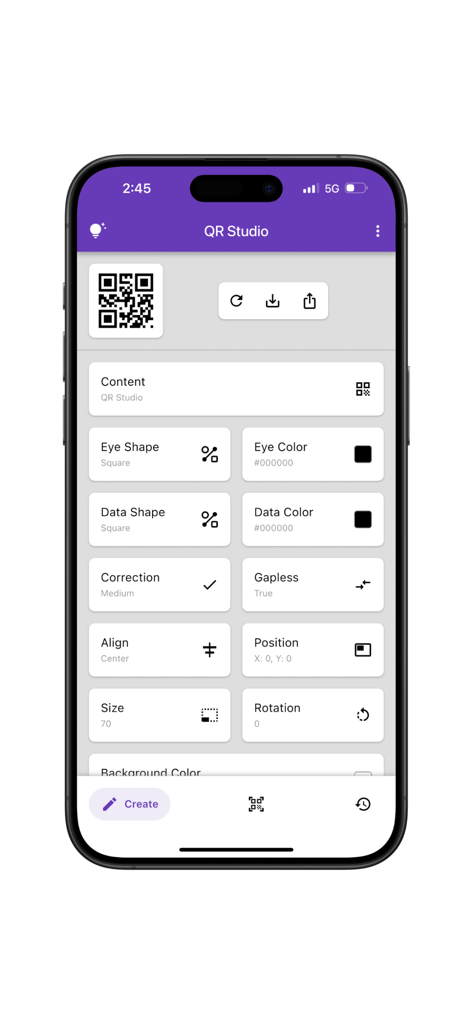
QR Studio Pro 앱의 모바일 인터페이스로, 눈 모양, 데이터 색상, 정렬 설정과 같은 다양한 QR 코드 사용자 지정 옵션을 보여줍니다.

QR Studio Pro 앱의 모바일 인터페이스로, 눈 모양, 데이터 색상, 정렬 설정과 같은 다양한 QR 코드 사용자 지정 옵션을 보여줍니다.

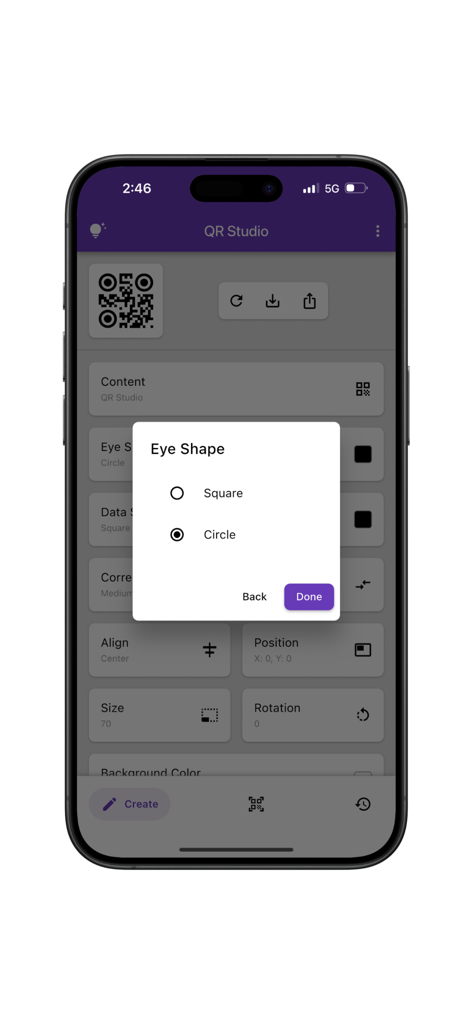
QR Studio Pro 앱 인터페이스에 QR 코드의 눈 모양 사용자 지정 옵션이 표시됩니다.

QR Studio Pro 앱 인터페이스에 QR 코드의 눈 모양 사용자 지정 옵션이 표시됩니다.

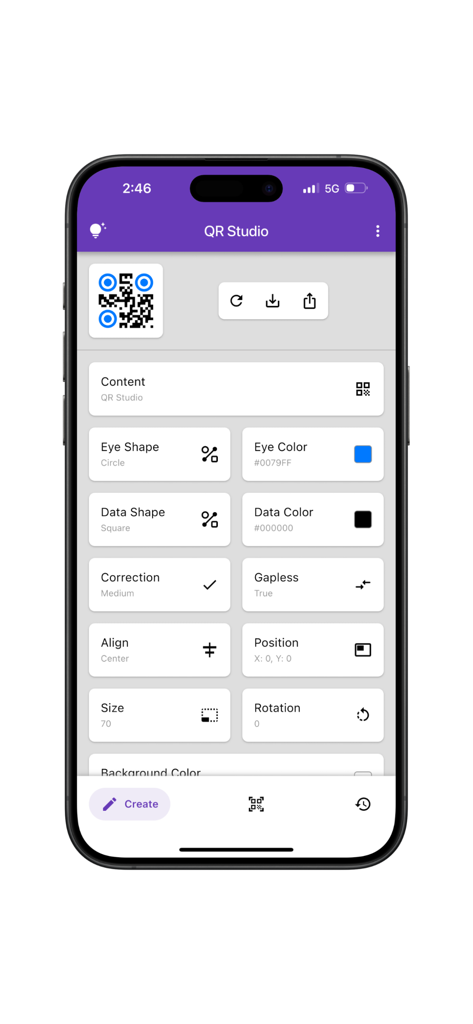
QR Studio Pro 앱의 모바일 인터페이스로, 눈 모양 및 색상과 같은 QR 코드의 자세한 사용자 지정 설정을 보여줍니다.

QR Studio Pro 앱의 모바일 인터페이스로, 눈 모양 및 색상과 같은 QR 코드의 자세한 사용자 지정 설정을 보여줍니다.

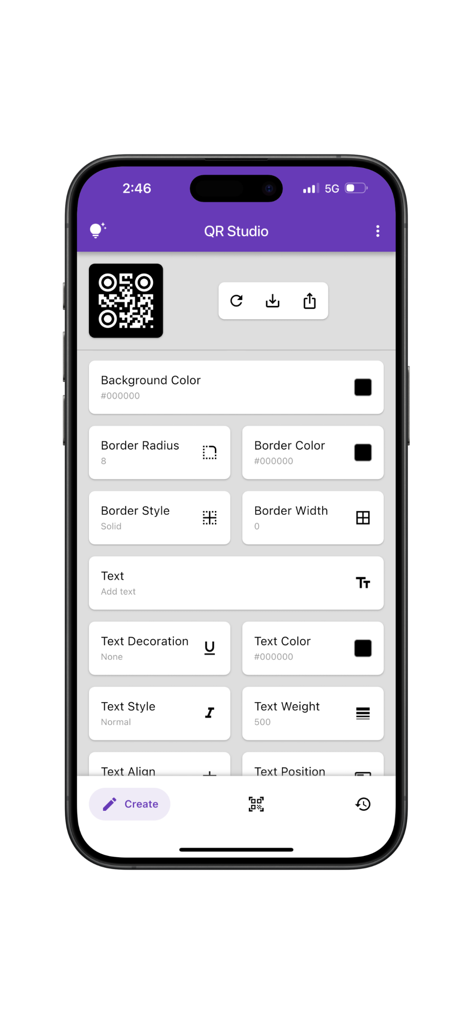
QR Studio Pro 앱의 모바일 앱 화면으로, 배경 색상 테두리 및 텍스트 스타일링과 같은 맞춤 QR 코드 디자인 옵션이 표시됩니다.

QR Studio Pro 앱의 모바일 앱 화면으로, 배경 색상 테두리 및 텍스트 스타일링과 같은 맞춤 QR 코드 디자인 옵션이 표시됩니다.

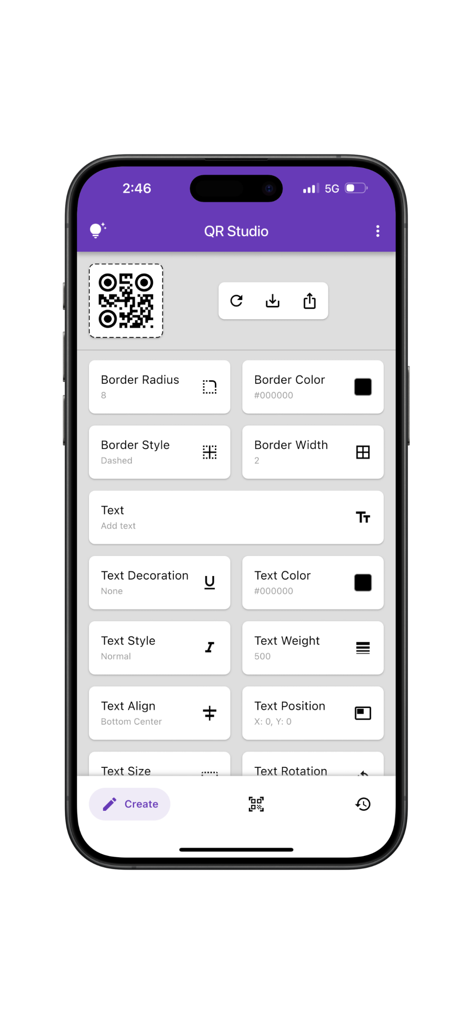
QR Studio Pro 앱의 인터페이스에 QR 코드 테두리 및 텍스트 스타일을 사용자 지정하는 다양한 도구가 표시됩니다.

QR Studio Pro 앱의 인터페이스에 QR 코드 테두리 및 텍스트 스타일을 사용자 지정하는 다양한 도구가 표시됩니다.

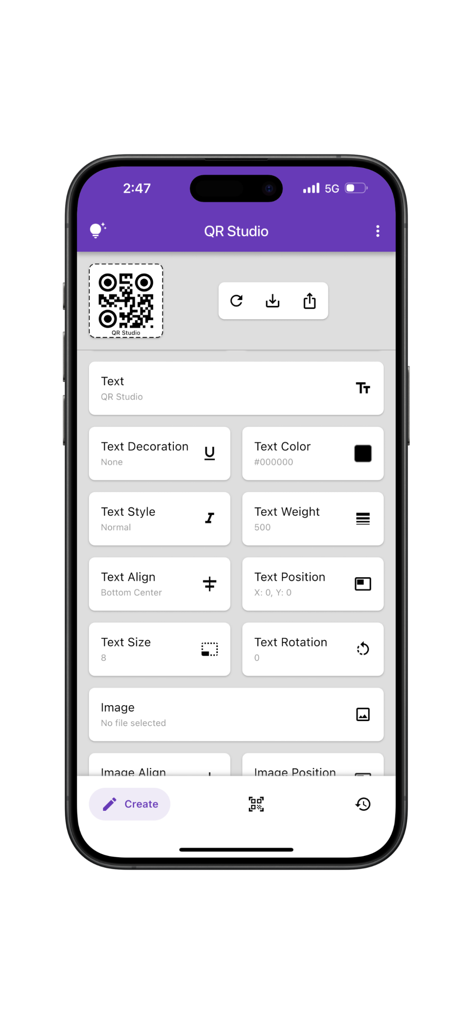
QR Studio Pro 앱의 인터페이스에 색상 스타일 및 정렬을 포함한 QR 코드의 고급 텍스트 사용자 지정 옵션이 표시됩니다.

QR Studio Pro 앱의 인터페이스에 색상 스타일 및 정렬을 포함한 QR 코드의 고급 텍스트 사용자 지정 옵션이 표시됩니다.

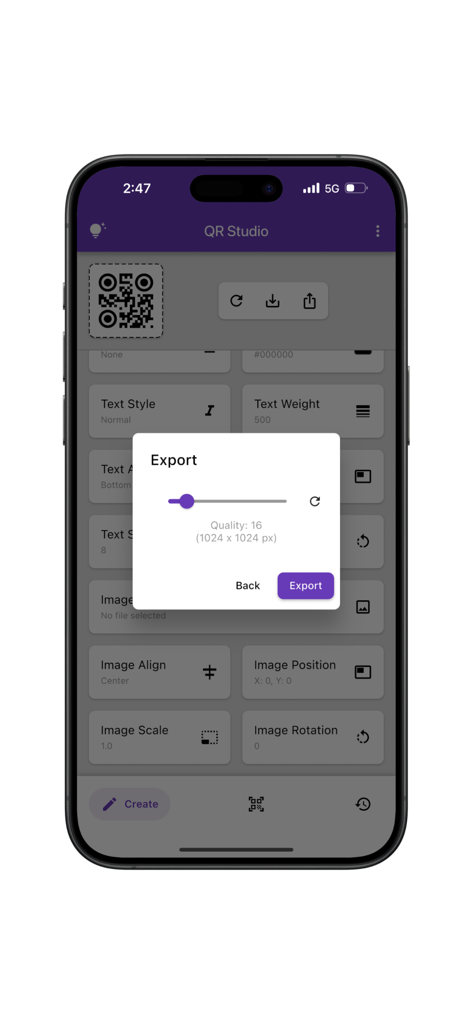
QR Studio Pro 앱의 내보내기 설정 모달로, 맞춤 QR 코드의 고품질 이미지 해상도를 보여줍니다.

QR Studio Pro 앱의 내보내기 설정 모달로, 맞춤 QR 코드의 고품질 이미지 해상도를 보여줍니다.

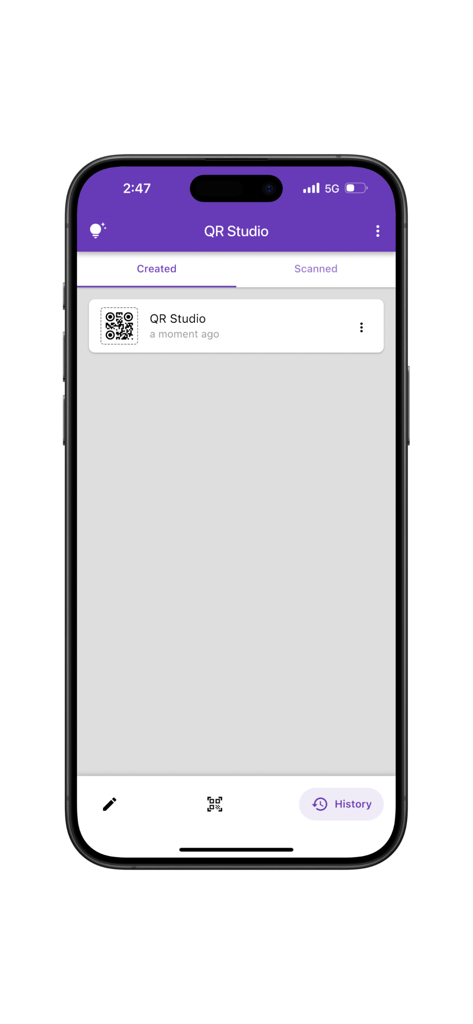
QR Studio Pro 앱의 기록 화면으로, 생성된 QR 코드 목록이 표시됩니다.

QR Studio Pro 앱의 기록 화면으로, 생성된 QR 코드 목록이 표시됩니다.

멋지고 전문적인 QR 코드 만들기

이 앱을 돋보이게 하는 도구, 0 명의 사용자가 선택.

🎨

정밀한 디자인 제어

눈 모양, 색상 팔레트, 로고 등 모든 세부 사항을 사용자 정의하여 QR 코드가 브랜드만큼 프리미엄하게 보이도록 보장합니다.

📐

전문가 수준의 신뢰성

정확성이 필요한 전문가를 위해 제작되었습니다. 모든 미디어에서 완벽하게 스캔되는 코드를 위해 오류 복구 및 구조를 조정하세요.

📂

스마트 기록 추적

디자인을 다시는 잃어버리지 마세요. 탭 한 번으로 맞춤 코드 및 스캔 전체 라이브러리를 정리하고 다시 방문하고 다시 공유하세요.

앱 소개

에 대해 알아야 할 모든 것 QR Studio(Pro).

설명

QR Studio is a powerful and easy-to-use app for creating, scanning, and managing custom QR codes. Whether you’re designing for business, branding, or personal use, QR Studio gives you full control over how your QR codes look and function. The app is divided into three main tabs: Create Tab: The Create tab offers a wide range of customization options for generating QR codes. Users can adjust visual elements such as eye shape and color, data shape and color, and choose the desired error correction level. Additional settings include control over QR structure (gapless or standard), position, size, and rotation. The app also supports background customization, including color and border properties like radius, color, style, and width. Text can be added with flexible styling options—covering decoration, color, font style, weight, alignment, position, and rotation. Images can also be incorporated into the QR code, with control over their position, alignment, scale, and rotation, enabling the creation of designs tailored to individual branding or personal preferences. Scan Tab: Quickly scan any QR code using your camera or by selecting an image from your gallery. The scanner is fast, reliable, and compatible with all standard QR formats. History Tab: Access a complete history of all the QR codes you’ve created or scanned. This makes it easy to revisit, reuse, or share previous designs and scans. QR Studio is built for designers, developers, marketers, and everyday users who want complete freedom in how they create and manage QR codes. Developed by Anvaysoft Programmers – Nishita Panchal, Hrishi Suthar Made with love in India

최신 버전

1.0.1

크기

29.4 MB

출시일

2025년 7월 3일

QR Studio(Pro)로 브랜드 아이덴티티를 향상시키세요

모든 스캔을 전문적인 브랜드 경험으로 전환하세요. 군중 속에서 돋보이는 맞춤 QR 코드를 디자인하는 수천 명의 기업가들과 함께하세요.

다운로드: App Store

App information, icons, screenshots, and descriptions displayed on this page are sourced from the Apple App Store and are the property of their respective developers. Download estimates and rankings are based on MWM's proprietary models and may not reflect actual figures. This page is provided for informational and analytical purposes only.

Believe this page infringes your intellectual property? File a dispute