Quick Poses: Gesture Drawing

Quick Poses: Gesture Drawing


다운로드: App Store
로고: Quick Poses: Gesture Drawing

Quick Poses: 역동적인 제스처 드로잉 마스터하기

iPad에서 전문적인 인물 드로잉 세션을 시뮬레이션하세요. 해부학 지식을 갈고 닦고, 자신감을 키우고, 궁극의 디지털 아티스트 도구로 진행 상황을 추적하세요.

다운로드: App Store

개발사

Frederic Ruaudel

카테고리

Graphics & Design

다운로드

73K+

사용자 평점

4.8/5

총 평가 수

100

지원 언어

2

흐름 마스터하기

이 인터페이스를 사용하는 73K+ 명의 사용자.

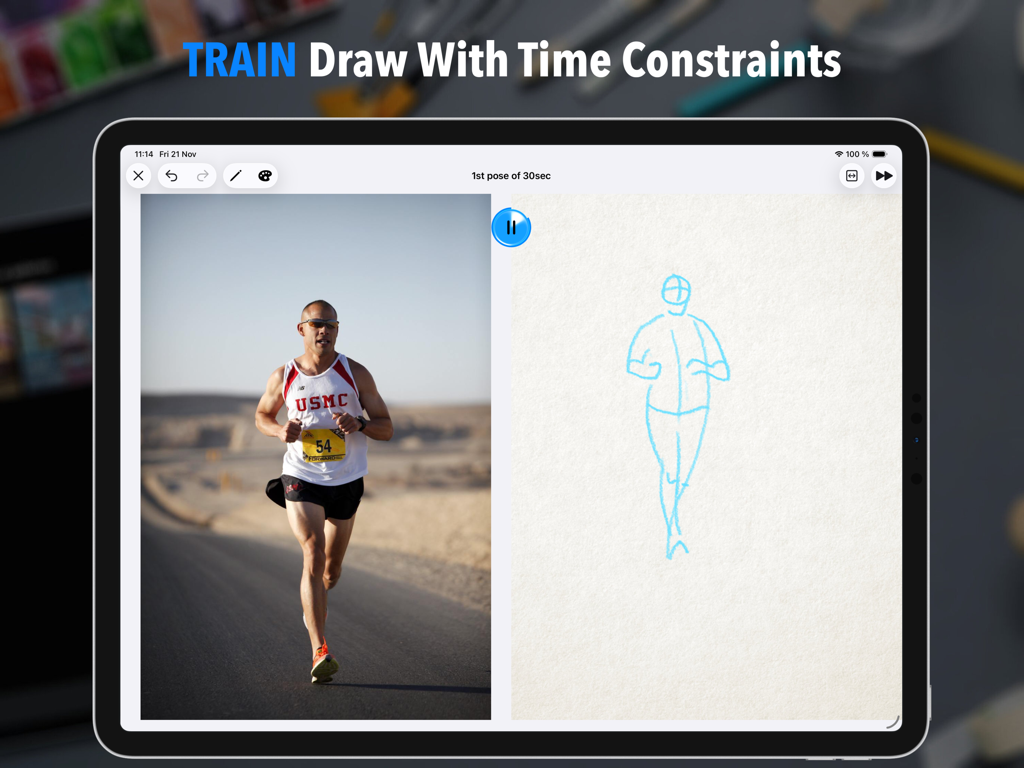
달리는 사람의 참조 사진과 타이머가 있는 빠른 제스처 드로잉 스케치를 보여주는 분할 화면 iPad 인터페이스.

달리는 사람의 참조 사진과 타이머가 있는 빠른 제스처 드로잉 스케치를 보여주는 분할 화면 iPad 인터페이스.

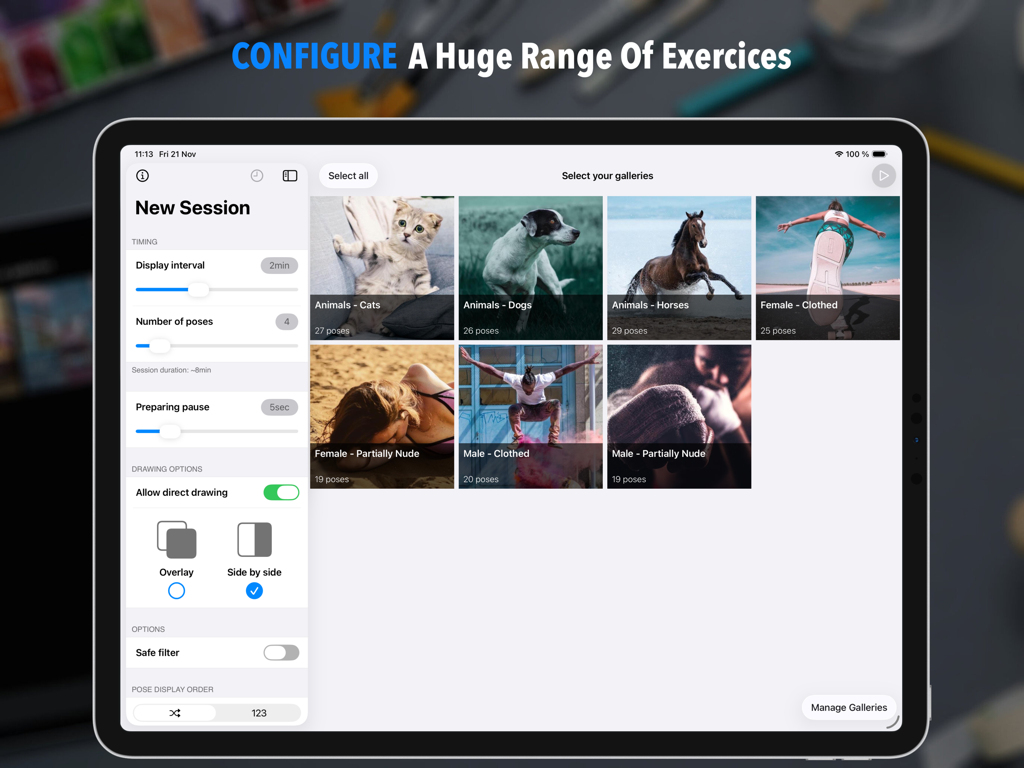
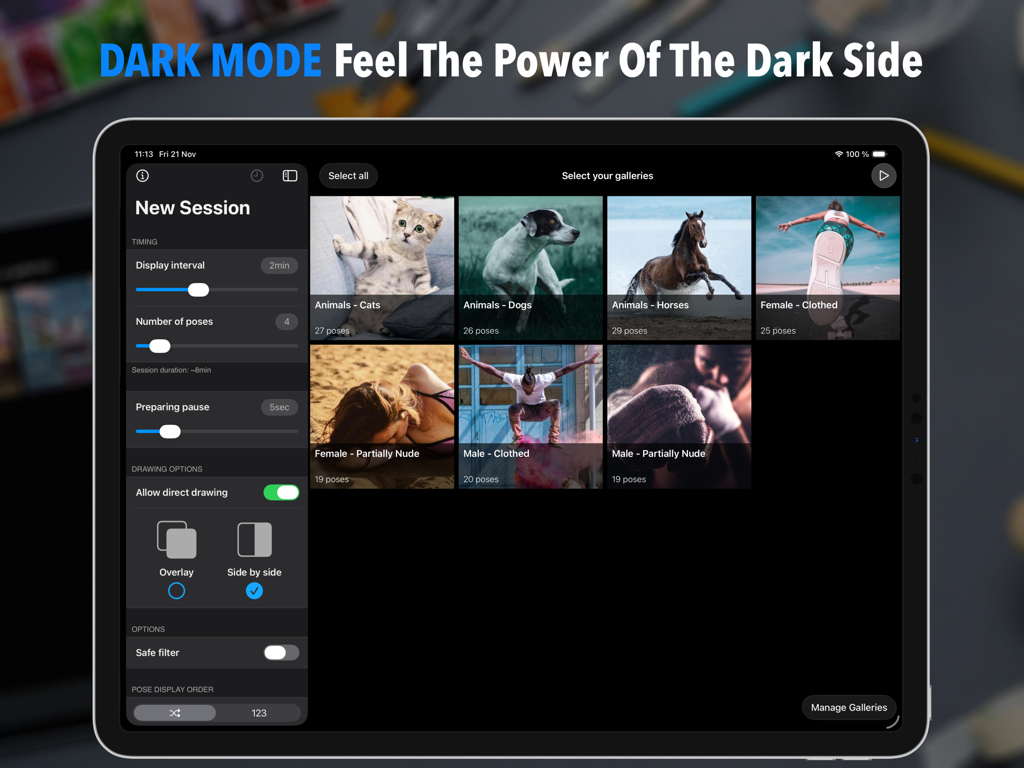
타이머 설정 및 이미지 갤러리 선택을 사용하여 Quick Poses 앱에서 새로운 제스처 드로잉 세션 구성을 보여주는 iPad 화면

타이머 설정 및 이미지 갤러리 선택을 사용하여 Quick Poses 앱에서 새로운 제스처 드로잉 세션 구성을 보여주는 iPad 화면

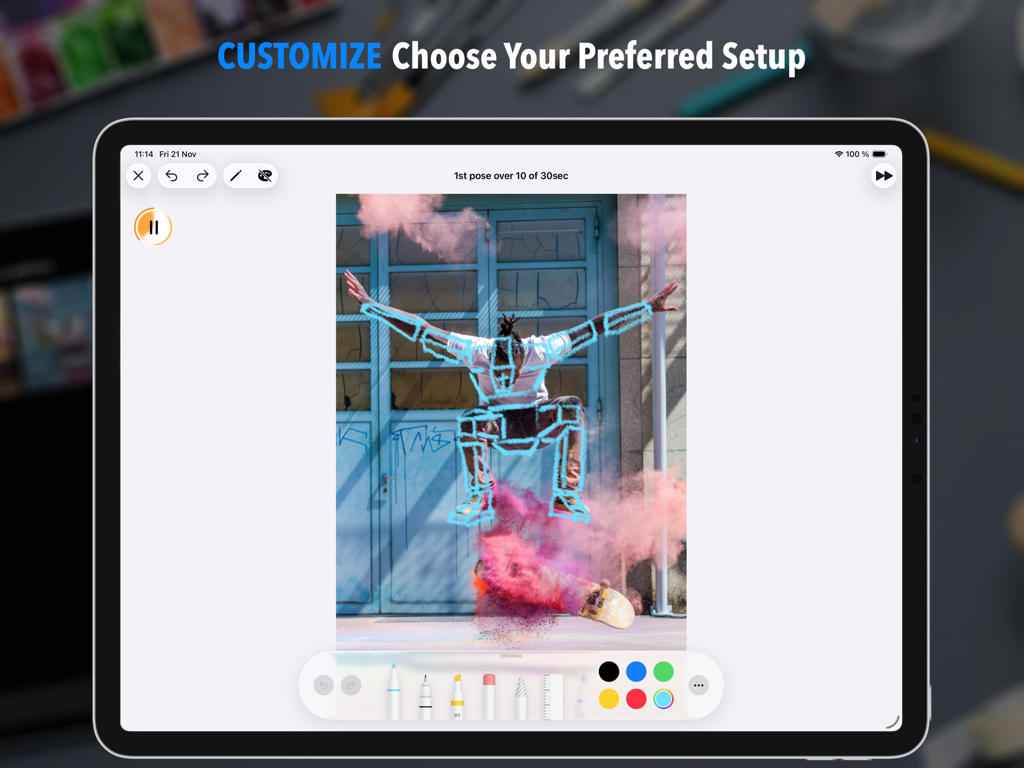
타이머와 드로잉 도구가 있는 스케이트보드 사진에 제스처 드로잉을 보여주는 Quick Poses iPad 앱

타이머와 드로잉 도구가 있는 스케이트보드 사진에 제스처 드로잉을 보여주는 Quick Poses iPad 앱

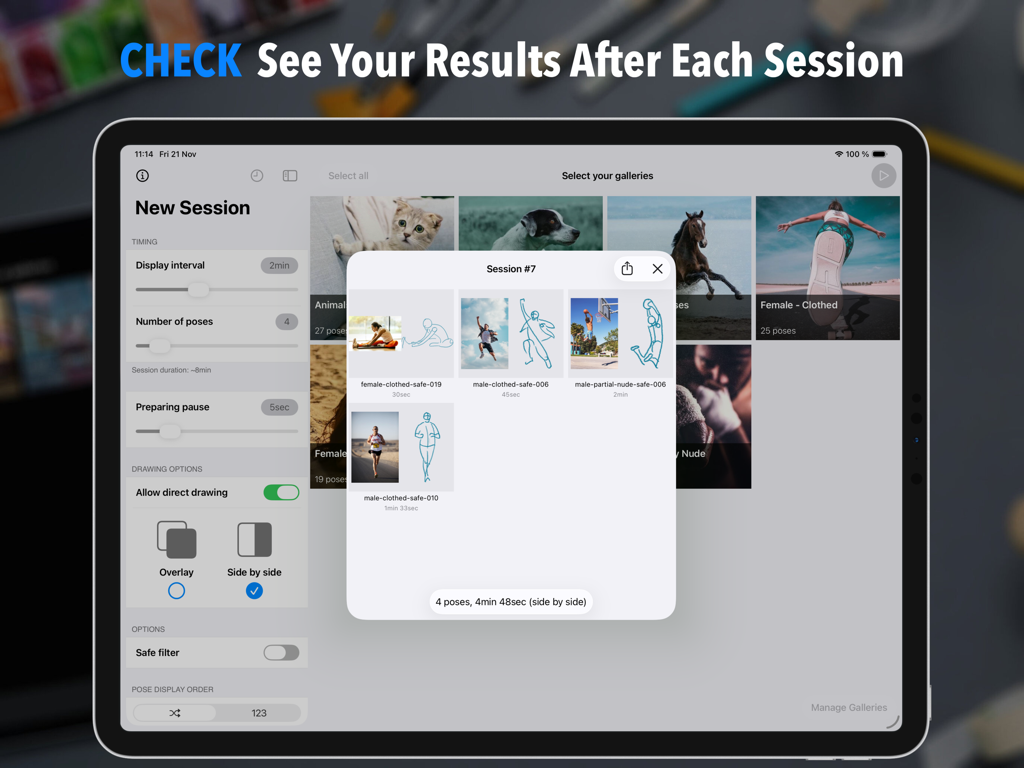
iPad에서 참조 사진 옆에 있는 사용자 제스처 스케치 시리즈를 보여주는 Quick Poses 앱 세션 요약.

iPad에서 참조 사진 옆에 있는 사용자 제스처 스케치 시리즈를 보여주는 Quick Poses 앱 세션 요약.

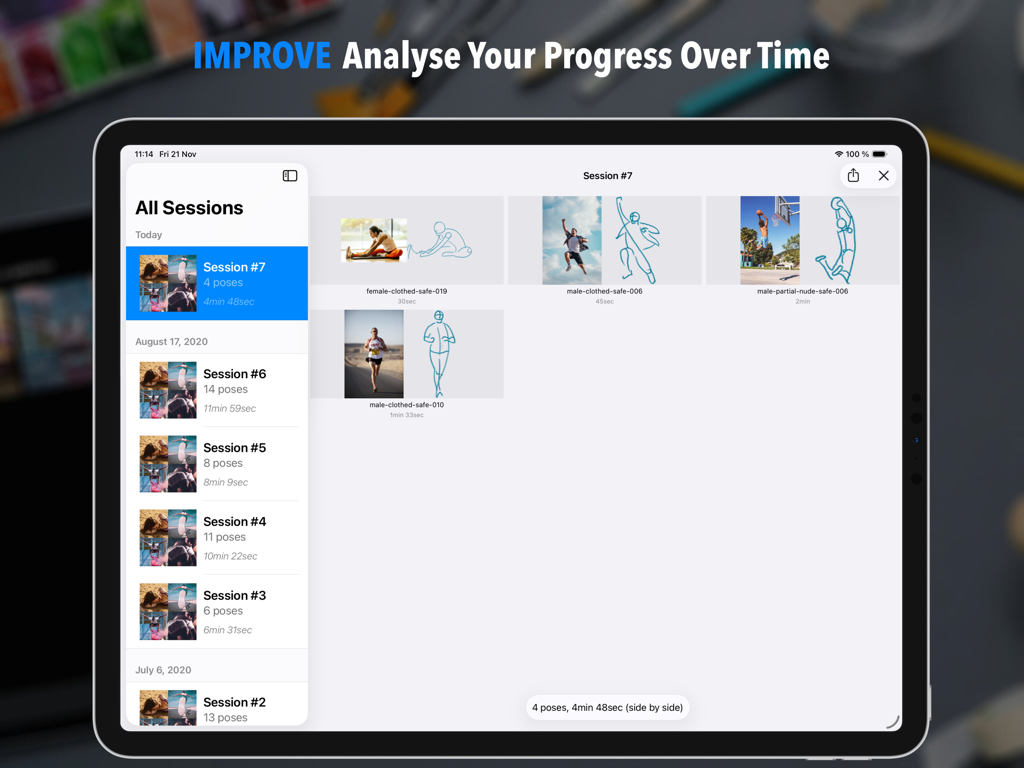
진행 상황 추적을 위해 스케치와 참조 이미지가 있는 Quick Poses 앱의 세션 기록을 표시하는 iPad 화면.

진행 상황 추적을 위해 스케치와 참조 이미지가 있는 Quick Poses 앱의 세션 기록을 표시하는 iPad 화면.

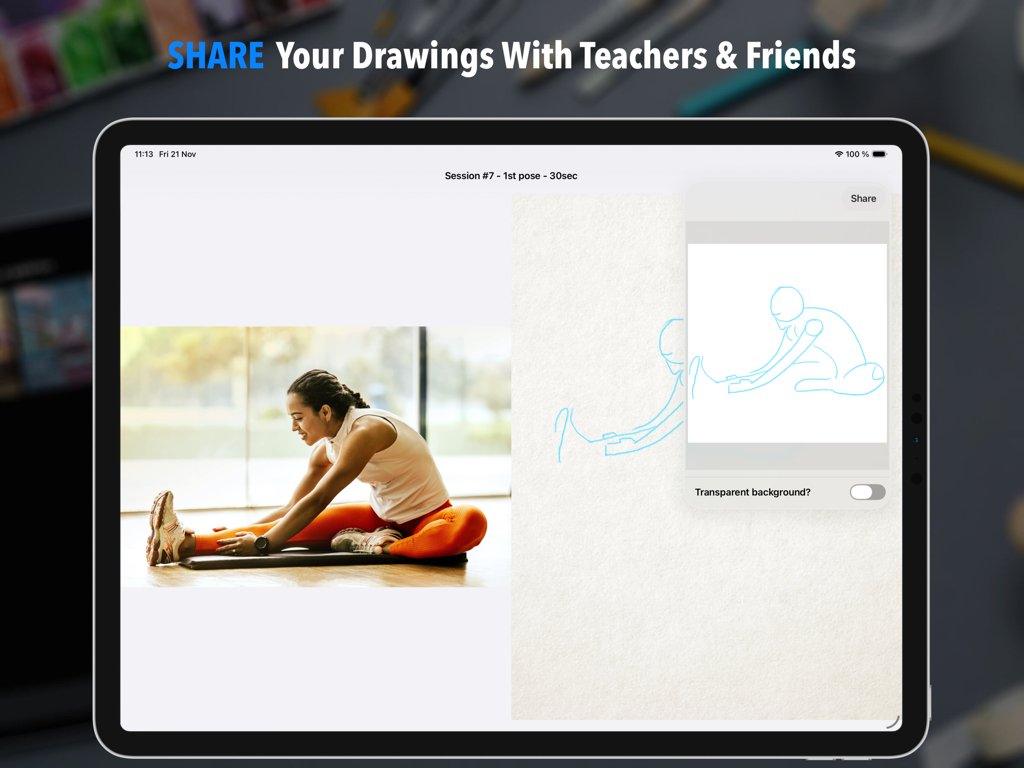
측면 참조 사진 및 제스처 스케치를 보여주는 Quick Poses 앱의 공유 인터페이스

측면 참조 사진 및 제스처 스케치를 보여주는 Quick Poses 앱의 공유 인터페이스

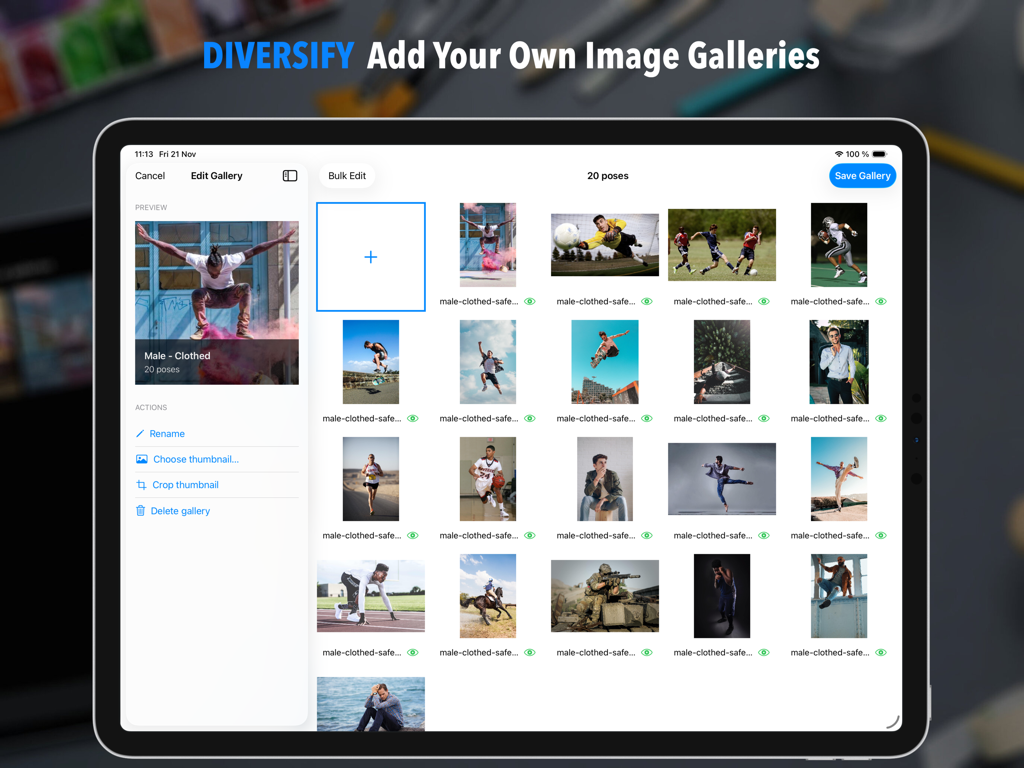
제스처 드로잉을 위한 사용자 지정 이미지 갤러리 추가 및 편집 기능을 보여주는 Quick Poses 앱의 iPad 인터페이스

제스처 드로잉을 위한 사용자 지정 이미지 갤러리 추가 및 편집 기능을 보여주는 Quick Poses 앱의 iPad 인터페이스

사람과 동물이 등장하는 포즈 갤러리 선택과 세션 구성 설정을 보여주는 Quick Poses 앱의 다크 모드 iPad 인터페이스.

사람과 동물이 등장하는 포즈 갤러리 선택과 세션 구성 설정을 보여주는 Quick Poses 앱의 다크 모드 iPad 인터페이스.

유려한 움직임의 예술 마스터하기

이 앱을 돋보이게 하는 도구, 73K+ 명의 사용자가 선택.

⏱️

맞춤 타이머 세션

5초에서 무한대까지 타이머를 사용하여 긴장감 넘치는 인체 드로잉 수업을 시뮬레이션하여 완벽주의보다는 해부학과 흐름에 집중하도록 강요하세요.

🎨

기본 iPad 경험

Apple Pencil로 직접 그리거나 Procreate와 함께 분할 보기로 사용하세요. 전문적인 창의적 워크플로를 위해 설계된 궁극의 디지털 작업 공간입니다.

📈

성장 추적

세션 요약 및 상세 기록 화면으로 진행 상황을 시각화하세요. 기본 워밍업에서 숙련된 역동적인 구성으로 기술이 발전하는 것을 지켜보세요.

앱 소개

에 대해 알아야 할 모든 것 Quick Poses: Gesture Drawing.

설명

Quick Poses is THE ultimate tool to help artists sharpen their drawing skills by simulating REAL LIFE academic figure drawing sessions. Select your pose duration, choose your favorite photo galleries, and start drawing right away! Train your observation and anatomy skills with Quick Poses. The goal is simple: capture the ESSENCE of each pose within a limited time. As soon as the timer runs out, a new pose appears, keeping you focused and in the flow. At the end of your session, a SUMMARY gives you a clear picture of your progress. Over time, track your improvement in the HISTORY section and see how your skills evolve. This practice, called GESTURE DRAWING, is one of the BEST ways to build confidence, observation accuracy, and dynamic composition. It’s also an excellent warm-up before longer drawing sessions. FEATURE HIGHLIGHTS • CUSTOMIZE pose durations anywhere from 5 SECONDS to INFINITY. • CONTROL your total session time by limiting the number of poses. • ADD a short WARMUP DELAY before each pose to prepare your workspace or materials. • USE your APPLE PENCIL directly on screen, and analyze your sketches after each session. • ACCESS the full TOOL PICKER for longer poses to unleash your creativity with more tools and colors. • SWITCH your drawing side for LEFT or RIGHT-HANDED comfort. • USE iPad MULTITASKING to draw in your favorite app side by side. • ENJOY 7 BUILT-IN GALLERIES featuring various subjects (people, animals). • ADD your own galleries easily with the integrated GALLERY EDITOR (optional in-app purchase required). • DISPLAY poses in ORDER or RANDOM sequence. • REVIEW your past sessions in the HISTORY SCREEN and MEASURE your progress over time. • EXPORT your best drawings to share, print, or refine further in another app. • YOUR PRIVACY MATTERS – all your data stays on device unless you choose to share it. Master gesture drawing, stay motivated, and see your art grow session after session with Quick Poses.

최신 버전

1.7.3

크기

76.0 MB

출시일

2020년 6월 29일

예술을 바꿔보세요, 한 번에 한 자세씩.

iPad에서 제스처 드로잉을 마스터하는 수천 명의 아티스트와 함께하세요. 오늘부터 매일 연습을 시작하고 스케치가 살아 움직이는 것을 확인하세요.

다운로드: App Store

App information, icons, screenshots, and descriptions displayed on this page are sourced from the Apple App Store and are the property of their respective developers. Download estimates and rankings are based on MWM's proprietary models and may not reflect actual figures. This page is provided for informational and analytical purposes only.

Believe this page infringes your intellectual property? File a dispute