RAW Cam: Open Gate DNG Video

RAW Cam: Open Gate DNG Video

다운로드: App Store
로고: RAW Cam: Open Gate DNG Video

RAW Cam: Open Gate DNG Video — 아이폰을 전문 시네마 카메라로 바꾸세요

압축되지 않은 RAW 캡처와 풀 센서 Open Gate 유연성을 활용하세요. 최대 다이나믹 레인지, 수동 제어, 원활한 SSD 워크플로우를 요구하는 영화 제작자를 위해 설계되었습니다.

다운로드: App Store

개발사

Lead the way, vl. Sebastijan Grabar

카테고리

Photo & Video

다운로드

1K+

사용자 평점

4.6/5

총 평가 수

0

지원 언어

1

시네마 등급 인터페이스

이 인터페이스를 사용하는 1K+ 명의 사용자.

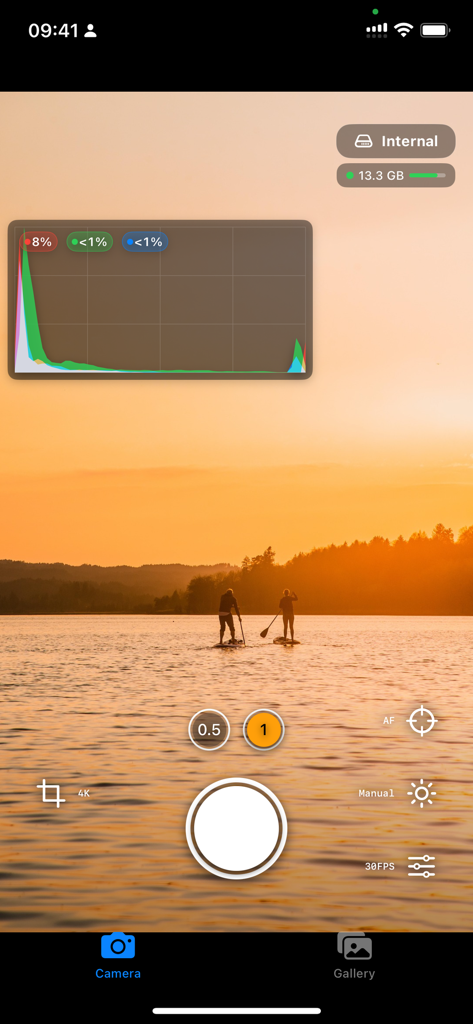
RAW Cam 앱 인터페이스는 석양 풍경 위로 전문적인 수동 비디오 컨트롤과 실시간 히스토그램을 보여줍니다

RAW Cam 앱 인터페이스는 석양 풍경 위로 전문적인 수동 비디오 컨트롤과 실시간 히스토그램을 보여줍니다

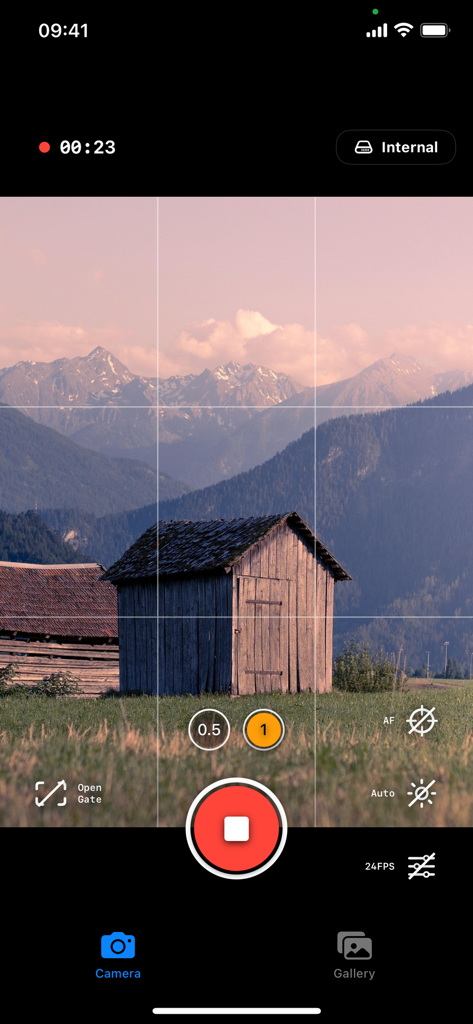
RAW Cam 앱은 Open Gate 모드에서 산과 오두막집의 시네마틱 영상을 녹화하고 있습니다

RAW Cam 앱은 Open Gate 모드에서 산과 오두막집의 시네마틱 영상을 녹화하고 있습니다

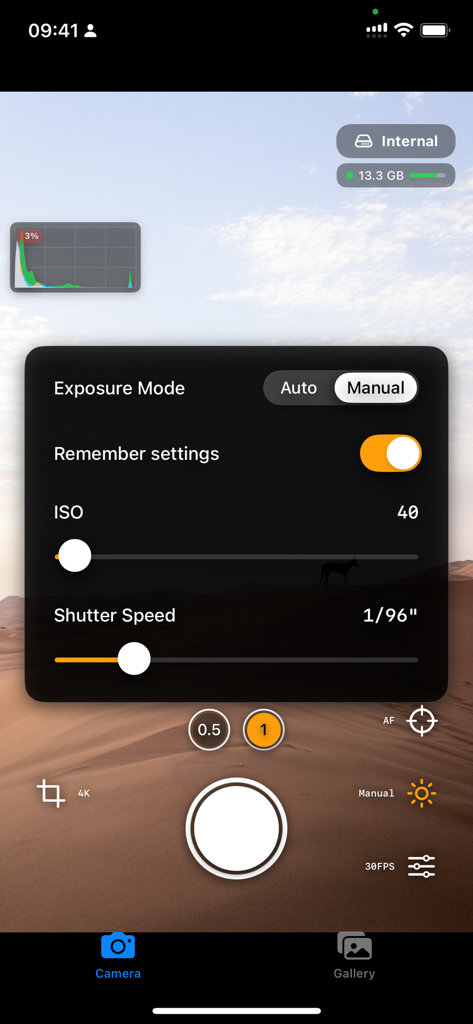
RAW Cam 앱의 수동 노출 인터페이스는 ISO 및 셔터 속도 슬라이더를 포함합니다

RAW Cam 앱의 수동 노출 인터페이스는 ISO 및 셔터 속도 슬라이더를 포함합니다

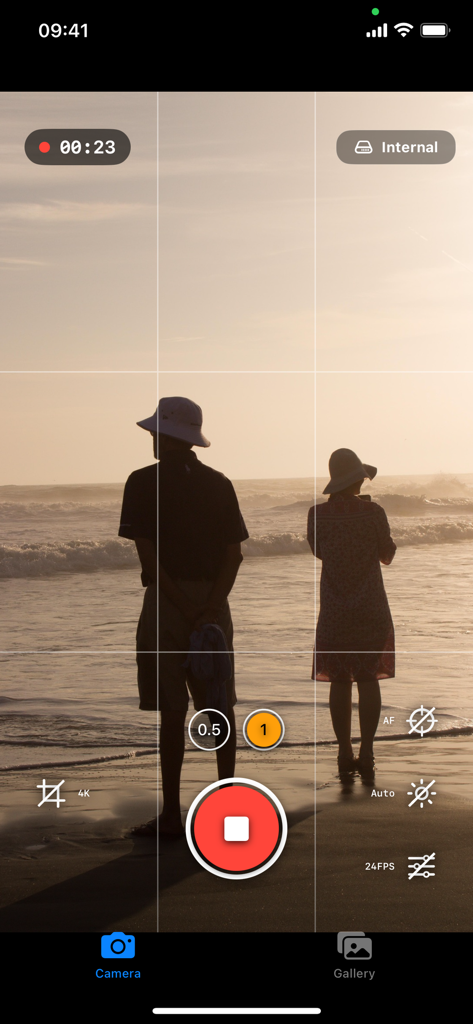
RAW Cam 비디오 녹화 인터페이스와 전문 컨트롤 및 해변의 석양 시 규칙 삼분법 격자를 보여주는 스마트폰 화면

RAW Cam 비디오 녹화 인터페이스와 전문 컨트롤 및 해변의 석양 시 규칙 삼분법 격자를 보여주는 스마트폰 화면

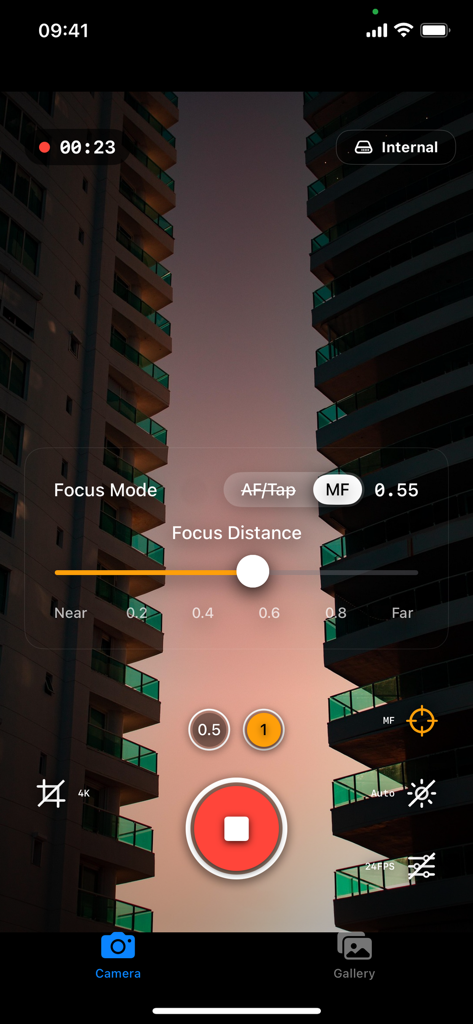
RAW Cam 앱의 인터페이스는 수동 초점 거리 컨트롤과 전문 비디오 녹화 설정을 보여줍니다

RAW Cam 앱의 인터페이스는 수동 초점 거리 컨트롤과 전문 비디오 녹화 설정을 보여줍니다

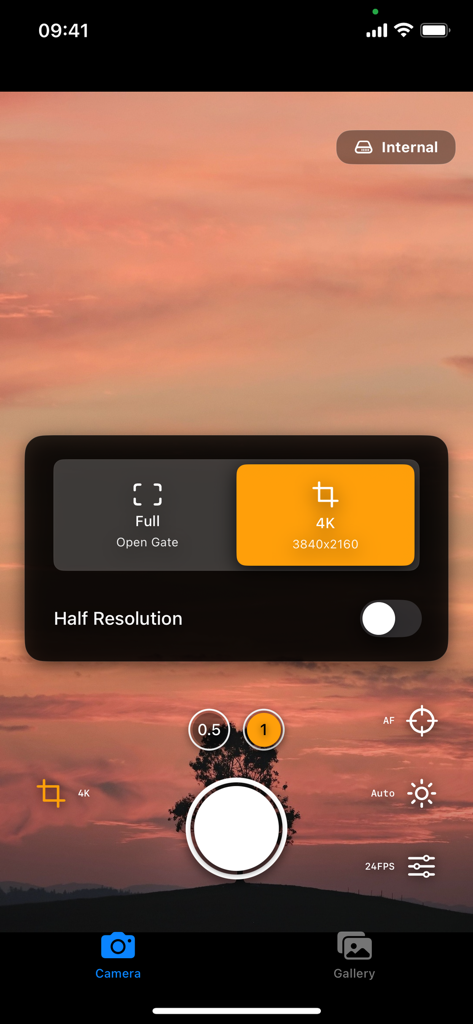
4K 및 Open Gate 옵션과 함께 해상도 설정을 표시하는 RAW Cam 앱의 카메라 인터페이스

4K 및 Open Gate 옵션과 함께 해상도 설정을 표시하는 RAW Cam 앱의 카메라 인터페이스

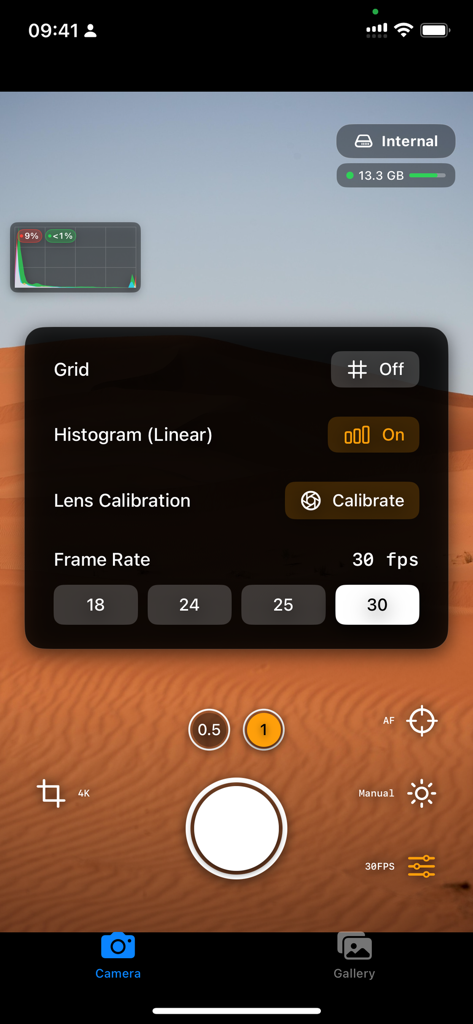
프레임 속도 및 히스토그램 컨트롤이 있는 RAW Cam 앱의 수동 비디오 설정 메뉴

프레임 속도 및 히스토그램 컨트롤이 있는 RAW Cam 앱의 수동 비디오 설정 메뉴

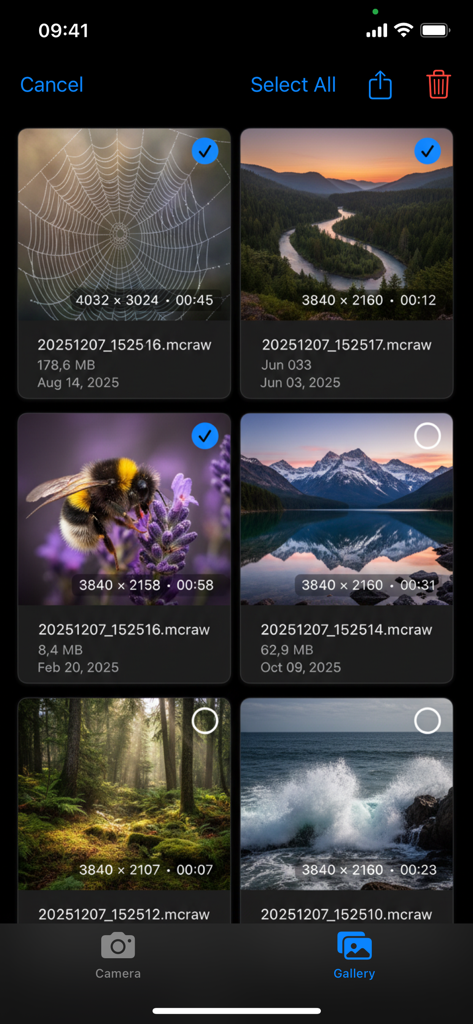
RAW Cam의 앱 내 갤러리 보기에는 해상도 및 지속 시간 메타데이터가 포함된 고품질 mcraw 비디오 파일이 표시됩니다.

RAW Cam의 앱 내 갤러리 보기에는 해상도 및 지속 시간 메타데이터가 포함된 고품질 mcraw 비디오 파일이 표시됩니다.

아이폰의 시네마틱 잠재력을 발휘하세요

이 앱을 돋보이게 하는 도구, 1K+ 명의 사용자가 선택.

🎬

압축되지 않은 시네마 RAW

.mcraw 파일을 촬영하여 구워진 샤프닝이나 노이즈 감소 없이 모든 디테일을 캡처하고, 전문적인 색 보정을 위한 궁극의 캔버스를 제공합니다.

🖼️

Open Gate 다목적성

전체 센서 영역을 캡처하여 이미지 품질을 희생하지 않고 16:9 시네마틱 풍경 또는 9:16 소셜 초상화에 쉽게 프레임을 맞추세요.

🚀

전문 워크플로우 및 SSD 지원

실시간 히스토그램 및 클리핑 표시기와 같은 정밀 도구를 사용하면서 외부 SSD에 직접 고비트 전송률 영상을 녹화하여 저장 공간 제한을 우회하세요.

앱 소개

에 대해 알아야 할 모든 것 RAW Cam: Open Gate DNG Video.

설명

The Highest-Quality RAW Video Your iPhone Can Capture! Turn your iPhone into a cinema camera - capture stunning RAW video with total creative control. Designed for filmmakers and creators who want the absolute maximum image quality. Cinema-Grade RAW Video - Shoot uncompressed *.mcraw files for maximum dynamic range & color depth - Data straight from the sensor - no baked-in look - Choose open-gate (full sensor, or half resolution) or classic 16:9 in 4K and Full HD - True film look with 18/24/25/30 fps options - Highlight reconstruction available in your editing suite .mcraw Ecosystem Compatible - Records in the already established .mcraw format - edit and share wherever you want Professional Controls - Histogram with Highlight clipping indicator - Lens calibration for clipping indicator - Full manual control: ISO, shutter speed and focus - Adjust focus/exposure while recording with smooth on-screen controls - Tap-to-focus and continuous AF before you start rolling - Rule-of-thirds grid for getting the composition right - Available storage indicator Flexible Storage & Workflow - Save directly to app's internal gallery, user-chosen folders, or external SSDs - AirDrop for fast device-to-device transfer and quick handoff to your editing suite (pro tip: turn on Personal Hotspot and connect to it with your other device for maximum speed) - Ability to watch recorded videos on your device, both on internal and external storage

최신 버전

1.1

크기

7.6 MB

출시일

2025년 12월 17일

아이폰을 전문 시네마 카메라로 바꾸세요

지금 바로 압축되지 않은 .mcraw 영상을 촬영하고 시네마 등급의 수동 제어로 센서의 모든 창의적인 잠재력을 활용하세요.

다운로드: App Store

App information, icons, screenshots, and descriptions displayed on this page are sourced from the Apple App Store and are the property of their respective developers. Download estimates and rankings are based on MWM's proprietary models and may not reflect actual figures. This page is provided for informational and analytical purposes only.

Believe this page infringes your intellectual property? File a dispute