Reaction Cam Vlog Video Maker

Reaction Cam Vlog Video Maker

다운로드: App Store
로고: Reaction Cam Vlog Video Maker

반응형 캠 Vlog 비디오 메이커: 바이럴 콘텐츠를 위한 올인원 스튜디오

당신의 반응을 조회수로 바꾸세요. 폰에서 바로 FaceCam을 녹화하고, 전문가 코멘터리를 추가하고, 전문적인 브이로그를 편집하여 소셜 미디어 브랜드와 유튜브 채널을 성장시키세요.

다운로드: App Store

개발사

Joy Sarkar

카테고리

Photo & Video

다운로드

1K+

사용자 평점

4.1/5

총 평가 수

100

지원 언어

1

액션을 경험하세요

이 인터페이스를 사용하는 1K+ 명의 사용자.

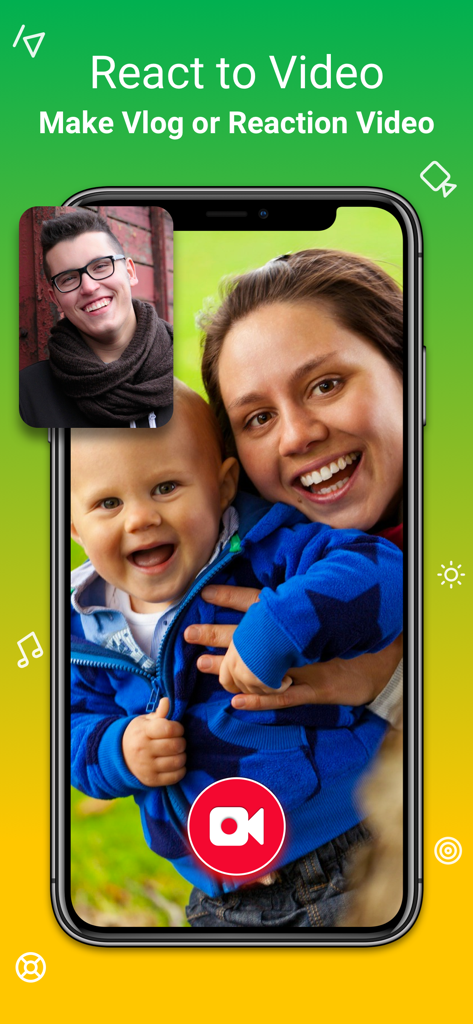
스마트폰 화면에 Reaction Cam 앱에서 가족 영상 위에 얼굴 캠 반응 영상 오버레이가 표시되는 모습

스마트폰 화면에 Reaction Cam 앱에서 가족 영상 위에 얼굴 캠 반응 영상 오버레이가 표시되는 모습

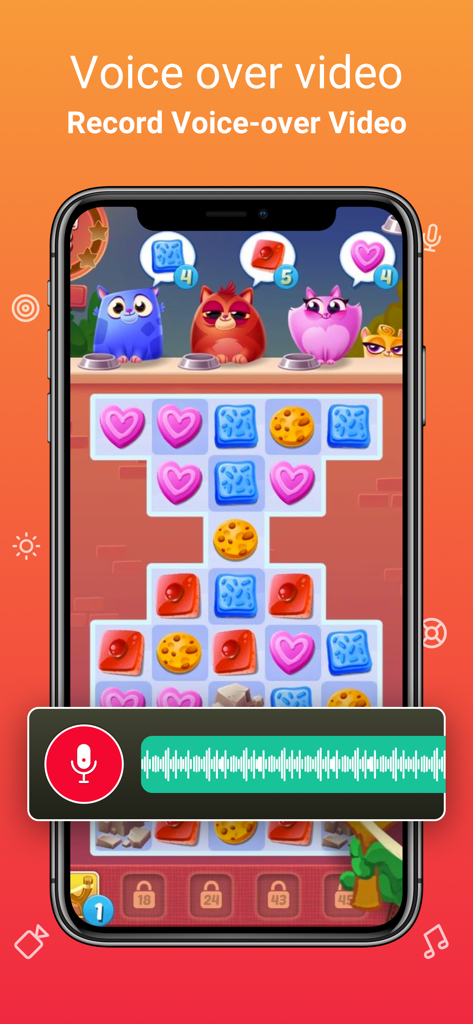
Reaction Cam 앱을 사용하여 모바일 게임 영상에 대한 음성 해설을 녹음하는 모습

Reaction Cam 앱을 사용하여 모바일 게임 영상에 대한 음성 해설을 녹음하는 모습

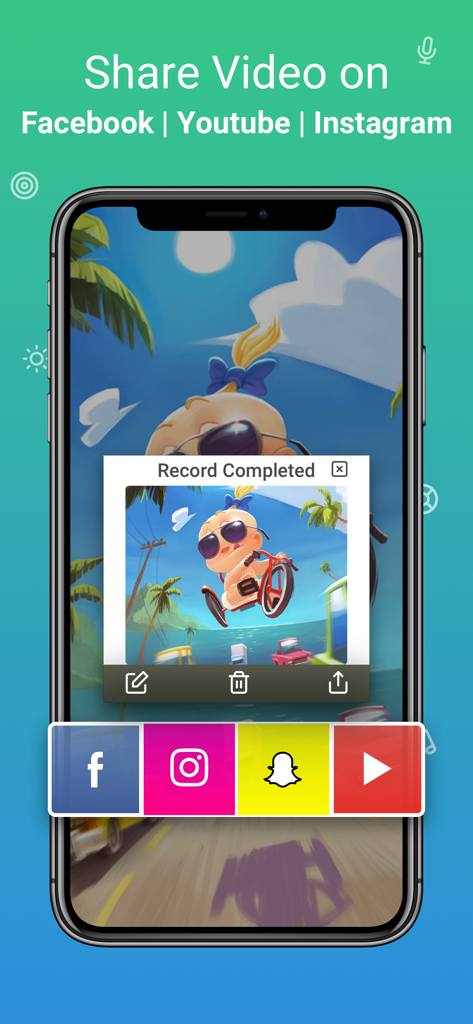
Facebook Instagram Snapchat 및 YouTube로 공유하는 옵션이 있는 완성된 녹화 영상이 표시되는 Reaction Cam 앱 인터페이스

Facebook Instagram Snapchat 및 YouTube로 공유하는 옵션이 있는 완성된 녹화 영상이 표시되는 Reaction Cam 앱 인터페이스

폰으로 크리에이터 경력을 시작하세요

이 앱을 돋보이게 하는 도구, 1K+ 명의 사용자가 선택.

🤳

즉석 얼굴 캠 오버레이

자신의 얼굴과 화면을 동시에 녹화하여 진정성 있는 반응을 포착하고 유튜브 및 틱톡 팬들과 소통하세요.

🎙️

스튜디오 품질 코멘터리

크리스탈처럼 맑은 음성 해설을 추가하고 오디오 레벨을 완벽하게 조정하여 세련되고 전문적인 인플루언서 사운드를 만드세요.

✂️

원탭 소셜 최적화

가로형 유튜브 영상에서 세로형 릴스 및 틱톡으로 즉시 전환할 수 있도록 캔버스를 다듬고, 필터를 적용하고, 크기를 조절하세요.

앱 소개

에 대해 알아야 할 모든 것 Reaction Cam Vlog Video Maker.

설명

** Top Reaction Cam & vlog video maker app on app store. ** The Reaction Cam App allows you to create your own Vlogs, youtube reaction video, App tutorial, Video Game explainer video. Commentary features allows record voice to create reaction video which enhance your video recording project. REACTION VIDEO MAKER FOR YOUTUBE • Add FaceCam Reactions to your recordings • React on youtube video & publish it on social media AUDIO COMMENTARY • Record & add voice to video • Adjust proper volume EDIT EDITOR • Add video filter • Trim your video • Change canvas • Rotate video SHARE • Share directly on YouTube, facebook or anywhere • Save directly to camera roll # Subscription Information: Reaction Cam contains 1 Month & yearly Pro Subscription with 3 days free trial. * Your subscription will automatically start after the 3 days free trial & automatically renew unless auto-renew is turned off at least 24-hours before the end of the current period * You can cancel subscription anytime cancelling your subscription through your iTunes account settings. This must be done 24 hours before the end of subscription period to avoid being charged. The cancellation will take effect the day after the last day of the current subscription period, and you will be downgraded to the free service. * Payment will be charged to your iTunes Account at confirmation of purchase * Your account will be charged for renewal within 24-hours prior to the end of the current period and the cost will be identified. * Subscriptions may be managed by the user and auto-renewal may be turned off by going to the user’s Account Settings after purchase EULA: https://sites.google.com/view/kinggamesstudio/privacy-tos/reaction-cam-tos Privacy Policy: https://sites.google.com/view/kinggamesstudio/privacy-tos/reaction-cam-privacy-policy ◉ Support: For any recommendations, general ideas and arising faults please don’t hesitate to email us at kinggamesstudio.com@gmail.com Or reach us on Facebook to get immediate support Facebook : https://www.facebook.com/kingappsstudio/ We will constantly keep "Reaction Cam App" updated for our users by adding new features & fixing bugs, so please write your review by rating us, it will help us to improve the Reaction Cam App.

최신 버전

2.0

크기

39.3 MB

출시일

2020년 4월 2일

오늘 당신의 크리에이터 여정을 시작하세요

차세대 브이로거에 합류하세요. Reaction Cam을 다운로드하여 폰에서 녹화하고, 반응하고, 바이럴을 일으키세요.

다운로드: App Store

App information, icons, screenshots, and descriptions displayed on this page are sourced from the Apple App Store and are the property of their respective developers. Download estimates and rankings are based on MWM's proprietary models and may not reflect actual figures. This page is provided for informational and analytical purposes only.

Believe this page infringes your intellectual property? File a dispute