Reciprocity Timer

Reciprocity Timer

다운로드: App Store
로고: Reciprocity Timer

Reciprocity Timer: 아날로그 사진가를 위한 정밀 장노출

상호 보상 법칙 실패의 추측을 없애세요. iPhone 및 Apple Watch에서 전문적인 정확도로 노출을 계산, 타이밍 및 기록하세요.

개발사

Pump Interactive

카테고리

Photo & Video

다운로드

160K+

사용자 평점

2.7/5

총 평가 수

100

지원 언어

1

모든 프레임에서의 정밀함

이 인터페이스를 사용하는 160K+ 명의 사용자.

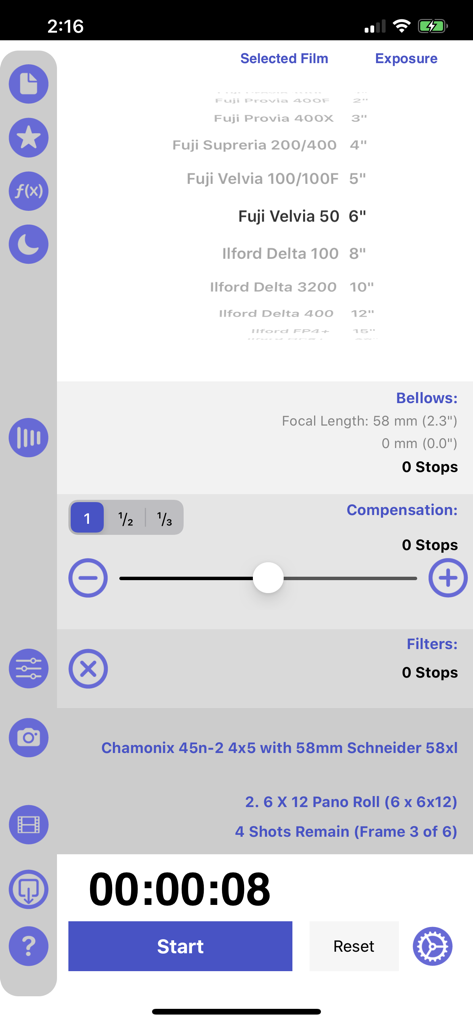
Reciprocity Timer 앱 인터페이스에 필름 선택, 벨로우즈 보정 및 장노출 타이머가 표시됩니다.

Reciprocity Timer 앱 인터페이스에 필름 선택, 벨로우즈 보정 및 장노출 타이머가 표시됩니다.

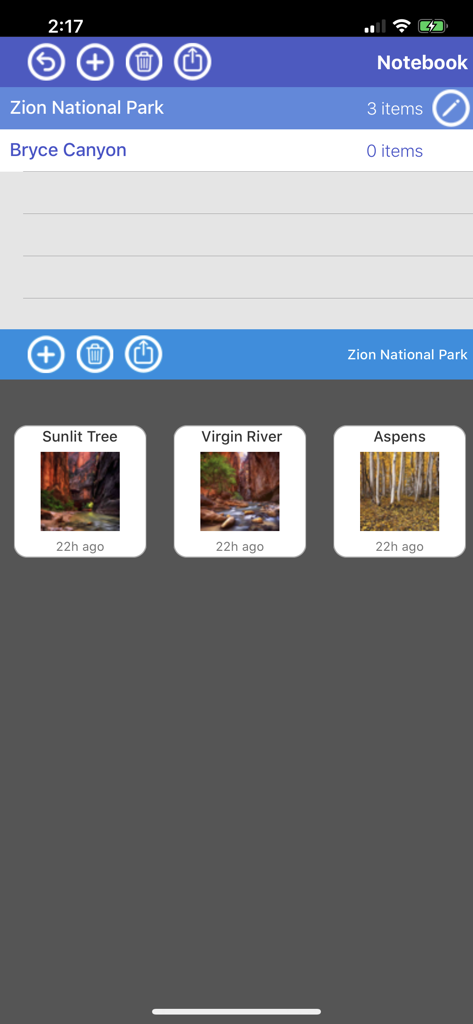
Reciprocity Timer 앱 노트북 화면에 자이언 국립공원 및 브라이스 캐니언에 대한 정리된 사진 항목이 표시됩니다.

Reciprocity Timer 앱 노트북 화면에 자이언 국립공원 및 브라이스 캐니언에 대한 정리된 사진 항목이 표시됩니다.

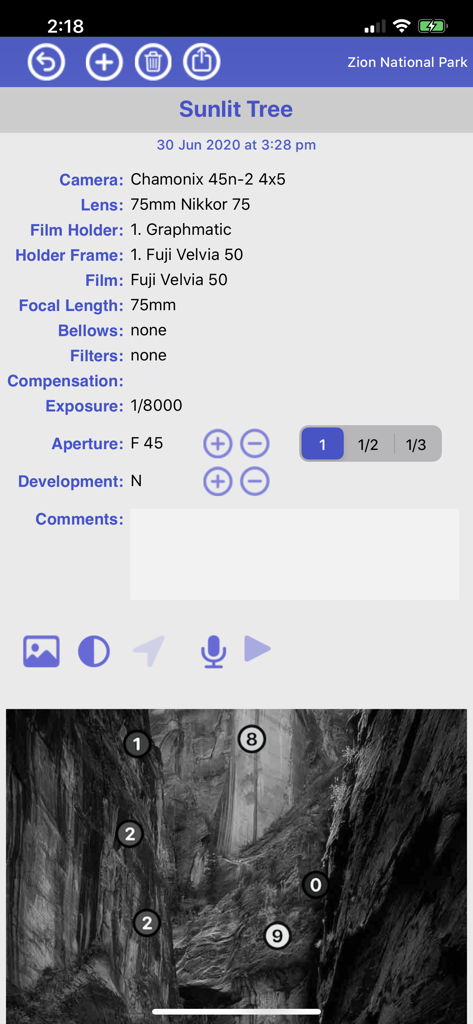
Reciprocity Timer 앱의 필름 사진 촬영 기술 세부 정보 로그에 카메라 설정과 풍경 이미지에 대한 존 시스템 매핑이 표시됩니다.

Reciprocity Timer 앱의 필름 사진 촬영 기술 세부 정보 로그에 카메라 설정과 풍경 이미지에 대한 존 시스템 매핑이 표시됩니다.

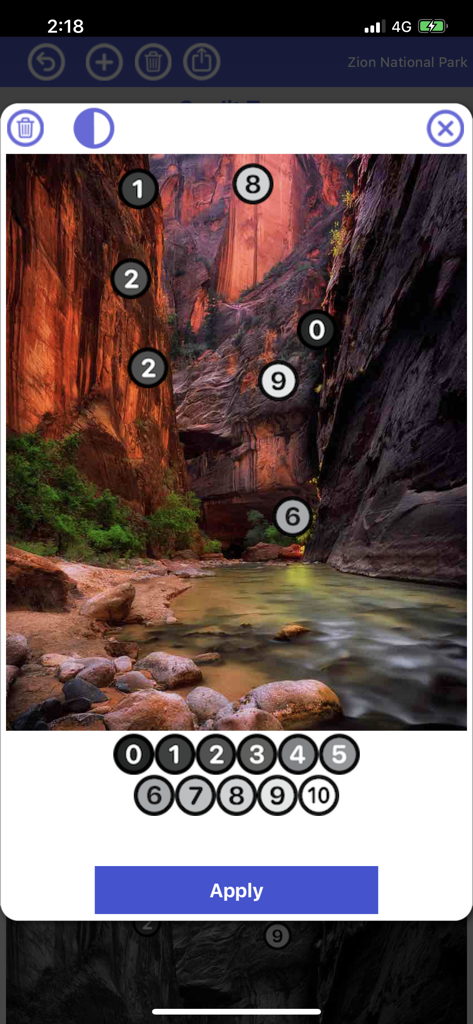
Reciprocity Timer 앱 인터페이스에 자이언 국립공원의 풍경 사진에 대한 톤 존 마커가 있는 존 시스템 편집기가 표시됩니다.

Reciprocity Timer 앱 인터페이스에 자이언 국립공원의 풍경 사진에 대한 톤 존 마커가 있는 존 시스템 편집기가 표시됩니다.

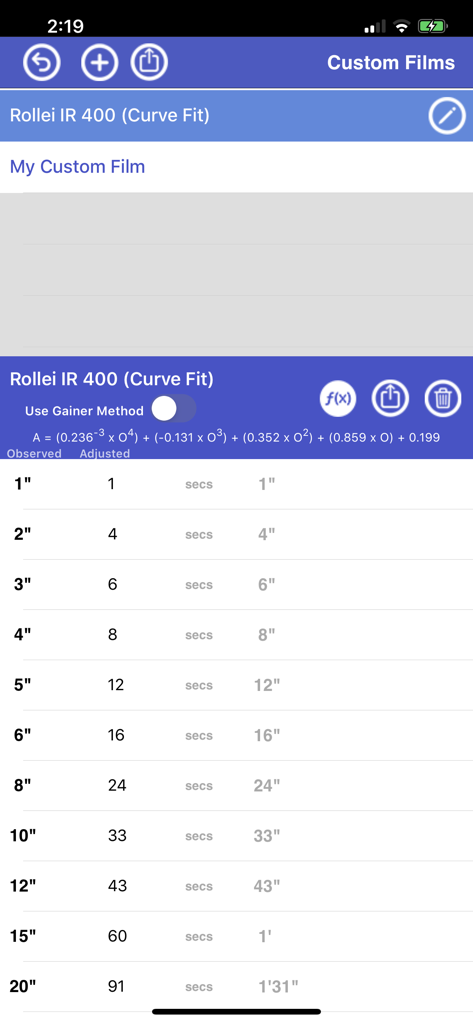
Reciprocity Timer 앱 인터페이스에 Rollei IR 400에 대한 사용자 지정 필름 노출 조정 테이블이 표시됩니다.

Reciprocity Timer 앱 인터페이스에 Rollei IR 400에 대한 사용자 지정 필름 노출 조정 테이블이 표시됩니다.

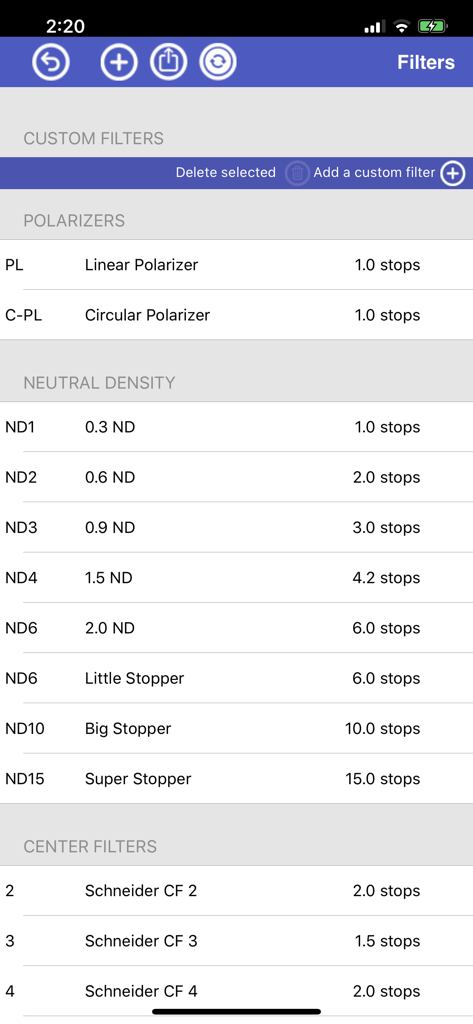
Reciprocity Timer 앱의 메뉴에 편광 필터 및 중성 밀도 옵션을 포함한 카메라 필터 목록과 노출 스톱 값이 표시됩니다.

Reciprocity Timer 앱의 메뉴에 편광 필터 및 중성 밀도 옵션을 포함한 카메라 필터 목록과 노출 스톱 값이 표시됩니다.

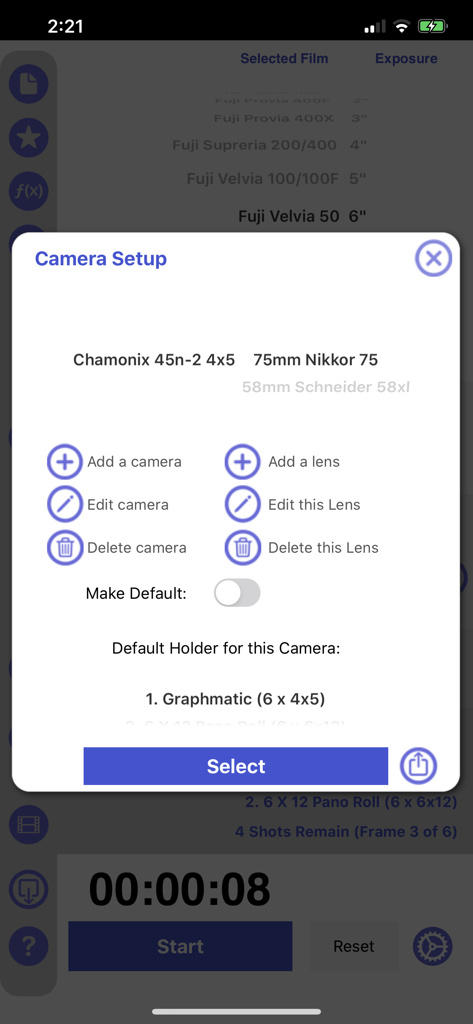
Reciprocity Timer 모바일 앱 내 카메라 및 렌즈 설정 인터페이스

Reciprocity Timer 모바일 앱 내 카메라 및 렌즈 설정 인터페이스

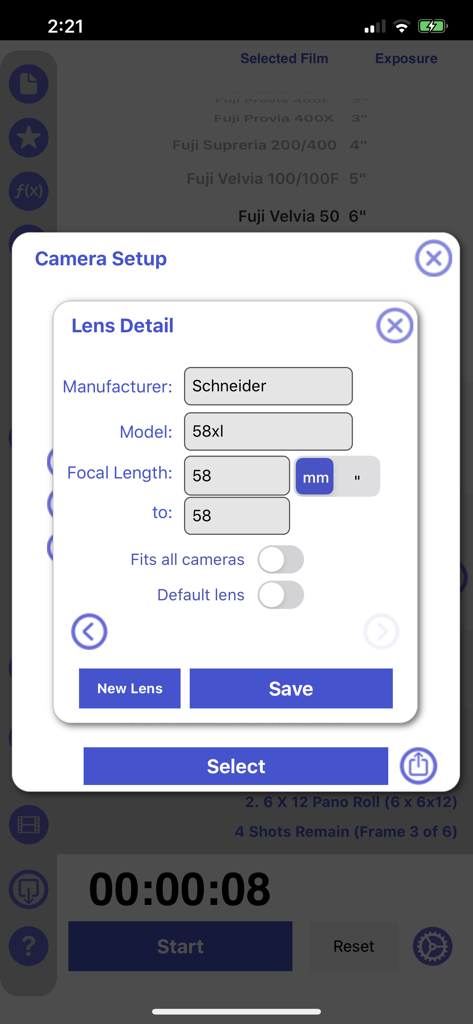
Reciprocity Timer 앱 내 카메라 렌즈 세부 정보 및 설정 화면

Reciprocity Timer 앱 내 카메라 렌즈 세부 정보 및 설정 화면

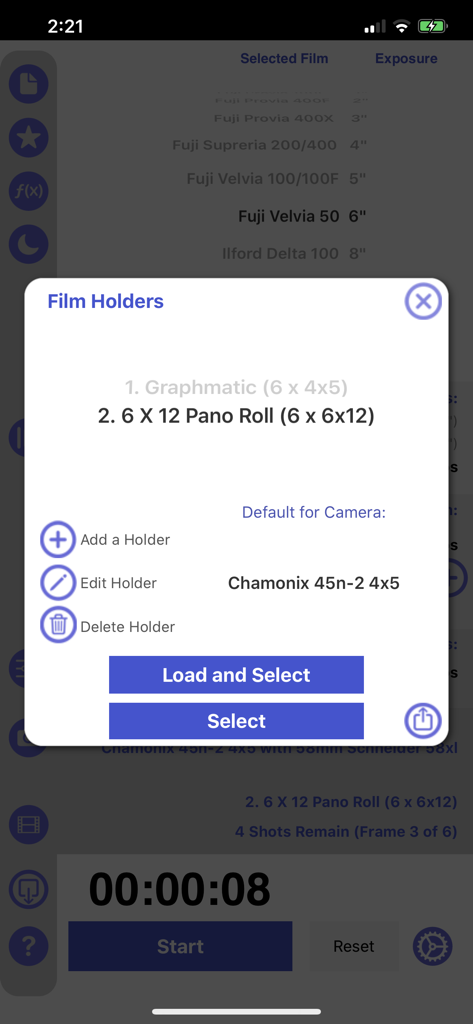
Reciprocity Timer 앱의 필름 홀더 관리 인터페이스

Reciprocity Timer 앱의 필름 홀더 관리 인터페이스

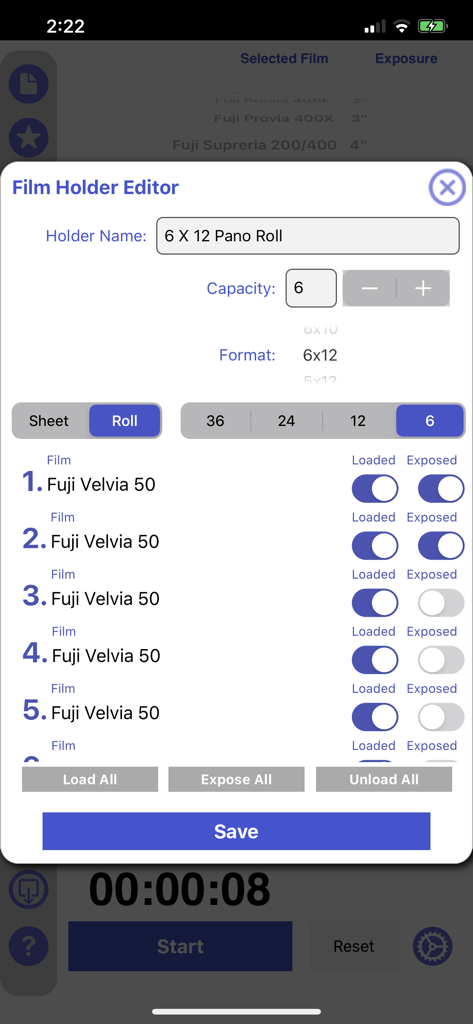
Reciprocity Timer 앱 인터페이스에 Fuji Velvia 50 필름 재고 상태 추적을 위한 필름 홀더 편집기 화면이 표시됩니다.

Reciprocity Timer 앱 인터페이스에 Fuji Velvia 50 필름 재고 상태 추적을 위한 필름 홀더 편집기 화면이 표시됩니다.

모든 프레임을 마스터하세요

이 앱을 돋보이게 하는 도구, 160K+ 명의 사용자가 선택.

⚖️

정밀한 상호 보상 법칙 계산

장노출 및 저조도 촬영 시 Kodak, Ilford, Fujifilm 필름에 대한 즉각적인 보정으로 실패한 노출을 피하세요.

Apple Watch 동반자

장면에 집중하세요. 휴대폰을 더듬거릴 필요 없이 손목에서 직접 장노출을 모니터링하고 타이밍을 맞추세요.

📂

전문가급 장비 관리

필름 홀더, 존 시스템 및 사용자 지정 필터 세트에 대한 통합 데이터베이스로 여러분의 기술을 정리하여 진정한 전문적인 워크플로우를 만드세요.

앱 소개

에 대해 알아야 할 모든 것 Reciprocity Timer.

설명

Manage your film photography from start to finish!  Reciprocity Timer has 2 Version - the "Standard" Version does NOT include advanced features but can be used to calculate reciprocity on a range of common films. The "Pro" Version is available for an additional $9.99 USD (via in-app-purchase) unlocks a range of advanced features. The initial purchase price allows you to calculate reciprocity for all the films included by selecting an observed exposure time. This $1.99 US non-pro version is suitable for people who just need to calculate an exposure that includes reciprocity adjustments for commonly used films. It will suit many users who don't require or need to upgrade to the pro version for features like note keeping or a camera database etc. It's most suitable if you are new to film. More advanced film users and photographers may want to pay to upgrade after their initial purchase to the pro version. If you use a pro-feature you'll be prompted to upgrade for an additional $9.99 US. This will unlock all the additional features including the Zone Editor, Note, Camera and Film Holder database as well as custom films and filters. There is no need to upgrade if you just want to calculate and time reciprocity for a particular film and you always use the same camera. The app includes in-app purchase to unlock pro features including a note-keeping feature, the ability to add custom films and the ability to select often used film stock as favorites. Once you upgrade then the one app does it all - notes, filters, exposure calculations, custom films, zone system editor, film holder management as well as the reciprocity math! A comprehensive film reciprocity calculator for photographers. Select a film type and metered exposure time - the calculator will provide a reciprocity compensated exposure time. The app includes an exposure timer so you can time your long exposures. You can also use a slider to adjust exposure when you have filters attached. The app supports a wide range of film stocks and allows the user to add various common exposure filters such as NDs and Polarizers. Keep detailed notes and share them. Share your adjusted exposure times with colleagues. This app makes film photography a breeze. You may need to setup Reciprocity Timer in Settings -> Notification Center to ensure the app's timer can notify you when exposures are ending and your device is asleep. Watch companion app now included. To install the app use the Apple Watch App on your phone. Ensure your watch and phone are paired an unlocked and scroll down the list of available apps to Reciprocity Timer. Select Install. You can also turn on "Automatically Install Apps".

최신 버전

3.99

크기

27.5 MB

출시일

2011년 8월 31일

빛을 마스터하고, 필름을 마스터하세요.

차트를 버리고 여러분의 기술에 집중하세요. 정밀한 장노출과 완벽한 아날로그 결과를 위해 Reciprocity Timer를 신뢰하는 160,000명 이상의 사진가들과 함께하세요.

다운로드: App Store

App information, icons, screenshots, and descriptions displayed on this page are sourced from the Apple App Store and are the property of their respective developers. Download estimates and rankings are based on MWM's proprietary models and may not reflect actual figures. This page is provided for informational and analytical purposes only.

Believe this page infringes your intellectual property? File a dispute