Remote Terminal Companion

Remote Terminal Companion

다운로드: App Store
로고: Remote Terminal Companion

Remote Terminal Companion: iPhone으로 Mac의 명령줄 제어권 확보

iPhone에서 직접 스크립트를 실행하고, 파일을 탐색하고, 시스템 성능을 모니터링하세요. 보안된 로컬 연결을 통해 개인 정보 보호와 속도를 중시하는 개발자를 위해 제작되었습니다.

다운로드: App Store

개발사

Pierre CARRON DE LA CARRIERE

카테고리

Developer Tools

다운로드

0

사용자 평점

1.0/5

총 평가 수

0

지원 언어

1

손안의 제어력

이 인터페이스를 사용하는 0 명의 사용자.

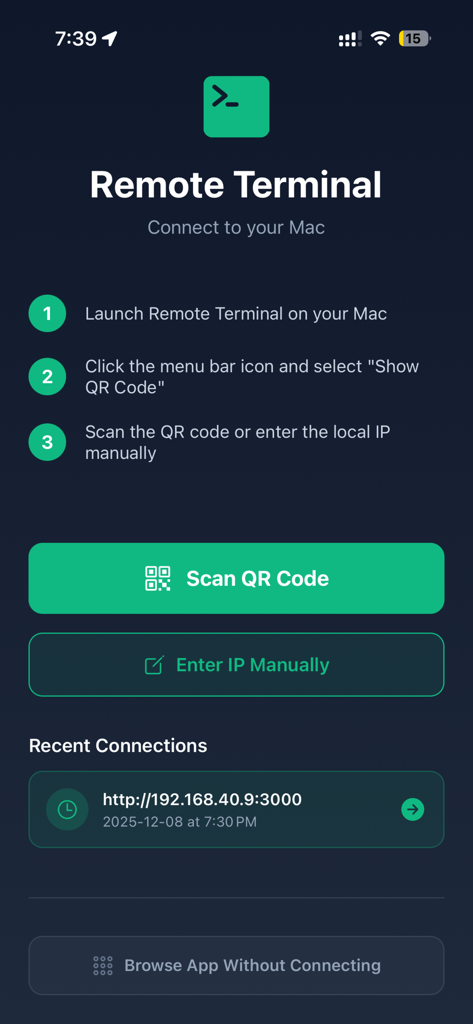
QR 코드 페어링 지침과 최근 연결을 보여주는 Remote Terminal 연결 설정 화면

QR 코드 페어링 지침과 최근 연결을 보여주는 Remote Terminal 연결 설정 화면

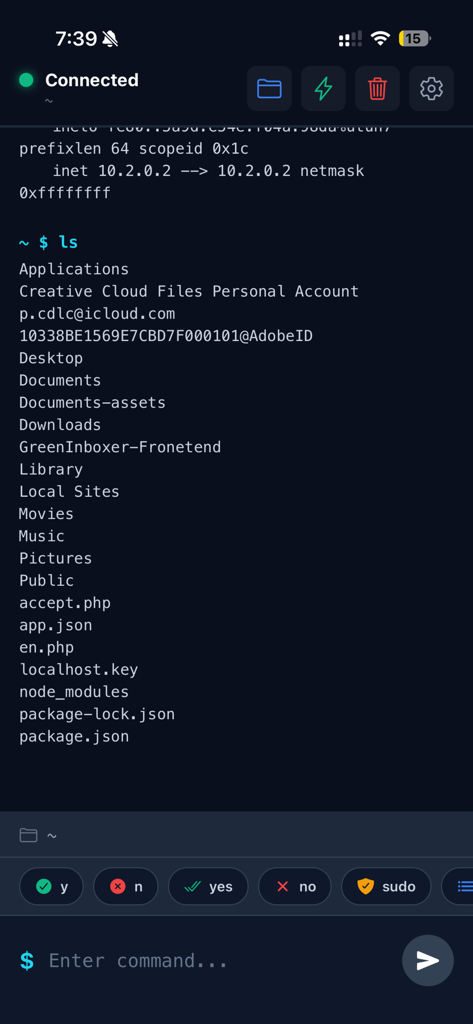
명령을 실행한 후 Mac 파일 및 디렉토리 목록을 보여주는 iPhone의 모바일 터미널 인터페이스

명령을 실행한 후 Mac 파일 및 디렉토리 목록을 보여주는 iPhone의 모바일 터미널 인터페이스

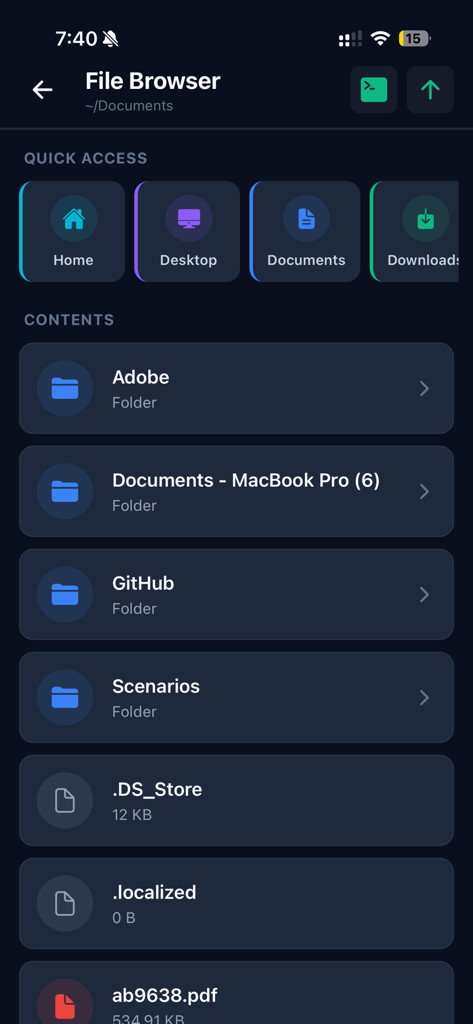
iPhone에서 Mac 폴더와 파일을 보여주는 Remote Terminal Companion 앱 파일 브라우저 인터페이스

iPhone에서 Mac 폴더와 파일을 보여주는 Remote Terminal Companion 앱 파일 브라우저 인터페이스

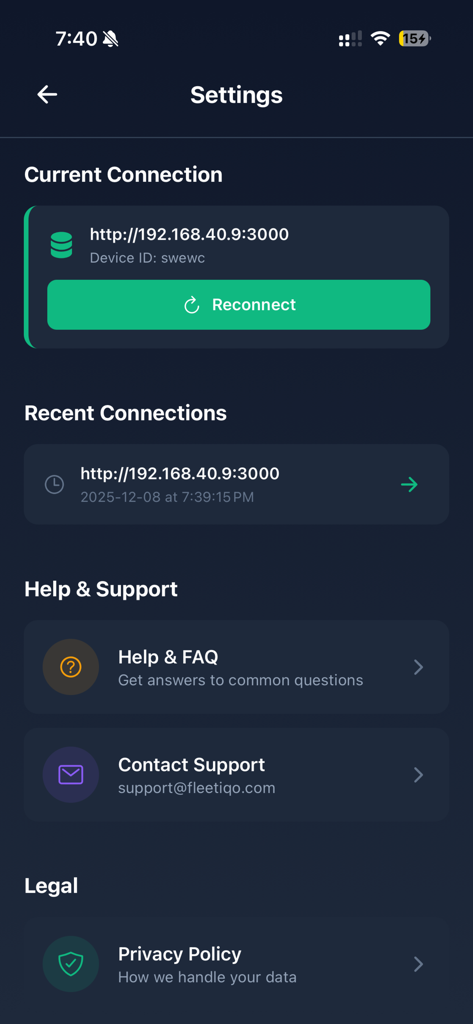
현재 및 최근 연결 세부 정보, 도움말 지원 및 개인 정보 보호 정책을 보여주는 Remote Terminal Companion 앱 설정 화면

현재 및 최근 연결 세부 정보, 도움말 지원 및 개인 정보 보호 정책을 보여주는 Remote Terminal Companion 앱 설정 화면

집 안 어디서든 Mac 제어

이 앱을 돋보이게 하는 도구, 0 명의 사용자가 선택.

⌨️

실시간 터미널 제어

전문적인 워크플로우에 최적화된 라이브 모바일 CLI를 통해 스크립트를 실행하고, 프로세스를 관리하고, 명령을 실행합니다.

📂

원활한 파일 탐색

직관적인 시각 인터페이스로 Mac의 파일 시스템을 탐색하여 문서를 찾고 네트워크 전체의 디렉토리를 관리합니다.

🛡️

개인 정보 보호 우선 아키텍처

클라우드 의존성이 전혀 없습니다. 데이터는 로컬 Wi-Fi 네트워크를 벗어나지 않아 완벽한 보안과 제어를 보장합니다.

앱 소개

에 대해 알아야 할 모든 것 Remote Terminal Companion.

설명

Manage Your Mac from Your iPhone Remote Terminal provides a convenient way to interact with your Mac’s command-line environment and browse files directly from your iPhone. Designed for developers, IT professionals, and advanced users, it offers a secure and streamlined tool to perform routine tasks on your Mac when both devices are on the same local network. Key Features Terminal Access Send commands to your Mac’s terminal and view the output in real time. Ideal for performing development tasks, checking system information, managing files, and running scripts you have created. File Browser Explore your Mac’s file system with an intuitive visual interface. Quickly access common folders such as Home, Desktop, Documents, Downloads, and iCloud Drive. Quick Actions Use predefined shortcuts to retrieve system details such as: • System information • Storage usage • Network configuration • Active processes Local & Secure Connection Remote Terminal operates only when your Mac and iPhone are connected to the same local Wi-Fi network. • No external servers • No cloud usage • No analytics or tracking • Data remains on your devices Simple Setup 1. Install the companion Remote Terminal desktop app on your Mac 2. Pair your devices by scanning a QR code 3. Start managing tasks on your Mac from your iPhone Ideal For • Developers • System administrators • IT teams • Power users who work with terminal tools • Anyone needing convenient access to their Mac’s command-line environment How It Works The companion Mac app runs in your menu bar and creates a secure local connection that your iPhone can access. Only devices on the same network can connect, ensuring full user control and privacy. What You Can Do • Execute commands you would normally run on your Mac’s terminal • Navigate folders and review file structure • View system details • Manage running tasks • Access frequently used directories and utilities Requirements • macOS 10.13 or later • Remote Terminal companion app for Mac (free download) • iPhone with iOS 13.0 or later • Both devices connected to the same Wi-Fi network Privacy Remote Terminal is designed with privacy in mind. All communication occurs directly between your iPhone and your Mac over your local network. No personal data, command content, or file information is transmitted externally. Support Access help anytime: • In-app FAQ • Email support: support@fleetiqo.com • Step-by-step setup guide

최신 버전

1.1.0

크기

34.2 MB

출시일

2025년 12월 10일

방 안 어디서든 Mac을 제어할 준비 되셨나요?

완전한 개인 정보 보호로 시스템을 관리하는 개발자 및 IT 전문가들과 함께하세요. 클라우드 없음, 추적 없음 — 손안에서 안전한 로컬 터미널 액세스만 제공합니다.

다운로드: App Store

App information, icons, screenshots, and descriptions displayed on this page are sourced from the Apple App Store and are the property of their respective developers. Download estimates and rankings are based on MWM's proprietary models and may not reflect actual figures. This page is provided for informational and analytical purposes only.

Believe this page infringes your intellectual property? File a dispute