reWASD Mobile

reWASD Mobile

다운로드: App Store
로고: reWASD Mobile

reWASD Mobile: 프로급 세컨드 스크린 및 가상 컨트롤러

PC 구성을 즉시 관리하여 Alt-Tab의 피로를 줄이세요. 기기를 완벽한 게임패드로 변환하고 실시간 매핑 알림으로 제어력을 유지하세요.

다운로드: App Store

개발사

AVB Disc Soft, SIA

카테고리

Utilities

다운로드

2K+

사용자 평점

3.4/5

총 평가 수

0

지원 언어

10

손가락 끝의 정밀함

이 인터페이스를 사용하는 2K+ 명의 사용자.

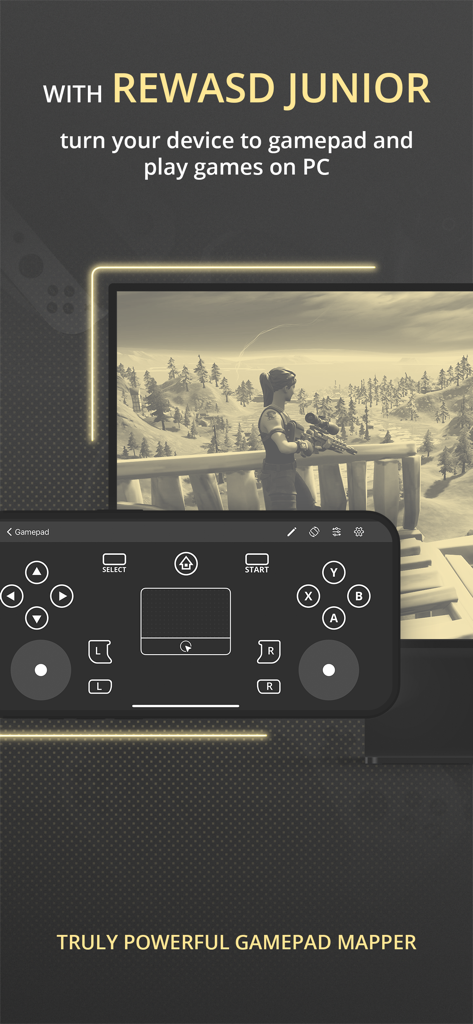
PC 게임에 사용되는 reWASD Mobile 가상 게임패드 인터페이스를 표시하는 스마트폰.

PC 게임에 사용되는 reWASD Mobile 가상 게임패드 인터페이스를 표시하는 스마트폰.

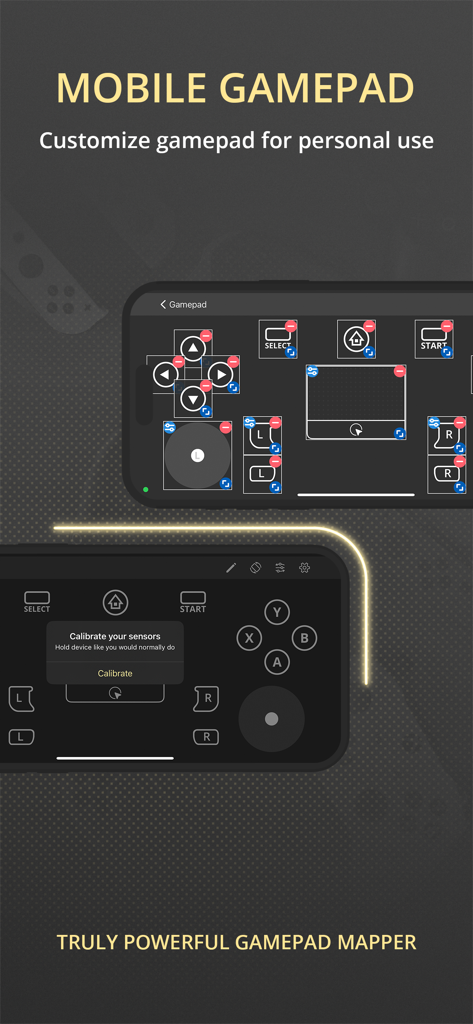
가상 버튼과 센서 보정 기능이 있는 사용자 정의 가능한 모바일 게임패드 인터페이스

가상 버튼과 센서 보정 기능이 있는 사용자 정의 가능한 모바일 게임패드 인터페이스

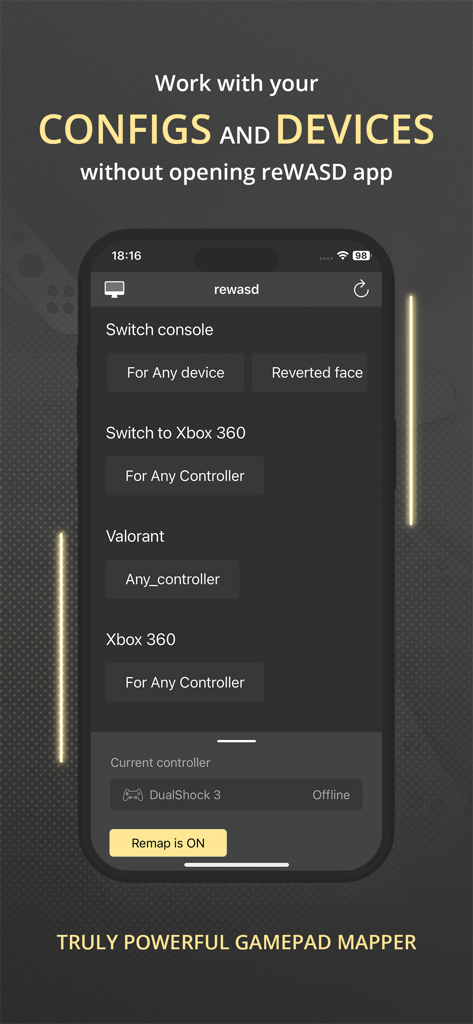
iPhone 화면에서 Valorant 및 Xbox 360용 컨트롤러 구성을 보여주는 reWASD Mobile 앱 인터페이스

iPhone 화면에서 Valorant 및 Xbox 360용 컨트롤러 구성을 보여주는 reWASD Mobile 앱 인터페이스

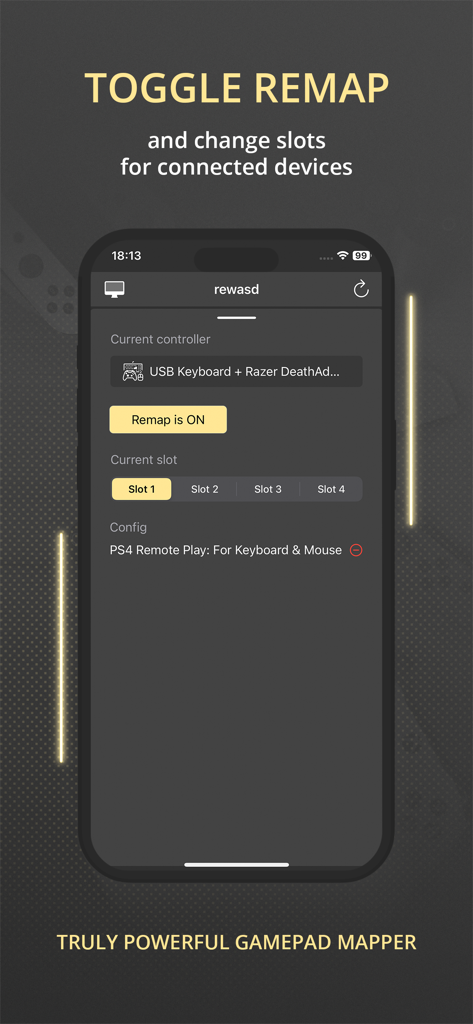
리매핑 토글 및 컨트롤러 슬롯 선택을 보여주는 reWASD Mobile 앱 인터페이스

리매핑 토글 및 컨트롤러 슬롯 선택을 보여주는 reWASD Mobile 앱 인터페이스

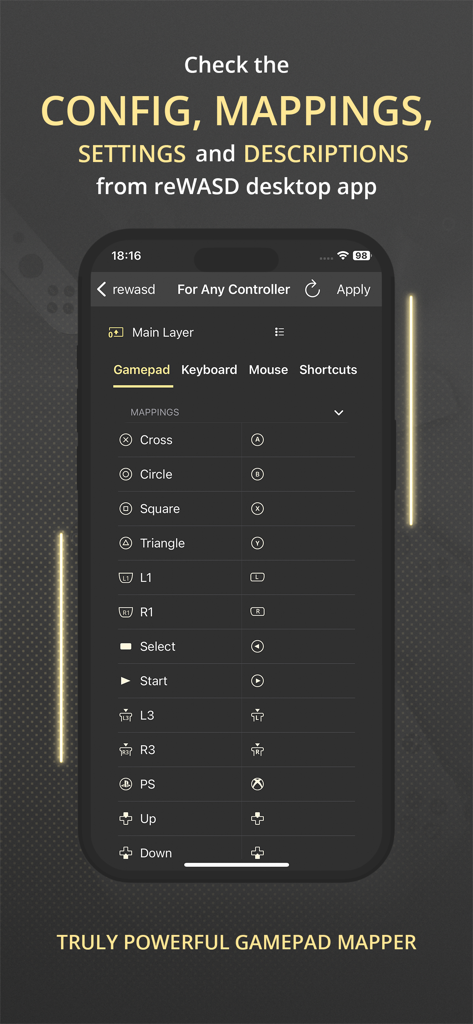
게임패드 버튼 매핑 및 구성 설정 목록을 보여주는 reWASD Mobile 앱 인터페이스

게임패드 버튼 매핑 및 구성 설정 목록을 보여주는 reWASD Mobile 앱 인터페이스

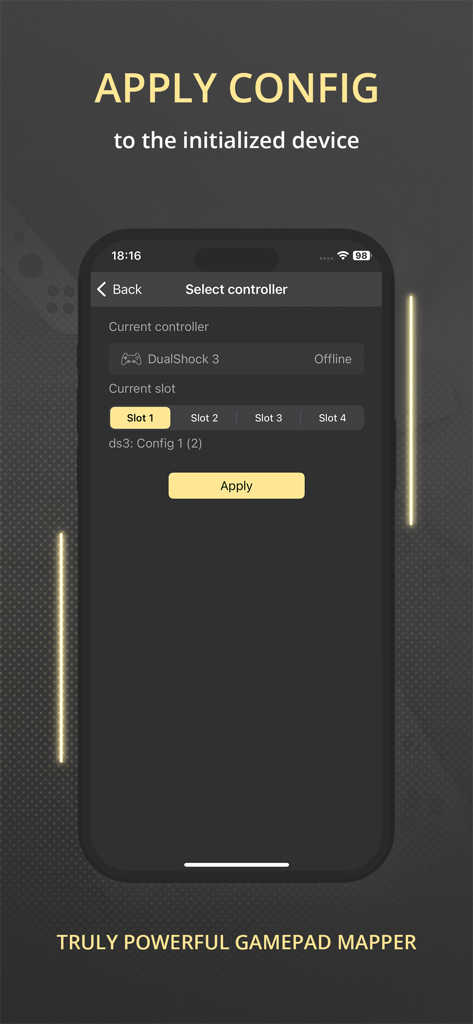
게임 주변 기기에 대한 컨트롤러 선택 및 구성 적용을 보여주는 reWASD Mobile 앱 인터페이스

게임 주변 기기에 대한 컨트롤러 선택 및 구성 적용을 보여주는 reWASD Mobile 앱 인터페이스

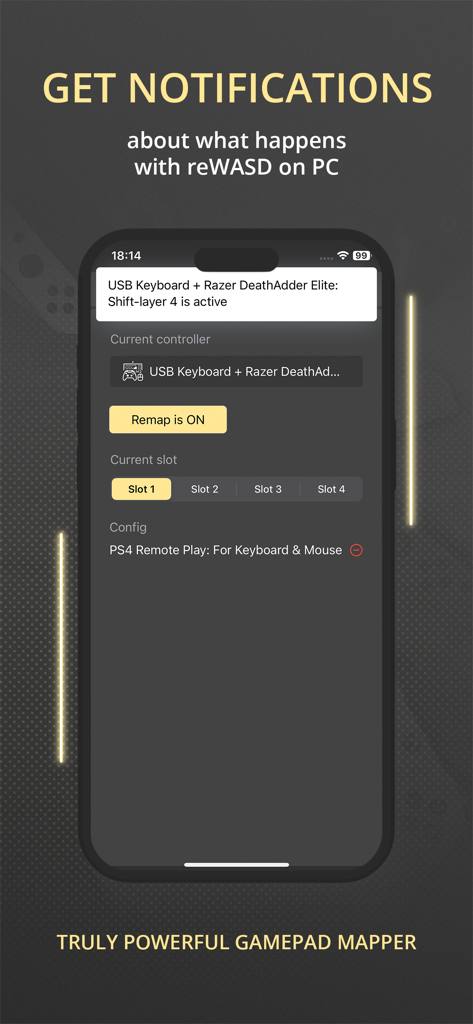
Razer 마우스 및 키보드 구성 상태에 대한 알림을 표시하는 reWASD Mobile 앱을 보여주는 스마트폰.

Razer 마우스 및 키보드 구성 상태에 대한 알림을 표시하는 reWASD Mobile 앱을 보여주는 스마트폰.

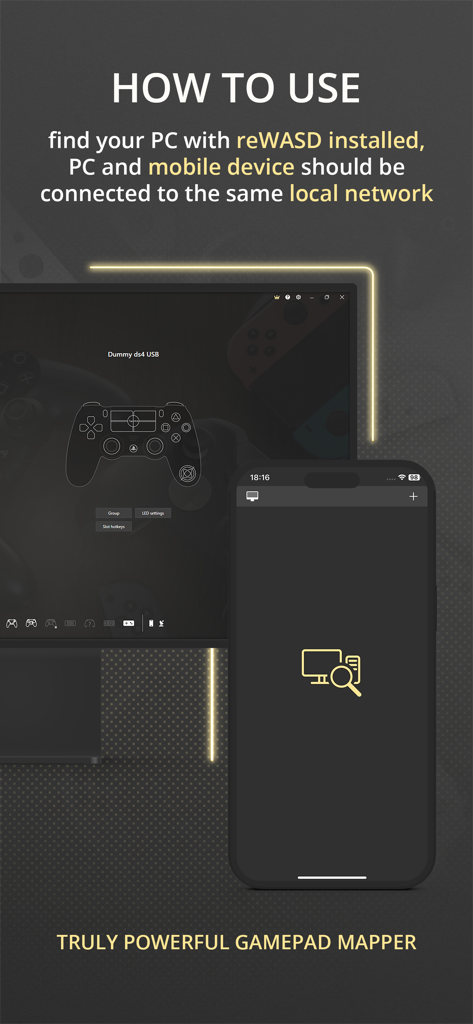
로컬 네트워크를 통해 앱을 PC에 연결하는 방법을 설명하는 reWASD Mobile의 지침 화면.

로컬 네트워크를 통해 앱을 PC에 연결하는 방법을 설명하는 reWASD Mobile의 지침 화면.

모든 게임 제어권을 해제하세요

이 앱을 돋보이게 하는 도구, 2K+ 명의 사용자가 선택.

🎮

프로급 모바일 게임패드

기기를 PC 또는 콘솔용 가상 컨트롤러로 변환하여 값비싼 하드웨어 비용을 절감하면서도 최고의 반응성을 유지하세요.

👁️

실시간 매핑 HUD

맞춤 매크로 및 키 바인딩을 세컨드 스크린에 표시하여 격렬한 경기 중에 구성을 놓치지 않도록 하세요.

🔋

스마트 원격 관리

게임 창을 벗어나지 않고도 즉시 배터리 알림을 받고 매핑 슬롯 또는 전환 간에 즉시 전환하세요.

앱 소개

에 대해 알아야 할 모든 것 reWASD Mobile.

설명

Meet the Mobile Controller feature — a new way to use your device! Turn your device to the controller — to use it with a PC or console. You can play in your favorite game with your device even if you does not have gamepad. All you need is reWASD Mobile and reWASD — please check more information below! With reWASD Mobile, you do not need to open the PC app if you want to check the config, mappings, settings or descriptions. Just find the computer with reWASD installed and ensure that both devices are connected to the same local network. Once this step is done, you will see the full list of the configs and gaming devices and will be able to “match” those — apply the config you need to the preferable device. Now, nothing stops you from jumping into the game! What is reWASD? reWASD is a gamepad, keyboard and mouse remapper with various features and use cases. Mostly, it is used on the PC with Windows to enhance and adjust your devices for PC gaming. Also, you can use the virtual controller created by reWASD inside the network — on PS4 console or mobile and desktop devices if they are connected via Bluetooth or GIMX adapter. What is reWASD Mobile? reWASD Mobile is a companion app that lets you manage the configs from your PC on a mobile device. This way you won’t need to Alt+Tab from the game to check the mappings you have in your config, and also you could Apply a config easily with a few taps on your mobile device. In addition, reWASD Mobile gets the notifications from its elder brother on PC while it is opened, so you will be informed if the battery is low or if you switched to another Slot or Shift. Why should I use it? reWASD Mobile is an easy way to work with your configs and devices without the necessity to open the app itself on a PC. Right now, you can check everything you have in your config, keep it open to check the mappings or descriptions, get notifications about what happens with reWASD on your PC and apply a config to the initialized device. But we are planning much more features, and hope you could give us suggestions and ideas to make our reWASD Mobile handier for you.

최신 버전

3.1

크기

72.3 MB

출시일

2021년 12월 17일

프로 게이밍 환경을 업그레이드하세요

Alt-Tab을 멈추고 승리를 시작하세요. 매핑을 동기화하고, 배터리 수명을 모니터링하고, iPhone을 몇 초 만에 고성능 컨트롤러로 변환하세요.

다운로드: App Store
FAQ

자주 묻는 질문

에 대해 알아야 할 모든 것 reWASD Mobile

reWASD Mobile이란 무엇인가요?

reWASD Mobile은 기기를 PC 또는 콘솔 게임 컨트롤러로 변환하는 컴패니언 앱입니다. reWASD 데스크톱 구성을 관리하고 PC 앱을 모니터링합니다.

PC에서 reWASD Mobile을 사용하려면 무엇이 필요하나요?

PC에 reWASD Mobile 앱과 reWASD 데스크톱 애플리케이션이 모두 설치되어 있어야 합니다. 두 장치 모두 동일한 로컬 네트워크에 연결해야 합니다.

reWASD Mobile로 내 기기를 PC용 게임패드로 만들 수 있나요?

네, reWASD Mobile은 reWASD Junior와 페어링될 때 모바일 장치를 가상 게임패드로 변환합니다. 이를 통해 스마트폰이나 태블릿을 사용하여 PC 게임을 플레이할 수 있습니다.

reWASD Mobile에서 모바일 게임패드 레이아웃을 사용자 지정할 수 있나요?

네, reWASD Mobile에서는 개인 용도로 모바일 게임패드 레이아웃을 사용자 지정할 수 있습니다. 사용자는 앱 인터페이스 내에서 직접 버튼을 다시 매핑하고 컨트롤을 조정할 수 있습니다.

데스크톱 앱을 열지 않고 reWASD Mobile에서 구성을 어떻게 관리하나요?

reWASD Mobile은 로컬 네트워크를 통해 PC에 연결됩니다. 데스크톱 애플리케이션을 열지 않고도 reWASD 구성 및 장치 설정을 원격으로 보고, 적용하고, 관리할 수 있습니다.

reWASD Mobile로 리매핑을 전환하고 슬롯을 변경할 수 있나요?

네, reWASD Mobile은 리매핑 기능을 켜거나 끄는 컨트롤을 제공합니다. 사용자는 연결된 장치에 대한 다른 구성 슬롯을 선택하고 전환할 수도 있습니다.

reWASD Mobile은 reWASD 데스크톱 앱 설정 및 매핑을 보여주나요?

네, reWASD Mobile은 reWASD 데스크톱 애플리케이션의 구성, 매핑, 설정 및 설명을 표시합니다. PC 상호 작용 없이 포괄적인 개요를 제공합니다.

모바일 앱을 사용하여 reWASD 구성을 적용하려면 어떻게 해야 하나요?

구성을 적용하려면 reWASD Mobile을 열고 대상 컨트롤러와 원하는 구성 슬롯을 선택한 다음 "적용" 버튼을 누릅니다. 이렇게 하면 초기화된 장치에서 구성이 활성화됩니다.

reWASD Mobile은 PC 애플리케이션의 알림을 제공하나요?

네, reWASD Mobile은 reWASD 데스크톱 앱에서 실시간 알림을 받습니다. 이러한 경고는 배터리 부족 상태 또는 활성 슬롯/시프트 변경과 같은 이벤트에 대해 알려줍니다.

App information, icons, screenshots, and descriptions displayed on this page are sourced from the Apple App Store and are the property of their respective developers. Download estimates and rankings are based on MWM's proprietary models and may not reflect actual figures. This page is provided for informational and analytical purposes only.

Believe this page infringes your intellectual property? File a dispute