Roku TV Remote, Control Play

Roku TV Remote, Control Play

다운로드: App Store
로고: Roku TV Remote, Control Play

Roku TV 리모컨, Control Play: 엔터테인먼트를 탐색하는 더 스마트한 방법

소파 쿠션 사이를 뒤지는 것을 멈추세요. iPhone을 강력하고 반응성이 뛰어난 리모컨으로 즉시 변환하고, 완벽한 키보드와 터치패드로 스트리밍을 쉽게 즐기세요.

개발사

Erica Hughes

카테고리

Utilities

다운로드

118K+

사용자 평점

4.5/5

총 평가 수

600

지원 언어

1

손끝에서 느껴지는 제어

이 인터페이스를 사용하는 118K+ 명의 사용자.

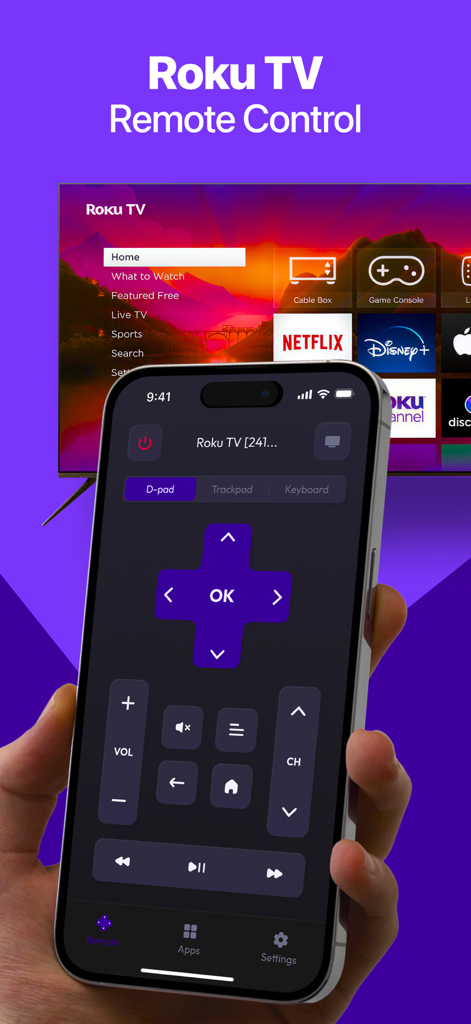
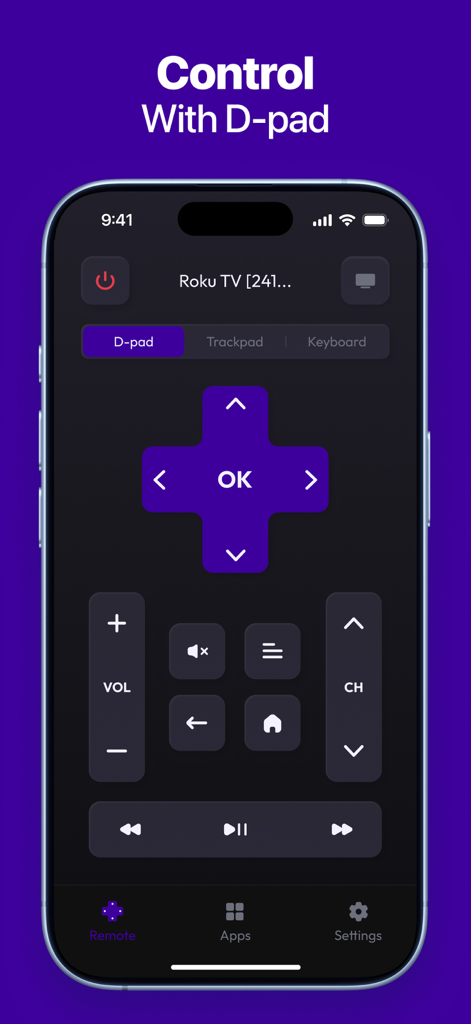
TV 앞에 D-패드와 볼륨 컨트롤이 표시된 Roku TV 리모컨 인터페이스가 있는 iPhone을 들고 있는 손

TV 앞에 D-패드와 볼륨 컨트롤이 표시된 Roku TV 리모컨 인터페이스가 있는 iPhone을 들고 있는 손

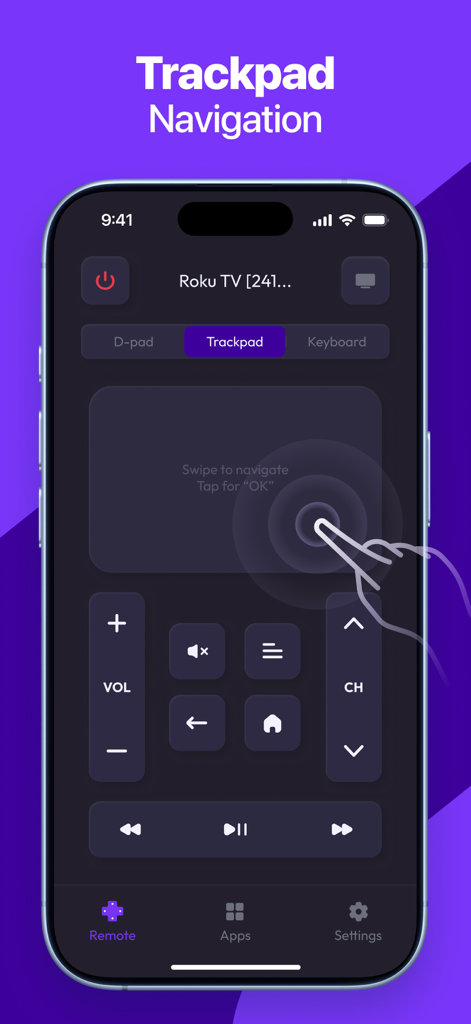
터치패드 탐색 기능을 강조하는 Roku TV 리모컨 앱의 iPhone 인터페이스

터치패드 탐색 기능을 강조하는 Roku TV 리모컨 앱의 iPhone 인터페이스

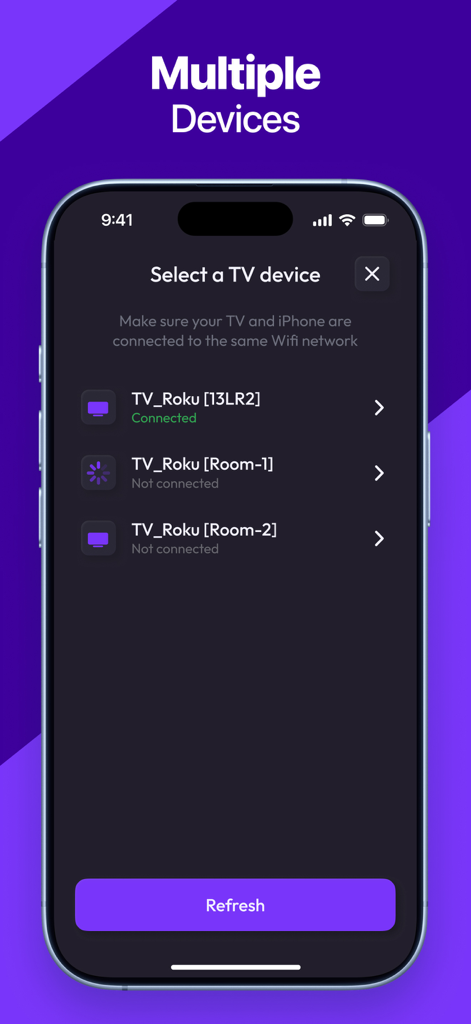
다양한 Roku TV 장치를 선택하고 연결하기 위한 앱 인터페이스

다양한 Roku TV 장치를 선택하고 연결하기 위한 앱 인터페이스

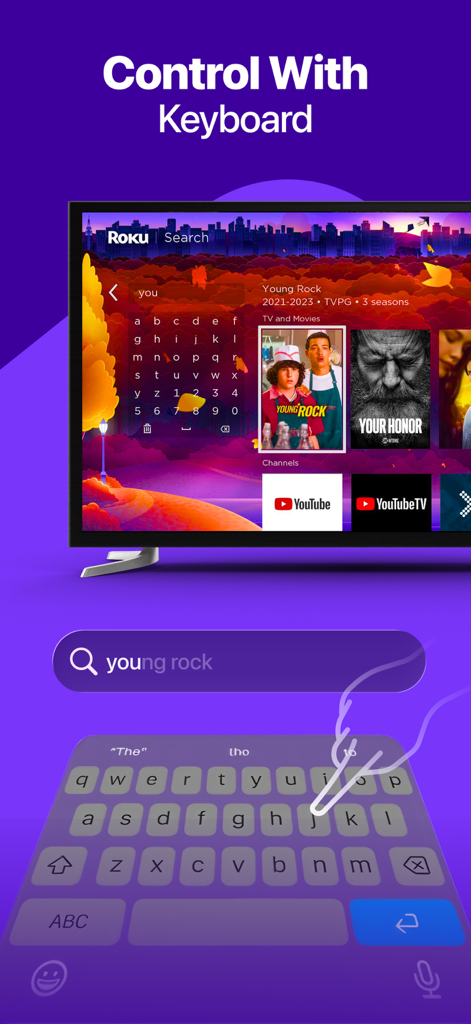
Roku TV에서 영화를 검색하기 위해 스마트폰 키보드로 입력하는 사용자

Roku TV에서 영화를 검색하기 위해 스마트폰 키보드로 입력하는 사용자

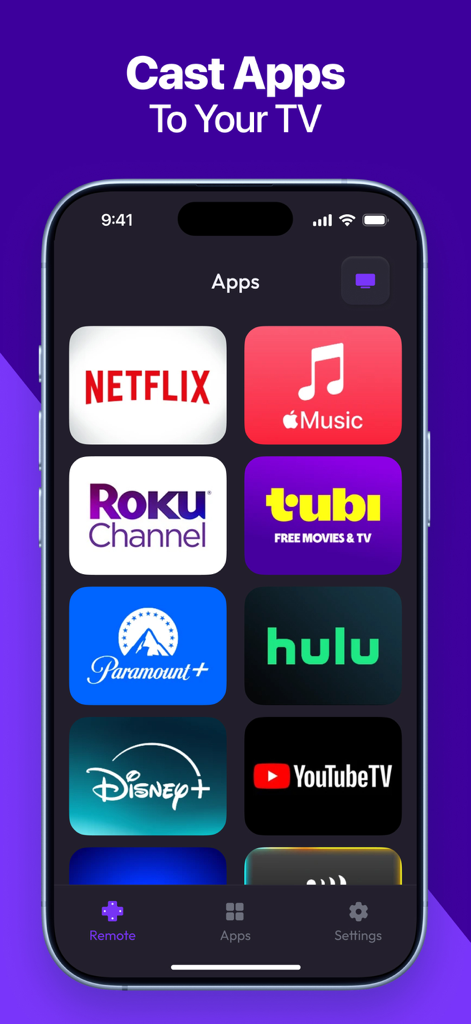
Roku TV로 빠르게 캐스팅하기 위해 Netflix Disney Plus 및 Hulu와 같은 다양한 스트리밍 앱 아이콘을 보여주는 스마트폰 화면

Roku TV로 빠르게 캐스팅하기 위해 Netflix Disney Plus 및 Hulu와 같은 다양한 스트리밍 앱 아이콘을 보여주는 스마트폰 화면

iPhone에 디지털 D-패드 컨트롤러가 표시된 Roku TV 리모컨 앱

iPhone에 디지털 D-패드 컨트롤러가 표시된 Roku TV 리모컨 앱

Roku 경험을 완벽하게 제어하세요

이 앱을 돋보이게 하는 도구, 118K+ 명의 사용자가 선택.

⌨️

입력하고 말해서 검색하기

느린 화면 키보드는 이제 그만. iPhone 키보드나 음성을 사용하여 몇 초 안에 좋아하는 영화와 프로그램을 찾으세요.

🖱️

정밀 터치패드 제어

부드러운 스와이프와 제스처로 TV를 탐색하세요. 물리적 리모컨보다 반응성이 뛰어나며 손에 완벽하게 맞습니다.

🚀

즉시 채널 전환

Netflix, Hulu, Max와 같은 좋아하는 스트리밍 앱을 모바일 대시보드에서 바로 한 번의 탭으로 탐색하고 실행하세요.

앱 소개

에 대해 알아야 할 모든 것 Roku TV Remote, Control Play.

설명

Roku TV Remote, Control Play is a fast and easy-to-use app that transforms your smartphone into a fully functional remote for your Roku TV or streaming device. Whether you’ve misplaced your physical remote or simply want a more convenient way to control your TV, this app gives you instant access to all key features — right from your phone. KEY FEATURES: - Full Remote Control: Power on/off, change channels, adjust volume, and control playback. - Touchpad Navigation: Smooth and responsive control with an intuitive touch interface. - Quick App Launch: Open your favorite Roku channels with one tap. - Keyboard & Voice Input: Type or speak for faster search and navigation. - Fast Pairing: Instantly connect your phone to any Roku device on the same network. - Simple & Clean Interface: Designed for ease of use and quick access to controls. Download Roku TV Remote, Control Play today and enjoy a smarter, more convenient way to control your Roku experience! Subscription terms: The App offers auto-renewing subscriptions to provide you with unlimited access to all features with no limits while you maintain an active subscription. Payment will be charged to the credit card connected to your iTunes Account when you confirm the initial subscription purchase. Subscriptions automatically renew unless auto-renew is turned off at least 24-hours before the end of the current subscription period. Your account will be charged for renewal within 24-hours prior to the end of the current period, and the cost of the renewal will be identified. You may manage your subscription and auto-renewal may be turned off by going to your Account Settings after the purchase. Any unused portion of a free trial period, if offered, will be forfeited when you purchase a subscription, where applicable. Privacy Policy: https://docs.google.com/document/d/1shtewogzyXFtpvUPpgdX2ye3YvnthE5LgSCuCkH_i8o/edit?usp=sharing Terms of Use: https://docs.google.com/document/d/1dDhIHxJWI3qWR52FcgKFLCbGHAnd6hW_L_oCBZNyno8/edit?usp=sharing

최신 버전

1.5

크기

49.8 MB

출시일

2023년 12월 6일

절대 잃어버리지 않을 유일한 Roku 리모컨

118,000명 이상의 사용자가 엔터테인먼트를 업그레이드했습니다. 지금 다운로드하여 즉시 페어링, 쉬운 입력, iPhone에서 직접 Roku TV의 전체 제어를 즐기세요.

다운로드: App Store

App information, icons, screenshots, and descriptions displayed on this page are sourced from the Apple App Store and are the property of their respective developers. Download estimates and rankings are based on MWM's proprietary models and may not reflect actual figures. This page is provided for informational and analytical purposes only.

Believe this page infringes your intellectual property? File a dispute