RosterX

RosterX

다운로드: App Store
로고: RosterX

RosterX: 항공사 승무원 근무표를 관리하는 더 스마트한 방법

효율성을 중시하는 항공 전문가를 위해 설계되었습니다. NetLine/CrewLink 일정을 iOS 캘린더에 원활하게 동기화하고, 실시간 변경 알림을 받고, 위치 기반 알림으로 근무 시간을 완벽하게 관리하세요.

다운로드: App Store

개발사

Georges Heinesch

카테고리

Utilities

다운로드

800

사용자 평점

4.9/5

총 평가 수

0

지원 언어

1

일정을 한눈에

이 인터페이스를 사용하는 800 명의 사용자.

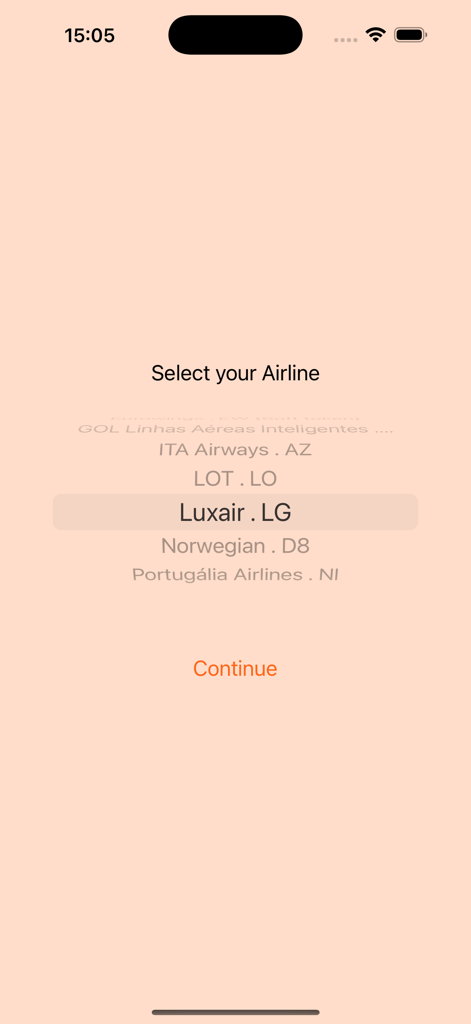
RosterX 앱 인터페이스에 Luxair 및 Norwegian과 같은 항공사 목록이 스크롤 가능한 형태로 표시되는 항공사 선택 화면

RosterX 앱 인터페이스에 Luxair 및 Norwegian과 같은 항공사 목록이 스크롤 가능한 형태로 표시되는 항공사 선택 화면

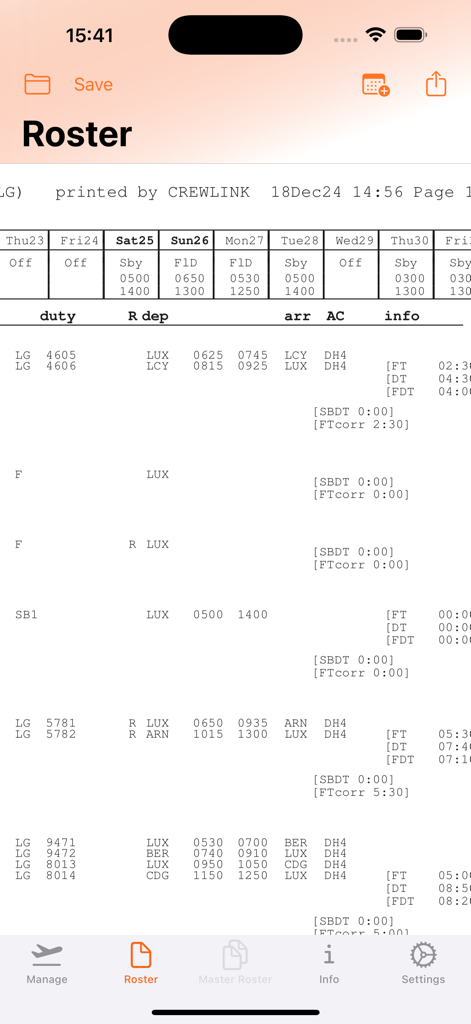
RosterX 앱에서 항공편 번호와 시간을 보여주는 상세 항공 승무원 근무표

RosterX 앱에서 항공편 번호와 시간을 보여주는 상세 항공 승무원 근무표

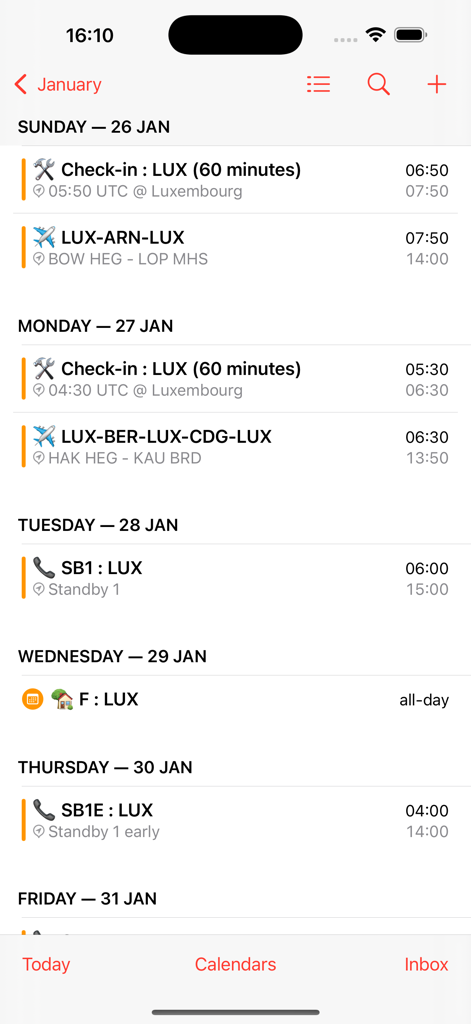
RosterX 항공편 일정 및 근무 시간이 iOS 캘린더와 동기화된 모습

RosterX 항공편 일정 및 근무 시간이 iOS 캘린더와 동기화된 모습

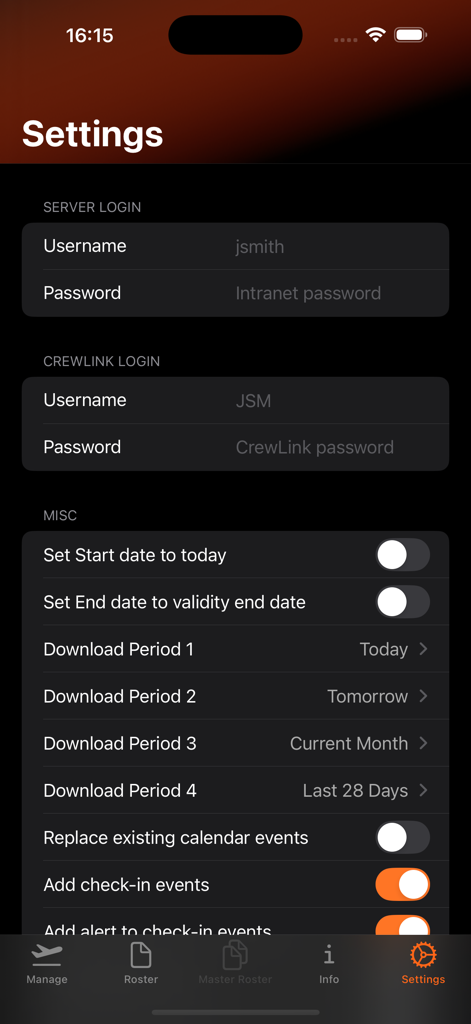
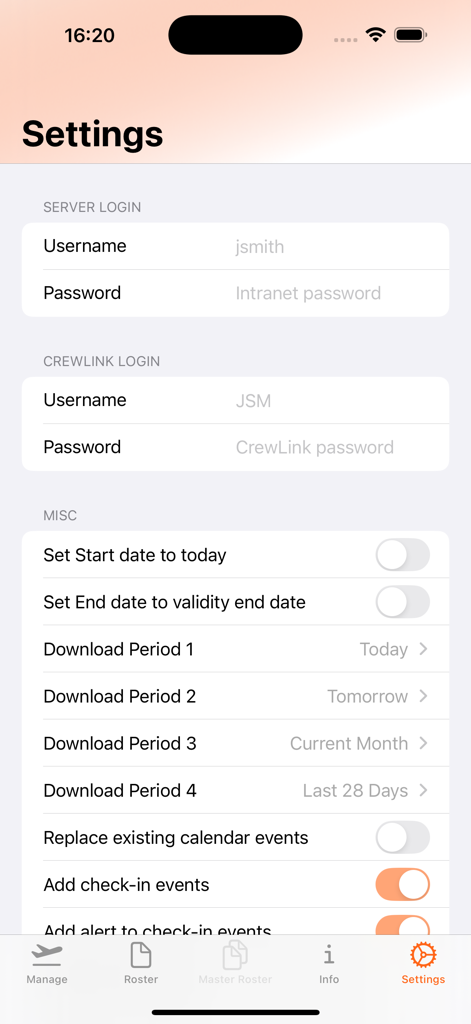
RosterX 항공 앱 설정 화면에 로그인 필드와 다크 모드의 근무표 구성 옵션이 표시됨

RosterX 항공 앱 설정 화면에 로그인 필드와 다크 모드의 근무표 구성 옵션이 표시됨

RosterX 항공 유틸리티 앱 설정 메뉴에 로그인 및 캘린더 통합 옵션이 표시됨

RosterX 항공 유틸리티 앱 설정 메뉴에 로그인 및 캘린더 통합 옵션이 표시됨

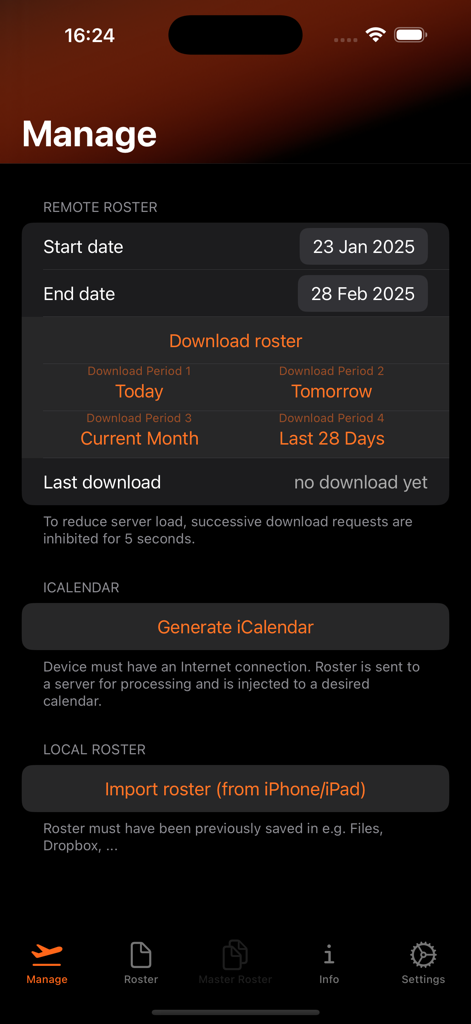
RosterX 앱 인터페이스에서 항공 근무표 다운로드 및 iCalendar 동기화

RosterX 앱 인터페이스에서 항공 근무표 다운로드 및 iCalendar 동기화

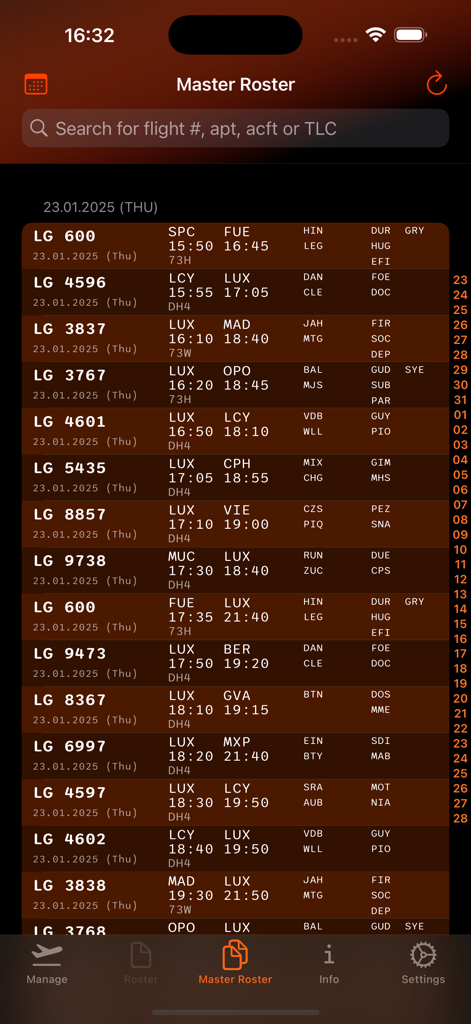
RosterX 앱 인터페이스에 항공편 임무 및 승무원 일정 목록이 표시되는 마스터 근무표 보기

RosterX 앱 인터페이스에 항공편 임무 및 승무원 일정 목록이 표시되는 마스터 근무표 보기

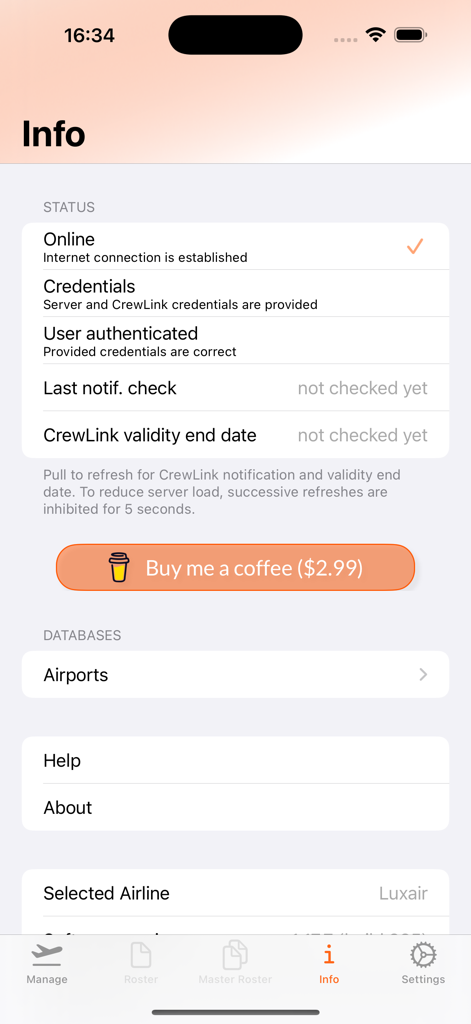
RosterX 앱의 정보 및 상태 화면에 항공사 연결 상태, 자격 증명 인증, 커피 구매 버튼 표시

RosterX 앱의 정보 및 상태 화면에 항공사 연결 상태, 자격 증명 인증, 커피 구매 버튼 표시

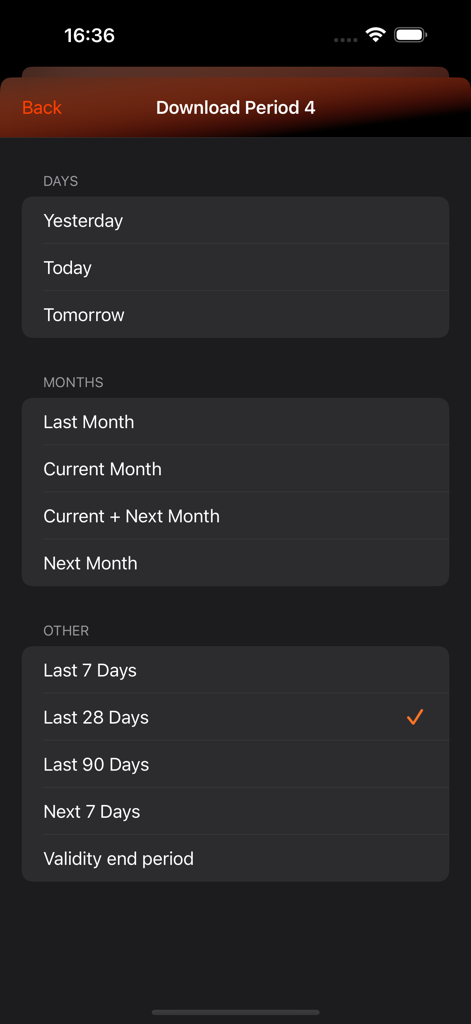
RosterX 앱 다운로드 기간 선택 화면에 일, 월, 날짜 범위 옵션 표시

RosterX 앱 다운로드 기간 선택 화면에 일, 월, 날짜 범위 옵션 표시

완벽한 제어로 비행하세요

이 앱을 돋보이게 하는 도구, 800 명의 사용자가 선택.

📅

원활한 캘린더 통합

비행 임무, 승무원 정보, 호텔 세부 정보를 iOS 캘린더에 직접 삽입하여 업무와 개인 생활을 완벽하게 동기화하세요.

🔔

스마트 변경 알림

근무표 변경에 대한 즉각적인 알림과 위치 기반 '출발 시간' 알림으로 운영 상황을 미리 파악하세요.

✈️

즉각적인 오프라인 액세스

일정을 한 번 다운로드하면 35,000피트 상공에서도 승무원 목록, 호텔 데이터, 비행 시간을 액세스할 수 있습니다.

앱 소개

에 대해 알아야 할 모든 것 RosterX.

설명

Download and show NetLine/Crew CrewLink rosters from Airline servers. Download Manager saves downloaded rosters and notifications automatically or manually. Optional injection of roster events to existing iOS device calendar (some Airlines only), including maximum amount of data parsed from native CrewLink roster (e.g. Crew members, messages, hotels, ...). Check-in events generate location based travel time alerts (Time to Leave) and, if desired, an optional 60 minutes alert. Roster import from local iOS device supported. CrewLink notification handling (Confirm or Dismiss) implemented. Timely System notifications provide alerts (banners, sounds, badges) about new CrewLink notifications (roster changes) and CrewLink validity end date changes (new roster publication). This also operates if app is in background. Pull to refresh on Info tab fires this notification feature manually. Dark Mode support. Added the Buy Me a Coffee In-App Purchase option to keep app Ad-Free. Currently supported Airlines: • AeroLogic (3S), VPN required • airBaltic (BT) • Bulgaria Air (FB) • Condor (DE) • Corendon Airlines (XC) • Corendon Dutch Airlines (CD) • Croatia Airlines (OU) • Eurowings (EW) (Hard and Soft token) • GOL Linhas Aéreas Inteligentes (G3) • ITA Airways (AZ) • LOT Polish Airlines (LO) • Luxair (LG) • Norwegian (D8) • Portugália Airlines (NI) Airlines with iCalendar support: • airBaltic (BT) • LOT Polish Airlines (LO) • Luxair (LG) • Portugália Airlines (NI) Airlines with Master Roster support: • Luxair (LG) Features: • CrewLink roster download • AutoFill Passwords are saved in iCould Keychain across devices • Four configurable configurable download periods (one-click-download) • CrewLink notification handling (Confirm or Dismiss), with subsequent reload of updated roster • Zoomable and scalable roster view • Download Manager saves downloaded rosters and notifications automatically or manually • Start date to today option • End date to validity end date option • CrewLink rosters and notifications can be shared (e.g. Email, AirDrop, ...) • System notifications (banners, sounds, badges) for CrewLink notifications and CrewLink validity end date changes • Optional notifications to inform about network errors when Airline servers are unavailable • Last CrewLink notification check information (date & time) • CrewLink validity End date information • iCalendar generation (supported Airlines only) • iCalendar check-in events with location based travel time alerts can be added to the calendar • iCalendar check-in events can have an optional additional 60 minutes alert • iCalendar localtime/UTC conversion based on location and date • iCalendar merged flight events • Optional substitution of already existing RosterX calendar events • Master Roster (supported Airlines only) • Dark Mode support • Split View & Slide Over support (iPad only) • TLCs database shows rank/stripes, sports Stats view and pull to refresh for database update (LG only) • Airports database (Name, Country, ICAO and IATA) • Send feedback and Report a bug features • Share the app feature • Reset settings feature for changing Airline or restoring app defaults • In-App Purchase subscription: iCalendar, LG Bundle • In-App Purchase: Buy Me a Coffee (not adding any additional functionalities) • Ad-Free • If your Airline is not listed, please contact developer for inclusion (Airline must use NetLine/Crew CrewLink). email: rosterx@geohei.lu Enjoy the experience Disclaimer: RosterX is designed for Airline Crews to easily access company NetLine Crew/CrewLink rosters. Duly check retrieved data for correctness through Airline channels e.g. official CrewLink web interface. Airline specific login mechanism modifications might impair or even break functionality of present app. In this case, we will do our best to reestablish access without delay. Standard Apple Terms of Use (EULA) apply: https://www.apple.com/legal/internet-services/itunes/dev/stdeula/

최신 버전

1.18.7

크기

36.9 MB

출시일

2019년 8월 17일

일정 관리 스트레스에서 벗어나세요

수백 명의 항공 전문가들이 근무표 관리를 자동화했습니다. 지금 RosterX를 다운로드하여 항공 생활을 동기화하고 '출발 시간' 알림을 다시는 놓치지 마세요.

다운로드: App Store

App information, icons, screenshots, and descriptions displayed on this page are sourced from the Apple App Store and are the property of their respective developers. Download estimates and rankings are based on MWM's proprietary models and may not reflect actual figures. This page is provided for informational and analytical purposes only.

Believe this page infringes your intellectual property? File a dispute